Category: Blog

  • Friday Flyway Tips–Seeing Pending Migrations

    I find that quite a few people using Flyway will end up with a lot of migration scripts over time. While you can certainly re-baseline and split scripts into separate folders, visualizing these over time can be hard.

    The Flyway Desktop team added a nice little option that makes it easier to see new work as opposed to old work.We’ll look at that in this post.

    I’ve been working with Flyway Desktop for work more and more as we transition from older SSMS plugins to the standalone tool. This series looks at some tips I’ve gotten along the way.

    Lots of Migration Scripts

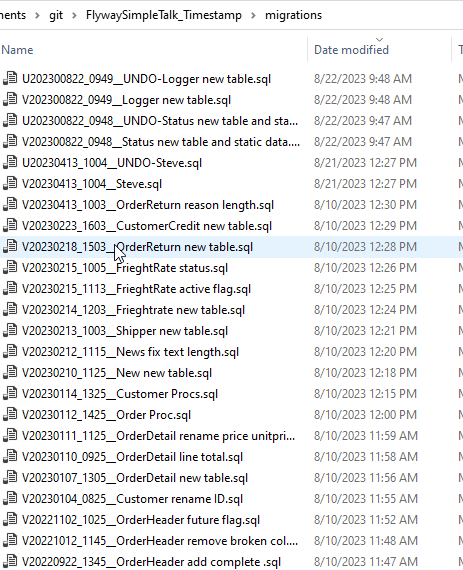
    We might see a lot of migration scripts over time in a folder. Certainly I can see this in the file system for one of my projects.
    2023-10-19 15_06_07-migrations

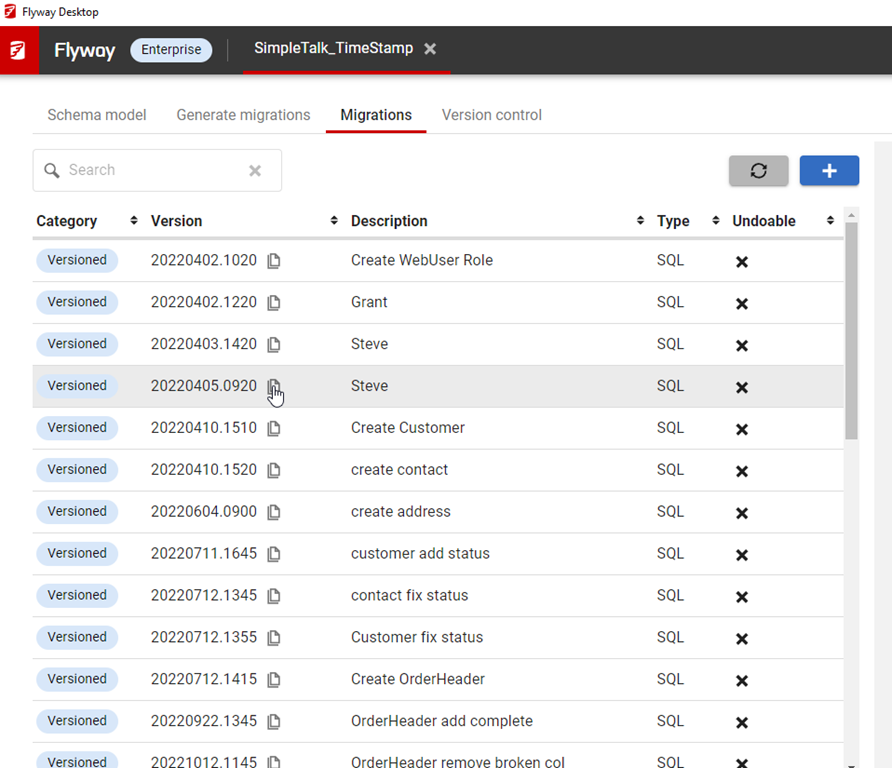
    In Flyway Desktop,  here is my view.

    2023-10-19 15_40_08-Flyway Desktop

    That is a lot of scripts. Since these are ordered as they would apply, it can be a lot of scrolling to find the ones that haven’t been applied.

    However, if I click an environment on the right, I get a different view. Now I see a checkbox above the migrations that says “Only show pending migrations”.
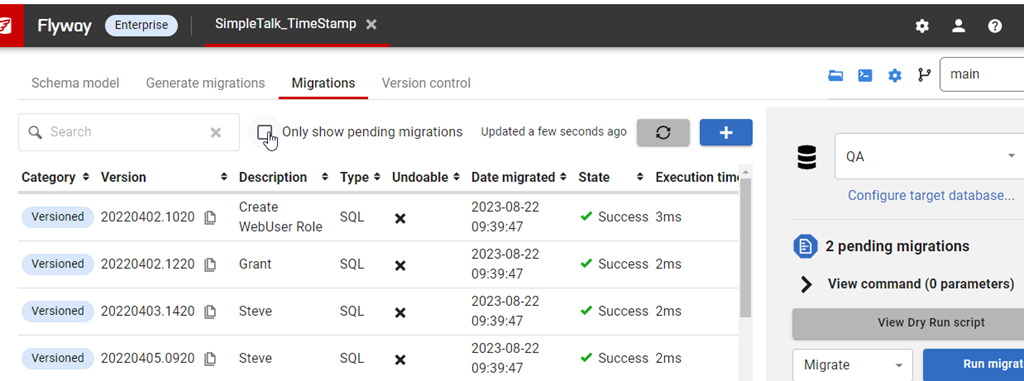
    2023-10-19 15_40_29-Flyway Desktop

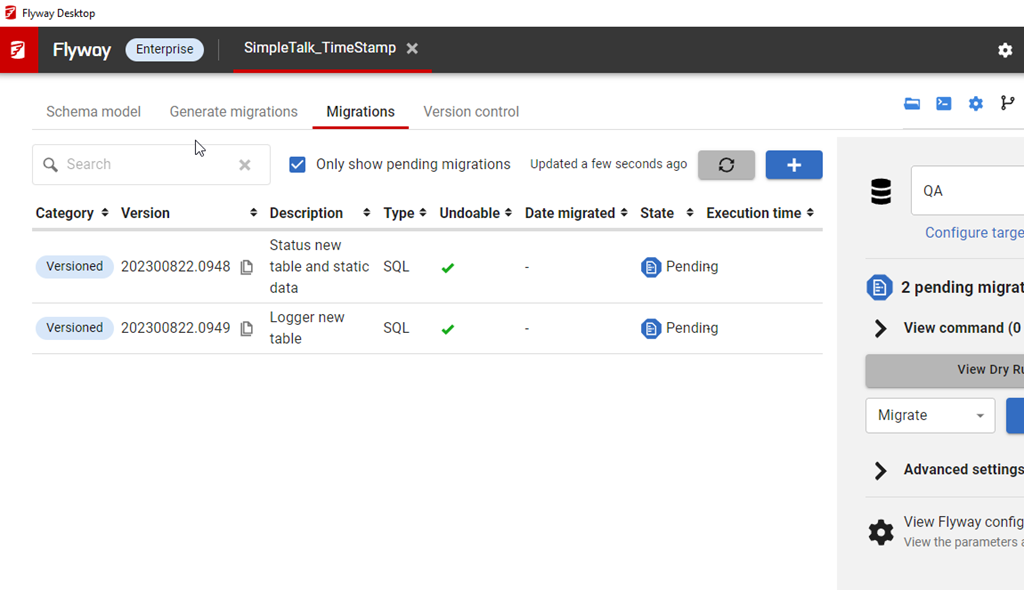
    If I click that, I see a view of the few that haven’t been applied to this environment.
    2023-10-19 15_42_13-Flyway Desktop

    A quick way to see what work has been added to the project, but not applied to other environments.

    Try it out today. If you haven’t worked with Flyway Desktop, download it today. There is a free version that organizes migrations and paid versions with many more features.

    Video Walkthrough

    I made a quick video showing this as well. You can watch it below, or check out all the Flyway videos I’ve added:
  • A New Word: Zielschmerz

    zielschmerz – n.  the dread of pursuing a lifelong dream, which requires you to put your true abilities out there to be tested on the open savannah, no longer protected inside the terrerium of hopes and delusions that you started up in kindergarten and kept selaed as long as you could.

    I don’t know I have any lifelong dreams, much less zielschmerz. I used to want to play professional sports, but that lifelong dream died a long time ago when I realized pursuing it wasn’t realistic.

    I have enjoyed life and worked to grow my career, skills, and enjoyment in different ways. However, I am more a take things are they come and constantly re-evaluate what I want and need more than having a dream.

    However, you can pursue a lifelong dream, which might not include being tested on the savannahs, but it might be tested in the real world. My wife changed careers to work with horses, taking a leap that she could actually earn enough to have that be a viable career. It’s been nearly 12 years now and she’s made it a success, though I know she had a lot of trepidation and anxiety in making the leap and growing her business.

    Hopefully there is no more zielschmerz these days for her.

    From the Dictionary of Obscure Sorrows

  • Game Night at the PASS Summit

    Games Night is back at the Summit, this time on Wednesday night in a large space for 200 people plus to enjoy some fun with friends and colleagues. This is special to me as Andy Warren and I organized and hosted the first one, and since then it’s been an event at a few of the Summits. Now it’s the main event Wednesday after the Exhibition Hall party.

    Bring a game, or come learn a new one. Be sure to add this to your schedule and spread the word. The more people, the more fun we’ll have.

    Hope to see you there.

    Update: I have a list of games:

    7 Wonders
    Apples to Apples
    Brain Games
    Carcassone
    Catan
    Catan extension pack
    Chess
    Clue
    Codenames
    Dominion
    Dominoes
    Exploding Kittens
    Fluxx
    Generic card decks
    Jenga
    Dominoes Mexican Train  
    Rummikub/Rummy Cube
    Mile Borne
    Monopoly
    Munchkin
    Pandemic
    Pay Day
    Phase 10
    Risk
    Scrabble
    Sequence
    Stratego
    Taboo
    Ticket to Ride
    Trivial Pursuit
    Uno
  • Finding Object Dependencies in SQL Doc

    I had a customer recently ask if they could find out which objects are dependent on others using SQL Doc. This post shows how to do that.

    Using SQL Doc

    In the SQL Doc application, you can dive down into the various objects in your database. As I’ve shown below, I navigated on the left side down to a specific object.

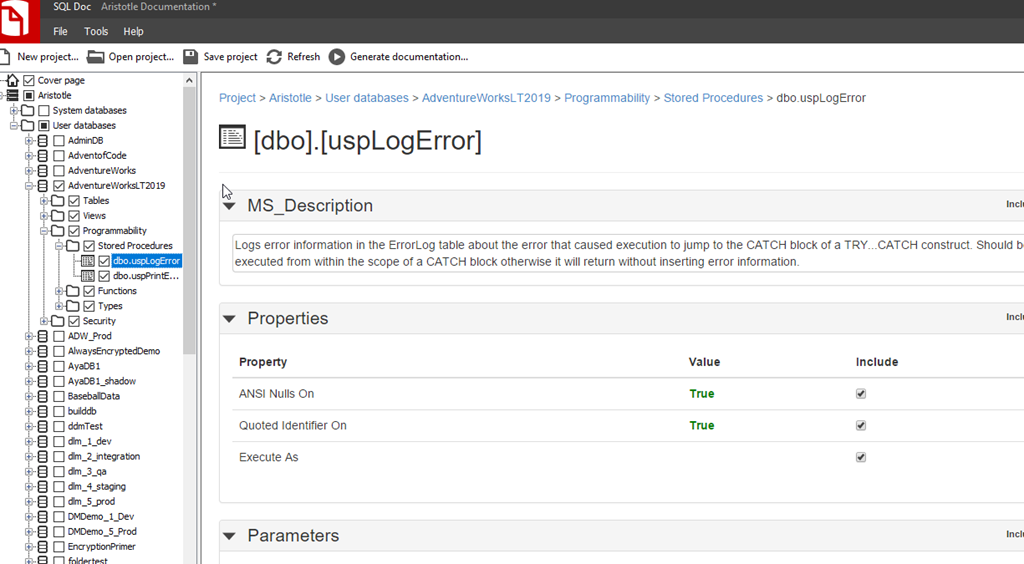
    2023-10-18 13_03_42-SQL Doc - Aristotle Documentation _

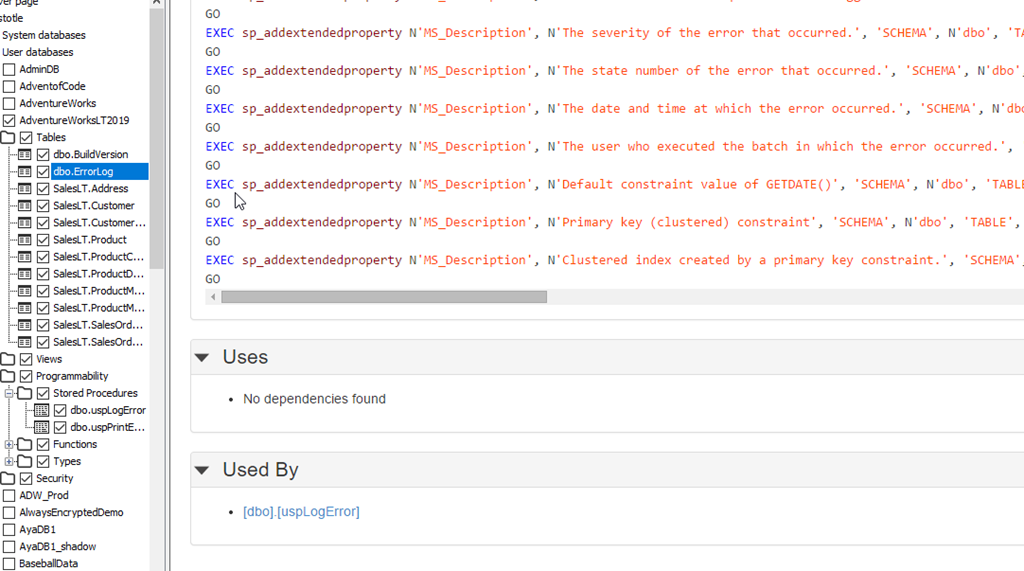
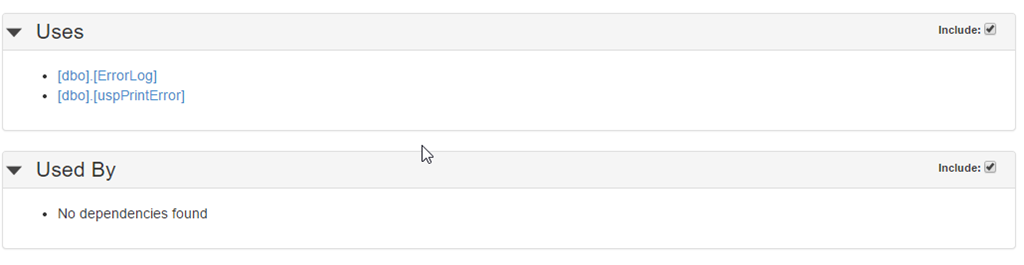
    This gives me the basics of this object, but I can scroll down and see more. The lower part below the script shows what this object depends on (Uses) and what other objects depend this one (Used By). In this case, this object depends on dbo.ErrorLog and dbo.uspPrintError.

    2023-10-18 13_05_18-SQL Doc - Aristotle Documentation _

    The reverse of this can be seen in these objects. If I look at dbo.ErrorLog, then I see this proc (dbo.uspLogError) listed.

    2023-10-18 13_05_32-SQL Doc - Aristotle Documentation _

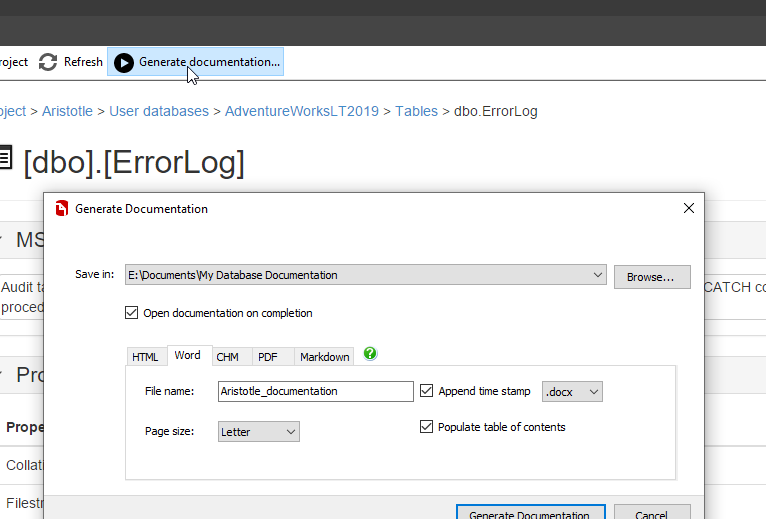
    This is really a preview of documentation, not the docs themselves. While you can edit the MS_Description at the top, this isn’t the tool I’d expect most users to use. Instead, you ought to click Generate documentation at the top and choose the type you need.

    2023-10-18 13_08_18-SQL Doc - Aristotle Documentation _

    Or better yet, use the command line and ensure this is regenerated after every release.

    Searching the Documentation

    Once the documentation is generated, it’s in static text files. These might be Word or some other format, but they are files in your machine.

    If you want to search something, then you would use that search facility. A few examples below:

    Word

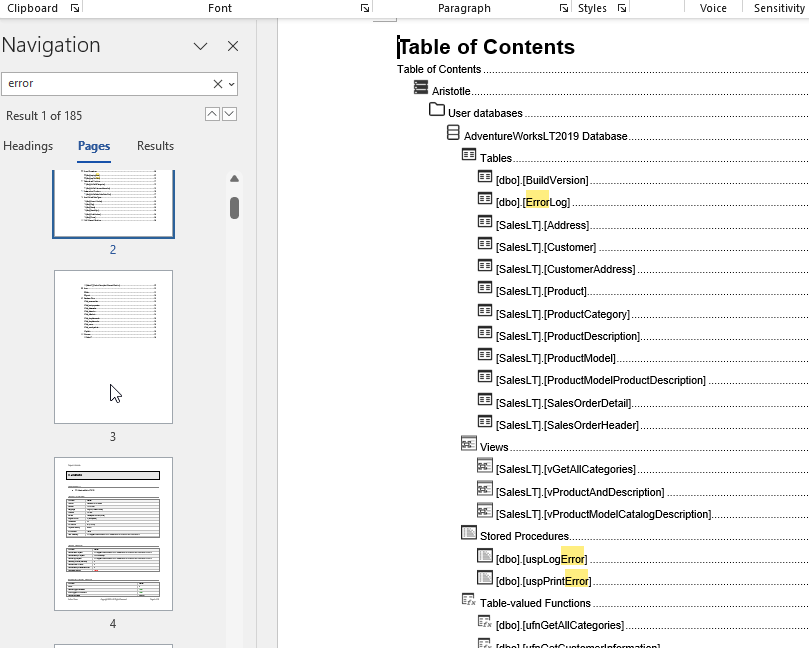
    In Word, as you can see, if I hit CTRL+F, I can search for something, like Error. That gives me a lot of results.

    2023-10-18 13_09_43-Project Llama Overlay

    Not the easiest thing to search, but seeing this results in the TOC let’s me scroll down to jump to a page.

    PDF

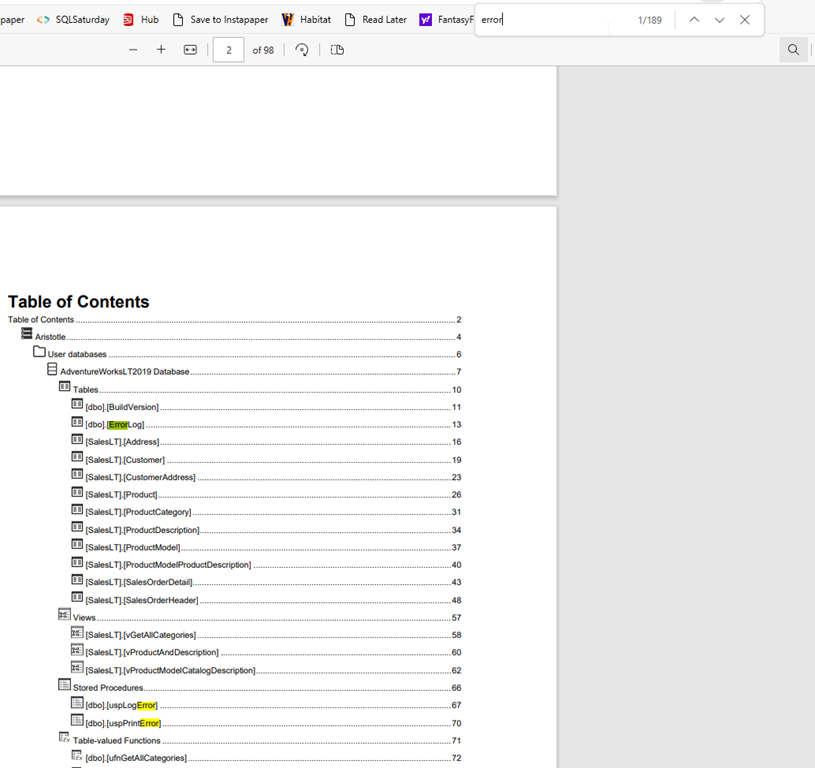
    If I generate a PDF, this often renders in some application. For example, by default, this opens in a browser for me. If I want to search for “error”, I can again, CTRL+F and enter the term.

    2023-10-18 13_12_29-Aristotle_documentation-2023-10-18T13-12-01.pdf and 20 more pages - Personal - M

    HTML

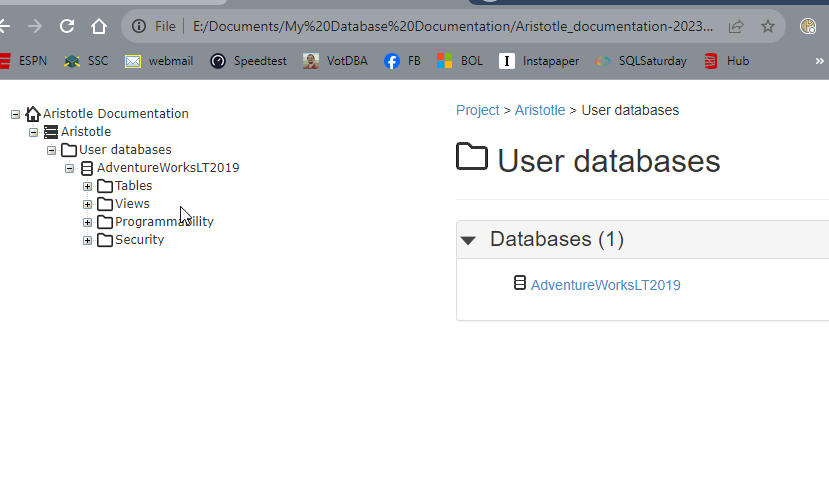
    The HTML docs open in a browser, but they’re not directly searchable. There isn’t a place to click search.

    2023-10-18 13_13_37-User databases

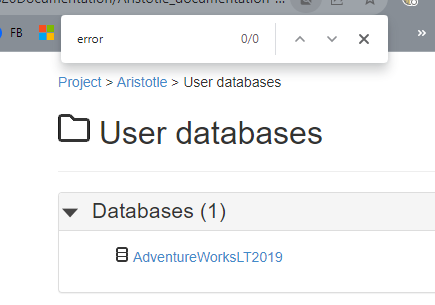
    If I use CTRL+F, it doesn’t work because the docs for each object are in separate files.

    2023-10-18 13_13_57-User databases

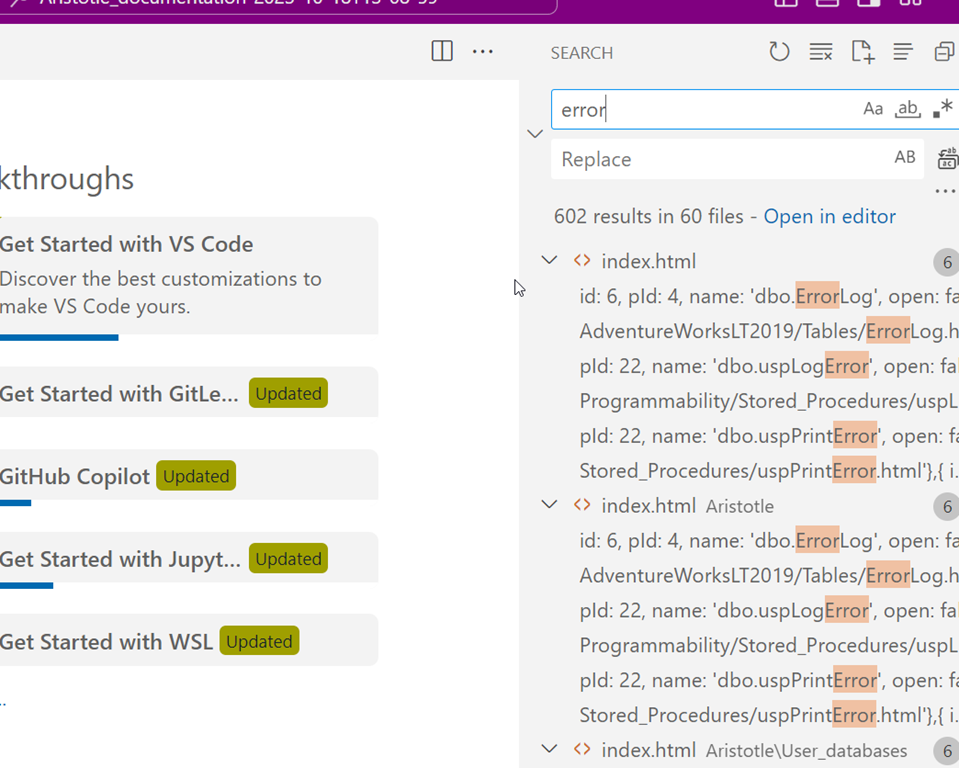
    However, I can do some searching in the files if I use something like Visual Studio code to open the entire folder. It’s not the prettiest search, but it works.

    2023-10-18 13_16_18-Welcome - Aristotle_documentation-2023-10-18T13-08-59 - Visual Studio Code

    Recommendations

    I’d recommend you do two things.

    1. Ensure that this is regenerated automatically with every deployment. Either to QA or prod, your choice. Depends on how your developers use docs.
    2. Pic a searchable format, either Word or PDF.

    SQL Doc is one of those utilities that can help a team share information, especially to report writers or others that might need to understand what fields are available and what they are used for, but don’t know the databases that well.

    One thing to think about is a layer of abstraction for non technical people where you only generate docs for views that have well named columns for people to use in reports.