Category: Blog

  • Decrypting Stored Procedures The Cumbersome Way

    I had a client that was struggling with some encrypted stored procedures. They needed to decrypt them, which I know is a pain in the #@$%@#$@#$#@. I had to do this one. This post shows how I sent them some code to do this.

    Note, SQL Compare 15 does this easier and simpler. If you own it, I’d use that instead. A future post will show how easy that it.

    Setup

    I tested this on SQL Server 2017/2019/2022. I don’t have older instances handy, so I can’t verify that for those. However, I ran this code in databases on each instance:

    CREATE OR ALTER PROCEDURE dbo.DecryptionTest
    WITH ENCRYPTION
    AS
    SELECT 2 AS Two;
    DECLARE @i INT = 1;
    IF @i = 2
       SELECT 3 AS Two;
    ELSE
       SELECT 2 AS Two;
    GO
    CREATE PROCEDURE [dbo].[DecryptionTest2]
    WITH ENCRYPTION
    AS
       SELECT 2 AS Two;
    GO

    I had shown how to detect these are encrypted in a previous post.

    Decryption

    I had initially sent the client these links, since I was sure they’d worked at one point. I thought that SQL Server 2000 and earlier had a different algorithm. Don’t quote me on that and there’s so much Google-noise, I can’t verify this.

    Those links don’t work, and I can only guess that either I had used different procs or these were edited.

    In any case, I found a gist here: https://gist.github.com/jstangroome/4020443

    This has code that does work. I ran this on my instances, and I got similar output to this on all instance:

    2023-07-21 12_54_19-SQLQuery3.sql - ADMIN_ARISTOTLE_SQL2017.Compare2 (ARISTOTLE_Steve (53))_ - Micro

    I didn’t clean this or try to extract the value from the XML, but for the client this worked.

    It’s not the cleanest or best way, but it does decrypt the procs I’ve created.
  • Friday Flyway Tips: Searching Migrations

    When a Flyway Desktop (FWD) project (or Flyway project) has been around for a long time, there can be a lot of migration scripts. That can be a pain for users, but there is a way to find your changes or limit what you see. This post looks at how to do this starting with Flyway Desktop 6.5.4.

    I’ve been working with Flyway Desktop for work more and more as we transition from older SSMS plugins to the standalone tool. This series looks at some tips I’ve gotten along the way.

    A Busy Screen

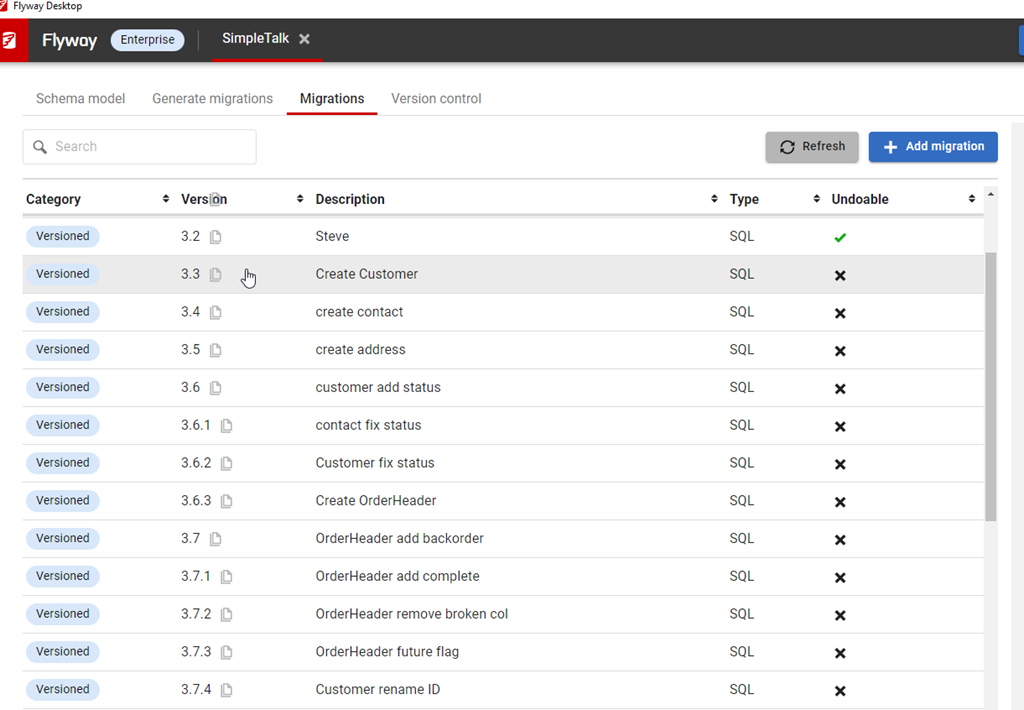
    I’ve got a lot of migrations in this project. You can see below in the image, noting the scroll bar goes up and down here.

    2023-08-10 12_30_54-Flyway Desktop

    Many customers have many more migrations, which could run into the 100s. I’ve worked with large Oracle migrations in the past where there were 100s for an upgrade from v4 to v5. The project would have been 1000s in its lifetime.

    Use Search

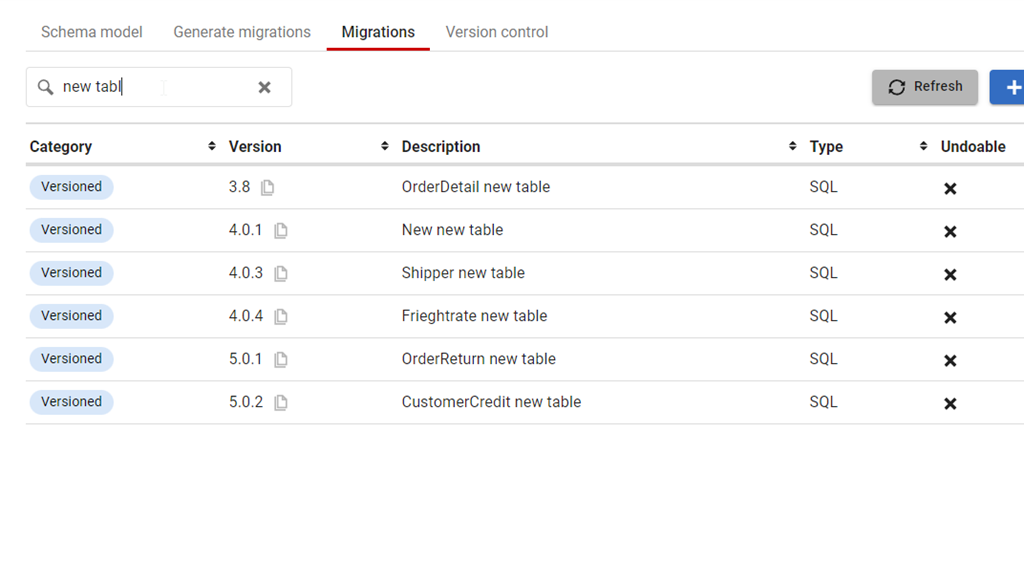
    At the top of the Migrations tab, there is a new search box. This was added somewhere in Flyway Desktop 6, and I just noticed it. However, it’s very, very handy. If I start typing in there, like “New Table”, then I see just those migrations.

    2023-08-10 12_33_47-Flyway Desktop

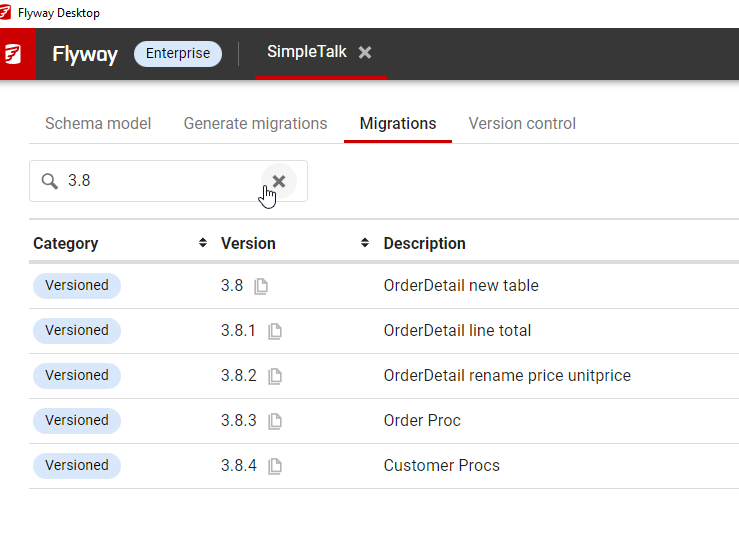
    I can even search versions, like the specific migrations in the 3.8 release that I am wondering about.

    2023-08-10 12_35_55-Flyway Desktop

    This works by checking the version and description fields. The rest aren’t as useful, but it does mean if you come up with some standards for the description in your team, you can easily use this to find changes in your project.

    Try it today. If you haven’t worked with Flyway Desktop, download it today. There is a free version that organizes migrations and paid versions with many more features.

    Video Walkthrough

    I made a quick video showing this as well. You can watch it below, or check out all the Flyway videos I’ve added:

  • A New Word: Aubadoir

    aubadoir – n. the outworldly atmosphere just before 5 am, when the bleary melodrama of an extremely late night becomes awkwardly conflated with the industrious flourescence of a very early morning.

    I haven’t seem 5am from the previous day side in a long time. I just don’t go out much, and almost never past midnight. However, I did have a late night recently after vacation. I flew home on a Sunday night, with a delayed flight. This has become all too common, but in this case it was tough.

    I landed around 1230am. I got bags and drove home, getting into bed between 130a and 200a. I had a 9am flight, so I was up at 6am to pull out some laundry from my bag, throw in a few new clothes, and then head back to the airport.

    Getting home and remembering that I had to be up in a few hours certainly had me feeling some audadoir.

    From the Dictionary of Obscure Sorrows

  • Webinar: Unlock the Full Potential of Flyway to Achieve Automated Database Releases

    On Aug 22, 2023, I’m co-hosting a webinar with Anderson Rangel, Redgate Solution Engineer in Brisbane. You can register here for the 11am AEST webinar.

    No, I’m not going to Brisbane. I’d love to, but I’ll be in Colorado and hopefully I keep things straight that this is the day before for me. I’ve got a few reminders to keep me on track that I’ll be speaking after dinner in the US.

    We’re going to cover the ways in which Flyway can help you automate your database releases. If you haven’t looked at Flyway recently, or ever, this is the webinar for you in the Australia / New Zealand region. We will look at why Flyway helps and some of the new features and changes Redgate has added with our many releases. If you look at the release notes, we release a lot, often in response to feedback from our customers.

    Join us on the 22nd and learn how Flyway and Flyway Desktop can help you prevent the database from being a blocker to adopting DevOps for your software.

    Register today