One of the things I’ve been wanting to do is dig more into the command line automation cmdlets from the Redgate DLM Automation suite. While there are plugins for many build and release systems, I should be able to customize, or fall back, to the command line if necessary.
Plus, this allows me to get a better feel for what’s happening at each step.
This post looks at the basics of making a connection to a database. Note that this is documented on the DLM Automation 2 Cmdlet Reference page.
New-Database Connection
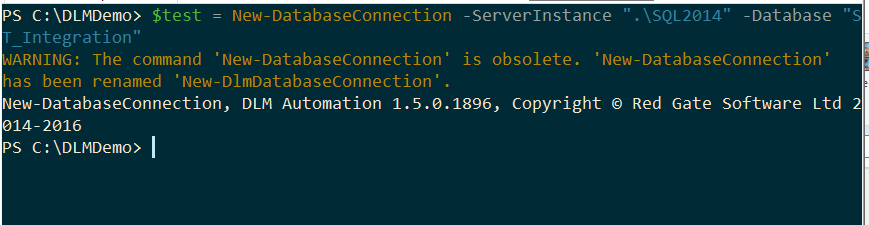
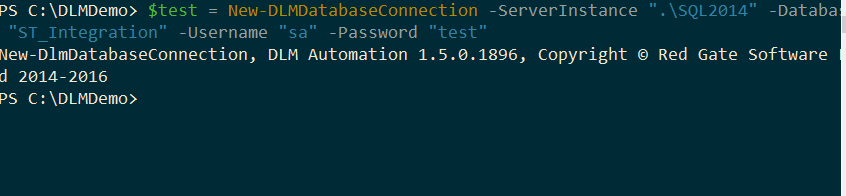
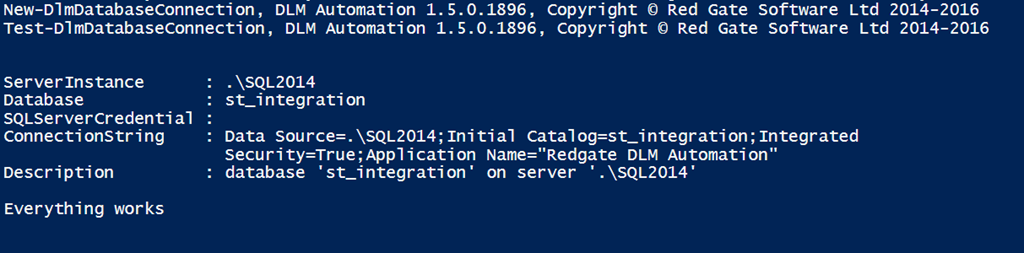
When I started working with the connections, I used the New-DatabaseConnection cmdlet. However, when I run this now, I get this:
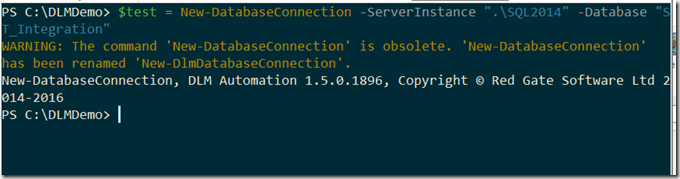
That’s fine, as my call to the new cmdlet works.

Do I know what’s happening here? I should investigate further.
First, if I’ve run this, what does it do? Not much, apparently. If I run an Extended Events session looking for a connection, I don’t get one. Let’s try a new command, this time using a name and password.
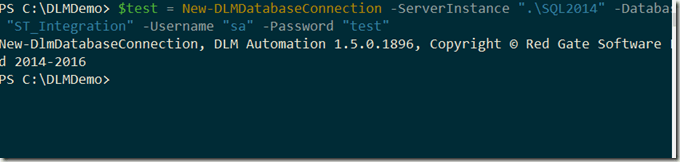
That’s an invalid password for my instance (as it should be on every instance in the world). However, I don’t get an error. No connection was made. In this case, the cmdlet is storing off the connection credentials that will be used. If I don’t provide the user/password, then a trusted (Windows auth), connection is assumed.
Can I now test this? Sure, I’ll use the Test-DLMDatabaseConnection to make a connection.

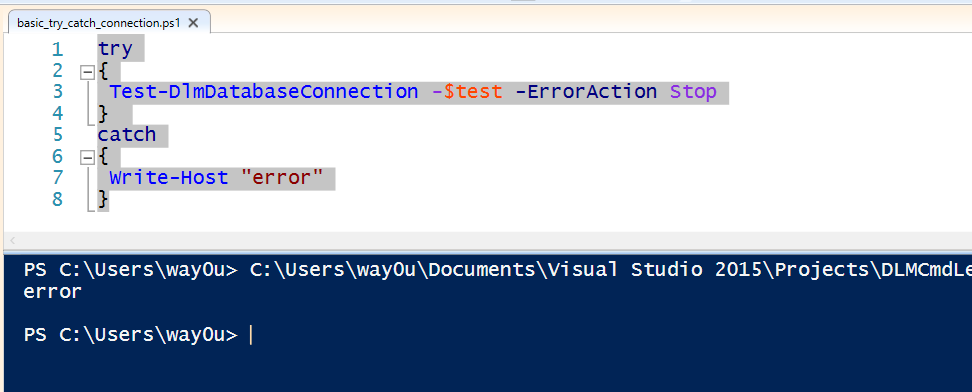
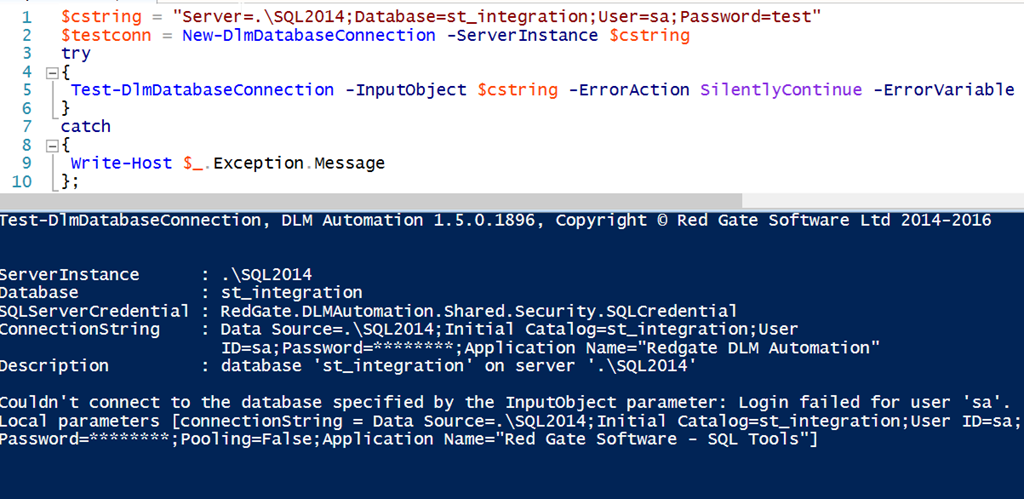
This fails. That’s good to know. Now I can use this to actually determine if I target database is alive before I continue processing. My preferred method here would be to wrap this up in some error handling. For example, I can use a try..catch structure in PoSh. I’ll switch to the ISE to make this cleaner. Here’s the code
try
{
Test-DlmDatabaseConnection -$test -ErrorAction Stop
}
catch
{
Write-Host "error"
}
In the ISE:
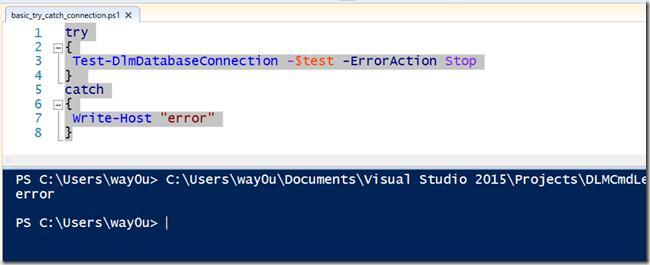
I can also get the error details from the current object ($_). Note, I’m not a PoSh expert, so if there are better ways, let me know.
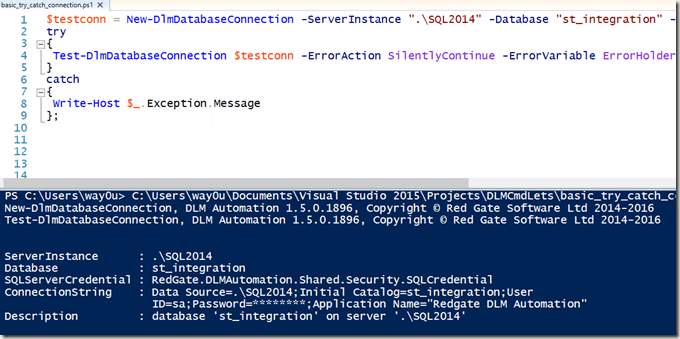
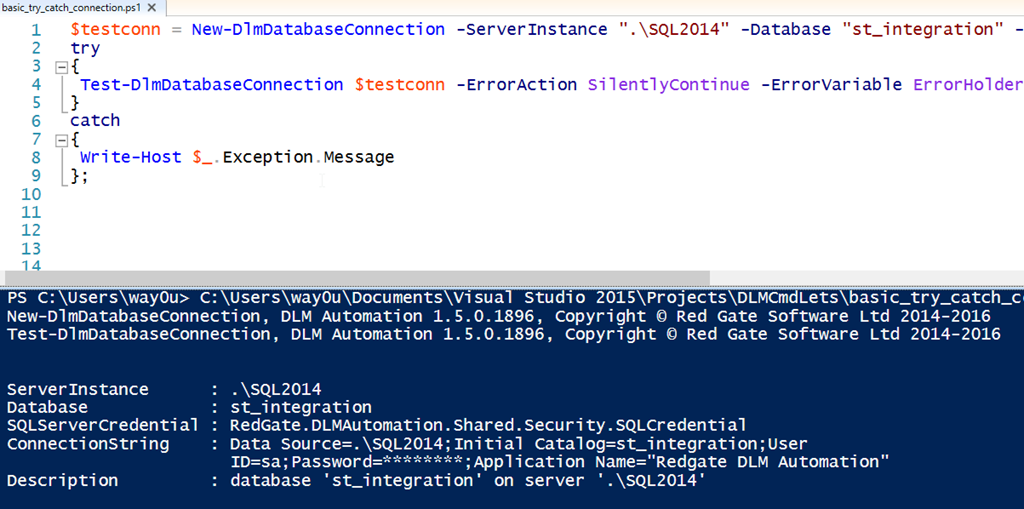
I can also pass in some common parameters, like –ErrorAction and –ErrorVariable. Then I can use these to decide whether or not to continue. In my case, I’ll just write a message. Here’s my code:
$testconn = New-DlmDatabaseConnection -ServerInstance ".\SQL2014" -Database "st_integration" -U "sa" -Password "test"
try
{
Test-DlmDatabaseConnection $testconn -ErrorAction SilentlyContinue -ErrorVariable ErrorHolder;
}
catch
{
Write-Host $_.Exception.Message
};

if ($ErrorHolder)
{
Write-Host($ErrorHolder)
}
else
{
Write-Host("Everything works");
}
That will give me this:
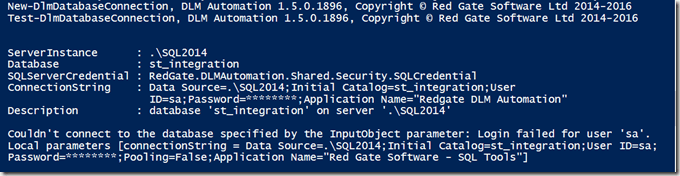
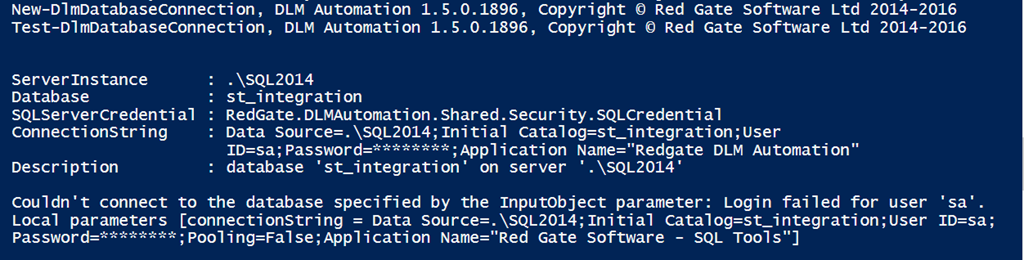
If I remove the user and password parameters, I get this:
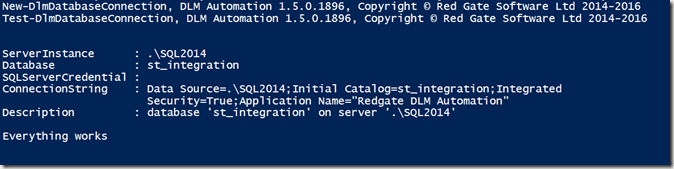
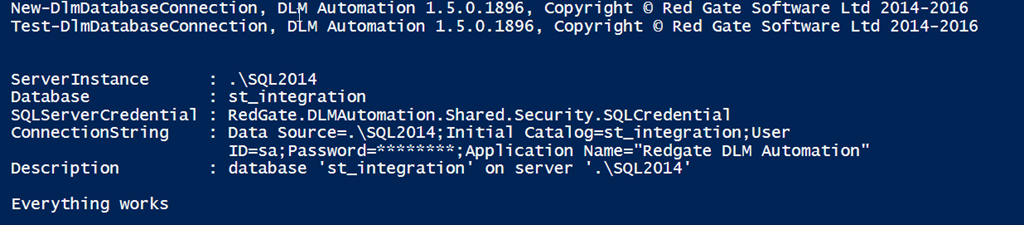
You didn’t think I’d publish the real sa password, did you? Of course not. If I change the code to the right password, things connect.
Checking the Object
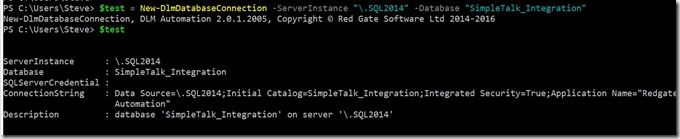
What if I just want to check the object? Well, there are properties associated with the object. For example, if I use a simple variable to assign to the object, I can see some properties. If I just type the variable name, $testconn, I get these properties:
- ServerInstance
- Database
- SQLServerCredential
- ConnectionString
- Description
You can see these returned in a test session.
Other Options
I have other parameters I can use with my connection, or rather, in place of my connection object. I can use a connection string, with all of the parameters that are valid there. For example:
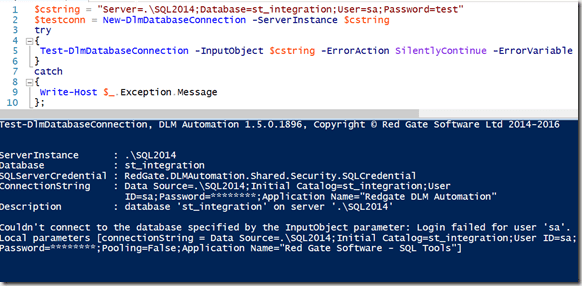
If I enter the correct password, I get this:
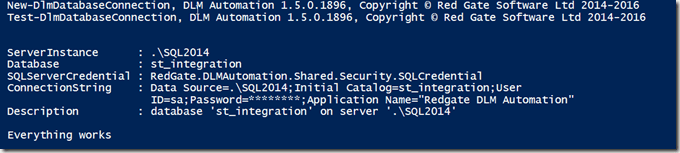
My connection string can contain all of the items I might normally use: ApplicationIntent, Encrypt, NetworkLibrary, etc. A full list of parameters is at: https://www.connectionstrings.com/all-sql-server-connection-string-keywords/
The New-DlmDatabaseConnection object outputs a RedGate.DLMAutomation.Compare.SchemaSources.DatabaseConnection object, which is the input to quite a few other of the cmdlets. While not complex, it is worth understanding how to use this cmdlet, which is the basis for determining from which source or two which target you will be moving database changes.
In another post, I’ll start to bind this cmdlet with others and actually perform some database deployment automation work.