Category: Blog

  • The Dangers of Detach

    I ran across a twitter conversation about a post recently. The post talks about detaching or attaching databases in bulk.

    I agree that detaching databases in some cases is bad, but it’s not necessarily something I’d avoid. Detach is a good way to prep for upgrades, movement, etc. It may or may not be faster than backup/restore, depending on your environment, but it’s something to consider.

    However.

    If you are going to detach, there are a couple things I’d recommend. First, make sure you have a good backup. A backup is just that, a backup plan, a backup file, a way to recover when things go wrong. It isn’t your data, it’s a copy. A detached mdf is your data. Make sure you have a backup before detaching and messing with files.

    Second, never move files. Never, ever, ever, ever, move database files. Detach/attach is a valid way to move databases, but always copy the files.

  • Backups, Encryption and Branding in San Diego

    This weekend is SQL Saturday #249 in San Diego. I’m looking forward to the trip for a few reasons, but mostly because I used to live in the Northern San Diego area and love going back to spend time near the beach. I’m not sure what I’ll have time to do this trip, but since the event is in La Jolla, likely I’ll visit Del Mar, where I used to work and see some sights. A short run in the sand might also be required 😉

    I arrive Thursday because Red Gate Software is hosting a small event Friday with The DBA Team: Grand Fritchey and myself.  This is one of our mini SQL in the City seminars and is targeted to DBAs. We’ve done two so far in 2013, with (I believe) three more to come. I’ll be talking about backups this time while Grant covers monitoring and parameter sniffing. I’m not sure if we’re full, but if you can come, register and we’ll see you Friday.

    Saturday is the SQL Saturday event, at the UCSD Extension campus. I’ll be opening the day talking about encryption and then have the second session on branding yourself. I enjoy these two talks, and they’ve been popular at a number of events across the last couple of years.

    I’m hoping for good weather, especially after a rainy week in Denver.

  • Managing Data in a FileTable with T-SQL

    I wrote a post about creating a Filetable, which just covered the basics of how to build one. How do you work with the data in this table? In this post I’ll look at a few things you can do from the T-SQL side.

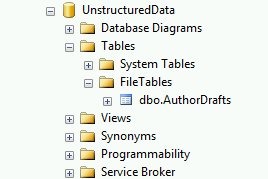
    From the last post, I had my author drafts Filetable. I can see this in the Object Explorer.

    filetable_c

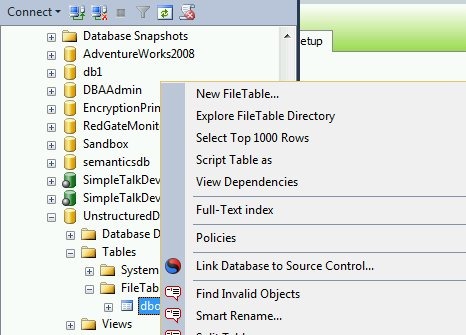
    I can use the same “select data” feature from Object Explorer on a Filetable, just like any other table.

    filetable_e

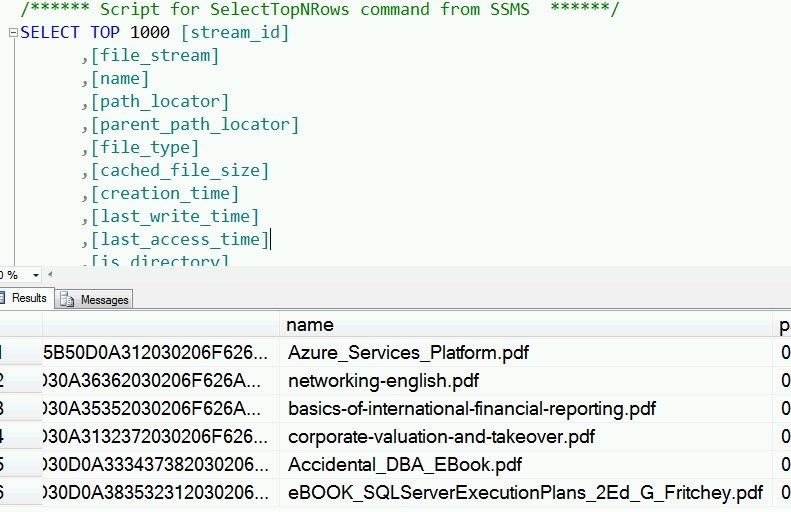
    I get the results, and as you see, I have a few rows in the table.

    filetable_f

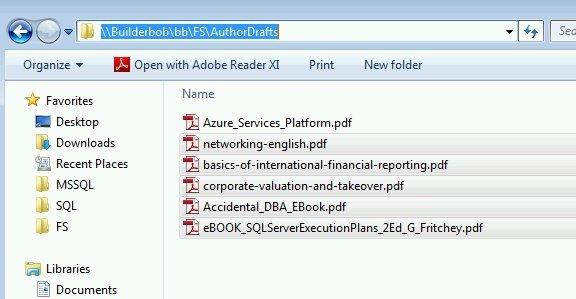
    These are actually the files I see in the share.

    filetable_d

    Inserting Data

    One of the advantages of Filetable is that you can use Explorer (and any tools that use the same Explorer APIs) to move data in and out of a table. However that doesn’t preclude you from using T-SQL.

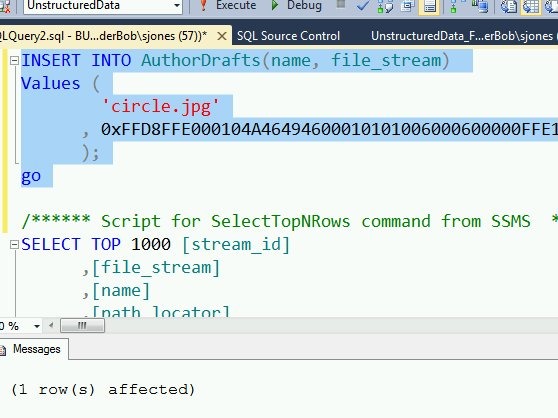
    I can use a script to insert data into the table, just as I might with Filestream.

    INSERT INTO AuthorDrafts(name, file_stream) Values ( 'circle.jpg' , 0xFFD8FFE000104A46494600010101006000600000FFE100684578696600004D4D002A000000080004011A0005000000010000003E011B0005000000010000004601280003000000010002000001310002000000120000004E00000000000000600000000100000060000000015061696E742E4E45542076332E352E313000FFDB0043000201010201010202020202020202030503030303030604040305070607070706070708090B0908080A0807070A0D0A0A0B0C0C0C0C07090E0F0D0C0E0B0C0C0CFFDB004301020202030303060303060C0807080C0C0C0C0C0C0C0C0C0C0C0C0C0C0C0C0C0C0C0C0C0C0C0C0C0C0C0C0C0C0C0C0C0C0C0C0C0C0C0C0C0C0C0C0C0C0C0C0C0CFFC0001108000A000D03012200021101031101FFC4001F0000010501010101010100000000000000000102030405060708090A0BFFC400B5100002010303020403050504040000017D01020300041105122131410613516107227114328191A1082342B1C11552D1F02433627282090A161718191A25262728292A3435363738393A434445464748494A535455565758595A636465666768696A737475767778797A838485868788898A92939495969798999AA2A3A4A5A6A7A8A9AAB2B3B4B5B6B7B8B9BAC2C3C4C5C6C7C8C9CAD2D3D4D5D6D7D8D9DAE1E2E3E4E5E6E7E8E9EAF1F2F3F4F5F6F7F8F9FAFFC4001F0100030101010101010101010000000000000102030405060708090A0BFFC400B51100020102040403040705040400010277000102031104052131061241510761711322328108144291A1B1C109233352F0156272D10A162434E125F11718191A262728292A35363738393A434445464748494A535455565758595A636465666768696A737475767778797A82838485868788898A92939495969798999AA2A3A4A5A6A7A8A9AAB2B3B4B5B6B7B8B9BAC2C3C4C5C6C7C8C9CAD2D3D4D5D6D7D8D9DAE2E3E4E5E6E7E8E9EAF2F3F4F5F6F7F8F9FAFFDA000C03010002110311003F00E97FE0E87FF82CA7ED35FB04FED85E09F03FC2BD6A5F87BE1097408B5C4D523D2ADAF1BC41746795248CBDC4722F970848C18940399373E43478FD75FF00827CFC68F177ED17FB0FFC2AF1D78F3461A078C7C59E19B2D4F57B110B42B14F244199846DF346AFC384392A1C024E335E95E2EF87BE1FF880968BAF687A3EB6B612F9F6C2FECA3B916F27F7D3783B5BDC60D6C5007FFFD9 ); go


    As you can see, this command works fine:

    filetable_g

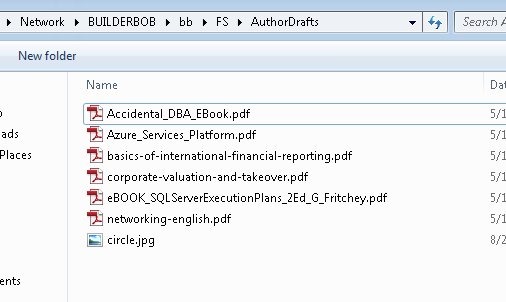
    If I then look at the share, I see my file:

    filetable_h

    Retrieving Data

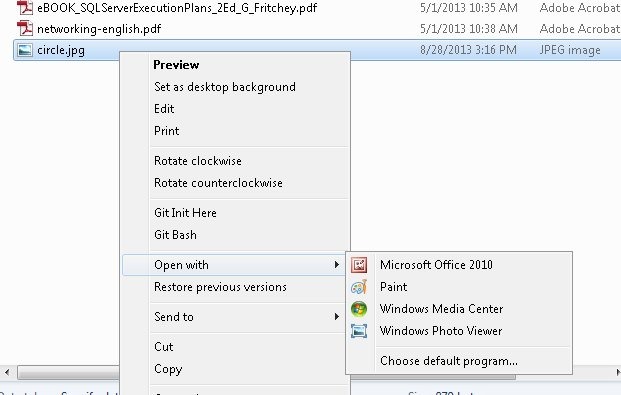
    As shown above, I can use SELECT queries to return data from a Filetable in T-SQL. However, I have a share as well, and I can cut, copy, paste, and open files from the share just as I would any other file in the file system.

    filetable_j


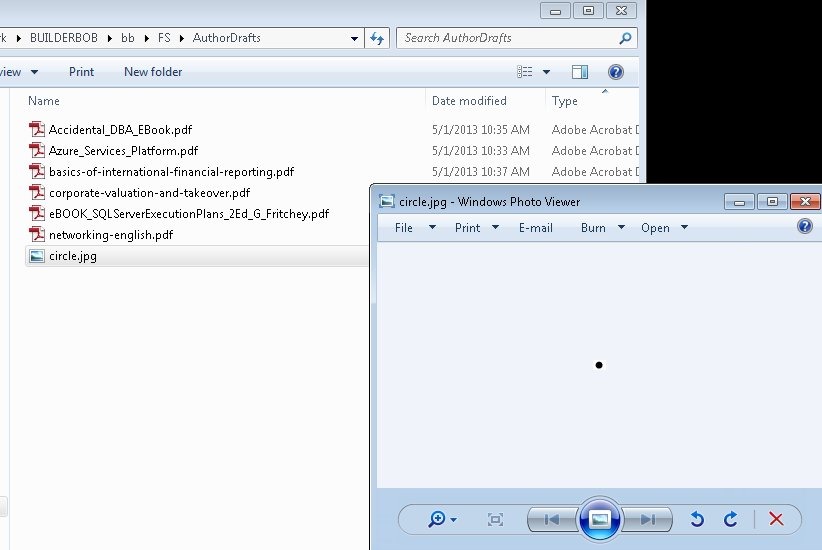
    If I open the file in Paint, I see my image:

    filetable_i

    Summary

    Working with files in a file table is easy, and while many people will use Explorer functions, you can use T-SQL as well to insert, or retrieve the data as you choose.

  • T-SQL Tuesday #46–The Rube Goldberg Machine

    tsqltuesdayIt’s T-SQL Tuesday time again. This is the monthly blog party where we all write on a topic. This month the topic is the Rube Goldberg Machine, as it might relate to SQL Server. You can read the invitation linked above from Rick Krueger and write your own post if you choose.

    Just be sure you post it on Tuesday, Sept 6, 2013.

    Catching the Cheaters

    A long, long time ago, in a county just to the west of here, I worked for a small company as a DBA. I had to support our production operations, as well as a team of 10-12 developers that were building our main company application. Since we were an ecommerce type company, this was an important application for the company.

    We were working in an high incremental way, probably similar to an Agile methodology, and deploying changes every week. However when I started the deployments weren’t smooth. Our developers were handling them, often bumbling them a bit, but able to fix things in an hour since they had done the development.

    Not a good separation of duties and it was becoming more of an issue as our boss wanted minutes of downtime, preferably single digits. I tracked down the main cause as a haphazard development style where changes were made to databases, instances, and IIS without much tracking going on. The IIS changes were easy: the developers had their rights removed from production and even test machines for configuration changes. However the database required a bit more work.

    As this was SQL Server 2000, we had limited ability to audit and manage rights. We also required our developers to have rights to the development machines in order to create test databases and work on importing data. We also wanted to ensure that developers moved quickly, but I needed a way to keep control of the instance.

    The first contraption I used was a simple one. I loaded the output of sp_configure into a table on the instance. I had created an administrative database that I used to track backups, and I added this information in there. I then created a job that would run sp_configure every day, compare the values to my table, and then alert me to changes. It would also update the table with the new, current values.

    This allowed me to catch various changes that developers were making when they tinkered with the server to “make it run faster”. I didn’t prevent changes, and if their changes worked, we’d deploy them to test (and eventually production), but this allowed us to document them and be aware.

    This worked well enough that I build a few more mousetraps. Catching schema changes is hard, as there isn’t good auditing in SQL Server 2000. However there is a “version” number for each object that is incremented when it’s changed. I built a similar audit/job system for our sysobjects table, but ran this every hour, catching changes. When I was alerted, which was more days than not, I’d email the team, track down the person changing things, and make a note for our current branch of work.

    This worked great in that development wasn’t slowed, but I was able to account for all development changes and slot them into the current, or future, development deployments. In a few months we reduced our deployment time from about an hour every Wed night to less than 5 minutes.

    Sometimes the mousetraps actually help the mice work better.