Category: Blog

  • Turning 40

    I turned 40 a few years back, and it wasn’t that big a deal for me. In some ways my wife thinks I’m a little old for my age, and when I hit 40, it wasn’t the milestone it is for some people. I think the night I turned 40 I was at a Cub Scout meeting with my son, delaying a sedate, quiet family dinner for a day or two because of that commitment.

    Last week I was in Cambridge, at the Red Gate offices.

    English phone boxes
    Not in Kansas (or Colorado) anymore.

    Every year I go over once for twice for meetings with my team at Red Gate where we brainstorm, do some evaluation on where we are, and look forward to the future. Most of my time is away from the office, but I do spend a little time at our building (Red Gate has a building!!) and say hi to a few friends.

    On Thursday morning, I was there for a surprise, and a rare event. The entire company, some 200 odd people gathered in the first floor (floor zero for you non-American, counting-building-floor-challenged people), with everyone in a Red Gate shirt.

    Red Gaters wearing red shirts
    A sea of red

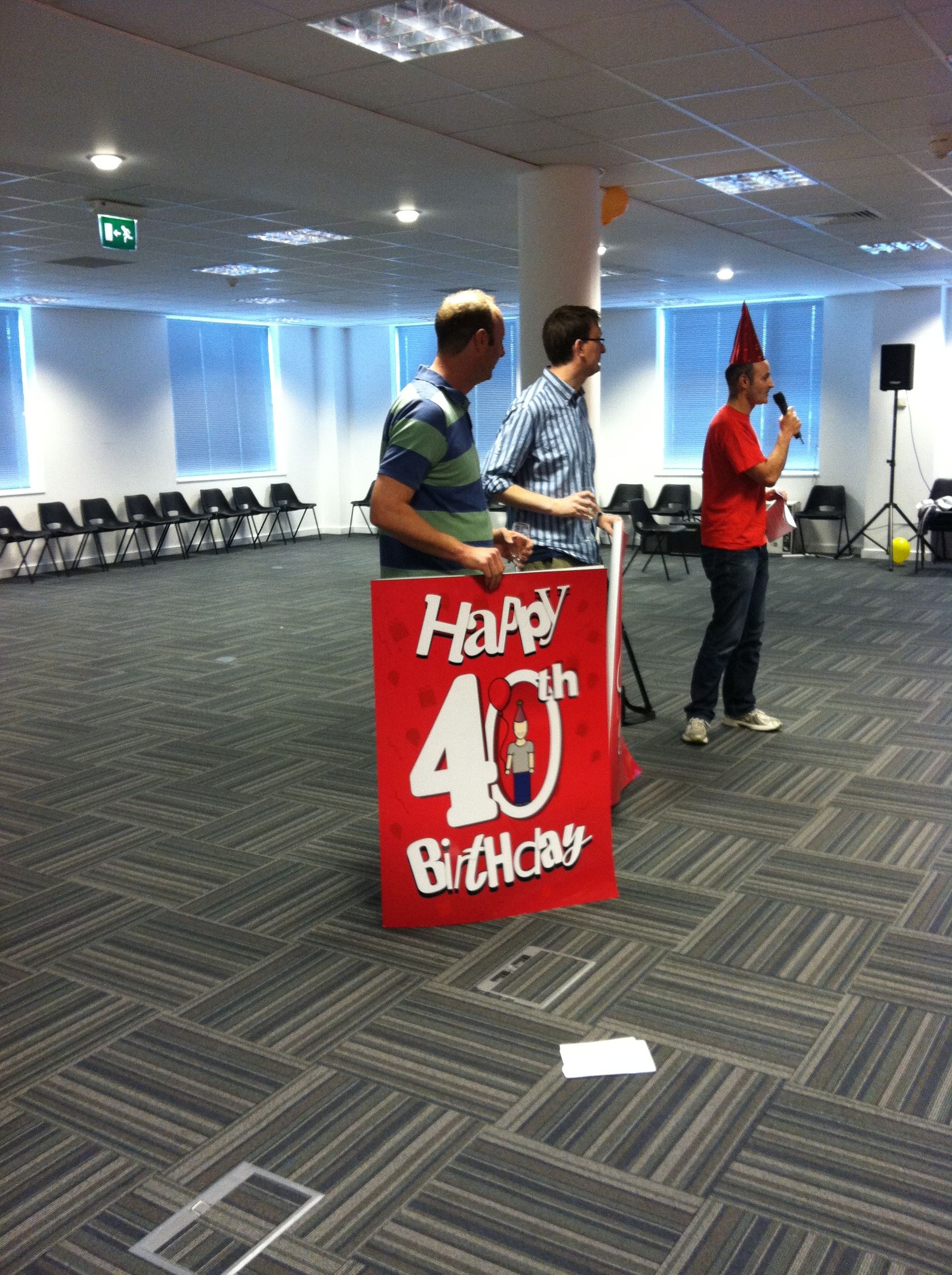
    The two founders of Red Gate, our co-CEOs, Neil Davidson and Simon Galbraith, both were turning 40 within a few weeks of each other. A few people in the company had organized a celebration with sweets

    This was less than half of the treats available.

    cards

    Large 40th Birthday cards signed by everyone.

    and a large rendition of Happy Birthday from the employees.

    It was quite a celebration, with a funny “roast” speech given by one employee, a video Happy Birthday tribute, and even a parody of “Never Gonna Give You Up” from the Red Gate Chorus group.

    A nice break in the day, and quite a celebration. Simon and Neil have built something rather amazing at Red Gate. It’s the kind of company I’d want to build if I every started another venture. Successful, hard working, respectful, fun, and very supporting of employees.

  • SQL Injection Tools

    I wouldn’t recommend you use any of the tools in this article for attacking anyone, but they could help you to understand the vulnerabilities in your own application. The tools cover a variety of possible ways that injection attacks can occur and most work against SQL Server.

    In this day and age, I’m amazed that SQL injection isn’t given more attention by developers, but I constantly find developers that aren’t aware of what it is, or don’t bother to incorporate techniques known to prevent injection.

    No matter how secure you think your particular site is, there might be someone with access that plays with one of these tools, or someone that gets access through another system and can then attack your application. Don’t count on outer firewall security at your perimeter.

    Learn to build applications with SQL Injection in mind and develop the habit of secure coding.

  • Creating a User without a Login – Contained Databases

    In SQL Server 2012, we have a new feature: partially contained databases. In a previous post, I showed how to enable this, and this post will look at one of the advantages of contained databases: users without logins.

    Contained Users

    One of the problems in non-contained databases is the fact that when a database is moved or restored, the login mapping to the user in the database doesn’t always transfer cleanly. Microsoft has sp_help_revlogin and sp_change_users_login to help fix this, but in a DR situation, or in a crisis, this may not work. It’s also a hassle.

    Contained users help fix this. They are users that exist within the database, and do not require a login mapping. The server level authentication will transfer to a database level authentication, if the database has the partial containment option set.

    To create a contained user, you can use the GUI, or T-SQL, both of which are easy and I’ll show them below:

    SSMS Contained User

    If you right click the Users folder (under Security) in a database, you can select the New User option.

    cdb3

    When this appears, you can then use the drop down to select a User with a Password option for a SQL Server user that is contained inside a database.

    cdb4

    The traditional user is a user with a login. Here’s the dialog from SSMS 2008, with no option for a user without a password.

    cdb8

    Back to 2012, I can enter a user name and password, and then I have a user in my database.

    cdb5

    The process for a Windows user (again, without a login) is similar. I can select a “Windows User” and then select the ellipsis by the User name and search for an AD user.

    cdb6

    This looks the same when I accept a user

    cdb7

    I can set a default schema here, and a language, but I don’t need the login.

    T-SQL

    The process with T-SQL is the same. The code for the CREATE USER command is simple:

    create user Billy with password = 'Billy2Goat$Gruff'
    ;
    

    If I want a Windows user, I can do this:

    CREATE USER [DKRSQL2012\Andy]
    GO
    

    Note that this is domain\user syntax. Some AD tools allow the user@domain syntax, but this isn’t allowed in SQL Server 2012 for the CREATE USER command.

    You can replace the user name with a group at the database level, and the syntax is the same.

    Summary

    That’s it. It’s simple, and in another post, I’ll look at authentication.

  • Be Extra Careful When Packing

    Over the last couple of years I’ve gotten myself down to two small, carry-on bags for most of my trips. It has allowed me to save time in and out of the airport, and cut down on a lot of hassles from frequent trips (I flew on 18 round trips last year).

    One of the ways I’ve done this is with a couple dedicated bag: one for clothes/shoes and one for the laptop and supplies. I don’t ever really unpack them, and I just move clothes in and out when I go. That always has me a little nervous as I am counting on things to be in the bags, but it’s worked for a dozen trips lately because I keep spares of all my supplies in the bags, replacing them as needed, but not using them for other purposes.

    However that can come back to bite you. I did have a trip last year where I left my presentation remote at home since I’d been using it to practice and hadn’t put it back in my bag before I left. Fortunately that’s a minor inconvenience and not a major hassle.

    I leave for the UK on Saturday for my annual visit to the Red Gate office in Cambridge, and I need to pack for a week. I’m hoping to slip in enough clothes to go with just my two bags, but we’ll see. I’ll also use this chance to double check I have everything packed I need since replacing stuff in another country is less than exciting to me.