Category: Editorial

  • Engineer Lessons

    Many of you reading this have a number of years working with technology. You might have 1 year or 20 years, but you’ve likely grown and learned along the way. Some of you may also know someone who has several years of seniority in a position but not that many years of experience. In this case, a person might have been working at this job for 5 years, but they really have one year of experience that’s been repeated 5 times.

    That’s been a common complaint over quite a few years from people who interview others. They find candidates often have very limited experience, yet are applying for senior roles. These candidates are ones who have just a few years of experience, but have ended up repeating those few years over and over.

    I ran across an interesting piece that contains 21 lessons from the author’s 14 years at Google. You might not think Google is the place where great software engineering takes place, or where great careers are made, but Google has been a place where it is challenging to get a job, they work on truly large-scale problems, and Google has had many engineers who have gone on to success elsewhere.

    The first few lessons in here are things that I’ve learned in my career. Quite a few of them point to the value of being a team player, and remembering that being effective and efficient matter. It’s easy to be smart, or depend on one’s code to speak for our ability, but in many cases, we are working in teams. Our code is a team game, and others need to understand our code. It’s easy to forget that someone responding to a problem at 2 am might not understand the code. It’s also easy to forget that person might be you, and you might get confused.

    Others also need to understand and believe in us. Lessons 2, 14, and 16 talk about the value of working with others and not creating resentment or ill will in others. Even with AI help, most software will require multiple people working together, so building those skills and habits is important.

    I found this to be an interesting list, and there are other topics I want to discuss in the future, but the main thing I see here is that these are lessons from someone who has had to work as a technical engineer with others, while having success both at his job and outside of it. That resonates with me, as do these lessons. Individuals and teams that work in similar ways to those described in the piece have tended to have more success than those that don’t, at least in my experience.

    Learn to be a team player as an engineer, developer. DBA, or any other job, and you will have more success than if you expect to only be judged on what code you write.

    Steve Jones

    Listen to the podcast at Libsyn, Spotify, or iTunes.

    Note, podcasts are only available for a limited time online.

  • Tools You Need

    This is the oldest editorial we have on the SQL Server Central site. This is being re-run for the US President’s Day holiday as Steve is on vacation and we are celebrating 25 years of SQL Server Central.

    I was browsing the web recently and caught this note on coders and their tools and a related article on must have tools. It seems the focus was more for programmers and network administrators, but there are definitely some good tools in the list for DBAs to understand.

    However, since it’s Friday, it got me thinking…

    What are your essential DBA tools?

    By these I mean those pieces of software not included with SQL Server, that you find very handy. It can be a utility that serves some purpose or a programming aid, I’m wondering what tools outside of those that come with SQL Server do you consider essential.

    For me I have to say that the one tool I find most handy right now is Litespeed. I’ve used this utility for backups to save space for years. We made a deal a long time ago with DBAssociates, who developed the tool, and we’ve stuck with it. As of now we’re quite a few versions back since Imceda and then Quest took over the tool, but we’re happy with the way it’s worked.

    That’s not to say other products aren’t just as good or even a better value, but that’s the one tool I’ve found most handy for me with SQL Server.

    So are you using compare tools? Programming IDEs? Something else I’m not thinking of that has proven to be an essential SQL Server DBA or developer tool?

    Let us know. You might just make someone’s day.

    Steve Jones

  • Microsoft Security Changes and SQL Server

    For almost as long as I’ve been working as a data professional, NTLM has been the security protocol used in Windows. Microsoft added Kerberos over 20 years ago, but NTLM is still a fallback. Like so many things Microsoft has worked on, they loathe breaking backwards compatibility, so NTLM has been available. However, it has issues, like the double hop problem, and there are numerous security issues with the protocol. I tested a security product over 20 years ago that could break NTLM passwords in under an hour. On old Pentium-based computers.

    This week Rebecca Lewis posted an article about the upcoming changes in Windows where NTLM is being phased out. She audits various clients and finds many are still using NTLM for SQL Server connections. Her observation is many people aren’t aware of this, and I’d concur. There is an informational message that is written to the SQL Server error log, but how many of you are checking the log and acting on this or even understand what it means? How many of you might have developers (or yourself) using named pipes and be unaware? That’s an NTLM only connection.

    Heck, I’ve got a friend fighting through SSL connections with SQL Server, which is something I rarely seen. This person will eventually no longer need to “trust server certificate” in every connection string, but I bet many of you are years away from implementing that. That’s another change Microsoft wanted implemented, and why modern drivers no only set this to true by default.

    Later this year, NTLM v1 will phase out, but that’s not likely what most of you use with SQL Server. However, the next major Windows server release will disable NTLM v2, and you won’t remember this editorial or the announcement then. What will happen is Windows admins will upgrade systems and you won’t be able to connect.

    Rebecca gives you some things to check, but since many of you might work in large estates, you’ll need time to ensure clients and servers get updated and NTLM isn’t the protocol you depend on. Trust me, if Windows or even a client driver upgrade remove this, you are in for a bad day (or week, or weeks) trying to get things working.

    I’d also suggest you learn how SQL Server SSL connections work. I don’t know that many orgs will require this, but some might as security becomes more automate-able and more CSOs start to ask that we ensure no man-in-the-middle attacks reach our servers.

    Steve Jones

  • Expanding into Print

    This is part of a few memories from the founders of SQL Server Central, celebrating 25 years of operation this month.

    When we started SQL Server Central, our goal was to build a great resource that helped other people advance in their careers and also made some money. Our decisions in building the site were based around the digital world and treating the community as we would want to be treated. Over time, however, we realized that continuing to grow this business was hard in a digital-only world. We experimented and proposed helping others build similar sites, like ReportingServicesCentral (which would have been great) or NotificationServicesCentral (which would not), but ultimately, we weren’t experts enough in those areas and couldn’t find people willing to partner.

    Everyone thought they could do it themselves and that the knowledge was the hard part, and execution was easy. The truth is that the reverse is the way it works.

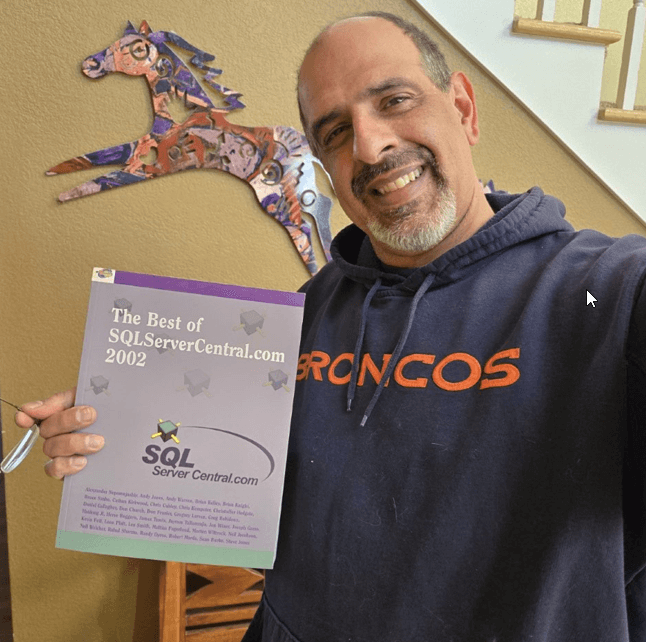
    In any case, there was a point in time when we were sending 6 newsletters a week (Monday through Saturday) and we didn’t think there was much room for growth there. Andy suggested that we compile all our articles into a Best of SQLServerCentral book. I didn’t think they would sell well (they didn’t), but we did enjoy giving them away at our annual SQL Server Central Party at PASS. We even added a second series where we compiled the Question of the Day series into books, based on the Two Minute Mysteries I read as a child. We called them SQL Server Stumpers. Those were hard to manage, and were multi-month long projects that I had to toil away at almost every week.

    Then came the magazine: SQL Server Standard.

    In the early 2000s, the Professional Organization for SQL Server was trying to grow as well. We knew magazines were popular and profitable back then, so we proposed helping them produce a magazine every other month (6 times a year). They were charging an annual membership fee and needed to give members more value, so we agreed to produce, publish, and ship a magazine to all their members. It was both a source of tremendous stress for me to manage, as well as a proud item I could point to every month.

    I wish I had some online links, but this was intended to be a real-world, analog item. We hoped it would grow to be a substantial revenue item, but it never did and PASS shut it down after around a year of publication.

    I was glad because these projects were a never-ending source of stress. Managing book projects that were 4-6 months, along with the every-other-month magazine, and a daily newsletter was overwhelming at times.

    Our forays into the print world provided me with a lot of education about how books and magazines work, and gave me a few mementos.

    Steve Jones

    Listen to the podcast at Libsyn, Spotify, or iTunes.

    Note, podcasts are only available for a limited time online.