Tag: ADS

  • The End of Azure Data Studio

    I don’t know how many of you will be disappointed or impacted by this, but Azure Data Studio (ADS) is being retired, as of 6 Feb, 2025. It will be supported for a little over a year, until 28 Feb, 2026. On one hand I’m not surprised, and on the other, I’m a little shocked by this.

    I have written a number of articles on ADS, and shown how things work, as well as pointed out a number of things that don’t work well in the product or its extensions. These pieces have gotten a number of reads, and people have commented on them, so I wonder if there are a lot of you that are upset by this. Is this going to change the way you work? I will say that it will lightly change my work, as I do use ADS to connect to PostgreSQL, but not so much for SQL Server.

    I have tried to use ADS, but I just don’t like it. I don’t have a good reason, as it does a lot of what I need from a query tool. I think the port of the query and result experience from a real app like SSMS or Enterprise Manager or even isql/w is just a worse experience. I don’t like the ADS interface and it’s annoying to me.

    I suspect that many others feel the same way (other views from Deb and Kevin). They don’t like the ADS experience and prefer SSMS or some other tool. I know there’s been no shortage of complaints over the years about, and finally MS has listened. From first trying to get everyone to leave SSMS to forcing people to install ADS alongside SSMS and now to finally retiring the tool. I think it’s a good decision as people don’t want to lose SSMS and it’s hard to maintain two tools.

    We will still have VS Code, which I use often for other purposes. I haven’t spent much time with the mssql extension, but I need to as it’s been updated as of a few months ago and supposedly works better now. We’ll see.

    In the meantime, I won’t mourn ADS. It was a tool that had potential. I liked the idea of notebooks, I liked the fast startup. I just wish it were better implemented as a run-a-query-and-get-results application. I wish we had a cross platform editor that was simple and fast, but not one based on VSCode. One that’s written to just manage queries. Maybe they’ll rewrite isql/w in a modern way and port it to Linux.

    Steve Jones

    Listen to the podcast at Libsyn, Spotify, or iTunes.

    Note, podcasts are only available for a limited time online.

  • Adding Copilot to Azure Data Studio and a Few Experiments

    As a part of a recent Data Exposed that I was on, there was an ADS update which mentioned Copilot being added. Since I’ve been experimented, I decided to give this a try.

    This is part of a series of experiments with the ChatGPT and other AI systems. Lots of Copilot lately.

    Installation

    One of the easy things about VSCode and ADS is that you can install things from the marketplace very easily. You search and it appears, as shown here. Click Install to add it.

    2023-08-02 12_33_05-Extension_ GitHub Copilot - VCS_Primer-1 - Azure Data Studio

    Once you do this, it’s enabled. I have access to the Copilot with my GitHub account, so I assume this picked this up.

    Using Copilot in ADS

    There’s a blog about what this tech is and a few workflows. However, I decided to try something first. I picked a table in this connection and started typing. Copilot added a suggestion.

    2023-08-02 12_40_32-● SQLQuery_1 - Aristotle_SQL2022.sandbox (Integrated) - VCS_Primer-1 - Azure Dat

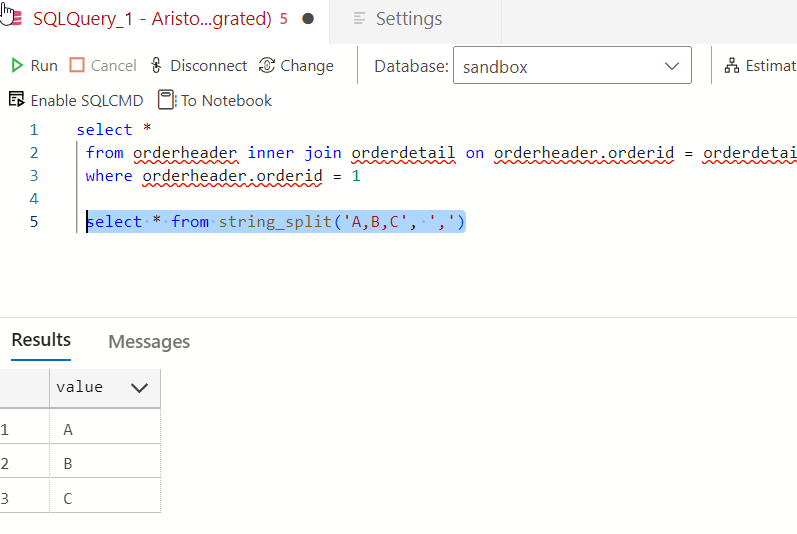
    It’s not a good one. That’s a table, not a function.

    2023-08-02 12_40_51-● SQLQuery_1 - Aristotle_SQL2022.sandbox (Integrated) - VCS_Primer-1 - Azure Dat

    Yeah, some AI isn’t reading my schema and sending it back to GitHub. Boo, this isnt’ helpful. I can only guess that seeing “StringSplit” had the AI guessing this was related to string_split(). Something a new dev might think.

    2023-08-02 12_47_56-● SQLQuery_1 - Aristotle_SQL2022.sandbox (Integrated) - VCS_Primer-1 - Azure Dat

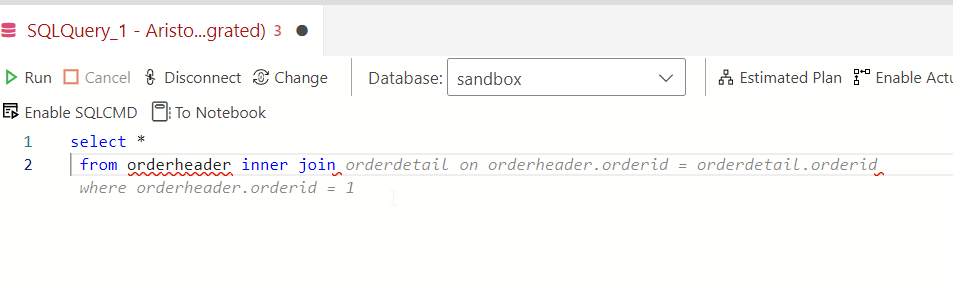
    OK, let’s pick a table and see if intellisense works better. I’m guessing it doesn’t. Here’s a suggestion based on what I typed.

    2023-08-02 12_43_04-● SQLQuery_1 - Aristotle_SQL2022.sandbox (Integrated) - VCS_Primer-1 - Azure Dat

    Not a bad guess. I have some schema in here, and there is an OrderHeader related to a Customer table. However…

    2023-08-02 12_43_24-● SQLQuery_1 - Aristotle_SQL2022.sandbox (Integrated) - VCS_Primer-1 - Azure Dat

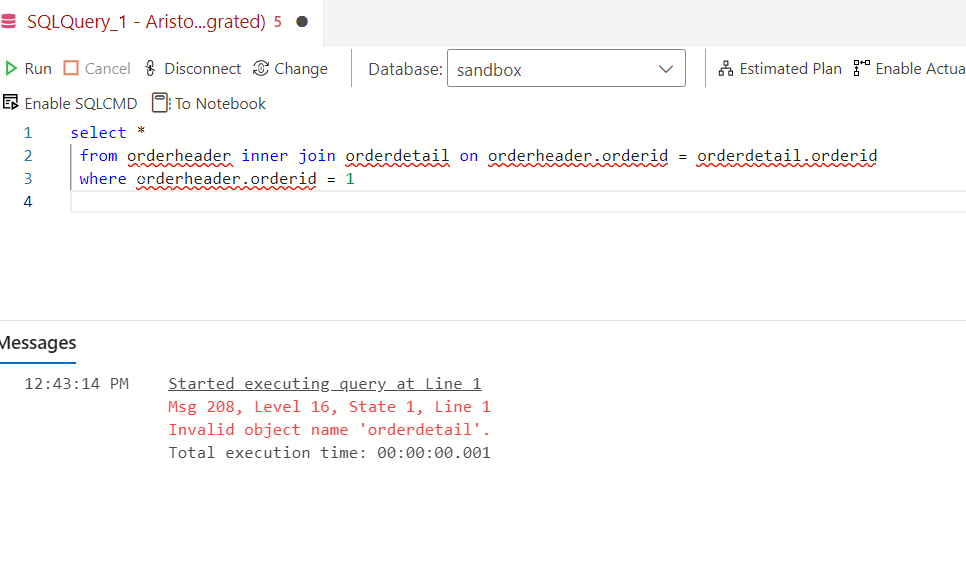
    There is no orderdetail. This clearly isn’t intellisense. It’s an AI taking guesses.

    Trying Comments as Prompts

    Let me try a few things from the blog. I’ll enter a comment.

    2023-08-02 12_50_25-● SQLQuery_1 - Aristotle_SQL2022.sandbox (Integrated) - VCS_Primer-1 - Azure Dat

    I don’t like that. While I think this is valid for MySQL or PostgreSQL, it isn’t for SQL Server. Setting aside why LIMIT isn’t in T-SQL, why doesn’t copilot recognize this is T-SQL? Let me help it.

    2023-08-02 12_54_06-● SQLQuery_1 - Aristotle_SQL2022.sandbox (Integrated) - VCS_Primer-1 - Azure Dat

    Better, but I don’t want to add “in T-SQL” to everything.

    Another experiment. I tried a couple of prompts, but realized that asking for “orders” doesn’t mean that the AI knows I mean orderheader. Context around what or where an order is stored is something humans might include in natural language. However, I got this:

    2023-08-02 12_55_26-● SQLQuery_1 - Aristotle_SQL2022.sandbox (Integrated) - VCS_Primer-1 - Azure Dat

    Which doesn’t work. I’d left the “in t-sql” from the previous prompt, so I’m not annoyed there, but this isn’t looking at schema. I also find the Oracle help not helpful.

    2023-08-02 12_55_36-● SQLQuery_1 - Aristotle_SQL2022.sandbox (Integrated) - VCS_Primer-1 - Azure Dat

    However, this was interesting. I wanted a shipdate (this is a column) in 2023. The first suggestion was = Jan 1, but when I deleted that and hit enter again, I got this.

    2023-08-02 12_58_12-● SQLQuery_1 - Aristotle_SQL2022.sandbox (Integrated) - VCS_Primer-1 - Azure Dat

    Not bad. I tried a longer prompt, with a few comments. All of the code was suggested a line at a time, and when I hit Enter, I got the next line.

    2023-08-02 13_00_38-● SQLQuery_1 - Aristotle_SQL2022.sandbox (Integrated) - VCS_Primer-1 - Azure Dat

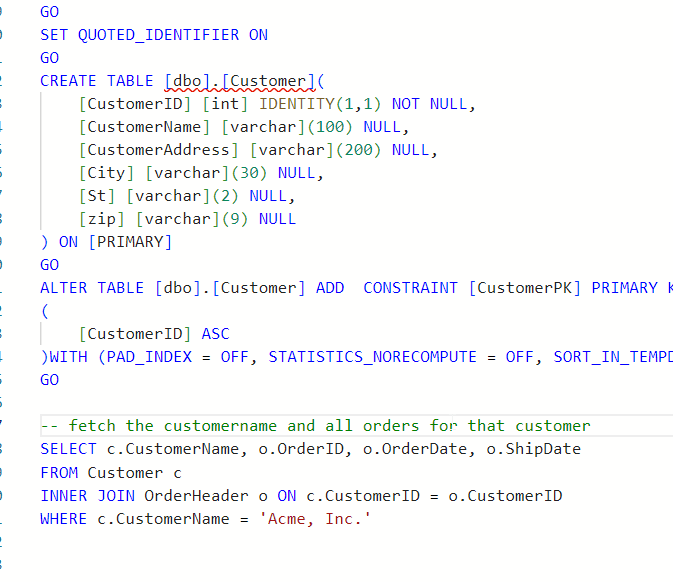
    The blog does note that adding the table create at the top of the query helps. Let’s try that.

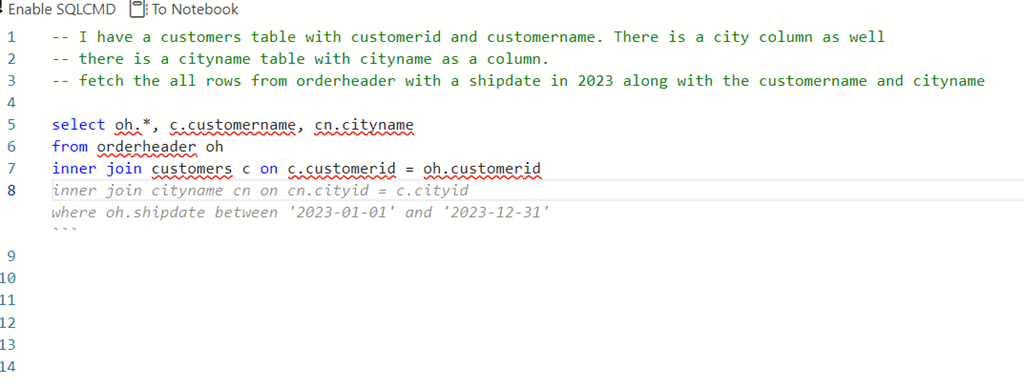
    I’ll add creates for customer and orderheader. I then try a simple prompt and get this.

    2023-08-03 15_19_54-● SQLQuery_2 - dbo.OrderHeader Aristotle_SQL2022.sandbox (Integrated) - VCS_Prim

    Note, I tried “write a query”, but that didn’t work. I used “fetch” from the blog and that got me something. Though, not sure why this term is needed.

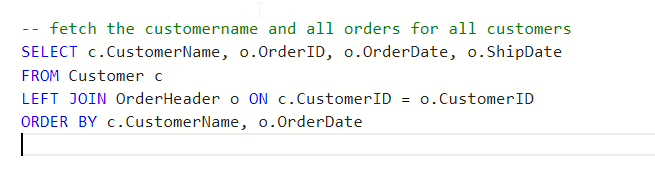
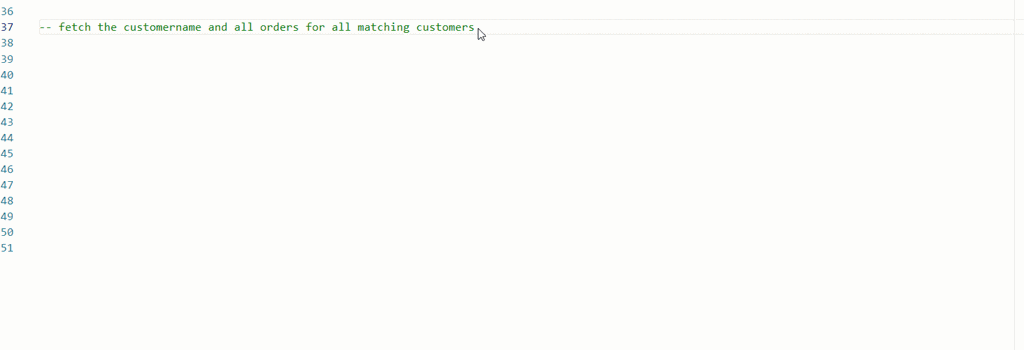
    I also changed my prompt trying to get all matching orders and got this instead.

    2023-08-03 15_20_20-● SQLQuery_2 - dbo.OrderHeader Aristotle_SQL2022.sandbox (Integrated) - VCS_Prim

    I also tried changing this to get matching orders. No idea why the customer name is limited in here.

    ads_query_1

    What about aggregates? I know some people have trouble with these.

    ads_query_2

    Not bad.

    Conclusion

    Adding Copilot to ADS is easy, but using it isn’t. The code it produces can have lots of mistakes, and not even work. It can make some strange assumptions, like junior devs might do.

    Adding context makes things better, but for many of these simple queries, I have to describe things enough that I might as well write the query. Especially with SQL Prompt, I’d use SSMS instead.

    However, learning to use prompts is a skill and it’s one to work on. Hopefully the AI will improve over time and I’ll start to see more useful suggestions, especially with different types of code.

    So far, I’m impressed very little with this tool.

  • Connecting to PostgreSQL from Azure Data Studio

    I’ve been doing a bit of work with PostgreSQL as part of my work with Redgate. PostgreSQL is a relational platform that is open source, free to use, available as a supported commercial product from various companies, and has been in active development for over 35 years.

    More and more organizations are looking at PostgreSQL for relational data stores as both SQL Server and Oracle are very expensive, and this is a viable alternative.

    This post looks at the basics of getting started with PostgreSQL by connecting to the platform with Azure Data Studio.

    If you haven’t installed PostgreSQL, or want to work with a container, check out my previous post: Creating a PostgreSQL Docker Container with a Volume on Windows

    Azure Data Studio

    Azure Data Studio (ADS) is a fork of Visual Studio Code, but specialized for databases. I don’t use it a lot, but I find it useful for some coding. They also have added an extension that allows connections to PostgreSQL.

    If you click the Extensions blade and then search for postgresql, you’ll find it. You can see it installed on my system below. Before you do this, the button that says uninstall would say install.

    2022-12-27 10_26_31-Extension_ PostgreSQL - DBAScripts - Azure Data Studio

    Once installed, the connection is like any connection in ADS.

    First, make sure you have PostgreSQL installed. If you want to do this in a container, see my link above.

    Connecting

    To connect, first open a new Query window.

    2022-12-27 10_28_43-SQLQuery_2 - disconnected - DBAScripts - Azure Data Studio

    At the top there is a “Connect” button. Click this.

    2022-12-27 10_28_47-SQLQuery_2 - disconnected - DBAScripts - Azure Data Studio

    Now the connection blade opens. As you can see below, there are now two choices for the connection type: SQL Server and PostgreSQL. Choose PostgreSQL.

    2022-12-27 10_29_34-Window

    I choose localhost, as that’s where my instance is running. I also change the authentication type to Login and enter “postgres” as the default user. If you haven’t set up a user, use this. Then enter the password.

    One last thing, as I often run databases in containers, I’ll change the port. To do that for PostgreSQL, click the “Advanced” button. I often use 54320, 54321, 54322 for my ports, so you can see I’ve entered that below:

    2022-12-27 10_32_04-SQLQuery_2 - disconnected - DBAScripts - Azure Data Studio

    Click Ok if you’re added a port, and you should see these details:

    2022-12-27 10_31_49-SQLQuery_2 - disconnected - DBAScripts - Azure Data Studio

    Click Connect, and you should connect immediately. Then you can verify your connection with a query or two. As you can see, the database is defaulted to postgres and my queries have returned the version and tables in this database.

    2022-12-27 10_35_20-● SQLQuery_2 - localhost.postgres (postgres) - DBAScripts - Azure Data Studio

    That’s it. Now time to work on some pgsql.

  • The Separation of Tools

    I’ve got a question for you today. Is it better to have SSMS and ADS available as separate downloads?

    If you installed SQL Server prior to 2017 (the year, not the version), you had the option to add Management Studio (SSMS) to your installation. In fact, that was the only way to get SSMS back then. There was no separate tools download, which was a pain for many customers.

    Since then, there have been multiple releases of SSMS separately, starting with 16.x and moving through v17 and now v18. In fact, it’s been roughly every quarter we’ve gotten new releases of the tooling. In addition, we’ve gotten Azure Data Studio (ADS), which is based on Visual Studio Code, but built with connections to the data platform as the primary goal.

    There are now separate downloads for SSMS and ADS, though the latest SSMS download notes that starting with v18.7, ADS is automatically installed alongside the tool. That generated a feedback item, which requests that this bundling be removed. While I don’t find this to be an issue, I do understand that this can be a problem for many organizations.

    I think that Microsoft moving to provide a more customized and flexible tooling experience makes sense. Give us the options to configure our systems as we desired. Let us add new features that are appropriate for us, or easily remove them from the install. I would include the requirement that ADS be installed with SSMS, as noted above. That being said, the ability to add in various extensions might be of concern to many organizations. Flexibility includes the ability of both users and organizations to control the allowed and prohibited list of features.

    I will admit a fondness for SSMS that ADS has not replicated, but I do find myself using it more and more as new tooling items are available only in ADS and not in SSMS. Perhaps as I use notebooks more, I’ll find myself more enamored with ADS. After all, I loved isql/Windows for years, even when other tools became the standard.

    Steve Jones

    Listen to the podcast at Libsyn, Stitcher or iTunes.