Tag: AIExperiments

  • Don’t Fight with AI

    I was recently trying to handle a simple task with a few AI tools to see how well things worked. I realized that AI isn’t great for everything and there are times you need your judgment to stop fighting AI and use other tools.
    Tl;dr choose the shortest path and know your tools. In this case, just copy paste a script and results (see the bottom).

    This is part of a series of experiments with AI systems.

    The Scenario

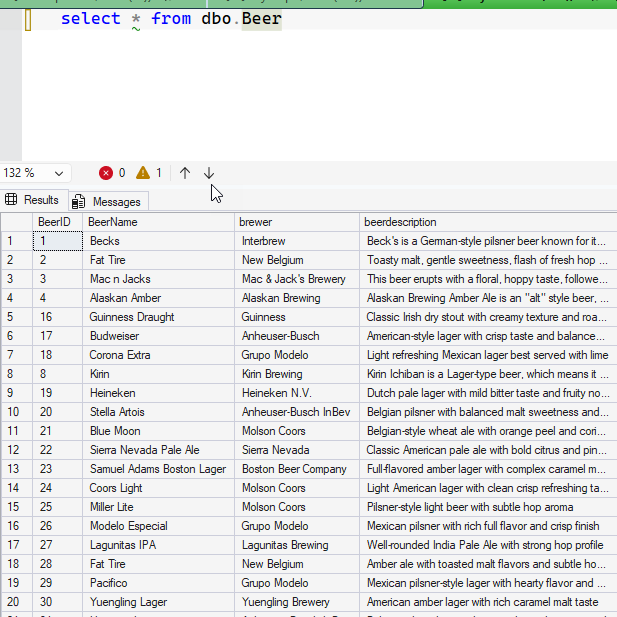
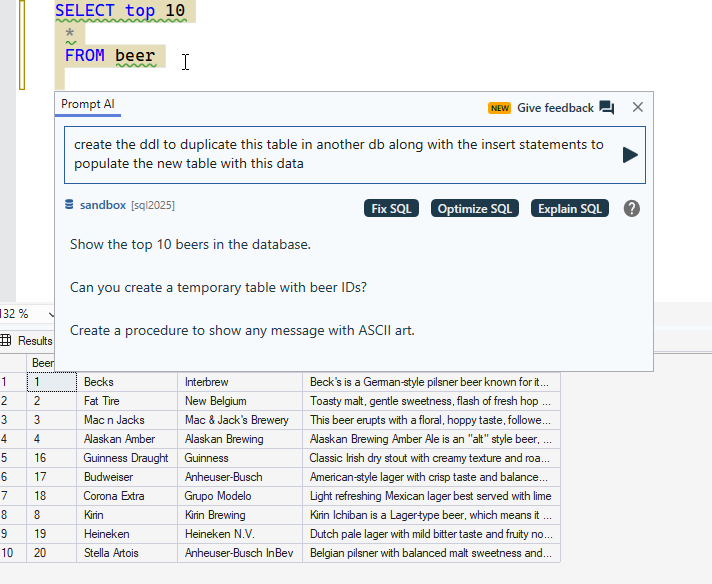
    I have a table with some data. I wanted to duplicate this table DDL and DML for another system. Here’s my table:

    2026-07_0152

    Simple thing, right? Lots of possible ways to do this, but understand, this wasn’t the task. I was doing something else, with another goal.

    This task was just in my way.

    First Try – Prompt AI

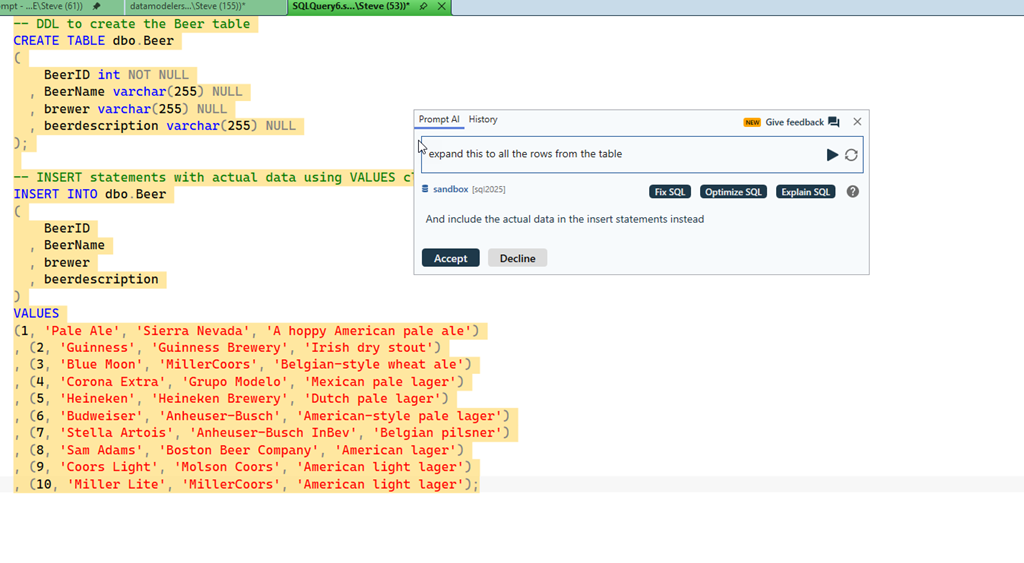
    I use SQL Prompt all the time, so I thought, hey, AI, script this.

    2026-07_0135

    Well, not quite what I wanted. This works cross database, or if I make a new table name by editing the script in two places. But not ideal.

    2026-07_0136

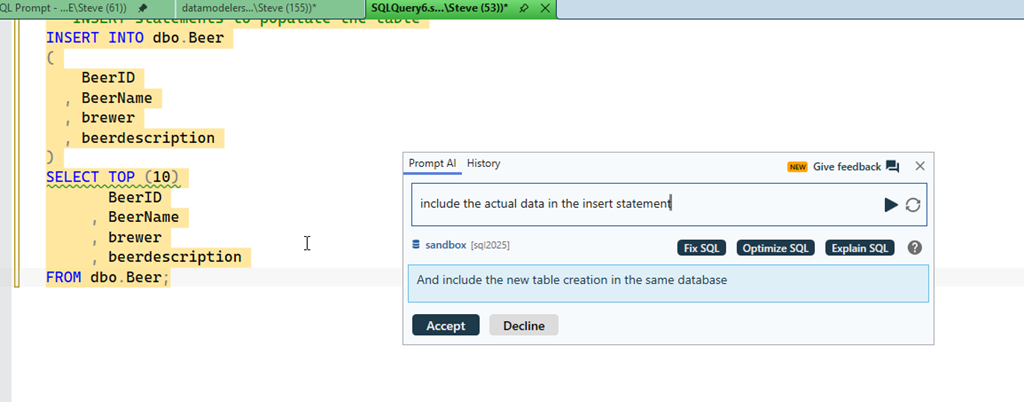
    OK, I asked for the data, and this works. A bit. I only get 10 rows. To be fair, the original select I started with was top 10.

    2026-07_0142

    I then ask for the other data, and I go backwards. I don’t know why a model would go in this way. This reminds me of working with a junior person half listening to me.

    2026-07_0140

    Grrrr.

    Claude CoWork

    This seems like a cowork task. I’m not saying this is the best thing, and since I didn’t have a repo, I decided this over code. In any case, I asked for a task. Quickly Claude gave me options for 1) PoSh, 2)T-SQL, 3) something else. I picked 2 and it took about 4 minutes or so, but I got this script.

    2026-07_0146

    I had to open in VSCode, connect to SQL, and then it didn’t work:

    2026-07_0147

    Paste back into Claude, get a quick fix, maybe 15s.

    2026-07_0148

    Copy/paste the script, which runs. Certainly I could have put this back in SSMS, but I’m not sure that’s easier/harder.

    2026-07_0149

    I copy the results, which is fairly easy here.

    2026-07_0150

    I have the script I need and can move on:

    2026-07_0151

    Redgate Assistant

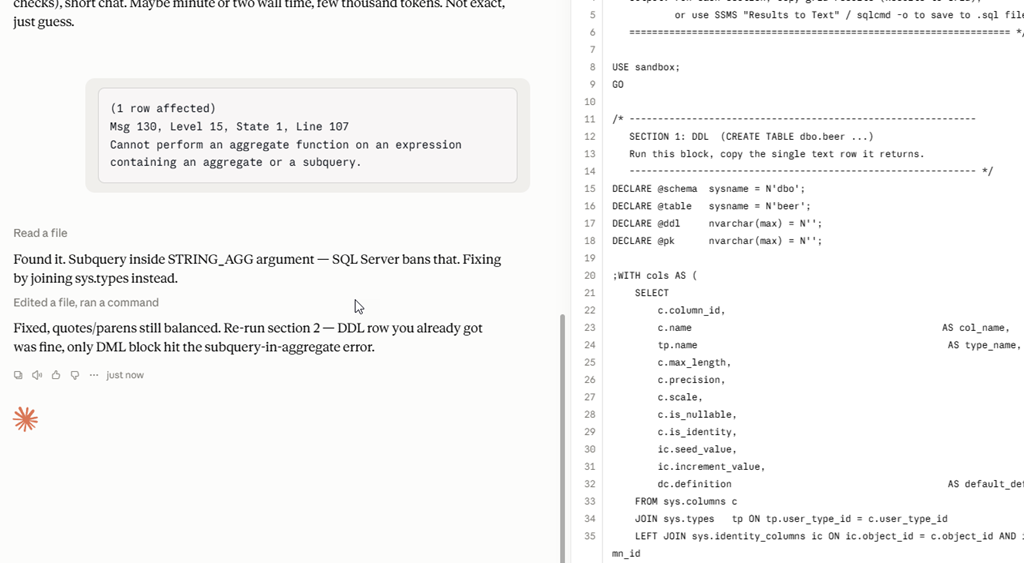
    We’ve added a new Redgate Assistant panel to SQL Prompt. I tried this next, and got a few results. The DDL was first, which I could copy/paste into my new query window.

    The second was a script I pasted in and ran, which gave me insert statements. Taking these results gives me about what I have above from the Claude script.

    2026-07_0145

    This was significantly faster. From prompt to result was in the 10s range and then I could get the results in a few more seconds. That’s quick, and I didn’t lose my thought context.

    The Best Way – SQL Prompt

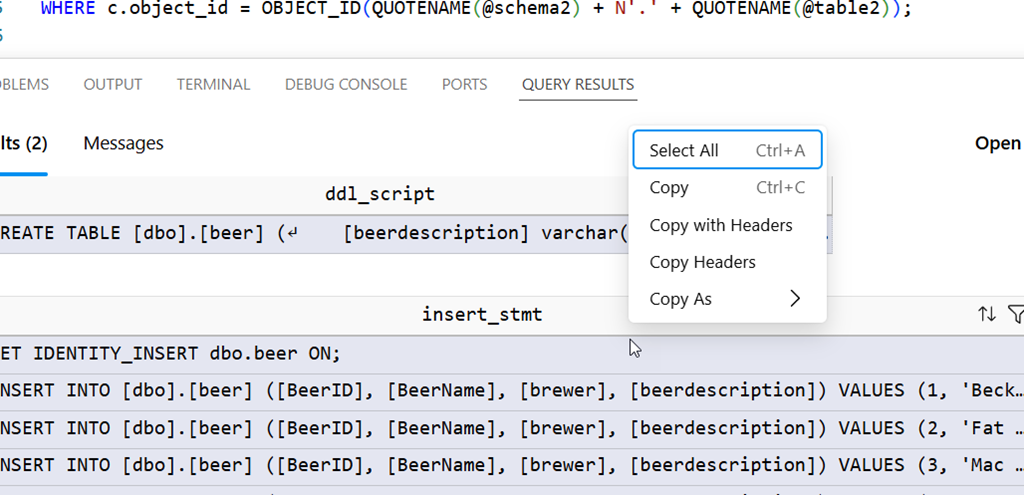
    I’m experimenting with, and it’s been a tool I reach for often, but as I was annoyed by Claude taking so long, I realized the best way was actually this. Run the query in SQL Prompt that’s at the top. Then select all the data in the results by clicking the top left box and right click. Select “script as insert”.

    2026-07_0153

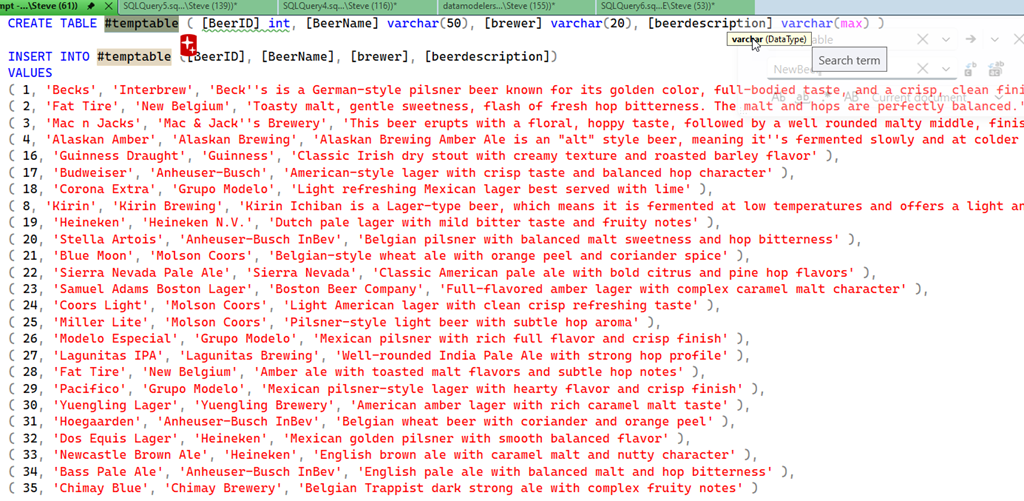
    I can then easily search/replace or edit the name of the table.

    2026-07_0154

    Doing this, once I thought about it, was about 5 seconds of effort, no context switch. Just grab this, change the name and go on with my other work on another connection.

    Use All the Tools

    I do think AI is a great tool for me. I also think it can cause me to spend more time and effort (and sometimes $$$) on simple tasks. While I’m all for experimenting, I also want to be efficient and effective.

    Fortunately, I’m somewhat paid to try different things and report on them.

    In this case, the KISS solution is best. Use Prompt what what it does best, work with your schema, code, and (lightly) data. I know I could use an MCP server, or Claude Code at al with more guidance, or something else, but those start to feel like using AI for the sake of AI and burning tokens when there are better tools.

    Not everything is better with AI. The people who succeed and prosper in this crazy AI world will embrace it when it’s most helpful and ignore it when it’s not very useful.

  • AI Experiments: Claude Solved a DAB Issue

    I’m sure many of you are using AI regularly, perhaps chatting, perhaps using some sort of agent. I’m doing the same, but in this case, I had it tackle an issue that’s been inconsistent for me with the Data API Builder and it solved it. Something I’ve struggled to do with docs and Google.

    This is part of a series of experiments with AI systems.

    The Scenario

    I’ve been doing some work with the Data API Builder, letting it provide me access to data through REST and GraphQL. Lately, it added MCP as well, and I’ve been updating a talk as well as experimenting with this.

    However, I’ve struggled to get Stored Procedures to work. They have sometimes worked, sometimes not, and I’ve not quite figured out why. Now that I know, I feel a bit silly, but recently I decided to let Claude help me solve this.

    I typically use Northwind, and the DAB docs have been a little light. They have exmaples, and I’ve gotten these to work, but when I’ve moved to more standard Northwind things, this hasn’t always worked.

    I should have seen a pattern, but it’s a lot of data, docs, and different places I’ve seen searches. This felt like a place an LLM might see something I didn’t see. It’s also a way to speed up work when I’m busy and not focused on this problem for hours at a time.

    Using Claude for Help

    This felt like a “chat” thing, so I picked the chat item in Claude desktop and gave it context: my dab call the error, the fact the proc executes in the correct security context. I got this back. Claude response in Italics.

    Ugh. Me see problem. Flag wrong. No shaman flag call “–parameters.name” exist. Fake flag. DAB no understand.

    Real flag call –source.params. Fix like this:

    Note: I’ve set Claude to talk like a caveman for now, which reduces output.

    I pasted in the doc page, and then got this:

    2026-07_0275

    The more interesting part of the response was Claude noting that sp_describe_first_result_set is called and needs a good response. I hadn’t thought about this, so I decided to run it. I have the response to claude and it evaluated this as correct.

    It next suggested adding dev mode (already on, it didn’t have my whole config) and turning the log level up. That’s a good idea. It also asked me for the section of the config file to be sure the proc was in there correctly.

    I did all those things. It verified my config blocked was correct.

    2026-07_0277

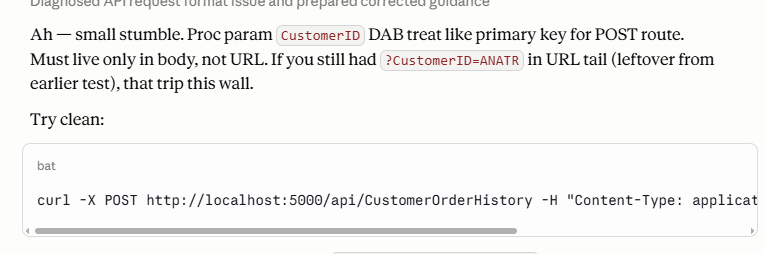
    Claude then asked me to try both the REST and GRAPHQL APIs and gave me the code for those. I pasted the error in and it suggested that I might have an issue with the URL code I used in Bruno. Maybe, but worth a try. It gave me the CURL command.

    2026-07_0278

    The Solution

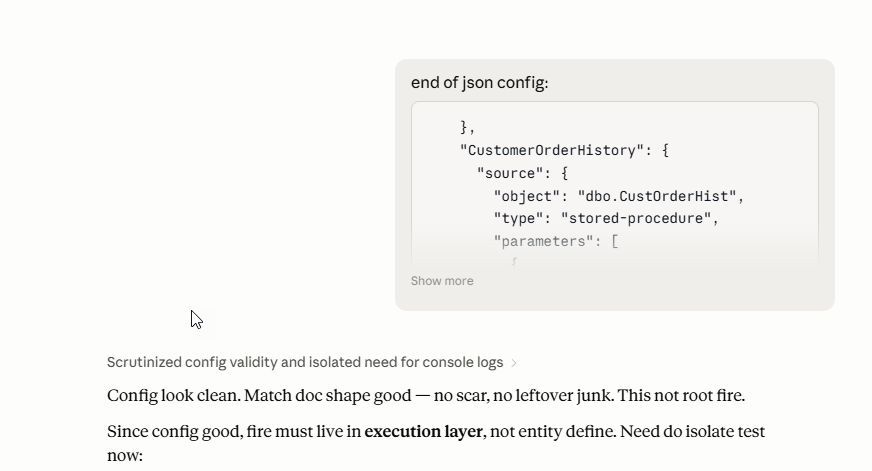
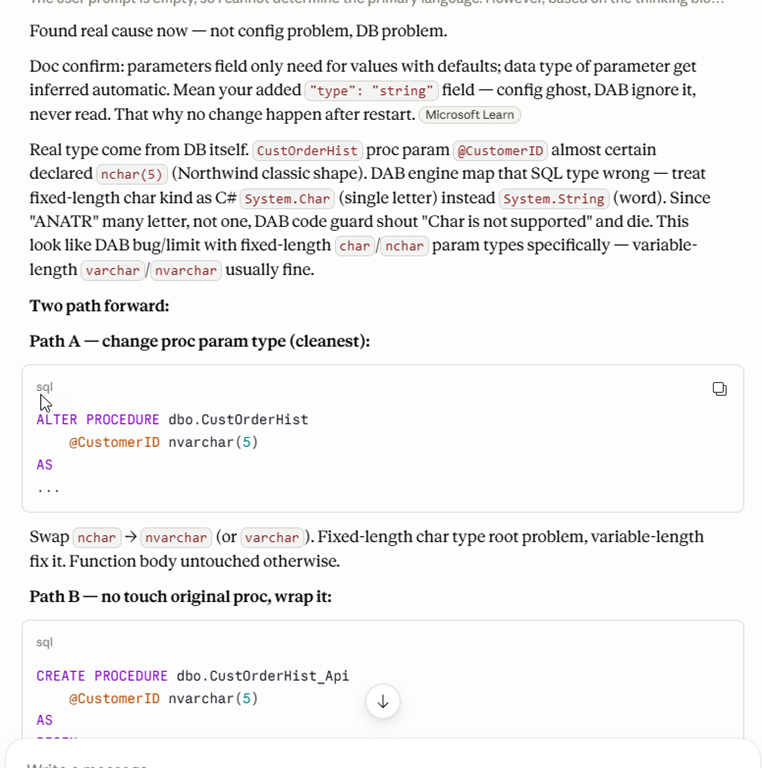
    It was at this point that I started to realize the issue. The proc that wasn’t working used an NCHAR() as a parameter. The DAB call expects string. It gave me this response and an example of the code for my config file.

    CustOrderHist proc expect nchar(5) param, but DAB parameter type system only know few kind: string, number, boolean, etc — no raw “char” concept. Missing "type" field make DAB fall back some default guess (maybe try char/byte path), boom, exception.

    Add "type": "string", restart engine (dab start again — config file, not hot reload), fire query/POST again. String type push CustomerID as varchar/nvarchar-like, proc side (nchar) accept fine via implicit convert.

    I changed things and tried it, but it wasn’t working. We upped the debug level and I pasted in results, which are annoying to go through. DAB doesn’t include a timestamp (I opened an issue) so I had to sort through the output to find the log items.

    I pasted in the logs and then Claude found the issue. It explained things, which I don’t care about since this is an API thing. However, it gave me a couple of choices for fixes. I changed the parameter in the proc, which isn’t a tiny change, but it’s also not a big change.

    2026-07_0279

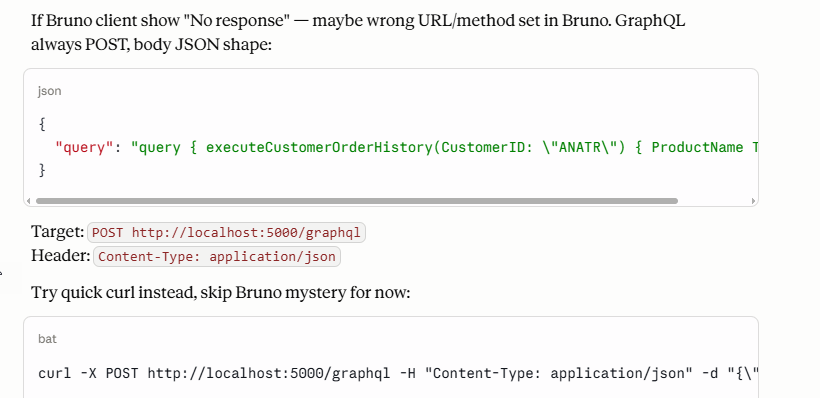
    It didn’t work at first, but when I pasted in my query, it recognized that BRUNO might be an issue.  The response explains this and says to try CURL. I did, but I also realized that my GraphQL command was a GET, not a POST.

    2026-07_0280

    This worked, and I tried a few more stored procedures to verify I had an idea of what to do.

    Summary

    There wasn’t anything amazing that Claude did here, but I approached this as if I were struggling with a problem and asked a colleague. I was a little shorter than I might be in Slack messaging or email, but I was really dumping some results on a co-worker and letting them sift through things.

    What was most amazing was that I had a few other things happening at this moment and I’d focus on this for an experiment and then let Claude examine logs while I went to try something else, edited my GraphQL queries or even answered an email. I solved the problem with help, but wasn’t spending a lot of focused time because I had an assistant.

    This is something I do more and more. Let me assistant do something and come back. I’ve struggled with this problem for months since I didn’t have a lot of continuous hours to spend digging through logs and docs. Not sure I’ve even seen this particular solution come up in my Google searches, but certainly Claude made it easier than it has been previously.

  • AI Helps Me with My Sloppiness

    I type fairly well. Well, I type fast, but I do wear out a backspace key relatively quickly on most keyboards. That and a space bar.

    AI helps me deal with my issues in a way that I really like. This post looks at a small thing that I appreciate, and it’s why I wish I had a small local model running for more software.

    This is part of a series of experiments with AI systems.

    Searching for Posts

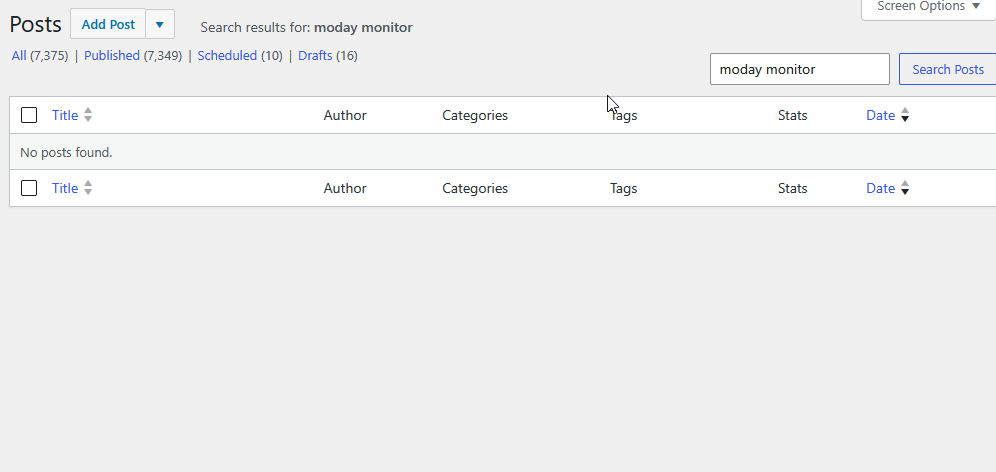
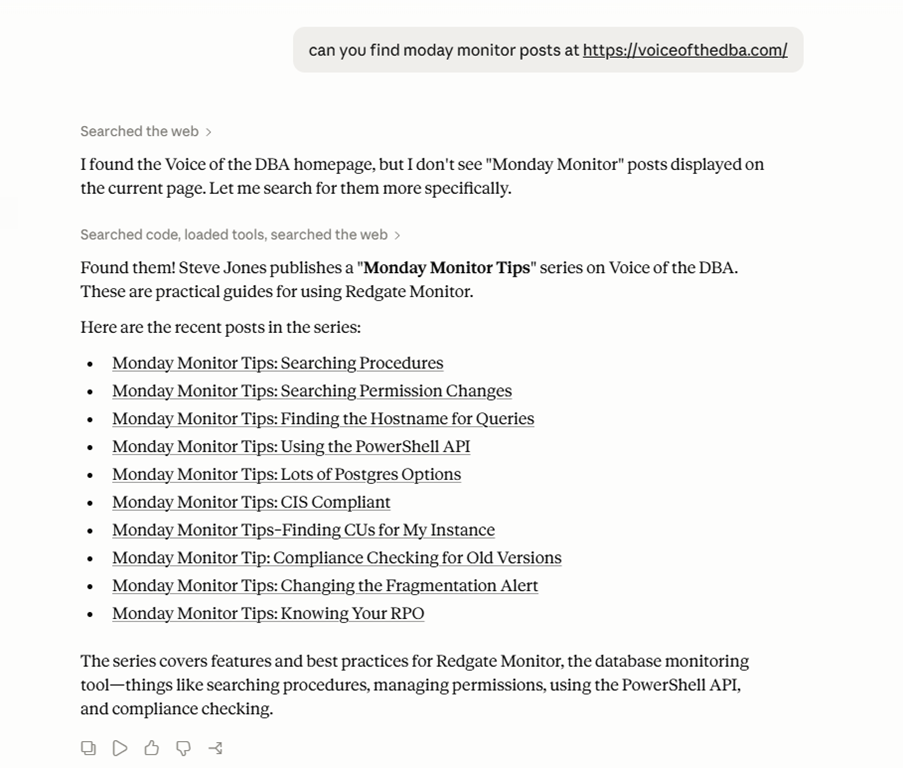
    Today I was searching for some posts. I typed in something and found nothing.

    2026-06_0178

    Clearly, I mistyped something, but before I fixed this, I alt-tab’d over to Claude and tried a similar query. It worked much, much better.

    2026-06_0180

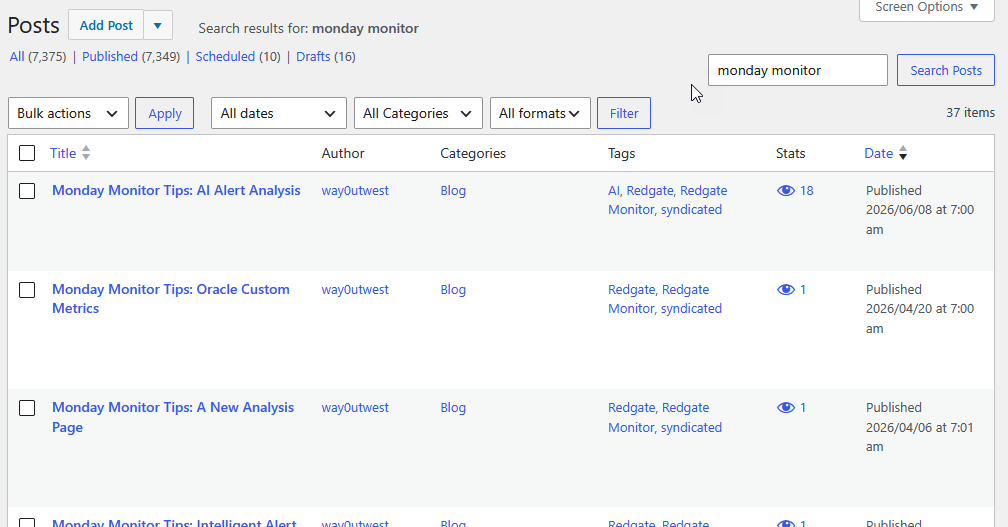
    Not perfect, as the search (corrected) on my site shows more posts.

    2026-06_0179

    In this case, what I really wish was that this search box (and lots of other software), were running a small model, not an LLM, but a SLM, that would interpret my poor typing and do what I want. Or ask me and remember what dumb mistakes I make all the time.

    If an AI were powering the search, it would guess I mean “Monday” not “moday” and just run the appropriate search, get me all the results, and help me smooth out my day. Instead, I burned a few seconds looking at this, getting my brain to decode what search thing I’d mis-typed, and broke my concentration. I was thinking of a subject and had to change context to figuring out a search typo.

    Not a big interruption, but an interruption nevertheless.

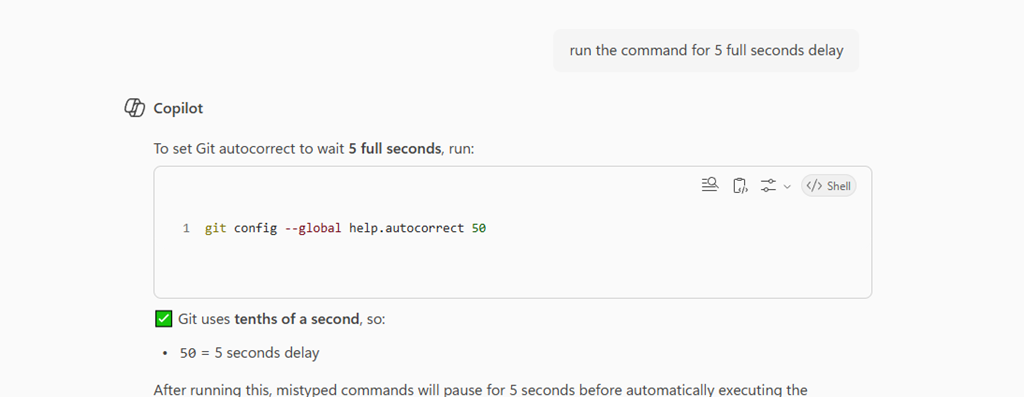
    I typo things all the time. Git constantly asks me if “git stauts” is really “git status”, but it doesn’t just run that. I should re-enable autocorrect, but who has the time. Maybe I’ll ask Copilot to do that.

    In any case, the sloppy mistakes, the implied context, these are things humans deal with well. We can overlook typos and even understand things that don’t look like words. I bet many of you know what this says.

    “According to a researche [sic] at Cambridge University, it doesn’t matter in what order the letters in a word are, the only importent [sic] thing is that the first and last letter be at the right place.”science alert

    For most of my life, computers required being more exact, which was a struggle for many people. Search, led by Google, has helped, but it isn’t as good as an LLM, nor does this help in many pieces of software.

    To me, this is one place a local LLM, watching what you type and doing a much better job than phone autocorrect, in all the place I type. That’s what Copilot should do. Fix my typing in software, in the CLI, and other places. Learn what I do and help me.

    Right now, Copilot is not something I like, but I see AI potential for the future if they try to make it work well, and not just stuff it in there.

    FYI, #@$#$#@$ Copilot didn’t do the work for me.

    2026-06_0190

  • AI Experiments: Parsing Payment Memos

    As part of my running the SQL Saturday charitable foundation, I get sponsorship money from vendors. Primarily Microsoft and AMD, but I hope to change that in the future. In any case, I recently got a payment notification that my invoice had been paid.

    I knew I had a few invoices outstanding, so I wasn’t sure what was included. MS tries to bundle payments, but I don’t get an email for each one. For this one, I didn’t see an email, so I suspected I’d put the wrong one in or typo’d it.

    The Usual Process

    When I get payments, I have to reconcile those in my General Ledger, recording the amount and allocating to the events. I then send out payments to the event organizers and record those.

    This is a mostly manual process, but since I sometimes submit multiple invoices at once, I have to figure out what was paid. I could submit 3 invoices and get 1, 2, or 3 payments. Microsoft Finance usually bundles things, but since I can have a lot of events in flight, I need to know where money gets allocated.

    In this case, I didn’t see an email and didn’t want to log into the invoice system and start finding the various invoices paid and clicking through details. Instead, I logged into the bank to verify the amount and I saw a memo. It was something like this (I’ve changed a bunch of data in here.

    2026-06_0123

    I thought it would be obvious which invoices were paid, but I couldn’t quickly figure this out. I decided to turn to AI.

    AI to the Rescue

    First, I knew I had a “no training” AI plan with Claude, so I wasn’t concerned about data release here.

    I had this prompt and then pasted in the data: “can you help me separate this by ? and make sense of what is included?”

    The result was interesting, and useful. It labeled this task as EDI 820 parsing, so apparently this is EDI format. The last time I worked with EDI is was XML based, but perhaps this is the new way of doing things.

    The results were great. I got a summary, none of which I needed, but good to know this was easily recognized and parsed.

    2026-06_0124

    The really interesting part was below some of the acronym descriptions, where my invoices were found.

    2026-06_0125

    I knew this would be certain events, but wanted to double check the numbers. When I put in an invoice number, I use the date and event. Here I got 3 of my events (1146, 1154, 1134) paid from a day where I invoiced 5 events. This let me quickly enter my GL and also know to whom I was sending money.

    A cool time saving AI trick. Rather than 10-15 minutes to reconcile things, AI gave me answers in seconds and I had fixed the GL in a couple of minutes, allocating the funds to events.

    Of course, I needed to ensure data security with my plan and I verified these were events where I had planned to send money. Still me as the expert reviewing things and making decisions, but way easier than trying to sort out invoice numbers from a bunch of EDI text.