Tag: C

  • Experiments with GitHub CoPilot

    There has been a lot of attention given to ChatGPT and AI over the last month or two. I’ve tried a few things with the public interface at Open.ai. Some worked well, like this one:
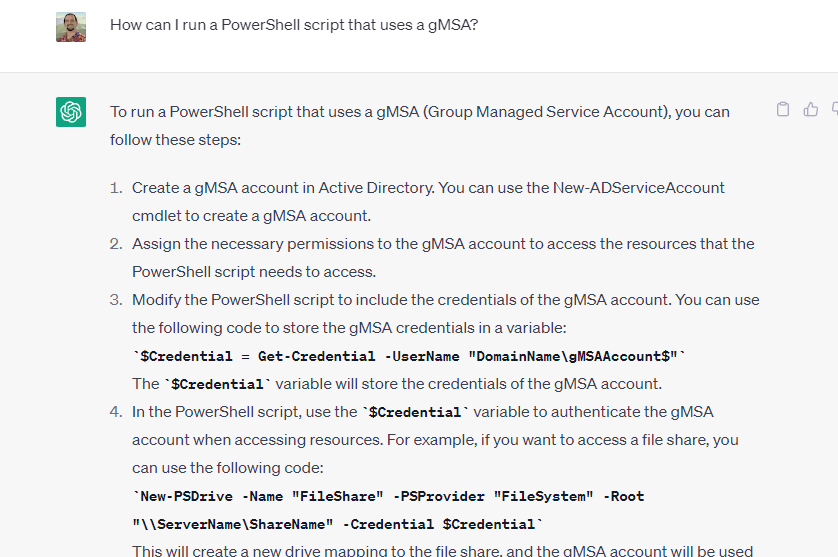
    2023-04-29 09_06_27-

    Others not so well:

    2023-04-24 10_26_10-Window

    This post looks at a few things I tried with VS Code and GitHub Copilot.

    Getting Access

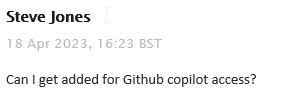
    I saw a note in our internal Redgate Slack that all developers were given access to Github Copilot. This is something you can subscribe to for about US$10/month, or if you are a student, you can get it for free. In my case, I filed a ticket:
    2023-04-29 09_08_52-Inbox - steve.jones@red-gate.com - Outlook

    It took a week or so as someone was out on holiday and this was a low priority ticket. In any case, I got a note from our ticket system, as well as GitHub, that I had access:

    2023-04-29 09_10_04-Inbox - steve.jones@red-gate.com - Outlook

    So I added the extension to VSCode.

    2023-04-29 08_58_23-Extension_ GitHub Copilot - sqlsatwebsite - Visual Studio Code

    Once installed, I got a note to sign in to GitHub, and when I had completed that, I saw the Copilot icon in the lower right corner of my IDE.
    2023-04-29 09_11_04-Window

    Getting Started

    My first experiment was to open my ZeroDowntime client code and see what happened. This is a VS 2019 project, but I opened it in VSCode, specifically the form1.cs code. I highlighted some code and …

    Nothing.

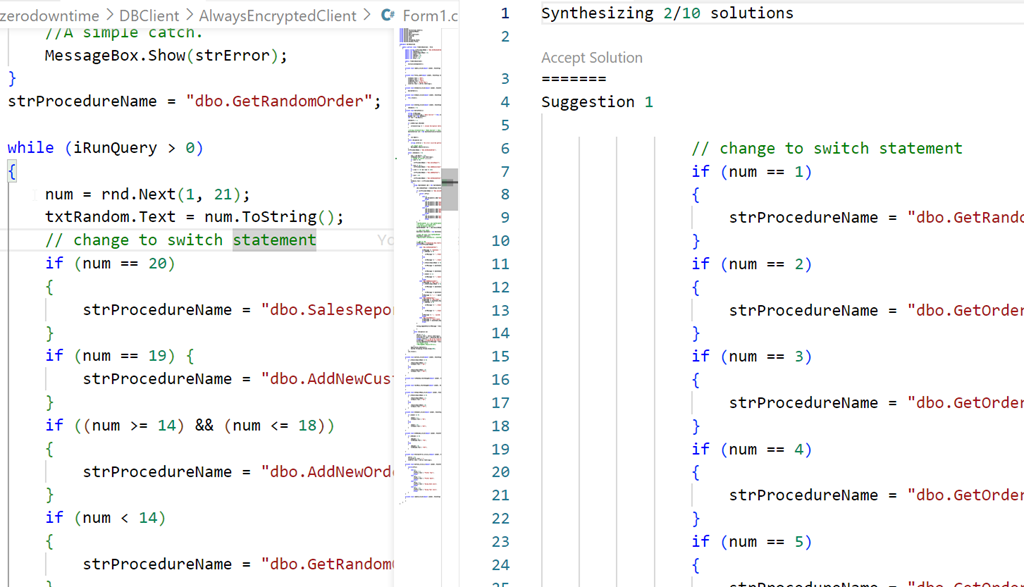
    Then I tried something I’d seen. I added a comment above some code. Still nothing, but when I opened the Github Copilot completions panel, I saw this:
    2023-04-29 09_02_27-● Form1.cs - sqlsatwebsite - Visual Studio Code

    Not helpful, nor what I asked for. Both solutions were similar.

    Starting from Scratch

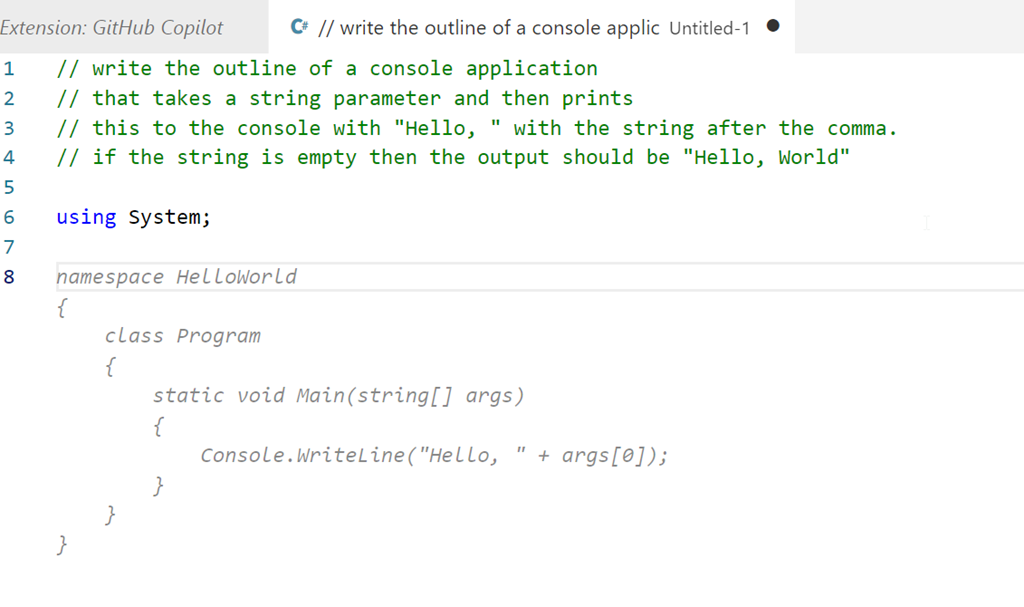
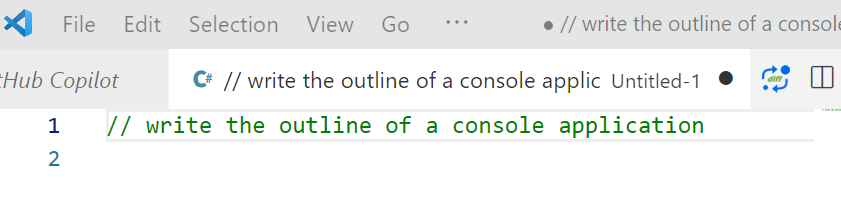
    I decided to then start from scratch. I created a new file, set this to C# and wrote this:
    2023-04-29 09_14_18-● __ write the outline of a console applic • Untitled-1 - sqlsatwebsite - Visual

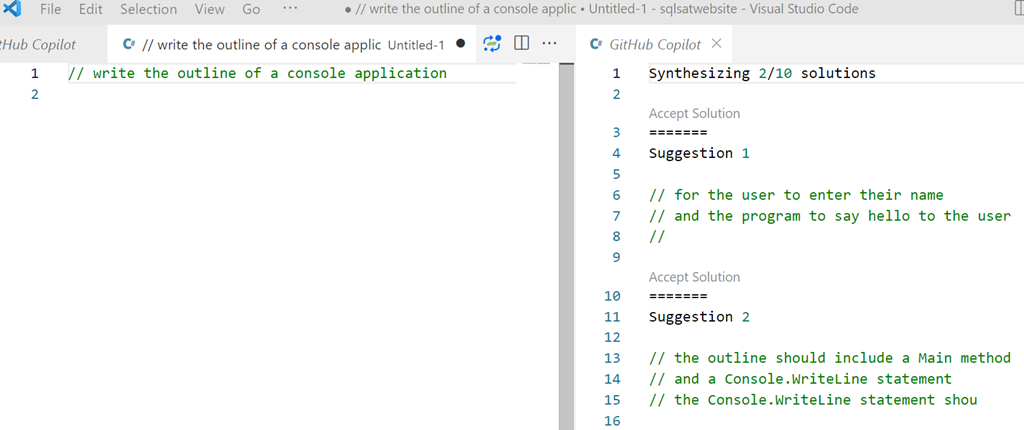
    Initially I got nothing, but when I opened the Copilot panel I saw this:
    2023-04-29 09_14_46-● __ write the outline of a console applic • Untitled-1 - sqlsatwebsite - Visual

    That is more interesting. Clearly poor specifications on my part.

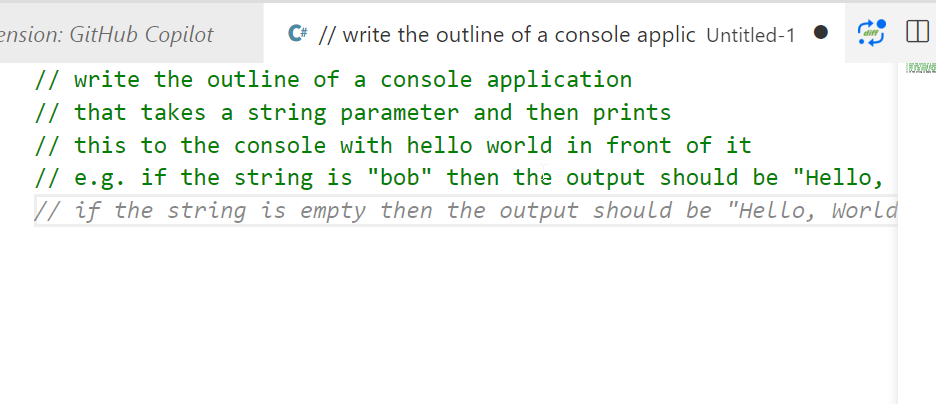
    Let’s try something else. I added more detail, and as I did, Copilot even added a few things after to help me specify what I needed.
    2023-04-29 09_16_06-● __ write the outline of a console applic • Untitled-1 - sqlsatwebsite - Visual

    I finished these lines and hit enter and I got something, though not what I wanted.
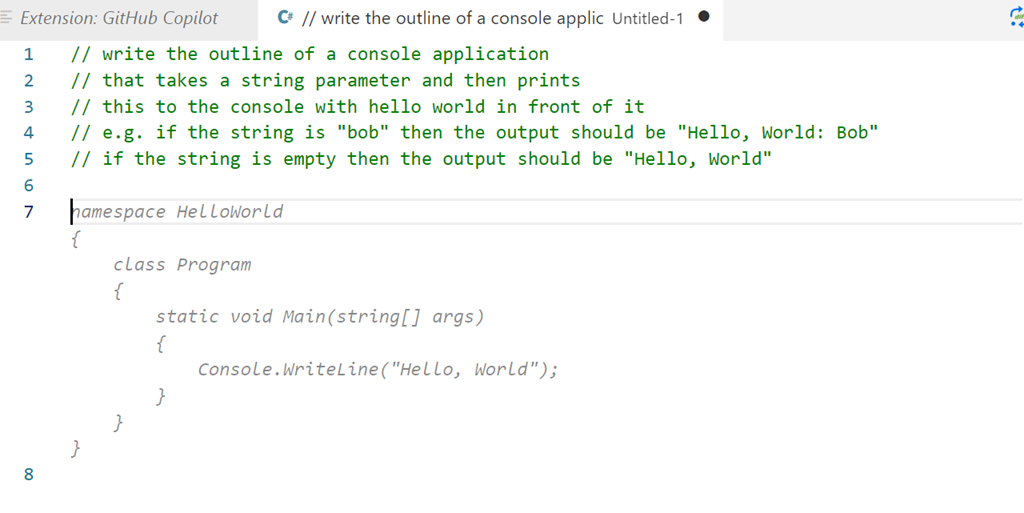
    2023-04-29 09_18_07-● __ write the outline of a console applic • Untitled-1 - sqlsatwebsite - Visual

    Let’s try something else:

    2023-04-29 09_19_22-● __ write the outline of a console applic • Untitled-1 - sqlsatwebsite - Visual

    That’s better. Not great, but better. This doesn’t quite match what I asked for. I copied this to a template project and then added another comment. I want to check for the existence of the parameter, and I got this code, which is better than something I’d write.
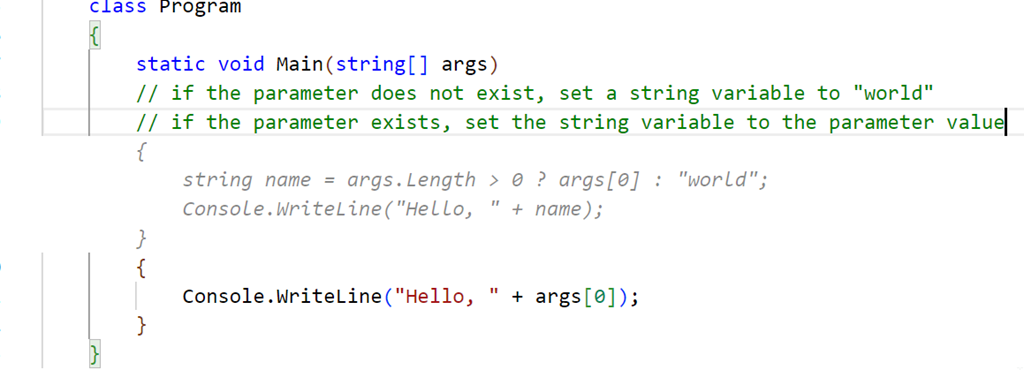
    2023-04-29 09_30_22-● Program.cs - sqlsatwebsite - Visual Studio Code

    Not quite right, and I have some lines to delete, but this gives me something, and as a middling C# dev, this is helpful. Once cleaned, I compiled and ran the code, and it seemed to work, at least for a very basic console app.

    2023-04-29 09_37_18-cmd

    Let’s try SQL

    I opened a new file, set the type to SQL and wrote a comment, using the appropriate comment style.
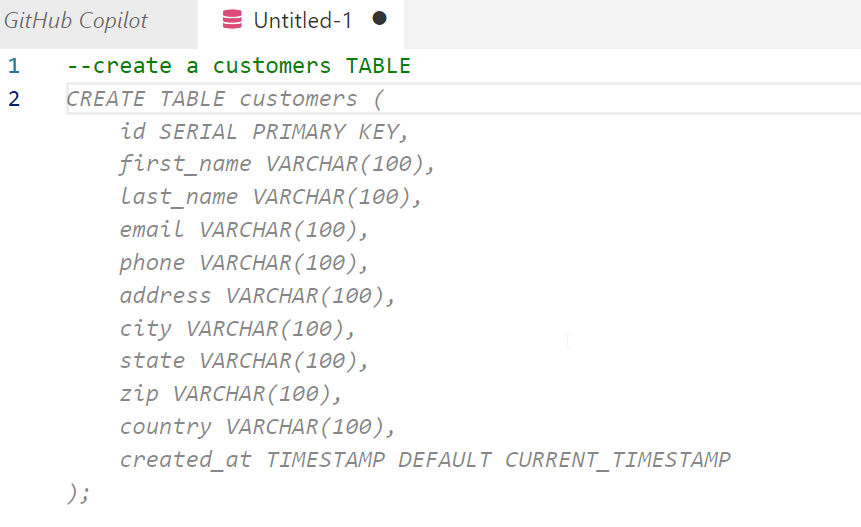
    2023-04-29 09_38_33-● Untitled-1 - sqlsatwebsite - Visual Studio Code

    I guess that’s OK. Not great, but I didn’t provide much detail. Interesting that it chose to use a created_at column with a timestamp. I never use timestamp, which is deprecated. Not sure how the AI learned about this type, perhaps because of a large corpus of training data using old code with this? Who knows.

    Let’s try something else. I’ll ask for a query using a known schema.
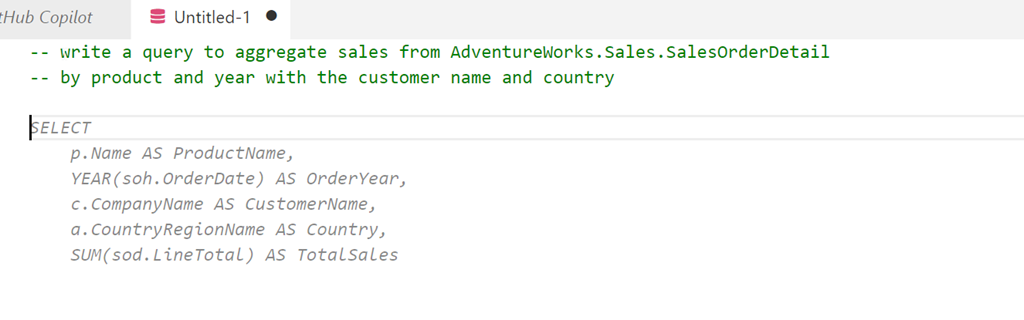
    2023-04-29 09_40_29-● Untitled-1 - sqlsatwebsite - Visual Studio Code

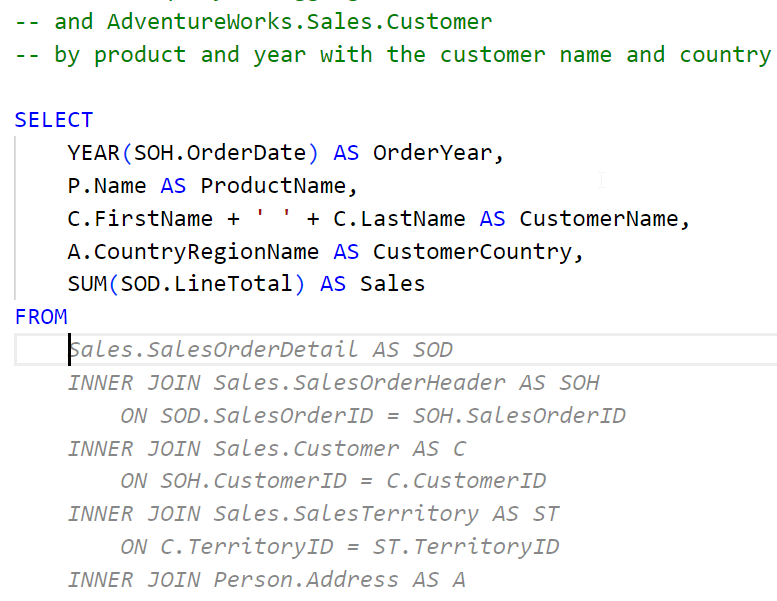
    A start, but not quite right. I do have to keep hitting enter to get the query written. A couple more Enters and Tabs to accept code get me this:
    2023-04-29 09_48_03-● Untitled-1 - sqlsatwebsite - Visual Studio Code

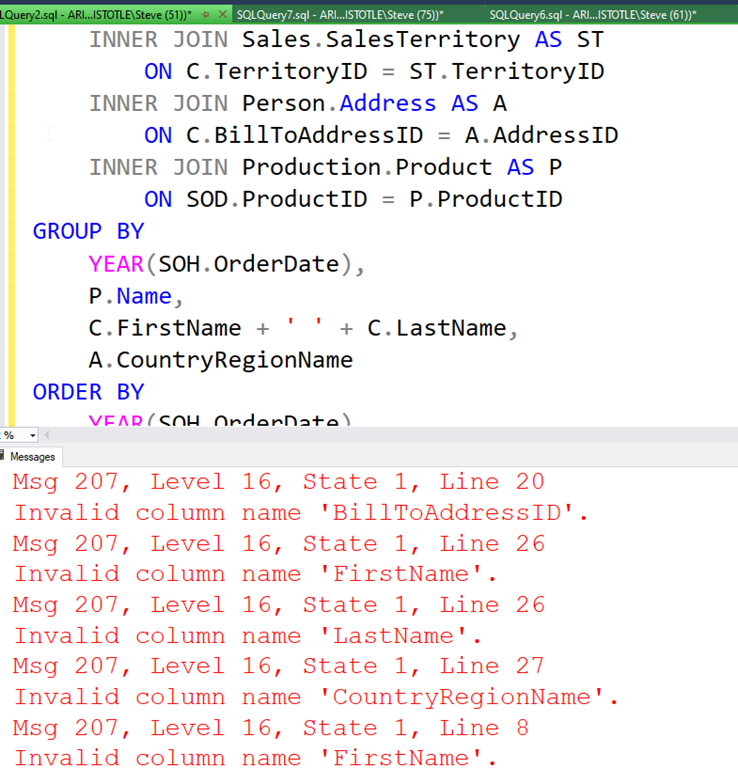
    If I keep going, I get a long query, but it doens’t work. At least not on my version of AdventureWorks.
    2023-04-29 09_50_45-SQLQuery2.sql - ARISTOTLE.AdventureWorks (ARISTOTLE_Steve (51))_ - Microsoft SQL

    Not great.

    What if I add a comment? I’ll ask for window functions.

    2023-04-29 09_51_45-● Untitled-1 - sqlsatwebsite - Visual Studio Code

    I get something else, but again, the final query doesn’t work. This time there are less errors, but the join listed seems to think the Customer table has a first name and last name, which it doesn’t.

    Initial Thoughts

    I’m not sure how useful this is. I think this is going to be one of those tools that I’ll have to practice with and understand how it works. My basic tests are mostly because I’m not sure what to do with it, or how it can be helpful.

    I have lightly seen some demos, but I realize that I need to watch a few more and also experiment with the features. I was hoping it would clean up some of my C# code, which is fairly basic, but it didn’t, at least not with my prompts.

    We’ll see how this goes, and I’ll see if I can use it in ADS and if it can actually recognize and use my database schemas to write queries or tests.

  • Converting Types in C#

    I am not a great software developer. I’m OK, and I do know how to use Google and Stack Overflow well. Maybe my best skill is wording searches well? In any case, I’ve had to write a bit of C# lately to build an app for my Zero Downtime talk.

    In no way am I an expert on this stuff, but I learned a few things while working on the client. One of these was how to get to/from various datatypes. Not a complex skill, but since I do it rarely, I decided to do a quick blog.

    Creating Strings

    I actually remembered how to take a number and convert it to a string. The ToString() method works on many  items. In my case, I used some variables as numerics, often a zero or one, but I wanted to display these in a textbox. To do that, I needed something like this:

    txtRandom.Text = num.ToString();

    Easy enough to write, but other items were more complex.

    Strings to Int

    I only had to go the reverse way a few times, but found there was no ToInt32() or similar. I was hoping for one, but a little google query helped me realize this is what I needed?

    cmd.Parameters.Add("@year", SqlDbType.Int).Value = Convert.ToInt32(txtYear.Text);

    In this case, I was adding an integer parameter from a value in a textbox, which was a strong. The Convert class has a ToInt32() method I used.

    String to Date

    In one demo I move to a date as a parameter, again getting a value from a string textbox. This was yet another method. In this case, there is a DateTime class with a Parse() method. I used it as such:

    cmd.Parameters.Add("@start", SqlDbType.DateTime).Value = DateTime.Parse(txtStart.Text);

    This worked great.

    NULLs

    One other item I needed was passing a NULL value to a proc. Part of zero downtime deployments involve staging your changes, and that sometimes means altering which parameters you use and sending in other values. In this case, I found a DBNull class with a value property. I passed null parameter values like this:

    cmd.Parameters.Add("@year", SqlDbType.Int).Value = DBNull.Value;

    More

    There are obviously other conversions, but I’ll learn those as I need them. I know how to phrase a quick question and read through StackOverflow to find code I need and modify it. I’m good at asking questions and listening.

    If you have advice, please leave me a comment. I had some fun doing this, and I’m glad I didn’t need to bother too many people to get this working.

  • The Financial DBA

    I’ve got an Azure subscription. At least, I think I have just one. I know I have a few Microsoft accounts, across 4 (or more) different email addresses, that I use for various VSTS development purposes, but only one should have any Azure resources. When  I check each of them, I find that I do only have resources (and charges) for one. However, I also found a strange charge on my credit card statement from Microsoft Azure. It was just a couple dollars, but as I started digging through the various statements, I couldn’t determine where the charge was from, or what it was for. As of now, I’ve opened a support case with Microsoft to track down my usage.

    This has me thinking of the future of many data professionals, some of whom will certainly have a few assets in a cloud based environment. I have a small subscription, but plenty of resources, and keeping track of which items belong to which resources and what I need isn’t always easy. It’s quite the challenge, especially when billing and finance aren’t my job. In an organization like Redgate, I’d guess we have lots resources, some of which developer provision, need, and then might forget about. Who reconciles this and ensures the assets we have are those we need?

    As we move to a world where services are used as often as assets, perhaps interchangeably, I expect that many of us will need to be accountable for not only the usage, but tracking why we’ve engaged that service. Over time, we need to retire and get rid of assets, but ensuring we remember exactly what we’re using and why can be hard over time. With a little employee movement, many of us might find ourselves in charge of services that we don’t understand, and might not be sure are necessary. We also might not be sure these services can just be discarded. The last thing we want is some uptime disruption because we terminated some service contract.

    A whole new dimension to our job is likely coming, and for many of us, this will test our documentation and organizational skills. I wouldn’t be surprised to find many DBAs or lead developers having a standing monthly meeting with someone in finance to be sure we aren’t wasting money.

    Steve Jones

    The Voice of the DBA Podcast

    Listen to the MP3 Audio ( 3.3MB) podcast or subscribe to the feed at iTunes and Libsyn.