Tag: career

  • Worse Before Better

    There was a thread on Twitter on career longevity and fixing issues inside an organization. IT notes that often there is a problem and someone is assigned or hired to fix them. Often when someone starts to dig in, they can fix some things and reduce the pain.  That’s good, as things get better.

    However, as you gain more knowledge of the issue, sometimes you realize there are more fundamental problems. If you try to fix them, you might make things worse. This could result in a repeat of the process of worsening and bettering of the problems over time. You might not make much progress if new people are constantly assigned when things get worse. If you stick with the person that is working on underlying problems, things get better over the long term. I don’t know how often I find management willing to stick with the same person.

    I think my experience has often been that organizations engage in short-term thinking. They just try to patch an issue and don’t necessarily make things better over time. I certainly saw this with supporting Windows systems in the 90s. We often rebooted machines first, which “fixed” the problem. At least for then. Often the issue would repeat, but customers could reboot their own machines.

    Is that the right approach? It could be, if a long-term fix requires lots of resources, perhaps a regular set of reboots from people is a better tradeoff. In a more complex system, usually, we find someone fixing a short-term software issue with code that is less reliable, or even less upgradable in the future. How many times do we see code that has a comment to “not touch this” or a note that the last developer didn’t understand this, but it worked. We end up with spaghetti code that no one maintains, doesn’t want to touch, and it inhibits our ability to grow and react to new requirements.

    Good fundamentals make a difference in how we build and maintain systems. This is especially true in databases, as we have to live with their design for a long time. We need to be agile, but we should apply good database modeling and integrity practices as we do so. Making quick decisions on how to add something to a schema is fine, but do so in line with best practices and an eye on the future.

    Steve Jones

    Listen to the podcast at Libsyn, Stitcher, Spotify, or iTunes.
  • Getting Started with the Advent of Code as a #SQLNewBlogger

    Another post for me that is simple and hopefully serves as an example for people trying to get blogging as #SQLNewBloggers.

    If you want to get started blogging, or revitalize your work, here is a good way to practice some T-SQL, have some fun, and build a blog.

    This is a simple set of steps, but all of these will help you in the future as you expand your skills and blogging.

    Online Accounts

    First, create a blog. Go to WordPress and create an account for free.

    Get a GitHub account. No reason to not have one these days, and it’s free. I won’t walk you through this part, but sign up.

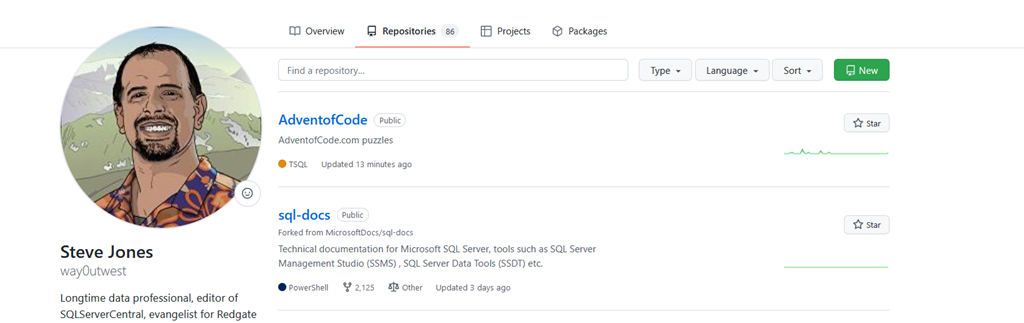
    Next, create a repository. In the repositories section, click “New” in the upper right. You can see my AdventofCode repository is already created. Make your own in your account.

    2021-12-03 10_59_27-Your Repositories — Mozilla Firefox

    Next, go to the Advent of Code site and log in with Github. It’s one of the auth settings. Don’t worry if you aren’t doing this in time with others. I’ve worked on this throughout the year. You can also go through previous years if you choose.

    The Workstation Setup

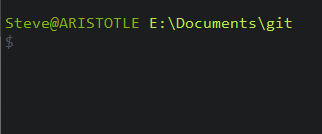
    First, install Git. This is easy and free as well. Once you have, open a command prompt. Pick a place where you want to store code and create a “git” folder. Change to this folder.

    2021-12-03 11_03_37-cmd

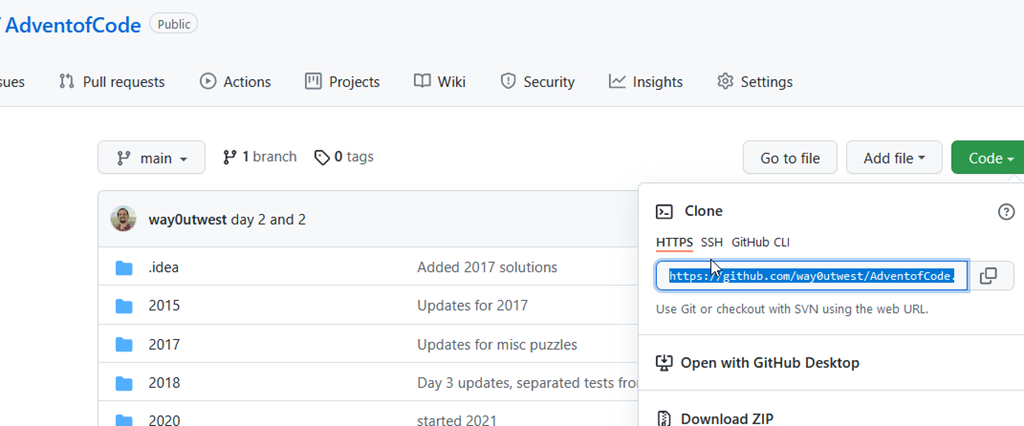
    In your Advent of Code repository, click the “Code” button in the upper right. This will open a drop down. Copy the https URL shown in there. You can see mine highlighted below.

    2021-12-03 11_01_48-way0utwest_AdventofCode_ AdventofCode.com puzzles — Mozilla Firefox

    In your command prompt, type “git clone “ (space here), then paste in your repo path and hit Enter. It should look something like this:

    2021-12-03 11_04_19-cmd

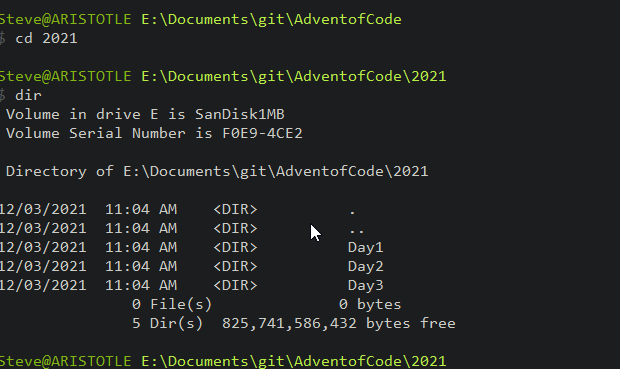
    This has downloaded the repo to this folder and linked it with my GitHub repo. This will be empty for you, but here’s what I’d suggest. Create a “2021” folder and then start putting code in there. You can see I have a few folders listed below.

    2021-12-03 11_06_15-cmd

    Inside the 2021 folder, I tend to separate out days. For me, I do this because I save the input files as input.txt. You can organize your code any way you want, but write about how and why. Here’s my folder.

    2021-12-03 11_06_32-cmd

    I have solved problems multiple ways in the past. Here’s last year’s Day 1, solved in T-SQL, Python, and PowerShell.

    2021-12-03 11_07_58-cmd

    Now write code and solve the puzzles.

    Saving Code

    You should learn git, but here is the easy way to do things. As you write code, run a “git status” in your repo (any folder). You’ll either see everything is clean and up to date, or something like this:

    2021-12-03 11_10_08-cmd

    When you want to save something, type “git add –all”. This adds all files to the staging area. There isn’t a return here, but if you run status, you’ll see things are staged.

    2021-12-03 11_11_02-cmd

    Now commit a version with this:

    git commit –m “xxxx”

    Replace XXX with some comment. For me, I often will say which days I’ve solved. In this case, I haven’t solved day 4 yet, but I just added a note.

    2021-12-03 11_11_54-cmd

    Now type “git push” to send your code to GitHub. You’ll get something like this.

    2021-12-03 11_12_35-cmd

    That’s it.

    Now you’ve learned how to move code around and source control it, you have puzzles to play with, and you can blog about how to approach problems, and how you are saving code. In fact, rewrite this post as you set up your own environment.

    SQLNewBlogger

    Here’s a great way to showcase knowledge and improve skills. This post took me about 15 minutes to setup and outside of creating accounts or installing git, I bet you could do it in the same time.

    Give it a try. Start your blog today.

  • Goal Progress for November 2021

    I set goals at the beginning of the year, and I’m tracking my progress in these updates during 2021.

    I missed writing this in October. It was a stressful time with lots of deadlines, presentations, and travel.

    I slacked off a bit in November, coming out of a busy work time and needing time away from my technical work. At least, outside of work. I also started coaching, and that required more personal time, so less career time.

    Current Grade: C+

    Given where I am, I think I’m middle of the road. I’ve done well on reading. I’ve made some project progress. A little technical skill work, but not enough.

    Reading

    I’ve been working through a couple books. I like the feedback one, but I find myself stopping and thinking often. The PoSh book is a bit of a project, but I’m enjoying it.

    Here’s the current progress:

    Technical Skills

    No coding here on the Advent of Code. I realized, however, that I’m not a great programmer. Some of these problems stump me and slow down my enthusiasm. I also don’t love the process of problem solving on the computer just for fun. I have too many other hobbies for this to be a priority.

    I have, however, started studying for a certification. I’ve been going through the DP-900 modules, trying to learn a bit every day or two. I went through 3 modules in November after the Data Community Summit. I’ll keep going here.

    Projects

    No real changes here. Minor updates, but not enough time spent on these items. I have started to get organized for volleyball statistics for the new season and I need to document the process a bit to explain it to myself, as well as do some better data analysis.

  • Taking Stock of Your Career

    Yesterday was Thanksgiving in the US, a day where families typically celebrate together and many people give thanks for what is going well in their lives. It’s also one of the days when more businesses and services are closed than any other day of the year.

    This is the time of year when most businesses look forward and plan the future. It’s also a time when lots of individuals may do the same thing, getting ready to make resolutions or attempt to change their lives in the new year.

    Today, I want to do something a little different. Rather than taking stock of your career and looking forward, let’s look back and find gratitude.

    Is there a situation, a person, a job that you were grateful for that helped your career for the better? Who would you thank? What helped you become the person you are today? It doesn’t matter if you are an older professional like me or someone starting your career. What are you grateful for in your past to put you where you are today?

    For me, there are lots of things to choose from. I’ve been very blessed and lucky. I’ve worked hard to take advantage of opportunities, but things have worked out well. There are a few things that stand out in my mind.

    First, I got a job interning at a nuclear power plant while in graduate school. That job changed my life. Someone recognized my value and gave me a chance to program, to learn how to run a network, and helped me learn SQL Server (on OS/2). I also met my wife there, so perhaps that’s the situation I’m most grateful for in my life.

    The other situation was the job that moved me to Denver. It allowed my family to change locations and my kids to grow up in a wonderful place. The job wasn’t great, long hours, and I slept in my office far too many nights, but I learned how not to do a lot of things. From poor management, poor software processes, and bad operations practices. It was a tough period of growth that I still value today.

    What are you thankful for in your career? Let us know in the discussion today.

    Steve Jones

    Listen to the podcast at Libsyn, Stitcher, Spotify, or iTunes.