Tag: DevOps

  • Building locally from VSTS

    One of the things that you need with a Continuous Integration server is that ability to build your software on some computer system and verify things work. With Visual Studio Team Services, using Visual Studio online, this seems to be a challenge.

    The VSTS team has thought of this and includes the ability to target your builds on a hosted system in the VS cloud, where you don’t need anything installed. However the hosted build agents and servers have a limited amount of software that’s supported. SQL Server isn’t on that list.

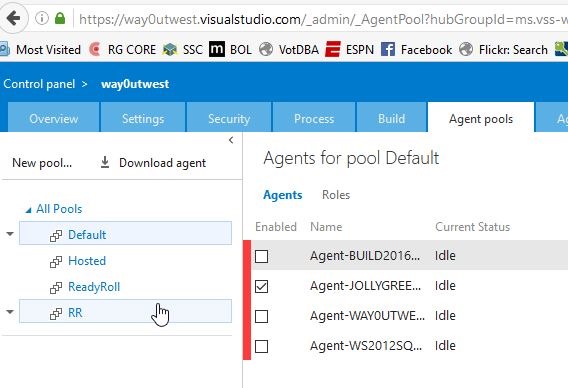
    However, there is another option. If you go to the control panel for your account, and click the Agent Pools tab, you’ll see something like this.
    2016-06-28 18_03_29-Agents for pool Default - Microsoft Team Foundation Server

    Notice the “Download agent” link. That’s what you want. As you can see, I’ve been testing and I have agents actually setup and registered on 4 machines. Here I’m going to add a fifth.

    Once I download the file, I’ll extract it to see a list of files and folders.

    2016-06-28 18_01_52-agent

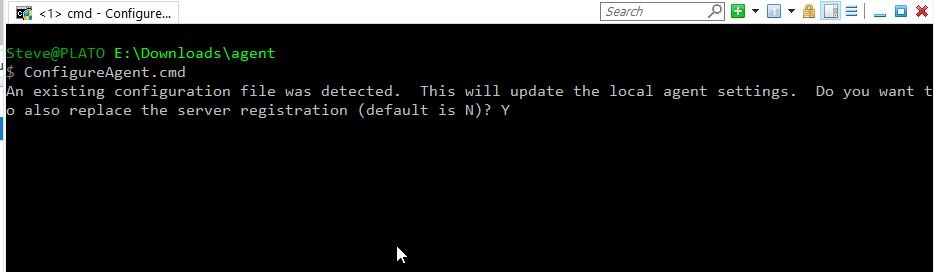
    What I first want to do is configure the agent, so I’ll enter ConfigureAgent from a command prompt. Note, I need to do this as an administrator level command prompt.
    2016-06-28 18_08_35-cmd - ConfigureAgent.cmd (Admin)

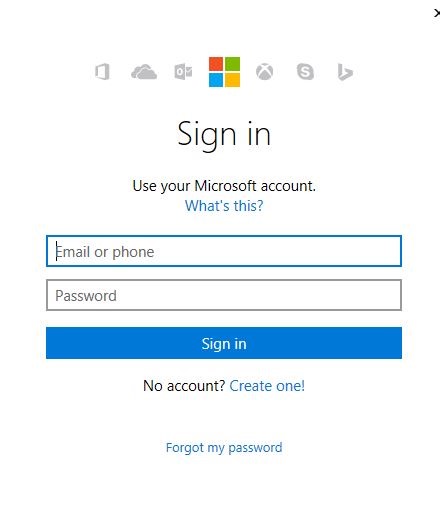
    In my case there are some settings, but I’m overwriting them as I rebuilt my machine. Once I hit Enter, I then get the chance to Authenticate.
    2016-06-29 09_18_49-

    After this, the old Agent appears. However, since I’ve rebuilt and rename this machine, I’ll change it. I answer a few more questions about configuring the agent properties. At the end I’ll also authenticate to the Azure cloud once again.

    2016-06-29 09_21_09-cmd (Admin)

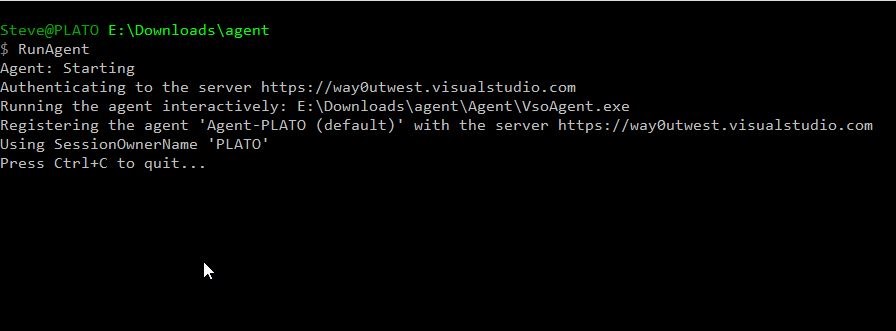
    Now that things are configured, I can run the agent. I could set this as a service, but I prefer to know the agent is (or isn’t running) and see the output. I have set this as a service before, and it works fine.

    All I have left to do is RunAgent.cmd and I have an agent running locally that takes instructions from VSTS.
    2016-06-29 09_26_45-cmd - RunAgent (Admin)

    If I go back to my control panel, I see a new agent.

    2016-06-29 09_32_41-Agents for pool Default - Microsoft Team Foundation Server

    I can also trigger a build. I happen to have one setup for a project that points to local instances. Here’s the build definition, which uses the VSTS Extension from Redgate to build a database.
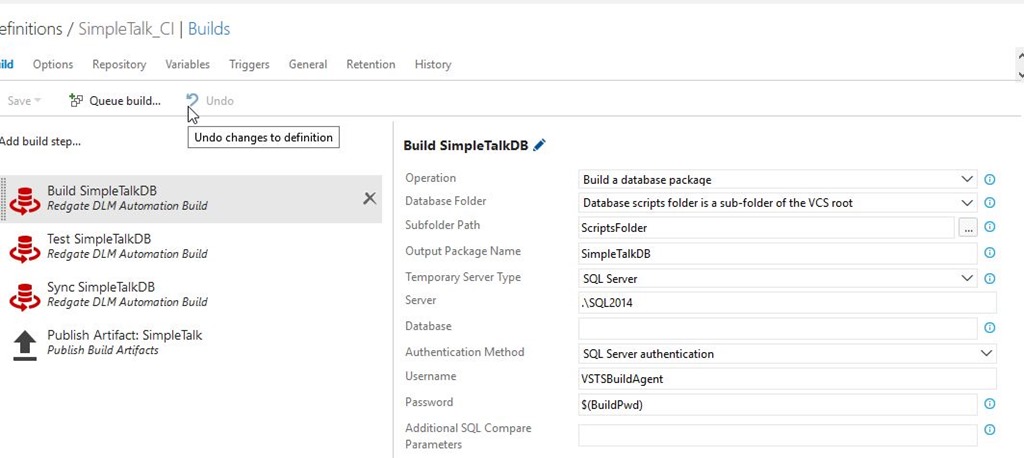
    2016-06-29 09_34_05-Microsoft Visual Studio Team Services

    I can click “Queue Build” and a build will start.
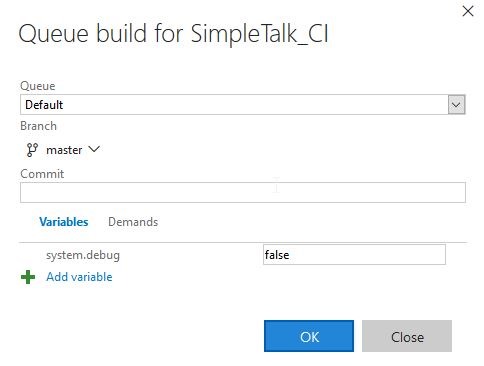
    2016-06-29 09_34_18-Microsoft Visual Studio Team Services

    I see the build running in the console:

    2016-06-29 09_34_31-cmd - RunAgent (Admin)

    And online in VSTS if I want. The Build Agent sends logs back to the VSTS service as it’s working.
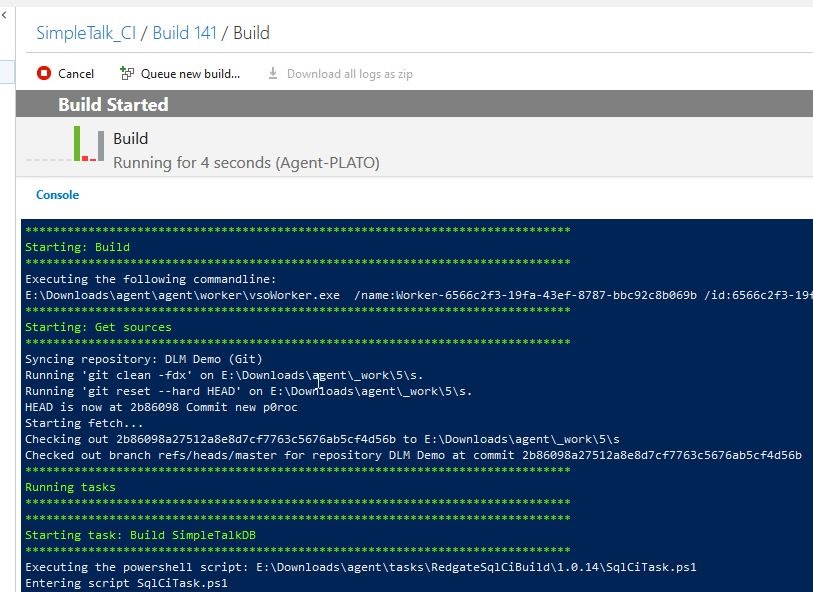
    2016-06-29 09_36_19-Microsoft Visual Studio Team Services

    This is a basic way to get a VSTS build working on your local machine with an agent. There is a lot more to configure if you need to, and if you need multiple agents, you can certainly pay for them with a different VSTS plan.

  • Baby Steps to DevOps

    I’ve been re-reading the book, Continuous Delivery, as part of the current San Diego Technology Immersion Group monthly meeting track. This book was the focus of the first meeting in May, and will continue for the next couple months. Continuous Delivery and the related, DevOps, are fascinating concepts, but mostly I find the discussions really interesting for me to see and hear how others view the DevOps, Continuous Integration (CI), and Continuous Deliver (CD), and where they apply in each person’s organization.

    One of the things I’ve noticed is that lots of people get overwhelmed with DevOps. They hear stories of how others are running an extremely efficient software development shop and think they couldn’t implement CD in their organization. Or they think that CI/CD/DevOps is just a way of building software that’s so far removed from their own experience. However, DevOps isn’t really anything new or special. It’s not even one thing, as there are many divergent views of what DevOps means. However, plenty of people have been applying and adhering to the various definitions of DevOps for decades, just viewing their process as efficient, effective, and empowered.

    I use DevOps and CD somewhat interchangably, as they often proceed along the same path and each is a intertwined with the other. Note that going to a CD process doesn’t mean that you release every day/hour/whatever. If means that you release when you want, which could still be every few months. It’s just that you have a process set up to allow smooth process flow.

    As I talk to people who are looking to build a DevOps process, and I hear about more and more of them all the time, one thing I stress is to take things slow. You won’t build your DevOps process, whatever that looks like, this month. In fact, what you should expect to do is learn as you go, and whatever your vision of the process is today will change. You will learn, grow, change the way you do some things, and also change the way you implement new processes, even if you’re copying how other companies have implemented their own system.

    Most importantly, what I try to stress is to slowly move to CD (or DevOps). Look at the process you have now and just change one thing. Let’s imagine that you:

    • manually track changes to the database in email
    • then build a change script manually
    • then have a DBA apply those changes
    • then let QA run tests with an application
    • then modify the script that goes to production

    Leave that process as is. Let’s implement one thing. Add some version control that will let you build a base for other changes. Your new process would be (changes in bold).

    • manually track changes to the database in email
    • then build a change script manually
    • store the change script in a VCS
    • then have a DBA apply those changes
    • then let QA run tests with an application
    • then modify the script that goes to production

    Or change to this instead?

    • manually track changes to the database in email
    • then build a change script manually
    • then have a DBA apply those changes
    • then let QA run tests with an application
    • then modify the script that goes to production
    • track all changes to production in an automated fashion (hopefully using a tool)

    Over time, you can make another step. Maybe you use something like SQL Source Control or ReadyRoll to build change scripts and put them in a VCS. Or perhaps you build a process that takes the changes from the VCS and applies them to a test database without requiring the DBA to check things out and execute them. Both are valid ways to evolve your process. (Disclosure, I work for Redgate Software, maker of those products). I’m giving you a few suggestions here, but there are multiple ways, methods, and tools you could use.

    And that’s the key. You evolve your process, evolve your communication, learn to work together to accomplish goals. Not big goals, little goals. Add small items to your process as you realize they can be automated. Change communications in ways that help ensure everyone knows where to find code and how to deploy it. Or everyone knows how to set up environments (hopefully automated).

    Slowly get better and better, and before long you’ll find that you can make changes in smaller batches, and ensure those changes can be deployed at a rapid pace. Or maybe you’ll have confidence to begin moving to a feature flag architecture so that you deploy changes well in advance of users being aware of them. Note, they’re not perfect or the solution.

    DevOps is about learning and growing. This is really the same basic principles that have driven Six Sigma and Kaizen and various other philosophies that recognize that we can do better over time. Make small steps, measure, learn, and improve.

    Steve Jones

    The Voice of the DBA Podcast

    Listen to the MP3 Audio ( 4.9MB) podcast or subscribe to the feed at iTunes and Mevio .

  • DevOps and Security

    DevOps is a buzzword these days, and like many of the hyped concepts written about, it has a lot of meanings. There is this idea releasing software more often, using automation, having various groups talk to each other, and more, all of  which we might see as common sense. However other DevOps ideas, such as releasing more often (with potentially less review), being willing to break applications and fix them quickly, having developers able to release code to live, production environments, these don’t seem to be ideas that would enhance security for most organizations.

    However, that’s not necessarily the case. Security and DevOps practices aren’t necessarily mutually exclusive. I ran across a piece from the security perspective, looking at some of the ideas in DevOps that can actually enhance security.

    Writing more code, especially around the configuration and infrastructure, allows versioning, auditing, and more that can ensure we have fewer mis-configured systems. Adding some Desired State Configuration (DSR), with some automated testing of this code, could ensure that the changes made don’t open up security holes. Or, at least, allow us to determine who made the change and when the issue appeared. These are important for understand security risk.

    There are also the ideas of measurement, metrics, and feedback, which are important for ensuring security. After all, anomalous behavior should be investigated, as this could be a sign of intrusion. For databases, it’s especially important with the large number of clients that connect to our systems. Adding DevOps style monitoring can allow us to determine if a workload is normal, or perhaps a sign of intentional, accidental, or malicious data query activity.

    I enjoyed the piece, and I’d recommend you read it. Plus, whenever I see “snowflake” in an article, I think of Grant and want to read further to see how someone else has used the same analogy he does.

    Steve Jones

    The Voice of the DBA Podcast

    Listen to the MP3 Audio ( 2.2MB) podcast or subscribe to the feed at iTunes and LibSyn.

  • What is DevOps?

    There is a lot of confusion in the world about DevOps. Some of that might be because the concept hasn’t been well defined, or implemented, in many organizations. It might also be because other companies have been running as DevOps organizations for years without having a name for what they did and no good way to talk about their practices as a whole. Plenty of those efficient organizations resent having DevOps presented as a “new” idea when it’s been their modus operandi for years.

    I an across a primer on DevOps that I thought was a good explanation for management. It’s not perfect, and the piece minimizes the problems of changing culture and attitude. There is an emphasis on breaking down barriers and silos, but no discussion as to how managers should do this. I think most people expect managers to know how to get teams to work together, but in practice, I have found few managers that could do this.

    There is no magic to DevOps. There isn’t a tool you can buy, or a consultant that you can hire to implement it. All you can do is get help and guidance in helping your staff to learn to work more closely together. Developers have to learn to consider the operational impacts of their work, while formalizing some of their processes. They need to automate their testing, but also the packaging and installation of their software, while working in standardized environments. Operations is the flip side of this, in that Operations staff must be responsive and quick to build the standard environments developers need. They must work with developers to feedback issues and requirements from Operations to the developers, including bugs that can be caught with changes to the automated testing processes.

    DevOps is about working together. With respect and professionalism, but also the attitude that we can help each other do our jobs better. This impacts our compensation and reward systems, as well as organizational structures. I wouldn’t underestimate the impact this has on the way an IT department works, but I also wouldn’t be afraid of the changes. However I would move slowly, evaluating the impacts as processes change, and working to assuage the fears and concerns of your staff.

    Ultimately DevOps, in my mind, isn’t about saving money or getting software build faster. It’s about working together to become more responsive to our clients as our software becomes ever more important to them.

    Steve Jones

    The Voice of the DBA Podcast

    Listen to the MP3 Audio ( 3.1MB) podcast or subscribe to the feed at iTunes and LibSyn.