Tag: IoT

  • Better Garmin Data Backup with MapMyRun

    I don’t know that I want to do this every day, but it’s good to know I can grab my Garmin workout data and save it elsewhere. While Garmin was having issues, I went on a test walk with my dog. Actually, a therapeutic walk as she’s recovering from surgery. In any case, I did a short one, tracking the activity. While it didn’t upload, I did back up my data.

    As of a few days later, Garmin still wasn’t syncing data, but I found that MapMyRun will accept the data. After seeing someone else note Strava and other services accept Garmin data, I decided to test it out.

    On the main page, I usually do a “Log my workout” and manually enter some data after each activity. I’m not looking for details, just the date, activity, and duration. I don’t worry getting too specific. However, I noticed there is an “Import” to the right.

    2020-07-27 09_18_35-MapMyRun

    If I click that, I see a few services listed. The one I want is the “Import Workout” button (again).

    2020-07-27 11_50_07-MapMyRun

    When I click that, I get the option to pick a file.
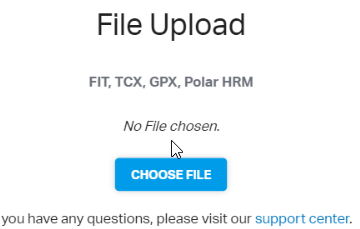
    2020-07-27 11_50_14-MapMyRun

    I uploaded my file, and I see lots of data, including the route and altitude info overlaid with my heart rate.

    2020-07-27 09_14_17-Walked 0.11 mi on 07_24_20 on 07_24_2020 _ RUNNING Training Log Entry _ MapMyRun

    I may have to try doing this with a few other workouts and see how they do. While entering a little data isn’t bad, it might be nice to see my heart rate over here across time, just in case I have some sort of other issue with Garmin.
  • Saving My Garmin Data

    With the Garmin outage, I was a little worried about my data. As a result, I wanted to ensure I could get information off of my device and at least save files. I posted a note on Twitter, and got a link to the DC RainMaker, with a procedure to get your files from a device. Since I have a watch that connects to a mobile, I wasn’t sure which device to connect, so here’s the experience of getting my data.

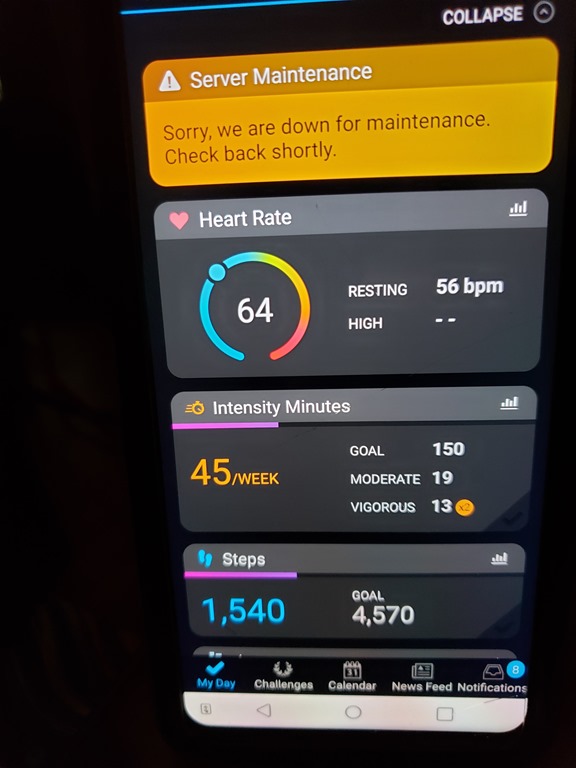
    First, what’s the extent of the issue. I started a walk workout on my watch when I took the dogs out. This was a short one, and I was able to complete and save the workout.

    When I got back to my desk, I opened the app on the old mobile. I saw the data for my heart and steps, which matched the watch, but no workout.

    20200724_133805

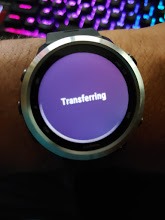
    I then went to my watch and clicked “sync”. I got this for awhile, and while it said that things were being transferred, I don’t have any way of knowing this is working.

    20200724_133745

    My understanding is that this data goes to Garmin Connect and then that syncs with my phone, rather than going through my phone and then to Garmin Connect. Since there are people that might not use the app on their phone, this makes sense.

    I know I can’t get data at Garmin Connect.

    2020-07-24 13_41_53-Window

    I also don’t see any updates on their blog.

    2020-07-24 13_42_47-Window

    OK, I know what I can’t do. What can I do?

    Connecting My Watch

    I’ve never connected the watch to this computer. I’m not likely to get the Garmin app to work if I install it, so let’s get the cable that came with my watch. I connect it to my computer and …

    Nothing. Nothing detected as a device. No new USB devices. No notifications.

    This was with a USB hub, so let’s take that out of the equation. I do connect some data devices through here, but why not try something. I get up, walk around, and plug the watch into the motherboard USB slot.

    2020-07-24 13_59_23-Window

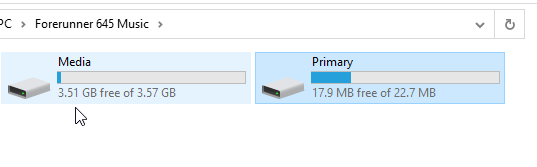
    That’s interesting. Glad I tried that. Next I browse and find two storage areas.

    2020-07-24 14_00_09-Window

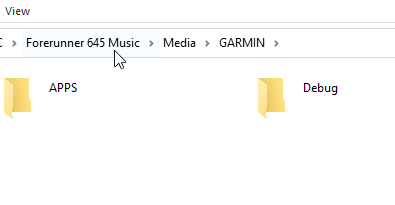
    I tried media first, since that’s the first one. Nope, no activities under Garmin.

    2020-07-24 14_00_15-Window

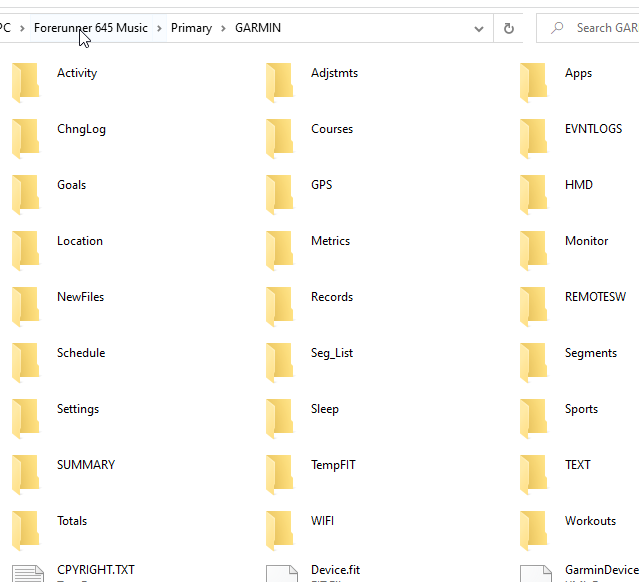
    Let’s try the primary storage. This looks more promising.

    2020-07-24 14_10_21-Window

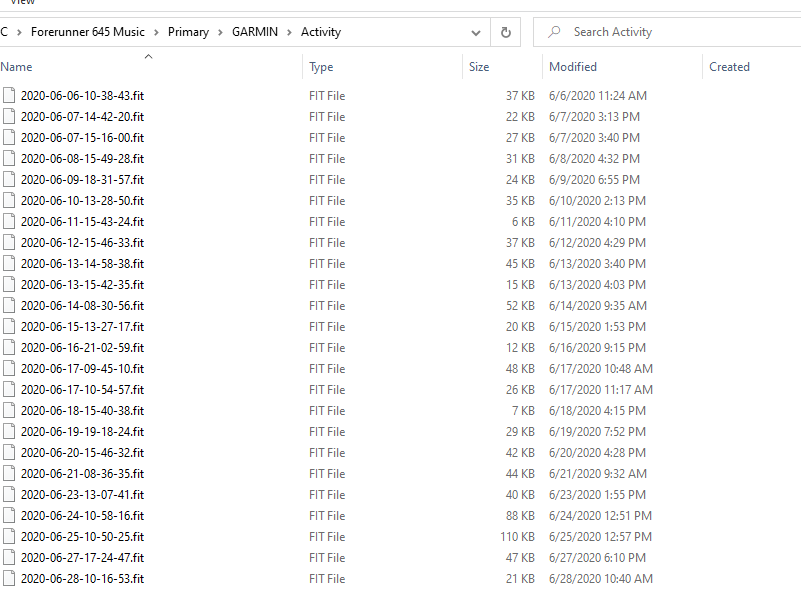
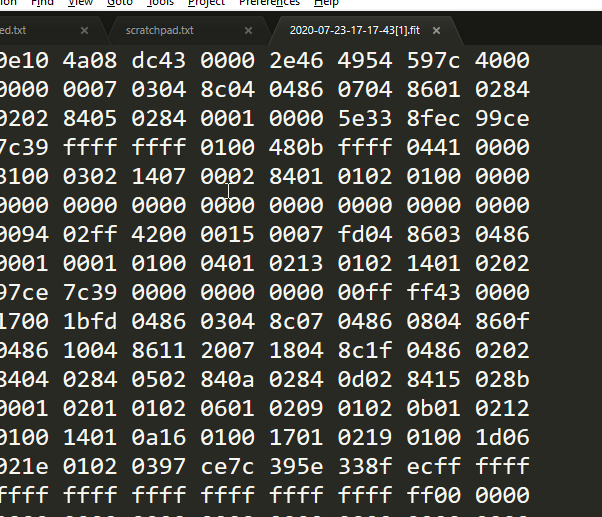
    I don’t see Activities, as in the DC Rainmaker post, but I do see “Activity”. In there, I find the fit files.

    2020-07-24 14_10_36-Window

    These are binary files, so there goes any quick SSIS/ADF upload of data somewhere else.

    2020-07-24 14_12_03-Window

    I suspect there’s a way of doing this and a few searches show some libraries that might help, but those are for another day.

  • Missing Data

    I gather some data regularly about my life. I examine and look for trends and anomalies every week, and use the data in data analysis to help me make decisions. I get this data from my watch, a Garmin Forerunner 645, which tracks a number of data points for me. Some data points are recorded automatically, some I set, but I have come to appreciate that information.

    Recently I had to get a replacement watch after a bit of a hardware failure. Huge props to Garmin for replacing my out-warranty, 3 year old watch at no cost. During this time, I was without a watch for almost two weeks, and I really noticed the lack of data.

    My watch gathers data on sleep, which I often check to see when I’ve struggled at night and wake up tired. Where was my time spent during the night, with lots of movement and wakefulness or more deep sleep? I don’t need a high level of accuracy here, but just something that helps me to think about what I might have done differently the previous day with diet, with stress, with exercise (or lack) or even emotional coping. During my week, I often check the step count, just to see if I’ve taken breaks and gotten moving, or am I sitting too much. I look at my heart rate regularly, both for the long term trends and the specific exercise to see if I’m trying hard enough.

    Losing some of this data isn’t really a big deal, but it is something I need to account for, since this is a pretty big hole in my system. As I look for trends and compute averages, I need to account for the missing data points. If I were building a report for myself, I might want to ensure the missing dates are still shown, albeit with no data. I can’t enter zeros here, because imagine 2 weeks worth of zeros in a month or resting heart rate data. I might think I’m much more fit than I am!

    There are plenty of solutions and ways to handle both aggregations and visualizations, but as data professionals, we need to ensure we know how to, and make sure we do, account for missing data points. This becomes especially important with sensor data, but even sales data can be affected. We can, and do, lose data for a variety of reasons, and we should also be prepared for those situations.

    Steve Jones

    Listen to the podcast at Libsyn, Stitcher or iTunes.

  • IoT Success

    After quite a bit of press the last few years, the IoT crazy has slowed a bit. I suspect this is because many of the consumer type IoT devices, such as refrigerators and washing machines, haven’t proven to be as useful or exciting as their developers originally thought. With all of the security issues that we’ve seen as well, having more interconnected “things” doesn’t seem to be so desirable for many individuals.

    In the industrial world, IoT is still thriving and growing, as businesses see just how inefficient they have been in the past. The way that many people have gotten business done is with lots of hard work and good luck along the way. Certainly farmers and ranchers have counted on instincts and good weather more often than science. Those items still matter, but smaller sensors and connected IoT devices can help reduce some of the risk and ensure better yields from your efforts.

    There’s an example of this in a short article about how various IoT devices are being used to help shrimp farmers in Columbia. Some of the uses, such as cameras to detect theft, are obvious, but the additional use of computing power and logic to reduce the need for a human to stare at a screen, vastly increases the chances of knowing when a theft is about to occur. Others sensors are used to check weather and actually monitor the shrimp in their environment, tasks which weren’t feasible for individual companies in the past to perform cost effectively.

    The key here really is being able to gather more data and process it efficiently. Lower hardware costs, better algorithms  and a variety of programmable sensors enable the capture and examination of this data in a way that can be customized for individual companies. Data can be very powerful for most organizations that perform actions in the analog world. IoT is helping them learn to better understand data they they wouldn’t previously have been able to capture.

    There are certainly still potential security problems with off the shelf sensors and grid connections. Anyone that wants to start to use these types of devices needs to understand the networking and potentially limit access to your main databases and systems, perhaps with tightly controlled ETL processes to funnel the data to staging areas. If you can do that, however, there are going to be opportunities to increase the efficiency of your operations, with plenty of data analysis and visualization jobs for the data professionals.

    Steve Jones

    The Voice of the DBA Podcast

    Listen to the MP3 Audio ( 3.9MB) podcast or subscribe to the feed at iTunes and Libsyn.