Tag: SQL Azure

  • Someone Lost My Data

    It was bound to happen. I’m sure it’s happened before, but this event was interesting to me as it wasn’t a customer issue, but a cloud vendor problem. There was an outage in Azure on Jan 29, which happens, but in this case data was lost. There was problem internal code in the Azure cloud that dropped some customer databases using the Azure Key Vault with TDE encryption. That was slightly disconcerting for me as I was setting up and testing Azure Key Vault this week.

    There are frequent snapshots and Microsoft was able to restore the databases from one that was about five minutes old. Microsoft acknowledges that five minutes of data loss might be an issue and is asking customers that lost business or were affected by the drops to raise a support ticket. I have found Azure support to be pretty good about crediting my account when issues occur, and I hope they do the same here, though I wonder if they’ll compensate anything beyond the charges normally assessed to customers. They are offering credit for the restored and original databases for a few months as well.

    Plenty of people are upset, and with good reason. There should not be Azure management code that drops databases. Or should there be? Would this be any different on premises?

    I’ve had cleanup code that removed resources after some time. I don’t work at the scale of Azure, so I usually have things removed after a month or quarter. With the scale of Azure and potential costs, they might remove resources quicker, but I certainly have seen similar home grown, if-this-then-that code that does x when y occurs. In this case, I remove encryption keys, which might be not actually be removed for month or more. At that point, there is code that trigger a drop of databases. I’ve certainly seen users in various organizations drop, or restore over, the wrong database. In some cases they don’t realize it in five minutes, and often don’t have a way to restore from a five minute ago backup. Actually, relatively few people I know have RPOs under five minutes.

    This is bad, but it isn’t necessarily out of the ordinary for complex IT environments. If this happened in an organization, the IT staff would be worried and hoping for forgiveness. Some people would want others fired, but most of the time management would understand these things happen. Perhaps not if this isn’t the first time, but usually we accept some people make mistakes. Most of us don’t have complete control of all aspects of our environment. We depend on network staff, storage people, employees that manage hardware, and more. It’s possible that any one of these people could destroy data inadvertently.

    That happened here, though I don’t want to make excuses for Microsoft. They’re supposed to hire the best people and build processes that are better than what I’d expect inside an organization. Events will cascade into different areas, and there should be circuit breakers that prevent anything that could cause data loss in those events. Protect other people’s data with more care than you think you need. It’s your responsibility to do so.

    Steve Jones

    The Voice of the DBA Podcast

    Listen to the MP3 Audio ( 4.7MB) podcast or subscribe to the feed at iTunes and Libsyn.
  • Pride in Azure SQL Database

    There’s a series on Azure SQL Database from Jovan Popovic on the SQL Server Database Engine Blog. Jovan has written posts on why database management is easier, the scalability of the platform, and a great one that claims the database engine can’t die. I don’t know that I quite believe that, especially as the guarentee is 99.99% availability. I’d expect 100% if you really think the engine can’t die on you. In any case, Jovan clearly has some pride in his work on Azure SQL Database.

    What I think is interesting in the post on the ever living engine is this sentence: “Azure automatically handles patching, backups, replication, failure detection, underlying potential hardware, software or network failures, deploying bug fixes, failovers, database upgrades and other maintenance tasks.” This notes that all of these operations are completed in less than 0.01% of the database life, hence the 99.99% guarentee. While that’s not 0, it’s close, and more importantly, this is something that to which DBAs ought to pay attention.

    These are often the tasks that many organizations will hire someone to complete. These tasks are becoming less of a time sink as organizations move to infrastructure as code or cloud computing, though they don’t disappear entirely. However, these tasks are mundane, tedious ones in many cases that should be solved once and then deployed easily to multiple instances.

    Azure SQL Database and SQL Server share the same code base. Most features get built and tested in Azure and then will get merged into a release for a CU or new version of SQL Server.  This means that as Microsoft learns how to better build these features, they will migrate them to our boxed SQL Server versions. With success stories in Azure and strong marketing, I’d bet that more and more management will be questioning whether they need more people, or even any people to handle these tasks in the latest versions of SQL Server.

    Don’t panic if you’re a DBA working on SQL Server 2008/RS, 2012, 2014 or other older versions. Those editions still require your time and things will change slowly for plenty of companies. They won’t want to upgrade too many instances at once, especially when there are potential vendor costs as well. You will have a job for some time, and I don’t think that lots of those older instances are disappearing anytime soon.

    That also shouldn’t mean that you rest on your existing skills and don’t learn anything new. You ought to be sure you are beginning to learn more about PowerShell, Azure, automatic indexing, and more. Improve your skills and potentially give you more career options. Even if you don’t change jobs, you’ll enjoy the learning.

    Steve Jones

    The Voice of the DBA Podcast

    Listen to the MP3 Audio ( 4.2MB) podcast or subscribe to the feed at iTunes and Libsyn.
  • Starting with Azure

    I’ve been meaning to do this, and I finally had the chance recently to start working with Azure. Red Gate is investing in cloud tools, and more development tools, so it’s something I need to work on.

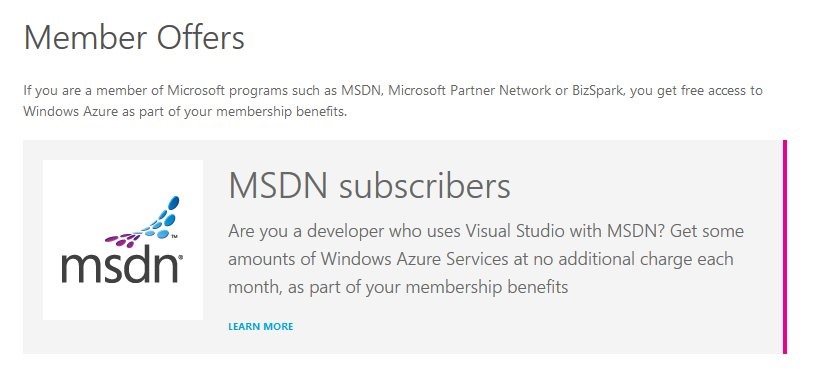
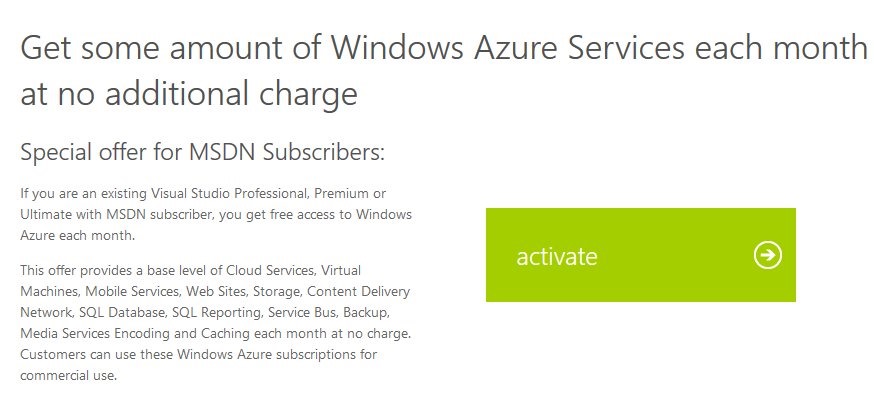
    I went to the Azure page, and noticed a “Member Offers” link.

    azure_a

    When I clicked through, I could see the benefits. Below this screen shot is the list of stuff you get, depending on your MSDN subscription. You can see the exact benefits on the MSDN benefits page.

    azure_b

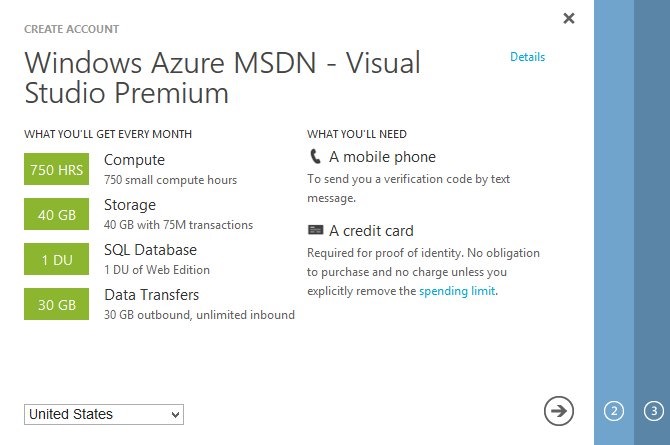
    I clicked the activate link and was taken to the Windows Live login page. After signing in, I got a page that asked me to create an account. It listed my specific benefits and the requirements for an Azure account.

    azure_c

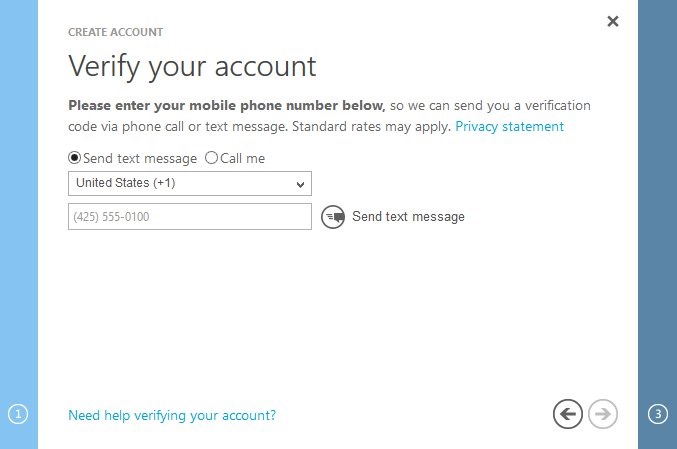
    Since I have a mobile phone and a credit card, I clicked the arrow to proceed. The first thing is to verify your account with a mobile phone. I assume this gives me some sort of two factor authentication as well as a way for them to reach me for billing issues.

    azure_d

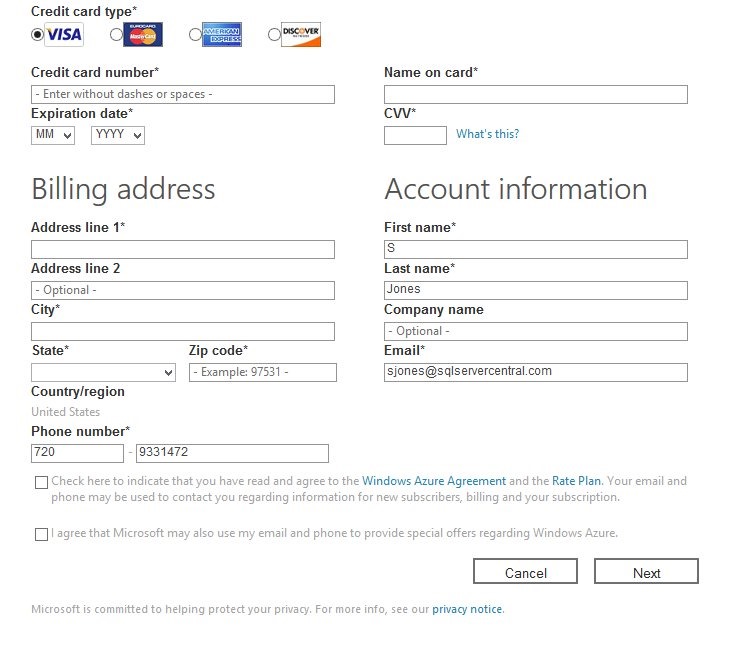
    After receiving a text and entering it, I was taken to the billing area. I know this freaks many people out, however I’ve had a number of friends use the MSDN subscription trial and not been billed after 5 or 6 months. I’ve had a few that have been billed, but it’s been low amounts, in the $5-10 range. Grant Fritchey (b | t) is one of them, and with all the writing he’s done on Azure, some presentations, and research for Red Gate, he hasn’t had issues.

    It’s your career, it’s worth $5 a month. If you find you’re spending more, shut stuff down. I’d give it a try, however, if there is any chance your career will include work in the cloud.

    azure_e

    Once you enter a credit card, they’ll get to work.

    azure_f

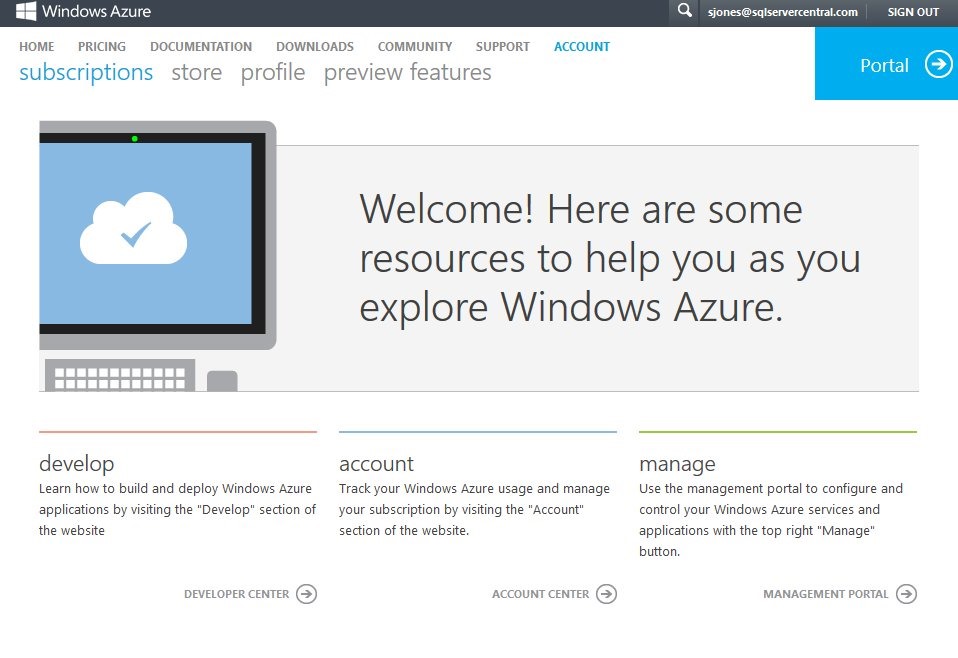
    The welcome screen gives you lots of options. I’m sure I’ll end up here quite often across the next few months as I try to be sure that I’m not running up my cost. I can expense it back to Red Gate, but I do try to spend wisely.

    azure_g

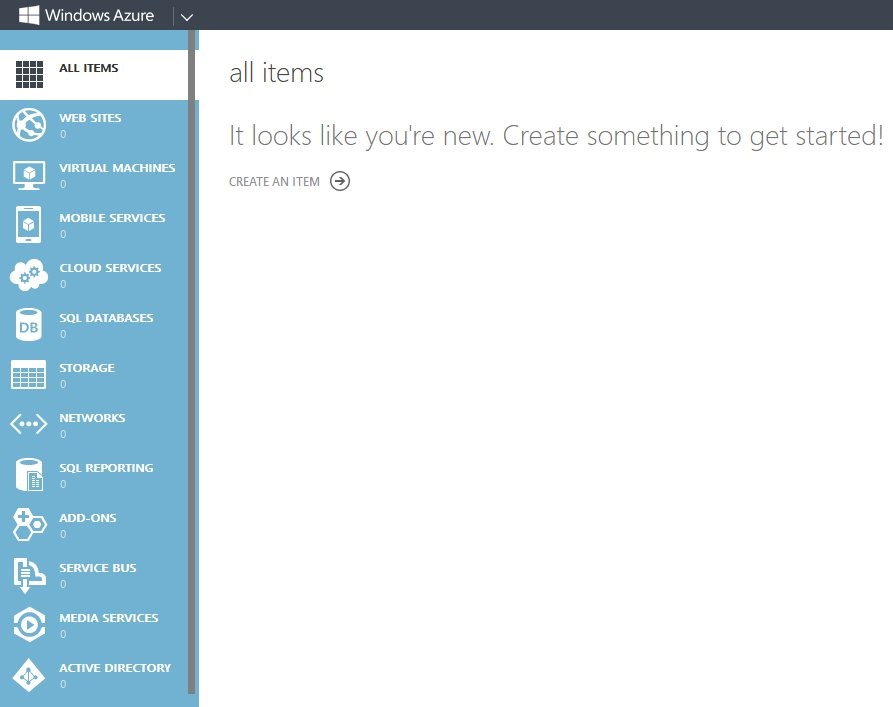
    What now? There’s lots of options.

    azure_h

    I have a few things in mind, but I’ll probably start with a few light experiments based on some presentations I’ve seen. Buck Woody has a nice set of resources to get me started, and I’ll likely give one of these a try.

  • The Platform Problem

    A fantastic platform. If I had a choice of where to run it.
    A fantastic platform. If I had a choice of where to run it.

    I really like the idea of Azure providing a Platform-as-a-Service (PaaS) for applications to be built on. As I’ve evolved in my career, I’ve learned I prefer not to manage individual machines or deal with the complexities of configuring anything outside of SSMS for SQL Server. Working with Hyper-V recently has cemented the idea that I don’t become more productive by dealing with the complexity of the Windows host.

    However I can’t see many customers migrating the majority of their applications to the PaaS Azure service for one reason: there’s no competition.

    Moving to Azure means placing a big bet that Microsoft will continue to offer the same or more features, more powerful machines, and stability at a reasonable price. Moving to Azure also assumes that you are comfortable working with only Microsoft for the foreseeable future, using their data centers, staff, and products. Any code you write will be specific to Azure.

    If you were to use the IaaS services from another vendor, like AWS and their virtual machines, a migration might still require some code changes. However, I’m sure if I contracted for virtual machines from Rackspace or some other provider, I could easily redeploy my application elsewhere. Well, perhaps not easily, but certainly easier than if all my code depended on a platform I can’t run inside my own data center. A platform nobody outside of Microsoft can run.

    My view is that Azure is a great platform, and one that could explode in usage. If we have choice.

    Microsoft should sell us the code to run inside our own data centers, or at least license it for a number of large providers that might want to offer Azure services. Ultimately the success of the platform depends on people choosing Microsoft because it’s the best choice, not because it’s the only one.

    Steve Jones


    The Voice of the DBA Podcasts

    We publish three versions of the podcast each day for you to enjoy.