Tag: syndicated

  • Daily Coping 19 Aug 2020

    I started to add a daily coping tip to the SQLServerCentral newsletter and to the Community Circle, which is helping me deal with the issues in the world. I’m adding my responses for each day here.

    Today’s tip is to contact a friend to let them know you’re thinking of them.

    When the pandemic hit, and we locked down travel and most interactions, I felt isolated. I started these tips back in March. I can’t believe I’m still doing these after 4 months. I also cam surprised how much they help me.

    One of the ideas I had early on in March was to reach out to friends that I expected to see, but was suddenly separated from. I had it a point to reach out to 2-3 people every couple days and check on them. I picked up my phone, or Facebook, or email, and randomly hit a letter. I then picked a person and sent a “I’m fine, how are you doing” message. I was surprised how often this led to a 3-4 message exchange, taking up a few minutes of our day, before we both moved on.

    I still do that, albeit a bit less, but I’m randomly checking on people, especially a few people that I know have had some difficulties and are struggling. I’d encourage you to do the same.

  • Daily Coping 18 Aug 2020

    I started to add a daily coping tip to the SQLServerCentral newsletter and to the Community Circle, which is helping me deal with the issues in the world. I’m adding my responses for each day here.

    Today’s tip is to smile and be friendly, even when physical distancing.

    I’m not out too much, and often when I am in a public business, I am wearing a mask. While I’ve looked at a mirror when I smile with a mask, it can be hard to tell if that’s what I’m doing.

    However, I am at various outdoor places, without a mask. Whenever I am, I try hard to smile at more people. Wave, be cheerful, let them know there is still happiness in the world.

  • Installing FlywayDB

    I’ve been working on a demo for a customer. Part of the demo uses a new Redgate product, but Flyway is a part of that. In testing a couple things, I realized that I didn’t have FlywayDB installed on  this new machine, so I did a quick walkthrough.

    Installation

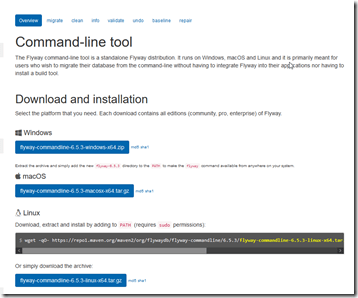
    This is actually simple, or fairly simple. First, download the .zip file from Flyway.
    2020-08-06 10_41_58-Command-line - Command-line tool - Flyway by Redgate • Database Migrations Made

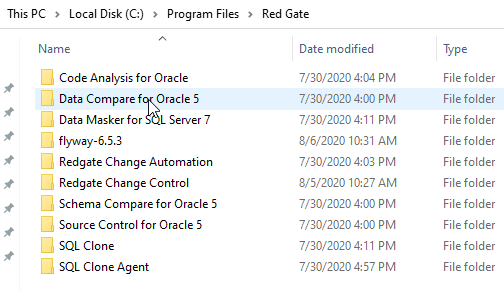
    Next, put this somewhere. For me, I wanted to be organized, so I put this in C:\Program Files\Red Gate. This did require some UAC approval to unzip the download into this spot.

    2020-08-07 16_38_20-Red Gate 

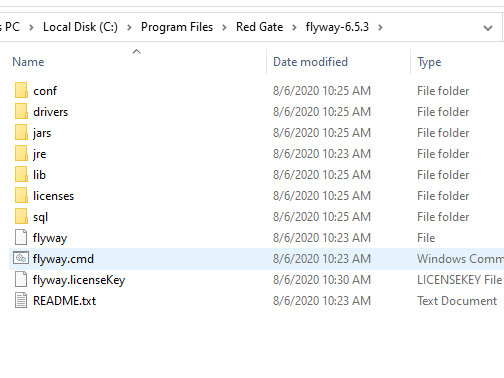
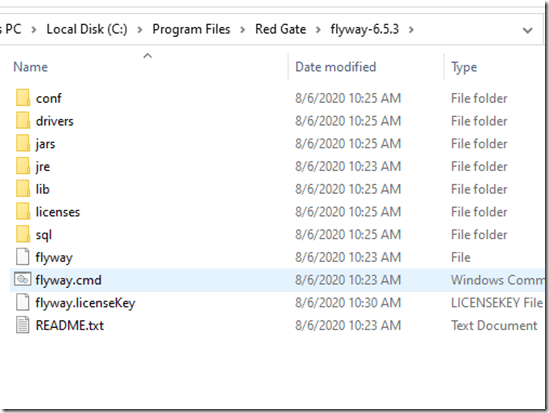
    Once I did this, I saw the flyway.cmd file in the subfolder. The instructions note I need to add this to my path.
    2020-08-07 16_38_48-flyway-6.5.3

    There are different ways to add things to the path, but the quickest for me on Windows 10, is to get to the properties of “This PC”. There is an advanced system settings here.

    2020-08-07 16_39_24-System

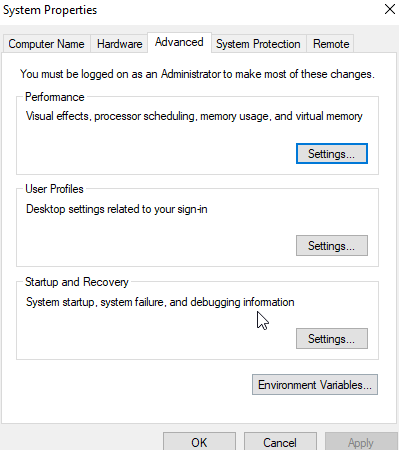
    This let’s me see properties, including the “Environment Variables” at the bottom.

    2020-08-07 16_39_30-System Properties

    Clicking this shows me the various system variables, including the PATH.

    2020-08-07 16_39_41-Environment Variables

    If I edit this, I get a standard dialog where I can add the Flyway folder.

    Once done, I can test this with “flyway info” at a command prompt.


    One note, if I have a command prompt open, I need to restart it to get the new path.

    Licensing Flyway

    This is an interesting item. I didn’t directly find an answer in the quick start. Most people probably use the Community edition, so they don’t need a key. I, however, wanted to play with the Enterprise version. I got a key from Redgate, and then set the environment variable. As you can see below, this isn’t enough. I got an error that I didn’t have a license.

    2020-08-06 10_37_08-cmd

    I wasn’t sure if flyway.licenseKey is a file or a setting. I looked around a bit, and on the download and install page, I found an item doe the Configuration. This mentions that the first place Flyway looks is the install folder/conf/flyway.conf. Aha!

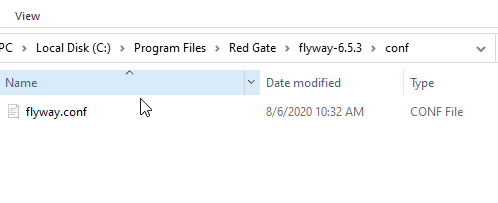
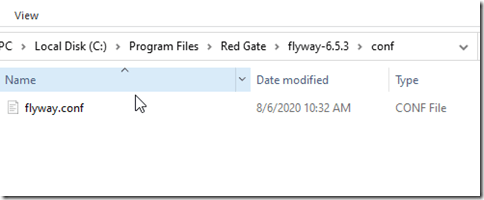
    I looked in the conf folder under my Flyway install. Under here is the flyway.conf file, which is a key-value configuration file. It reminds me of the old  Windows 3.1 .ini files.
    2020-08-06 10_34_25-conf

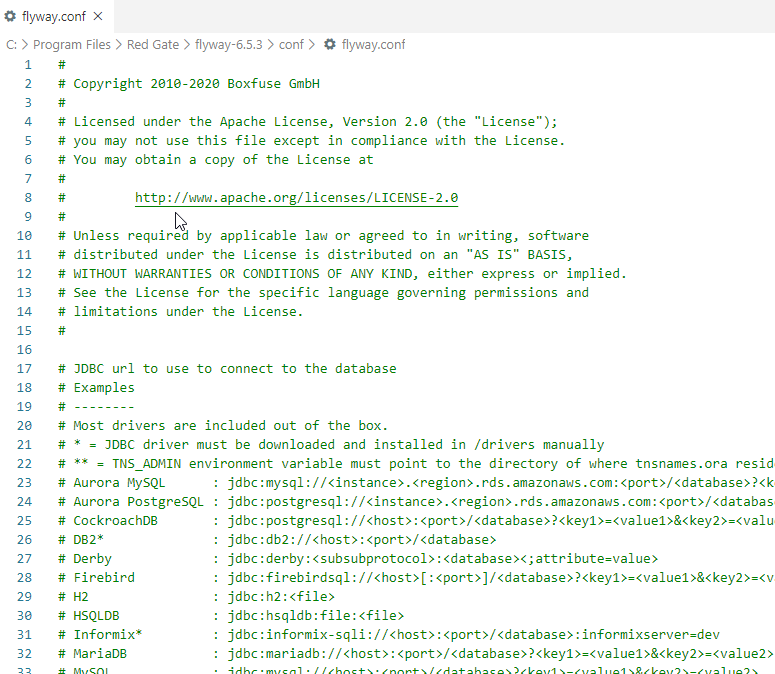
    When I open this, I see a lot of values. These are mostly commented out with a #. If you need to enable a value, remove the comment at the start of the line.

    2020-08-06 10_35_55-flyway.conf - Visual Studio Code

    Scrolling to the bottom shows me that the last entry is for the license key. I removed the comment character (# ) and then pasted in my key.

    2020-08-06 10_39_08-flyway.conf - Visual Studio Code

    The next time I ran flyway info I see this:

    2020-08-12 14_06_29-cmd

    No license message, though obviously I haven’t set up the connections yet.

    That gets me started, and I know things are installed. Now I need to start using it, which is something for another post.

  • Daily Coping 17 Aug 2020

    I started to add a daily coping tip to the SQLServerCentral newsletter and to the Community Circle, which is helping me deal with the issues in the world. I’m adding my responses for each day here.

    Today’s tip is to spend time wishing for other people to be free of suffering.

    em·pa·thy – the ability to understand and share the feelings of another.

    As I get older, I try more and more to empathize with others. Put myself in their shoes and understand how they feel.

    There is a lot of suffering in the world, all the time, but many people right now that have planned for the future, worked hard, put themselves in good situations, and with the changes of the pandemic, they are suffering.

    Particularly, I think about many of the people I’ve met over the years in airports. Lots of them work in coffee shops, restaurants, bus drivers, and more. These are are people I used to see every month, sometimes every week. I know a couple of them are out of work. Furloughed or laid off because of a lack of business from travel.

    For the few I personally know and have seen around town, I’m sure there are dozens or hundreds more in Denver. Likely thousands around the world that are suffering. Some might miss meals, some might have lost housing. Most, or all, are likely feeling a lot of stress from a situation that is out of their control.

    I took a few minutes to sit and think about all the people I used to see in my travels that are hurting now. I hope they find a path through this pandemic world.