When I got a new machine, I had SQL Clone on my old machine, in a few VMWare VMs. I decided to move this to my new machine, so that I can more easily demo things. I also want this always running so that I can use in constantly in development. That’s part of my job, but it’s also a good way to approach this as a Proof of Concept.
I’m going to install this on my desktop, but the process is the same for a distributed installation on a server and a desktop. I’ll separate out the server and then the desktop into two posts, with a quick look at how this works. I’ll also detail the steps I need that differ slightly from what’s in the documentation.
Architecture
There are really three components to SQL Clone:
- The SQL Clone management server (web server and data store in SQL Server)
- A file share for storing database images
- An agent on each SQL Server instance that gets database deployed to it
SQL Clone has a server component, which is really just a metadata store and a web interface. This manages how the clones are deployed and tracked, but really, these are just metadata stores. Not much horsepower is needed for the server, either the web server or the database used as the data store. I’ll detail this setup below.
There also is a file share that is used for keeping the read-only images. This does need to be high quality storage that each SQL Server instance can connect to with minimal latency. I’ll set up a share on this desktop, so that I can use this from other machines.
The SQL Clone Agent goes on the SQL Servers where you deploy cloned database. This will also be on my local workstation, but I can add agents on other machines as well if they run SQL Server. I’ll look at this in another post.
Installing the Server
The documentation for getting started lists requirements on this page. There are a few items that this lists for the server:
- Windows Server for running SQL Clone Server – this will be my desktop, but can be any Windows server.
- SQL Clone license details – Obviously.
- A SQL Server instance – This doesn’t have to be on the same Windows server as SQL Clone, but often is. The db load and web load is low.
- SQL Clone Configuration database details – A SQL Server instance to host the data store that tracks which images, clones, and users are available.
- SQL Clone Server service account– a service account for the Windows server
- File Share set up – high quality connectivity needed
For this setup, I will start by downloading the SQL Provision eval. Once I have this, I also want to ensure I have a SQL Clone license key (or am doing an eval).
Once this is done, I’m going to start with the service account. I use SQLCloneMgmt for my service account name. I’ll create this on the local system. You can use a domain account as well, and the setup will assign the rights needed for running a service.
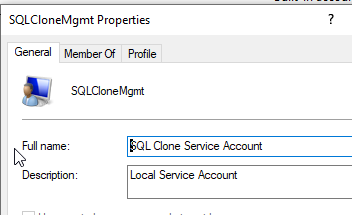
Save the password as you’ll need it later.
Next, I decided to create the database in advance. The documentation notes that the default is SQLClone_Config, so I used that name. I also set this to the simple recovery because I don’t expect to worry about PIT recovery.
CREATE DATABASE [SQLCLone_Config]

GO

ALTER DATABASE [SQLCLone_Config] SET RECOVERY SIMPLE

GO
I do need to add my service account to SQL Server. This is really just an account that connects to the database, creates some objects, and then reads and writes some data.

I also want to go to the User Mapping page and give this db_owner in the SQLClone_Config db.

That’s about it for the pre-setup. Now, let’s install the server.

I’m choosing SQL Provision, which is Data Masker and SQL Clone. Data Masker is used to process data during image creation, so I’ll install both. Once this is done, the Eula is next and then the install location. I’ll accept the terms and defaults.
There is a check for running applications and then a normal Windows application install runs. When this completes, I get to the configuration screen and then a login for Redgate on top of it.

I’ll log in and my license isn’t found. No worries, I can activate this later. I’ll need to ping someone for a new one. Once I get that, I clicked the Activate link and entered it. I get a confirmation. Note: you can move forward as an eval for the installation.

The configure Clone screen appears when you get done with licensing. Click Next to move on.

The next screen is where I put in the service account information and the SQL Server details. This is the SQLCloneMgmt account I created earlier, and for my SQL Server, it’s on Aristotle.

I click “Finish” and after a moment my default web browser opens. I see this:

This is the welcome screen for the Dashboard. Since this is a new install, there is not information here. Click “Get Started” and you move to the flow that is used for SQL Clone.
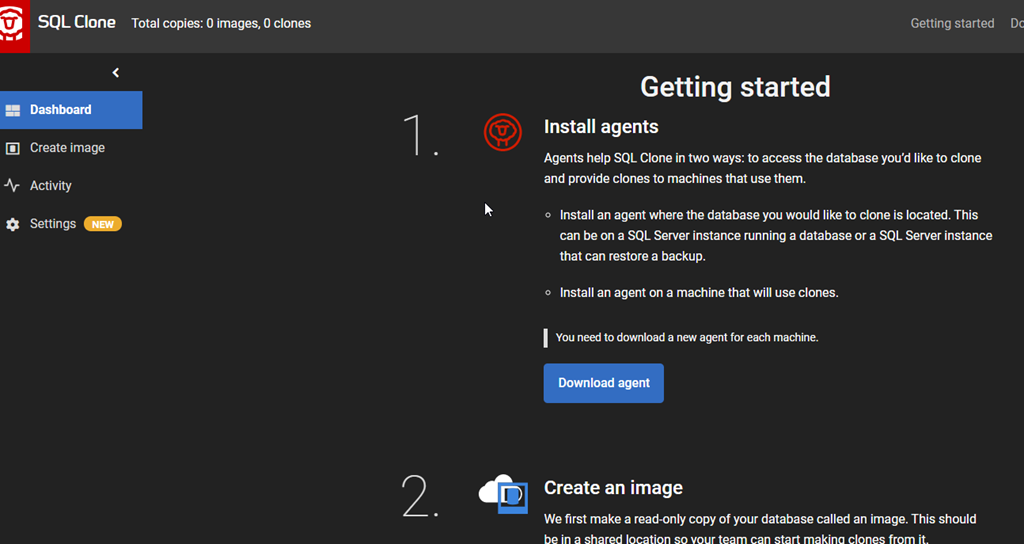
The server is installed, but I can’t do anything without an agent. Agents do all the work on the SQL Server instance machines. I’ll do that part in another post. If I look at my SQL Server, I see this:
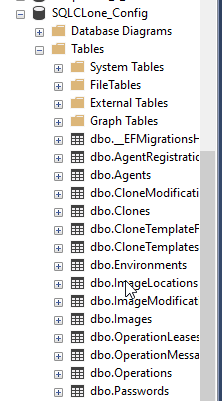
SQL Clone is installed and ready for work. The next thing for me is to set up a file share for the server.
File Shares
I can work with a local path, but I’ll constantly get warnings for images, since only SQL Server instances that can see the local path can work with the images. It works fine for a proof of concept, but it’s annoying. As a result, I’m going to make a share that’s essentialyl a loopback, pointing back to this machine.
I have a few drives on my machine. The E: drive is an SSD, and I want to use that.
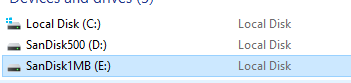
Whether this is the local machine or a server, I’d create a folder on this drive. I want to create “SQLCloneImages” so I know what this is, and then look at the properties to share this.

I’ll click “Share” and add my account. On a server, I’d likely pick an existing AD group to read this share, or create a new one. When I complete the process, I see a confirmation.
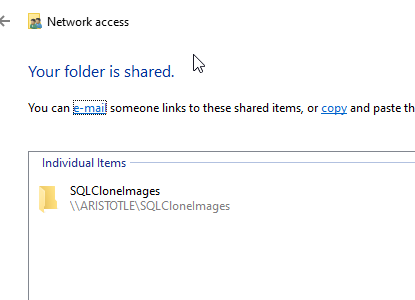
Sharing is a weird concept in Windows, as we’ve tried to be better about security. You’ll likely do something different, depending on your Windows OS.
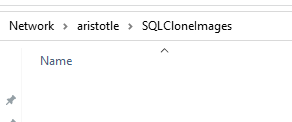
That’s it. I can test this in Explorer, and I see the share.
Everything is ready for an Agent, which I’ll tackle in another post.


 Voice of the DBA