Tag: syndicated

  • A Few Days Off in Space Country

    The new Star Wars film opens today, and while I won’t see it then, perhaps I’ll get to it early next week in the shadow of the US space program.

    My middle son is in his last year of high school before he goes off to college and as his birthday present in 2015, I’m taking him down to Florida and Cape Canaveral for 4 days. We leave early tommorrow, not returning to Denver until late Tuesday.

    A couple days of vacation for me, and hopefully some memories for my son. He was there a long time ago, at 2, so he doesn’t remember much. However he’s interested in flight and space, and looking to study aeronautical engineering in college, so this is a treat for him. In fact, when we were talking about where to take him, his eyes lit up when I suggested this trip.

    It will be an interesting trip, with the chance to visit the Kennedy Space Center, meet an astronaut, and study some of the history of US space travel in person.

    I’m also excited to go. Not that I want to go into space, at least not until they get artificial gravity, but I find the subject fascinating and I felt rushed the last time I visited. It will be nice to be able to spend time and not hurry around as we get the chance to vacation together.

    Enjoy your weekend, and I’ll see you briefly next week before I close down for the year.

  • Tracking Logins with Extended Events

    Another post for me that is simple and hopefully serves as an example for people trying to get blogging as#SQLNewBloggers.

    I was building a question the other day on Extended Events and needed to build a new session. One of the easier sessions to build is with the logins, so I decided to use that, and then wrote this post on how to build the session.

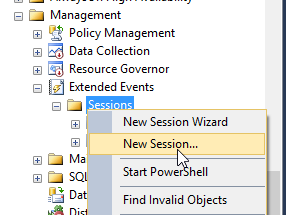
    The first thing is to to to the Management tab in SSMS and then the Extended Events folder. I right click the Sessions folder and select New Session.

    2015-11-18 10_40_06-Cortana

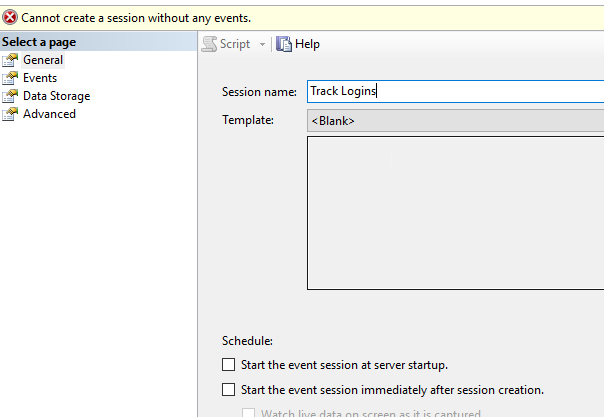
    This gives you a dialog. Like many in SSMS, we start with a name. You could select run at server startup, which I’d do in the case of this being a production system.

    2015-11-18 10_40_55-Photos

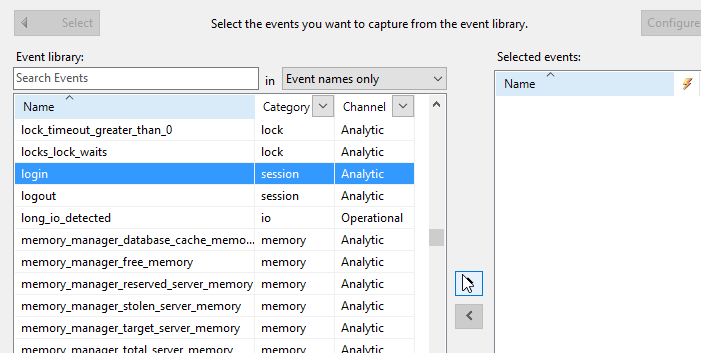
    When I click next, I get to the "Events" tab, which lists all events. I’ll scroll down to login and select that. I need to click the arrow to the right.

    2015-11-18 10_41_12-Photos

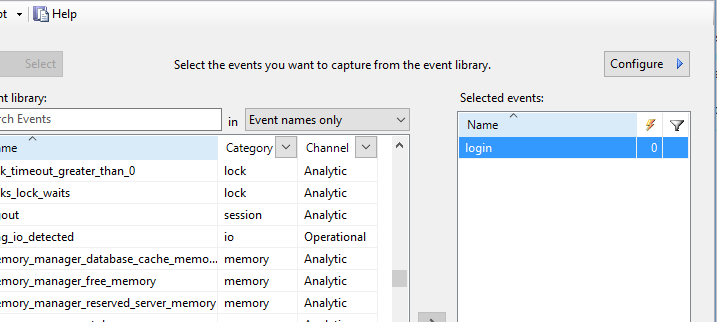
    Once I do that, my event is in the session.

    2015-11-18 10_41_19-Photos

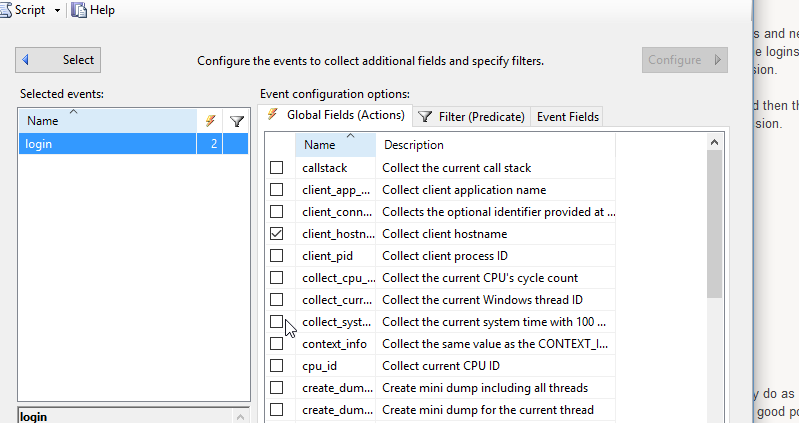
    After I pick the events, I choose the fields I’m going to capture. There is a "Configure" button in the upper right that you click. This scrolls the dialog over.

    2015-11-18 10_41_38-Photos

    I can select any number of fields for capture. You can see I’ve picked the client_hostname. I would also add the NT_Username and Username from the list. You could add more, but in this case, I’m more concerned with seeing who’s logged in.

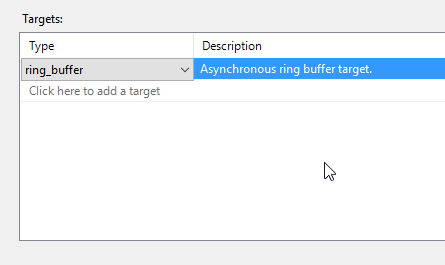
    I could add filters, but I choose not to. I click on Data Storage to determine where to store this data.

    2015-11-18 10_45_59-Photos

    For auditing, I might want a file. In this case, for testing, I’ll use the ring buffer, in memory storage.

    2015-11-18 10_46_15-Photos

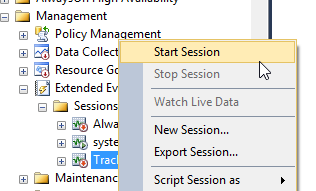
    That’s it for getting the session set up. However it’s not started. To do that, I need to right click the session and select Start.

    2015-11-18 10_47_34-Start

    This will allow the server to start collecting data. Is it working? Let’s see. We’ll watch the data. Right click the session again and select Watch Live Data

    2015-11-18 10_47_43-Cortana

    This pops open a window. I usually make this a separate vertical tab group. Once that’s open, I’ll click "New Query" in SSMS, which will log me in again

    2015-11-18 10_48_05-Photos

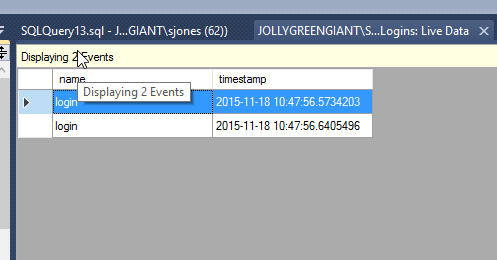
    As you can see, a few events popped up here. I am capturing data. Don’t forget to stop the session after this if you don’t need it.

    SQLNewBlogger

    This post came out of work I was doing, and which I’d likely do as a DBA. However as soon as I got things working and tested, I knew this was a good post. In fact, I got a couple posts from the process. The setup and testing took about 20 minutes, including a little research. However the writing for this was about 10 minutes.

    References

    A few things I used.

  • The Writeable Warm Standby

    I saw a question recently that went like this: I get one full backup from FTP. I’ll get daily log backups through FTP after this, but never another full. I need to restore this daily log backup and allow the group receiving the database to read/write the copy, and then reset it with the new log backup overnight.

    First, this is untenable. At some point you’ll have some issue with transfer, lose a log, or the database will go corrupt. I can guanantee you that at some point you will need another full backup. Not every week, or even every month, but you will need one.

    Second, this is a tough situation. I saw some answers, which I agreed with, but I started thinking about ways to get that data moved. My first thought it use STANDBY and move the data every day to a clean database. I’ve done this before, and in the GB range, even 100s of GB, this can work. It helps if you can whack indexes and constraints on the destination, but a copy of data table-by-table goes fast.

    However then I thought about other ways. You can’t take a backup of a standby database, nor can you take a snapshot. However while searching, I saw an answer to this post on SO.

    TL;DR: copy the mdf/ldf to a new database.

    That was interesting, so I decided to test it. Turns out, it works pretty well. HOWEVER, it’s dangerous, and I think you should be very careful about this. I wouldn’t count on this being production stable, and certainly not data stable. You better have other copies of this data.

    Here’s what I did. First, create a database with some data.

    CREATE DATABASE mydb;
    GO
    USE mydb;
    GO
    CREATE TABLE mytable(id INT);
    GO
    INSERT mytable SELECT 1;
    GO
    

    Next, let’s back this up, take if offline, and then copy files.

    USE master;
    GO
    BACKUP DATABASE mydb
     TO DISK = 'mydb.bak';
    GO
    

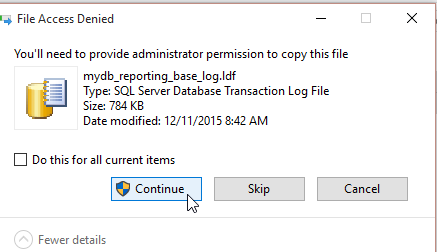
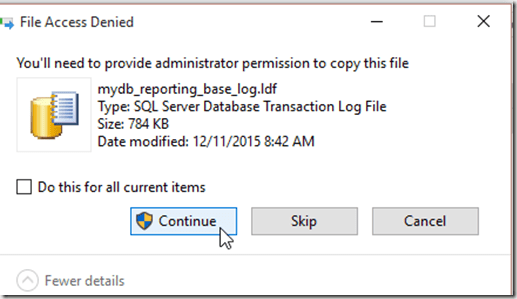
    Now we can copy the files to new files. There are UAC issues here, so you’ll need to add some rights to the files if you do this regularly. I left a comment in my script, but I actually did a CTRL+C,CTRL+V in the data folder, allowing the UAC permissions to work.
    2015-12-11 08_42_22-Photos

    Once that was done, I had new files:

    2015-12-11 08_28_15-Photos

    I tried to run at attach, but got a permissions error:

    Msg 5120, Level 16, State 101, Line 30
    Unable to open the physical file “D:\SQLServer\MSSQL11.MSSQLSERVER\MSSQL\DATA\mydb_reporting.mdf”. Operating system error 5: “5(Access is denied.)”.

    The solution I found was to run SSMS as an administrator. Annoying, but it works.

    At least for the OS error. However, then you get this:

    Msg 1824, Level 16, State 1, Line 35 Cannot attach a database that was being restored.

    You can’t do this. At least not easily.

    You can do this. First, delete the files you copied over, then run this:

    CREATE DATABASE mydb_reporting
    go
    alter database mydb_reporting set offline;

    The next step is to delete the MDF and LDF files, which will be mydb_reporting.mdf and mydb_reporting_log.ldf  by default. I could specify other names, and would if this were something I needed to script.

    Once those files were deleted, I’d next copy my files again and rename them. That would result in this:

    • mydb_reporting_base.mdf –> mydb_reporting.mdf
    • mydb_reporting_base_log.mdf –> mydb_reporting_log.ldf

    Now I can go back to SSMS. In SSMS, I do a simple ALTER.

    ALTER DATABASE MYDB_Reporting SET ONLINE

    Then I can run this:

    2015-12-11 09_03_28-Start

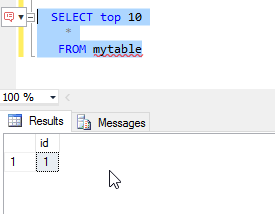
    I have a copy of my database. Can I apply logs and move forward? Let’s try. First, let’s add data and make a log backup

    USE mydb
    GO
    INSERT mytable SELECT 99
    GO
    
    BACKUP LOG mydb TO DISK = 'mydblog.trn'   
    GO
    

    Next we restore again. We also set the databases offline again.

    RESTORE LOG mydb_reporting_base
     FROM DISK = 'D:\SQLServer\MSSQL11.MSSQLSERVER\MSSQL\Backup\mydblog.trn'
     WITH  MOVE N'mydb' TO N'D:\SQLServer\MSSQL11.MSSQLSERVER\MSSQL\DATA\mydb_reporting_base.mdf'
        ,  MOVE N'mydb_log' TO N'D:\SQLServer\MSSQL11.MSSQLSERVER\MSSQL\DATA\mydb_reporting_base_log.ldf'
        , STANDBY = 'D:\SQLServer\MSSQL11.MSSQLSERVER\MSSQL\Backup\undo.log';
    GO
    USE master
    GO
    ALTER DATABASE mydb_reporting_base
     SET OFFLINE;
    GO
    ALTER DATABASE mydb_reporting SET OFFLINE
    GO
    

    Once again it’s file copy time. The UAC comes into play again as I copy and rename the _base files. However once that’s done, things work.

    2015-12-11 10_17_02-Photos

    This works, but I am not recommending this as something you should do, especially for critical systems. This can work, but it’s dangerous, and really not supported by MS.
  • Advent of Code

    I ran across this site after reading a post from Jeremiah Peschka. It’s an interesting idea, and since I’m trying to improve my development skills in between the rest of my work, I thought this would be fun.

    Advent of Code is a site that has a neat idea. A series of puzzles, two a day, that are released each day leading up to Christmas. Since we’re within the 25 days, I’m late (and so are you), but you can join in anytime.  It’s also cool since it’s a fixed font, console looking site.

    2015-12-11 10_25_46-Jump List for SQL Server 2014 Management Studio

    The idea is that you get requirements for a puzzle, that you must code to solve. The inputs are too long to do by hand, though I suppose if you wanted, you could solve them in Excel. If you solve the first, you get the second.

    You can solve them however you’d like. I started doing some in Python, and also then re-solved them in Powershell. It’s mostly to just get some practice coding, and these are good excuses. I have been doing Python first, but I may switch to Powershell first, just to practice. If I get time, I’d like to redo them in C# as well.

    If you are looking to do some programming on the side, and practice something, this is a good way to focus on a particular problem and have fun. If you get stuck, there is even a subreddit with people posting questions and answers in a wide variety of languages.