I have been trying to get to Dallas for a SQL Saturday for nearly a year, when the first event was announced last May. I finally made it this past weekend with the third SQL Saturday in less than a year taking place on April 2, 2011 in Richardson, TX.
The Location
The event was great, lots of people (nearly 400) and it was an extremely smooth running event. Sri, Tim, Sean, and the rest of the North Texas SQL Server User Group put on a great event and made me and a number of other out of town speakers very welcome.
The event was at a local training center, Region 10, with large rooms and large projection screens for the most part that made it easy to see what was being talked about.
Saturday started with a crowd of people arriving early and ready to check in. I set up a Red Gate table with some swag and flyers, all of which were gone before the opening session. Sri gave a short opening, recognizing Andy Warren (LinkedIn | Blog | @sqlandy) and I as the founders of SQL Saturday. We each said a few words, nothing memorable, and we are both amazed that in four and a half years there have been over 70 events and over 15,000 people that have gotten a free day of training.
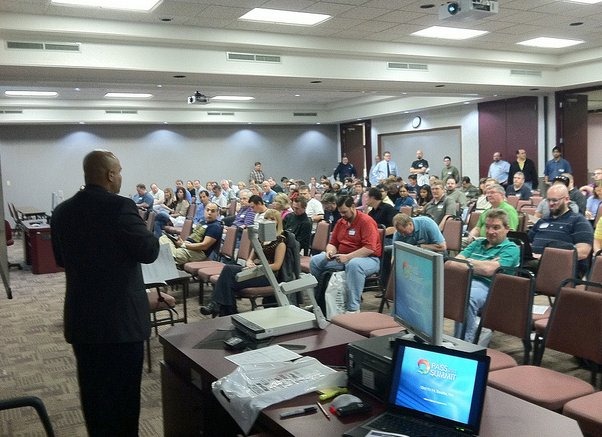
I appreciate the recognition, but it’s not about us. It’s about the people getting some knowledge and help in their careers, and I struggle with how to get that message across. This whole franchise/framework was really about how to help people grow, people that can’t afford to go to a conference. Any ideas on how to get the focus on that and not the events would be appreciated.
There was a few minutes when people were asked to remember to network and they took a minute to introduce themselves. After a few logistics announcements, the first session kicked off in the beautiful Richard 10 training center, and the hallways emptied. I was about to get ready for my session during the next hour when I saw a tweet from Jessica Moss that she needed a ride from the hotel. The power of Twitter! I drove back since it was only a mile or so and picked Jessica up since we both had sessions at 9:30.
My Session
I did The Modern Resume: Building Your Brand with a packed room. A small room, but still packed with a few people sitting on the floor. Quite a few students, with some good questions on how to get started, but overall a fairly quiet presentation.
People must have enjoyed it as the 20 or so evaluations I got were almost all 5s. Nice to see that but I’m not sure if I need to change anything. I did make a couple notes based on questions to add to the next time.
Other Sessions
I went to see Andy Warren’s “Building a Professional Development Plan, which I highly recommend. It was excellent, and while it was a bit of “tough love” at times, there are some things in there that I would highly recommend to people.
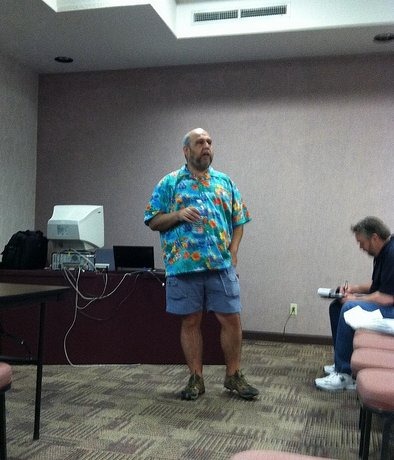
I caught a bit if Tim Costello’s introduction to dimensional modeling. I met Tim last year in Baton Rouge, and gave him some feedback on his session. I went to this one to see how he did and also to get a little info on a topic that I don’t know much about.

I thought he did a nice job explaining the topic, walking through different aspects of what a dimension is and how they are defined. Worth seeing Tim talk on BI stuff if you get the chance.
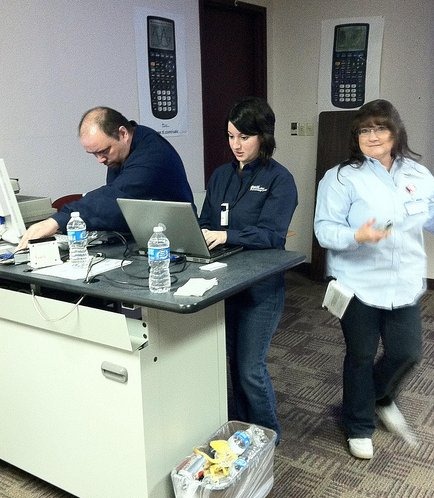
Jessica Moss had a bit of a technical snafu at the start of her talk, where the projector did not want to pick up her laptop. She left it alone in the capable hands of David Stein, Jeremy Marx, and a few others and walked around, starting to talk to the audience about data management topics. Once the projector was fixed, she dropped right into her slides and demos.
Jessica is a great speaker, and a popular author at SQLServerCentral, and if you get the chance to read her work or see her speak, do so.
I glanced into a few more sessions, many of which were almost full of people and it seemed that everyone was focused on learning at the event.
Food
The food was plentiful, with lots left over from what I could see. Breakfast was a series of muffins and danishes with apples and bananas available as well. Most of this was left in a break room for the day, so you could go get more if you wanted
Lunch was a boxed deal, set up outside, and I had to follow the crowd to find them setup in a small courtyard, so a few more signs would be nice, but people walked through one door, picked up a lunch, and went through another one, so things flowed smoothly.
The afternoon snack was a gelato cart that created a line stretching through the middle of the center. There were 4 or 5 choices, and plenty of the tasty dessert. Quite a few people, including myself, went back for seconds.
Afterwards
The speaker dinner and the after-party were both held a Dave and Busters, with lots of drinks, billiards and shuffleboard for everyone. I enjoyed both nights there, getting the chance to catch up with lots of old and new friends.

I wandered around, talking with different people, and had the chance for some long conversations with David Stein, Jessica Moss, Tim Mitchell, Kevin Boles, Jim Murphy, and Sri Sridharan. I have probably missed a few people, and I apologize, but it was a long weekend that came right after SQL Server Connections.
Both nights I managed a late dinner with Andy Warren and a few other people, getting back to the hotel ready for sleep.
It seems that more and more I find that people all over the country are running very smooth events with almost no issues. I found the center easily, speakers showed up, people learned things, and there were no real issues.
I enjoyed the event in Dallas, and am looking forward to going back next year if I can work out the scheduling.


