Author: way0utwest

  • Did My Dev Changes Get to Production?

    One of the things that people don’t think about often is whether the changes made in development actually get to production. Usually this is because most changes go, and unless it’s a big change that causes a problem for a large number of customers (or a large customer), we often just deal with mistakes as we can.

    That’s not ideal, and certainly not what I’d like to see as a developer. I’d like to get changes to customers quickly enough that I get feedback. In this post I want to look at how DLM Dashboard can help here.

    Tracking Changes

    There’s a disconnect in traditional software development. Developers write code to meet some spec, and often drop that into some storage spot, hopefully a Version Control System (VCS) and eventually that code gets deployed to production. Whether a web site, client local app, mobile, database, etc., that code tends to move in batches.

    Developers typically haven’t been concerned about the overall packaging of all the code, mostly because code gets pulled from multiple people, so it’s hard to track this. We depend on project manager or some deployment person to ensure all changes get deployed.

    For the database, because people often manually build, or at least edit, scripts, I find there are more changes for a particular line of code to get left out. That can be bad, and maybe really bad if you deploy the database in advance, such as a day or week before other code.

    How do we track changes?

    How can we track changes? In a VCS things are easy to see. However, we really need to see a bundle of changes. Having a version of the database, not just the latest version, becomes important. Let’s look at an example.

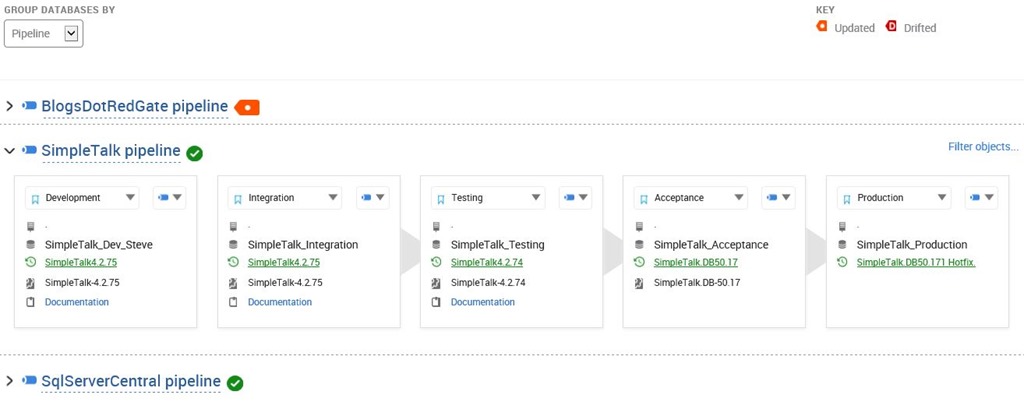
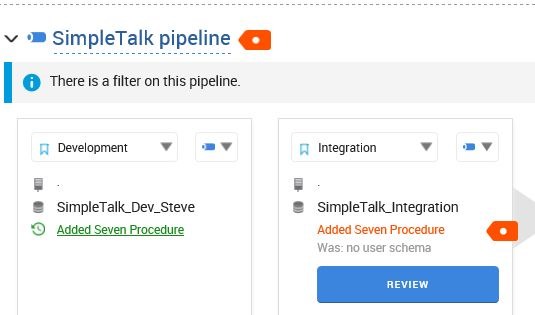
    I’ve made some changes in development, and my CI process pushed them to my integration environment. This shows my current database pipeline like the image below:

    2016-07-30 17_03_38-SalesDemo-2015-12-01-1745-export-i-fgod4b6h - VMware Workstation

    In this case, I’ll get a close-up of the details, but I’ve moved my Integration environment from a database v of 4.2.70 to 4.2.71. This is from a new stored procedure, as you can see below.

    2016-07-30 17_04_05-SalesDemo-2015-12-01-1745-export-i-fgod4b6h - VMware Workstation

    I can see the details of the procedure, as I’ve shown here.

    2016-07-30 17_05_30-SalesDemo-2015-12-01-1745-export-i-fgod4b6h - VMware Workstation

    I typically might not look at each CI build, though perhaps as a DBA I’d go through a series of changes across some period of time. That’s a post for another day. In this case, I usually would approve all the changes occurring in Integration environments. Eventually I’ll end up with quite a few changes. I’ll make a few more, with a few more commits and up the version a few numbers after marking this version as reviewed.

    I’ve made four separate commits, and now see this in my dashboard.

    2016-07-30 17_13_23-SalesDemo-2015-12-01-1745-export-i-fgod4b6h - VMware Workstation

    As you can see, the CI process has updated the integration database to 4.2.74 from 4.2.70. However, as I dig in, I can see details. The “Review” button only gets me the changes from the most recent commit.

    2016-07-30 17_14_22-SalesDemo-2015-12-01-1745-export-i-fgod4b6h - VMware Workstation

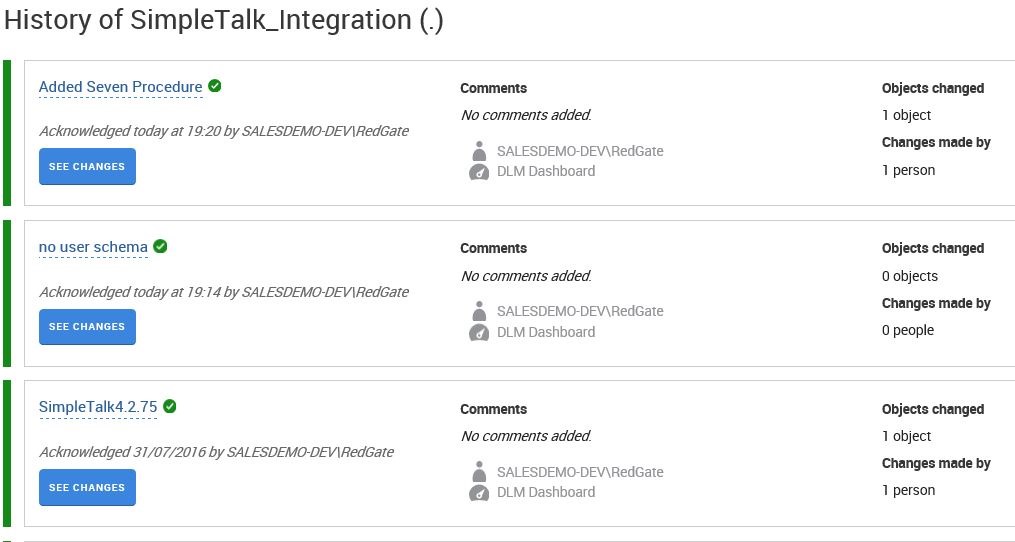
    However, I can click “See Schema History” at the top and then click the particular version to see all the changes. Here are the first two.

    2016-07-30 17_16_13-SalesDemo-2015-12-01-1745-export-i-fgod4b6h - VMware Workstation

    I don’t care about these changes by themselves. However, I do want to be sure that the appropriate changes have made it through to other environments, especially production. Let’s deploy some changes to the Test environment. Easy for me in Octopus Deploy. Let’s deploy 4.3.74.

    2016-07-30 17_17_31-SalesDemo-2015-12-01-1745-export-i-fgod4b6h - VMware Workstation

    Once Octopus Deploy does it’s thing, I should see the same changes in the Testing environment. However, when I look at the SimpleTalk_Test database, how can I tell the changes are correct? It’s not easy.

    2016-07-30 17_32_20-SalesDemo-2015-12-01-1745-export-i-fgod4b6h - VMware Workstation

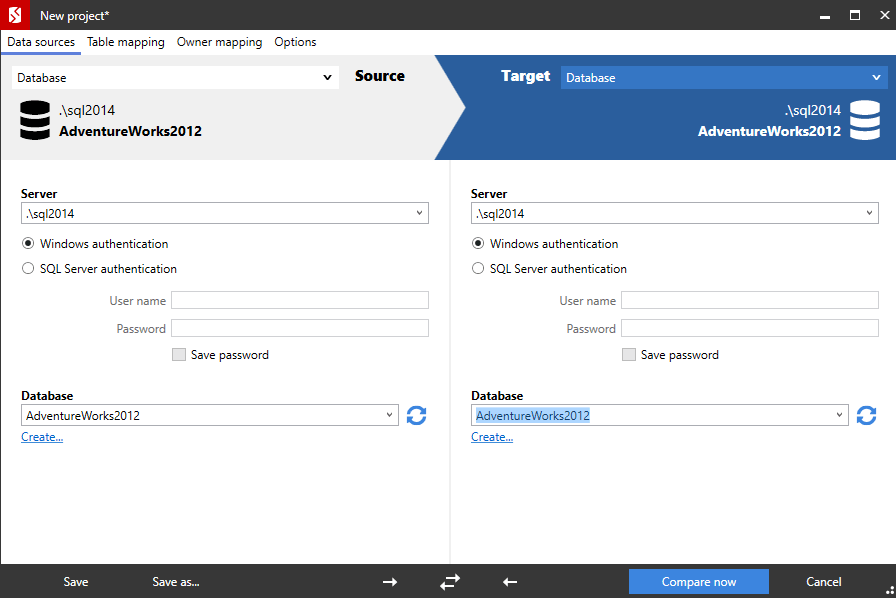
    There are a lot of objects in here, and comparing them piece by piece is a pain. Certainly I could use something like SQL Compare, but do you really want to have to double check your deployments by running another tool? Will you remember to do this?  What if development has moved on, as shown below?

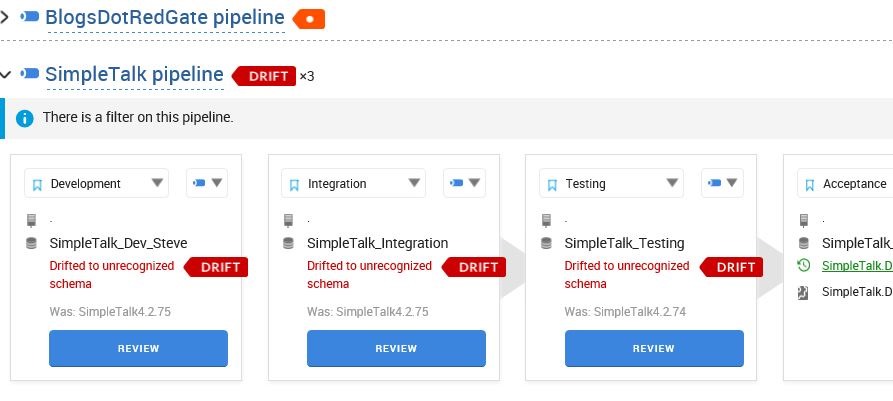
    2016-07-30 17_34_52-SalesDemo-2015-12-01-1745-export-i-fgod4b6h - VMware Workstation

    To run a comparison, I’d now need to track back versions in my VCS.

    However, if you look at the image above, you’ll see that I know what the state of every object in my test environment is. It’s at version 4.2.74. That’s the versions I had in Integration above, and the version I deployed to Test.

    Verification

    If a developer isn’t sure why something doesn’t work in production, or test, or anywhere else, they can look at the changes that were actually deployed, and reference back to the state they worked with in development. In fact, they could even create a new database, and trace back the exact version of all changes in the VCS or CI server, and actually try to reproduce the issues.

    Above all, a developer can tell quickly that if version 73 of the database is deployed, but the code expects version 74, there’s one thing that might need to be checked first: the changes made to the database in v74.

    Hopefully you’ll see there is value in using DLM Dashboard as a developer to ensure the work you complete gets deployed correctly to later environments. If you don’t have an automated pipeline like I do, and DBAs or developers create manual scripts, it’s even more likely DLM Dashboard can help ensure all the correct code is deployed.

    DLM Dashboard is free, and each instance works for up to 50 databases, so download it to day and give it a try.

    Download DLM Dashboard

  • Passwords Under Pressure

    What should we do about passwords? They’re a thorn in the side of administrators trying to keep systems secure, but they’re also an issue for users. Not for most of our users, but certainly for some. In hospitals, or other high stress environments, there are all sorts of issues with users sharing passwords, writing them down, leaving systems logged in, and more. Studies have shown this to be the case, which is something that drives IT people crazy. Why can’t people just use strong passwords and learn to remember one?

    I’ve dealt with this in many situations across the last couple decades. I’ve had management get upset that the local LAN password didn’t match their mainframe password, which was apparently, a big problem for managers. I’ve seen warehousing groups not want to have systems logged out, so a single login was used for all users to speed up access for data entry. Applications grown far and wide in another company, with embedded passwords, so that a single password for a domain admin account was unchanged for at least 5 years.

    It’s not just normal users. I’ve had separate administrator level and regular user accounts (as did others in my group), yet far too many of us (myself included), managed to use our privileged account for everything from email to web browsing, mostly because it was “too hard” to run as administrator for tasks. A great example of both hypocrisy, as well as the ways that technical people can get around many restrictions that might frustrate other users.

    More recently I’ve seen a dramatic growth of Two Factor Authentication (2FA), where logins often result in a text message or other verification scheme in addition to a password. What I usually see here is frustration and irritation from users having to wait to log in. Until something happens. A friend had a virus recently on their machine, and all of a sudden was worried about their finances being secured. They then decided to add 2FA to their various banking logins.

    The idea of a password seems simple and easy. At least to many of us that log in a few times a day at our desks. Log in on your phone, or use 2FA everywhere (like I do), and it’s more complex, but still acceptable. Usually a 30-60s delay isn’t a big deal for me. However, if I were in time sensitive situations, like a hospital or law enforcement situation, or worse, at war, I might feel differently. The balance between security and access usually tips to the latter when time is a factor.

    Is there a better way? Should we move to an audit method for security in high pressure situations? Just monitor and review later, allowing easier access? Or should we try to find ways to integrate simpler systems into our computer devices? Maybe a physical key in some situations to log someone in? I dislike having physical fall backs, especially given that I’ve seen computer systems, keycards, and more fail at inopportune times.

    Ultimately, I think the ideas of trying to authenticate a person quickly might really require rethinking how we can best handle the situation. Maybe staffing should be different in crisis situations with a person monitoring access to an open system (along with auditing). Maybe we should build better embedded systems that might perform authentication quicker, or even use video and machine learning to try and audit in real time, allowing for quicker review and response rather than attempting to stop access initially.

    There are likely few situations where this is a big problem. I think for most of us, in many corporate and work environments should just get used to having to log in, potentially with 2FA more often. And we should get used to better using password managers to manage our various name and password combinations.

    BTW, if you want to see just how bad developers can be with authentication, check out Troy Hunt’s post.

    Steve Jones

    The Voice of the DBA Podcast

    Listen to the MP3 Audio ( 5.6MB) podcast or subscribe to the feed at iTunes and Mevio .

  • How Far Have You Traveled for a SQL Saturday?

    A few of you might have seen the recent announcement from PASS about SQL Saturdays. I don’t like the decisions, especially the new 600 mile radius limitation for events on the same day (or consecutive weeks). Kevin Feasel performed an interesting analysis, looking at the potential conflicts with events. It’s worth a read, and if you want to run your own analysis, please feel free to do so.

    I know lots of you have gone to a SQL Saturday. I’m sure most of you that have attended one have gone to a local event. However, what I’d like to know is the answer to these questions:

    • How far have you traveled to each event? (multiple numbers in mi or km)
    • where were the events? (city, year if you want)
    • Are you a speaker? (yea, nay)

    Please, please, take a minute and drop a comment. Or send me an email (sjones{at}sqlservercentral[dot]com). I’d really like to get some data on travel. Note, I’m asking how far you have traveled. Not what you’re be willing to do. I thnk plenty of people think they’d drive a long way, but I’m not sure many of you would.

    My contention is that most people wouldn’t drive 50 miles, much less 100, for a SQL Saturday (or Code Camp, etc.). I know some of you would, but 50 miles is probably an hour+ in most places, plus an hour back, plus 7-8 hours of conference talks. Is that worth your time?

    Sure. Sometimes. If you don’t have family commitments, or you’re not too tired, or the weather isn’t too bad (or good). Even if the event is once a year, I see no shortage of people that can’t, or won’t, attend. Lots do, that that’s great. I love seeing SQL Saturdays grow, especially with lots of first time attendees.

    I have seen people go a few hundred miles, even one guy riding down from the mountains west of Denver to Albuquerque, but that’s rare. That’s the exception. At least, I think so. Let me know today. Actually, let us all know. I think the data will be really interesting.

    As an aside, I’d like to get more people performing some analysis of how limitations affect the growth of SQL Saturday and also how we might actually grow to 200+ events a year in the US. I am open to listening to arguements for the changes, but I’m more interested in finding ways to continue to grow SQL Saturdays around the world.

    Steve Jones

    The Voice of the DBA Podcast

    Listen to the MP3 Audio ( 4.0MB) podcast or subscribe to the feed at iTunes and Mevio .

  • Failover

    I saw a note from someone that had a database set up in a High Availability (HA) configuration for production. This person had received an 823 error on the primary server, but a failover hadn’t occurred. This wasn’t a critical error, but one that noted some anomalies in a few pages, which potentially could be fixed by the automatic page repair in SQL Server.

    In this case, the individual would have liked to have had the system fail over, just in case there were a chance this would impact production. To make this happen, an alert on the error would be needed, which then forced a failover. This wasn’t part of the native SQL Server configuration, and this individual was concerned. However, there are certainly cases where a failover might not be warranted when there is some sort of reaction such as Automatic Page Repair.

    If you are running an HA system, I assume you want control over when and why a failover occurs. If know there is a delay for client connections after a failover, or potentially less resources on the secondary node, or some other impact when you move to a secondary note, perhaps you want to be more careful and when a failover occurs. Wouldn’t you want configurable rules, even those that might require manual setup from a DBA? What about if you have a system that isn’t really designed to handle the full, normal workload; it’s just for emergencies. Do you want to fail to a secondary node if the primary node could still be used?

    There is a whole spectrum of situations where we might want or not want automated failover for our systems. In fact, if you have something like Mirroring or Log Shipping, it can be a complex process to fail back. In those cases, you really want to be sure something has broken enough that a failover is warranted. I’m sure there are plenty of cases where you might not even want to script a failover because you’d rather take a short outage than fail to a secondary machine only to need a fail back in a short period of time.

    Most of us worry a failover won’t happen when the primary system goes down. That’s the main concern we have, and certainly we want to test and be sure this works as we expect in an emergency. I’d also suggest that it might be worth taking a few minutes to think about what happens if your system fails over when you don’t want it? Those can be more problematic, especially if they occur too often and users are dealing with an unreliable system that seems to disappear or pause as it moves from node to node on a regular basis. That might be worse for your reputation than a system that doesn’t fail over in an emergency.

    Steve Jones

    The Voice of the DBA Podcast

    Listen to the MP3 Audio ( 4.5MB) podcast or subscribe to the feed at iTunes and Mevio . feed