Author: way0utwest

  • Encryption Not Restriction

    Encryption will be more important in cloud computing
    Encryption will be more important in cloud computing

    I believe in encryption. I have an encryption talk that delivers the very basics of what encryption options exist in SQL Server, and I would think that most data professionals that develop or manage databases should understand encryption and how to enable it. I find lots of people don’t understand, and I’m glad that I can try to teach them a few things about when encryption is and how it works in SQL Server.

    Cloud computing use is growing, and while we don’t have a good definition for what a cloud computing means, more and more organizations are considering looking at moving some of their applications, and data, to the cloud. As we move this data, many DBAs have concerns over the security of the data they are supposed to protect. These are valid concerns, and they should be at the forefront of your mind if you plan on moving anything to any type of service provider.

    One interesting point brought up in this op-ed is that customers ought to have their data encrypted, but the keys used for the encryption should be controlled by the customer, not the service provider. That’s sound business strategy, and it should be the case with all your data, not just data sent to the cloud. If you use a service to rotate and store your tape backups, you ought to have encryption on those tapes, with keys managed by your company. Just as you ought to have the keys inside your company if you use locks on the shipping containers holding the tapes.

    Steve Jones


    The Voice of the DBA Podcasts

    We publish three versions of the podcast each day for you to enjoy.

  • Full-Text Search – Thesaurus

    I would hope that most of us have used a thesaurus at some point in our careers. These allow us to substitute words for one another, providing for richer and more interesting communication.

    Full-text search in SQL Server includes a thesaurus that you can customize for your searches. As with the thesaurus some of us use when writing, this features allows the search engine to substitute one word for another in searches.

    You actually have to customize it. Here’s the default thesaurus for SQL Server 2008, which is stored in this location:

    <SQL_Server_data_files_path>\MSSQL11.MSSQLSERVER\MSSQL\FTDATA\

    If you look in this folder, you see a lot of XML files. These are the thesaurus files and they are named as tsxxx.xml, where xxx is the three letter language code. For English, the thesaurus is tseng.xml.

    ftsthesaurus1

    If I open up the English file, you can see there’s not much there in terms of entries.

    ftsthesaurus2

    This looks like the file that came with SQL Server 2005, if not SQL Server 2000. Note also that everything is commented out, and you need to remove these comment lines if you want to edit this file.

    The configuration isn’t that complex, but let’s look at a simple example. I’ll set up a small table and create a full text index on it.

    CREATE TABLE FTSTemp
    ( id INT
    , Notes varchar(8000)
    CONSTRAINT pk_ftstemp PRIMARY KEY (id)
    )
    ;
    GO
    INSERT ftstemp SELECT 1, 'The quick brown fox jumped over the lazy dog'
    INSERT ftstemp SELECT 2, 'I run WinXP.'
    

    I’m going to edit my thesaurus file to include these entries:

    <expansion>

        <sub>XP</sub>

        <sub>WinXP</sub>

    </expansion>

    And also

    <expansion>

        <sub>leaped</sub>

        <sub>jumped</sub>

    </expansion>

    I am only using expansion sets here. There are also replacement sets, but that’s for another post. In this case, when I search for any of the terms above, elements matching any other terms will be returned.

    NOTE: The US English file is tsenu.xml. The UK English file is tseng.xml.

    I’ll now create a full text index on this table, on the Notes column.

    I can issue this search, which I expect to work:

    SELECT 
      id
    , notes
     FROM ftstemp
     WHERE CONTAINS(notes, 'quick')
    

    That returns the data I expect.

    Now to check the expansion set. To do that, I’ll need to use a FREETEXT query. Once I do this, I get results from both of my entries.

    ftsthesaurus4

    Note that if you edit the thesaurus, in order for your changes to show up in queries, you need to reload the Thesaurus file with this:

    EXEC sys.sp_fulltext_load_thesaurus_file 1033;
    

    The 1033 is for English. This is the LCID, which varies for each language.

    If you want to broaden your searches, include acronyms, etc, then the thesaurus is a good way to do this. Beware, however, that your entries will apply to all searches on the instance, so if you have disparate applications on the same instance, you might encounter some strange results.

  • The Growth of Storage

    Will we see this in a laptop in our lifetime?
    Will we see this in a laptop in our lifetime?

    Over the holidays I had a chat with my son about computers. His laptop died, and he wanted a new one. It isn’t needed for school and my wife and told him he’d need to earn the money for half of a machine and could take the rest from his savings. I’m happy to say that he has been working hard to earn money, out in the 10-20F temps caring for horses, and is getting close to making his first computer purchase.

    In setting his target amount of money to earn, we talked about specifications for various machines, looking online and in local stores. We talked about the various CPU, RAM, and storage values, and what they might mean to him in terms of the performance of a laptop. While we were talking, he asked me some interesting questions about the growth of storage. I thought they were interesting, and decided to ask you this week what you think.

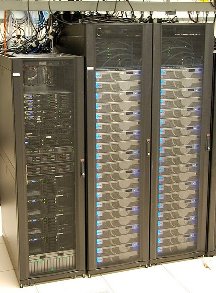
    When will we get 1TB of RAM in a mainstream laptop, and when will we get 100TB of storage?

    Those are large numbers, though I know some DBAs who have one, or even two, terabytes of RAM in large servers. My first thought was that we were a long time from getting those values in consumer machines, but as I look at my phone with 64GB of storage in flash, and this recent announcement of a 2TB SSD, perhaps they aren’t as far away as I might have thought.

    My first professional computer had 4MB of RAM and 200MB-ish hard drive in the early 90s. Today I have a desktop with 24GB of RAM and 2TB of storage. Extrapolating that and I’d expect that I’d have over 1TB of RAM and 20PB of disk in 20 more years.

    What do you think? When will we have laptop machines with the specifications of the largest SQL Server instances today?

    Steve Jones


    The Voice of the DBA Podcasts

    We publish three versions of the podcast each day for you to enjoy.

  • Does the SQL Server Database Filename Matter?

    Do you know the basics of how to create a database? Hopefully you do and can do so without the GUI. However do you know the extensions are for database files? As of SQL Server 2012, these are the extensions:

    • Main data file – .mdf
    • Secondary data files – .ndf
    • Transaction Log files – .ldf
    • Full backup files – .bak
    • Differential backup files – .dif
    • Transaction Log backup files – .trn

    However these are merely suggestions, and dictated by convention. In fact, in the Files and Filegroup Architecture page, BOL says that the “recommended” extensions are those I’ve listed for different types of files. For backups, these aren’t documented since you can actually include different types of backups in the same file (Don’t do this).

    Here’s a quick test:

    CREATE DATABASE [NameTest1] ON  PRIMARY 
    ( NAME = N'NameTest1'
    , FILENAME = N'C:\Program Files\Microsoft SQL Server\MSSQL10.MSSQLSERVER\MSSQL\DATA\nametest.mdf' 
    , SIZE = 2 )
     LOG ON 
    ( NAME = N'NameTest1_log'
    , FILENAME = N'C:\Program Files\Microsoft SQL Server\MSSQL10.MSSQLSERVER\MSSQL\DATA\nametest_log.mdf' 
    , SIZE = 1 )
    GO
    

    If you notice, I’ve created a database with one data file and one log file, both using the extentions “.mdf”. This works fine and the database is usable.

    I can do the same thing with ldf.

    CREATE DATABASE [NameTest2] ON  PRIMARY 
    ( NAME = N'NameTest2'
    , FILENAME = N'C:\Program Files\Microsoft SQL Server\MSSQL10.MSSQLSERVER\MSSQL\DATA\nametest2.ldf' 
    , SIZE = 2 )
    ,
    ( NAME = N'NameTest2_Data2'
    , FILENAME = N'C:\Program Files\Microsoft SQL Server\MSSQL10.MSSQLSERVER\MSSQL\DATA\nametest2_data.ldf' 
    , SIZE = 2 )
     LOG ON 
    ( NAME = N'NameTest2_log'
    , FILENAME = N'C:\Program Files\Microsoft SQL Server\MSSQL10.MSSQLSERVER\MSSQL\DATA\nametest2_log.ldf' 
    , SIZE = 1 )
    GO
    

    In this example I even added a secondary data file. If I check the physical file locations, I see the files I created.

    cd_a

    Note that Explorer sees these as the type of file based on the extension it has associated with that filename, but that doesn’t affect how SQL Server uses the files. If I look in the properties for the database, I see the files listed as expected.

    cd_b

    These don’t affect the operation of SQL Server or the database at all, however they can be confusing for DBAs. I recommend that you stick with the customary extensions for SQL Server files.