Author: way0utwest

  • The laptop rebuild continues

    Not done yet, but I have been slowly patching and installing software over the last few evenings, stuck at my desk most days. It’s amazing how little software I have on DVD, and how little I need. Once I got Win 7 installed, I needed to grab the wireless driver from Lenovo, and since then I have been installing from the HDD.

    I mentioned on Twitter the other day that I didn’t like Office 2010, and was going to go with 2007 again, but I then realized that I should install SQL 2008 R2 since I’ll demo stuff. Then I realized that I need Office 2010 for Powerpivot.

    @##@$%$%$@#@

    It’s mostly Outlook, and I should blog about that separately.

    In any case, most of the software I need is back on the machine. I did decide to try Chrome (haven’t installed FF at all). However I have my Edit Plus, Password Safe, and Live Mesh working.

    Once SQL finishes installing, I should be good to go.

  • Data Loss or Downtime

    I was watching Kimberly Tripp of SQL Skills talk recently about VLDB disasters and how to recover from them. One of the first things she said in the session was getting a damaged database back online, even without all of the data, was important. Often her clients need to keep working, and it is important that they get the system back online, even without all the data. This allows business applications and business people to get back to work.

    That is interesting. I had always thought of my production OLTP databases as needing to be online, but also needing all the critical data. After Mrs. Tripp’s talk, I had to rethink that a bit and consider that a little data loss might be acceptable.

    To me this is a topic that is worth understanding. At the very least, it will help you make decisions in the event of some disaster for how you will proceed. So for this Friday’s poll:

    So what is more important to you: downtime or data loss?

    My feeling is that most of the people would really rather have the database online, even without all the data so they can continue to work. I realized that most of the time, getting the site back up, having lookup and other types of ancillary data (like products, prices, etc), was the most important thing. Recovering other data such as older orders, was secondary.

    Once the database is up, you can then work on getting other data back and merging it into the production system.

    Let us know what you think this Friday and what’s more important to your business (and why).

    Steve Jones

    Originally Published at http://www.sqlservercentral.com/articles/Editorial/72117/

  • Rebuilding the W510 – DVD Driver Issues with x64

    I backed up my machine, copied a bunch of data to both a thumb drive as well as the second hard drive on my W510, and get ready to install Windows 7 x64.

    First I had to add memory. I had put 8GB in the bottom slot, but to replace the 4GB with 8GB in the top slots, I had to remove the keyboard. It’s actually easy, unscrew two screws (all the way out), pop out the keyboard, and then replace memory. The underneath slot is hard to reach, but it only took me about 5 minutes to upgrade to 16GB.

    Now time for Windows. Nervously I put the x64 image in the DVD drive (replacing it in the 2nd bay) and booting. Windows setup loaded and started and….

    Stopped. No DVD driver found. Slightly amusing to me since I had booted from the DVD drive. I tried again, and then went downstairs to search the ‘net. I found a few references but no drivers. The drivers on the Lenovo site were an install, which won’t work during setup. I downloaded Intel drivers, but those didn’t work. To top it off, my laptop was now not booting into the old Windows, saying I needed to run repair. I suspect setup has some boot files there, but now I was really nervous.

    I read on a Lenovo forum that someone had a similar issue and fixed it with a new .iso download. So I burned a new Windows x64 DVD from MSDN and tried that. Success!!

    Now the install is running and my fingers are crossed. We’ll see how well this works.

  • In Case of Breach


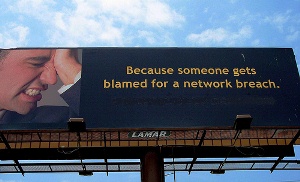
    What would you do if you received a phone call in the middle of the night saying that one of your databases had been hacked and data released? Do you know what to do as a first responder? There’s a report from Dark Reading that talks about some of the things you might want to consider.

    Crisis situations, and this is definitely one, require some planning and thought ahead of time. You ought to have some sort of “run book” similar to the one you have for disaster recovery, that helps you decide how to handle the situation. Unlike many troubleshooting situations, rebooting a server might be the worst thing you can do.

    I used to think that database people were more insulated from responding to these types of crisis situations. It seemed early in my career that we would be backups for the system administrators, and not necessarily need to respond to a midnight call. However the last 5 years have shown that this type of call is more and more likely for all data professionals.

    As we store more and more data, of great importance to the organization, we should be more prepared to respond to these types of incidents. Financial, identity, medical, and other types of data are becoming mixed in with all sorts of business data. As we build warehouses and transfer data among more systems, the likelihood we have data needing strong protections increases.

    At the very least, we must educate ourselves on our legal responsibilities as the data profession moves forward. More and more laws are being passed and regulations applied to data, and a good data professional in the future needs to be aware of their responsibilities in this area.

    Steve Jones