Author: way0utwest

  • Common SQL Server – Not Indexing FKs

    This series looks at Common SQL Server mistakes that I see many people making in SQL Server.

    Foreign Keys

    It’s way too often that I see people building databases without including declared referential integrity (DRI) in their databases. Even when I see people setting a primary key on tables, it seems that often they ignore foreign keys and creating linkages between tables that link them together.

    However, even when people have declared a FK, they often don’t create an index on that column. Perhaps they assume that SQL Server will create the index like it does for PKs, but it does not.

    If I create these two tables and join them with a FK:

    CREATE TABLE [dbo].[Products](
        [ProductID] [int] NOT NULL,
        [ProductName] [varchar](50) NULL,
    CONSTRAINT [PK_Products] PRIMARY KEY CLUSTERED
    (
        [ProductID] ASC
    )
    ) ON [PRIMARY]

    GO
    CREATE TABLE [dbo].[ProductDetails](
        [ProductDetailID] [int] NOT NULL,
        [ProductID] [int] NULL,
        [SKU] [varchar](50) NULL,
        [Price] [numeric](18, 2) NULL,
    CONSTRAINT [PK_ProductDetails] PRIMARY KEY CLUSTERED
    (
        [ProductDetailID] ASC
    )
    ) ON [PRIMARY]
    GO
    ALTER TABLE [dbo].[ProductDetails]  WITH CHECK ADD  CONSTRAINT [FK_ProductDetails_Products] FOREIGN KEY([ProductID])
    REFERENCES [dbo].[Products] ([ProductID])
    GO

    ALTER TABLE [dbo].[ProductDetails] CHECK CONSTRAINT [FK_ProductDetails_Products]
    GO

    If I go and check indexes on ProductDetails, I find that there is only one index, the index for the PK.

    FKIndex_a

    Why is this a problem? It’s because of performance. We should realize that indexes speed up performance by reducing the amount of work that SQL Server has to do.

    With FK columns, what I’ve often found with child tables is that I know the value of the FK column I am searching for and don’t need to join with the parent table. However without an index on the FK column, this query requires a table scan.

    select
    sku
    , price
    from ProductDetails pd
    where pd.ProductID = 3

    If you are creating FKs in your database, don’t forget to index them where appropriate.

    Auto Creation

    I’ve seen some people ask why SQL Server doesn’t automatically create indexes on those FK columns. I am torn on this, but I like the 80/20 rle. If 80% of the tables would benefit from it, I think it should be done. I am leaning towards some intelligent mechanism to do this.

    The main issue is that you might not want just an index on the FK column. You might want some sort of covering index that includes columns in addition to the FK column to prevent key/bookmark lookups to the clustered index. If you can avoid those, you can drastically increase performance.

    There is also the chance that with your query load, you never use these indexes. That can be horrible for performance as well since there is overhead to maintain these indexes on all insert/update/delete operations.

    The Advice

    Look at the queries that are coming into your database. Check the missing index DMVs and if you find that the FK columns are being used, index them.

    If you’re not sure, or don’t know how to look for missing indexes, here’s a reference.

  • Database Mirroring Connection Strings – Automatic Failover

    I saw a post recently from Hugo Shebbeare that reminded me of something that I’ve seen asked often on the forums. One thing that I preach to people is that they should use their blog to show what they know, and in this case I want to do that. Also, I remind people to give credit to the inspiration, as I’ve done with the link to Hugo above.

    Database mirroring has automatic failover if you have newer SQL Server clients. Those of you with Vista or Windows 7 should be fine, though XP might need an update. SQL Server 2005 started distributing a client that would handle automatic failover, and it does this through the connection string. Here’s a typical one:

    Server=DBServer01;Database=Sales;Connection Timeout=30;Integrated Security=SSPI;Failover Partner=DBServer02

    In this string we have our main database instance (DBServer01) and the database (Sales). Our mirror server is called DBServer02, and the database name on this server would be the same. Note that you can use IP or named instances as in DBServer01\Sales as well for the connection strings.

    If the client has issues connecting to the primary, when the Connection Timeout passes, it will try to connect to the mirror server and start working there. Note that if you had a transaction in progress when the failure occurred, your application has to reconnect to the other server and resubmit the batch.

  • Living Moore’s Law

    I’m not much of a hardware geek these days. For the most part I just want my computers to work. Actually if I think about it, I really just want my services to work. I don’t care what specs they have, or the technology used.

    If I went back to managing databases, I would be looking for databases to work on, not individual machines. I think that’s one reason that the idea of cloud database services appeals to me. Not necessarily clouds on the Internet, but as a series of machines in my data center that I could just plug together and have SQL Server run various services across them.

    In reading a little about eBay and their new data center, I think it might be very cool to work there. The director of their data center talks about living Moore’s Law, with the new data center in Utah. While I’m sure many of the large internet companies like Microsoft, Google, Rackspace, etc. would also be interesting, I’m not sure how many of them are on a two year cycle, replacing all of their systems on a rotating basis.

    I live on a 35 acre ranch, and it’s a lot of work keeping it up. That can help me appreciate the scale of the new eBay data center, which is a 60 acre campus. Their phase one approach has 7.2MW of server load in the building with some racks generating over 30,000W of heat. That’s quite a hot aisle!

    At that pace of change, I have to think that it’s both exciting and a challenge to keep systems running on new hardware and also modifying code to take advantage of the new capabilities offered by hardware changes. It’s a challenge that I would love to tackle at some point in my life.

    Steve Jones

  • Software Assurance Cuts Back

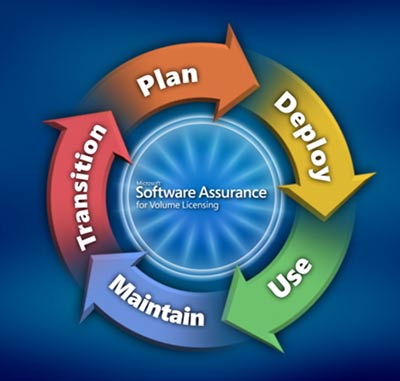
    Did anyone ever use this benefit of Software Assurance (SA)? Apparently if your company had SA on Microsoft software, you could purchase that software for a discounted price for use in your own home.

    I wasn’t aware of it, and it’s never been a perk that any of my employers have offered me. I have had the chance to use Microsoft Office on my home computer if I was licensed for it at work, but I never knew I could “own” something like Visual Studio at a discount. I’m not even sure I would have taken advantage of it, but I’m sure there are lots of people that might have appreciated it. Plenty of my friends that wanted Microsoft Office at home, instead of Microsoft Works. I’m sure a few of them would have purchased a copy of Office at a discount from their company if they could have.

    However it doesn’t matter anymore since this perk is being removed from Software Assurance. I wonder how much money that Microsoft thinks they’re saving here, or maybe how much money they think they might earn. Those extra copies of software don’t cost Microsoft anything, though perhaps there is a significant administrative cost savings involved. More people probably use the Home Use Program instead, which allows people to use a copy of software at home.

    I don’t know that these programs add much to the value that a company gets from SA. Perhaps if they did include home software, or XBOX games, this might be a nice perk to attract employees, but I doubt it. I don’t know that these discounts would make a different in helping me choose where to work. To me they just help Microsoft continue to dominate in some areas of software as corporate workers look to use the same software at home that they have at work.

    If that’s the goal, Microsoft ought to sell the software at a nominal cost, like $25, just to get people to use it at home.

    Steve Jones