Author: way0utwest

  • 100 Days to the Data Community Summit Keynote

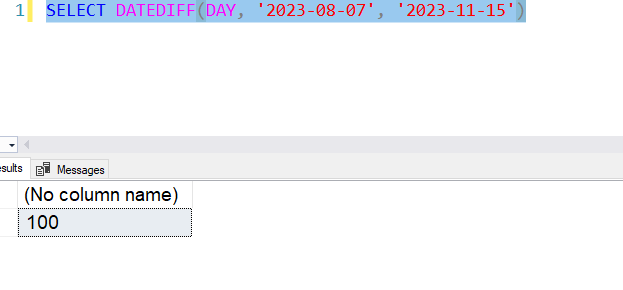
    The start of learning at the 2023 PASS Data Community Summit is 100 days away. I checked.

    2023-08-04 09_24_01-SQLQuery2.sql - ARISTOTLE_SQL2017.master (ARISTOTLE_Steve (52))_ - Microsoft SQL

    The Summit starts for many of us on Monday with precons or an early arrival and spending time with friends. However, the first keynote is Wednesday, and that’s the main conference for most people.

    100 days away.

    It’s amazing to think we’re that close. Speakers are working on their sessions, polishing decks and practicing demos. Hopefully attendees have gotten all their travel arranged. The sessions are out, and you can build a schedule. You can even still add a pre-con if you want.

    Hopefully I’ll see you there. If you’re valuable at work, if you get things done, make a case to send you to the Summit to learn things and network with others. Those contacts might be invaluable in the future when you have a question or problem.

    And if you’re going, consider coming to SQL Saturday Oregon the Saturday before and taking the train up with us. It’s a fun time.

  • Copilot Experiments: A little PowerShell help

    It’s been a little while since I’ve had time to relax a bit and try some AI help. This is another experiment I made.

    A user on SSC asked about PowerShell to copy files with a date appended.

    This is part of a series of experiments with the ChatGPT and other AI systems. Lots of Copilot lately.

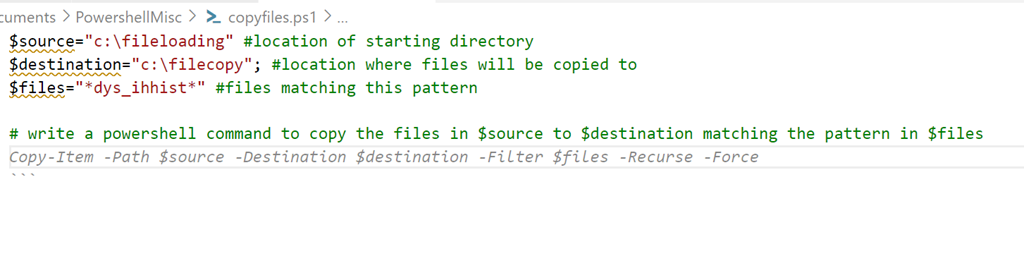
    I added some code to a new file and typed a prompt:
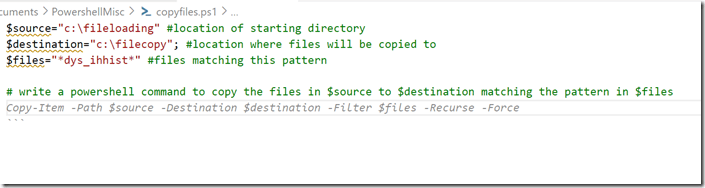
    2023-07-31 14_57_41-● copyfiles.ps1 - sqlsatwebsite - Visual Studio Code

    If I run this, it does work. Sort of.
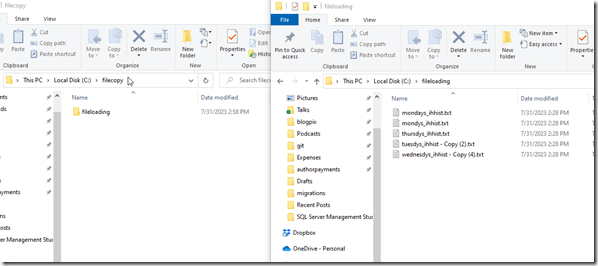
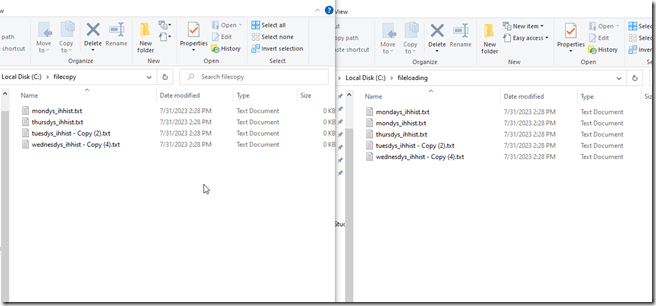
    2023-07-31 14_58_51-fileloading

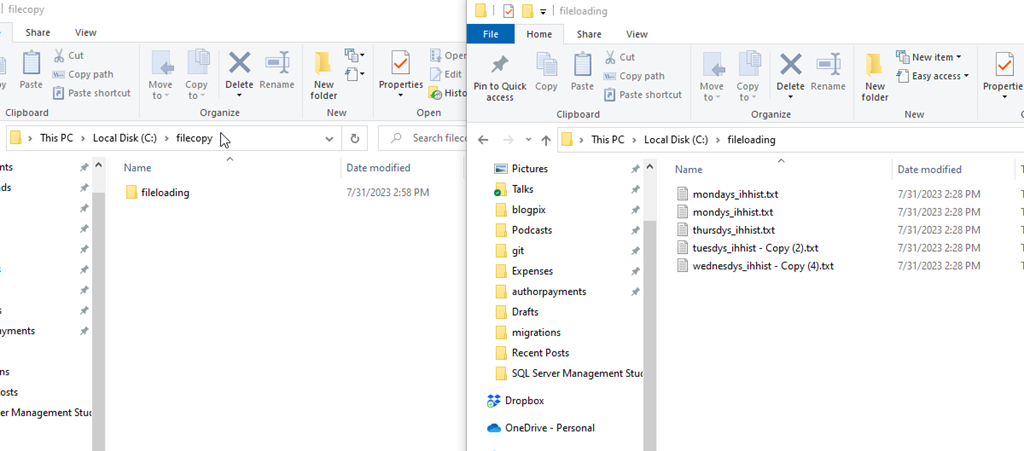
    It made a folder copy, not a file copy. However, the filter worked.
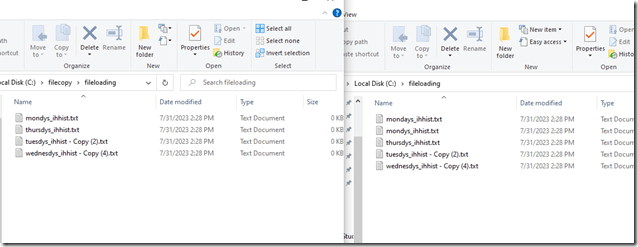
    2023-07-31 14_58_58-fileloading

    Let’s try again. I’ll modify the prompt and get Copilot to explain what it’s doing in the code. I get this:
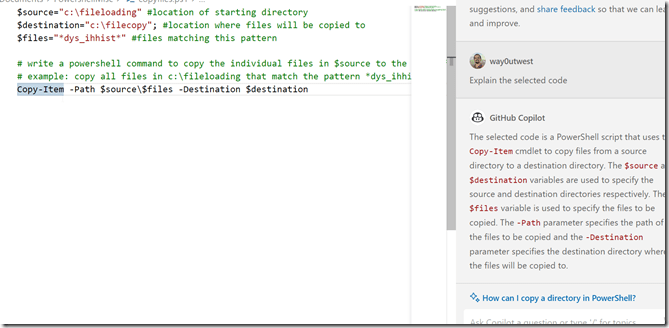
    2023-07-31 15_00_59-● copyfiles.ps1 - sqlsatwebsite - Visual Studio Code

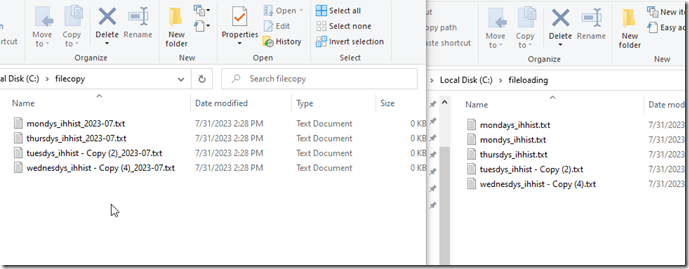
    Which works:

    2023-07-31 15_01_04-fileloading

    Hmmm, can it do what I want.

    I tried a few prompts in the code window, but I kept getting things that wouldn’t work, like call copyfiles.bat, or something that didn’t work.

    Let’s move on.

    Copilot Chat

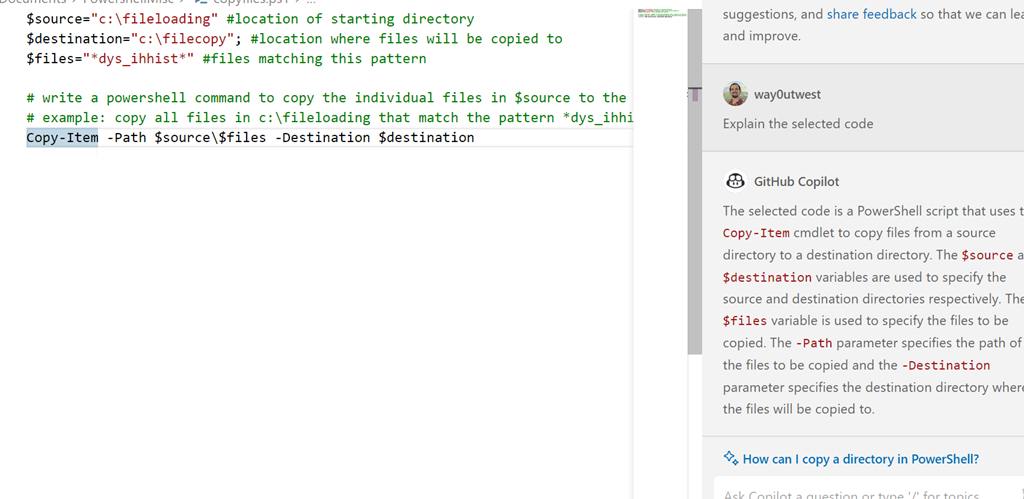
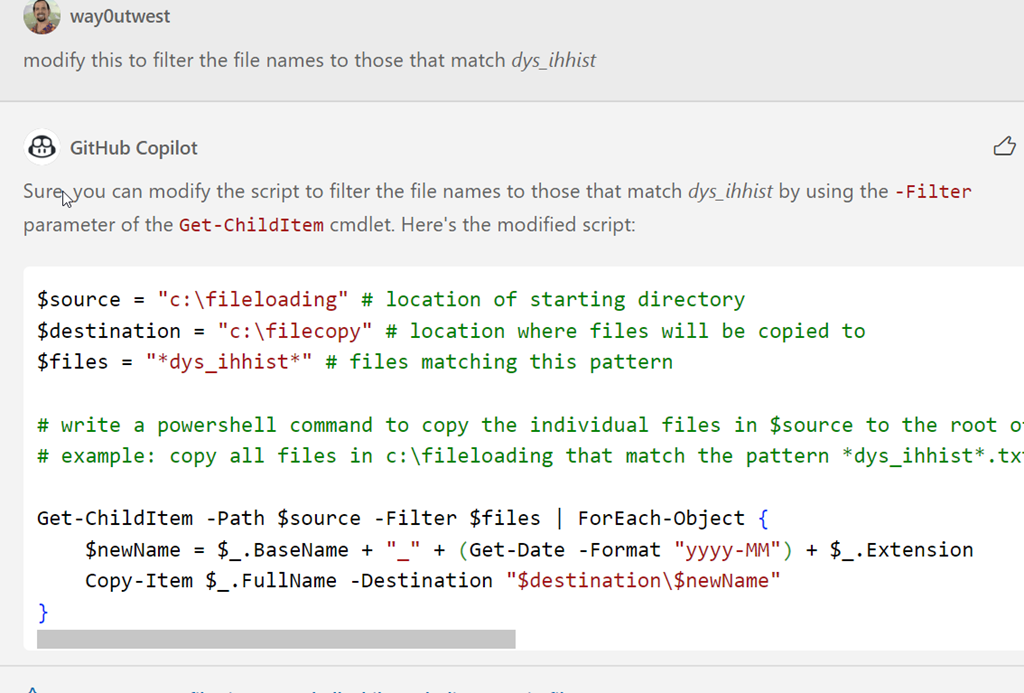
    I got access to the Copilot Chat as part of Redgate. There is a new chat extension to add to VS Code, which I did. I opened it and got this with my prompt:

    2023-07-31 15_05_17-● copyfiles.ps1 - sqlsatwebsite - Visual Studio Code

    Good, this code will copy the files, but does all of them.

    2023-07-31 15_07_23-fileloading

    One advantage of AI bots is I don’t need to start over. I did this:
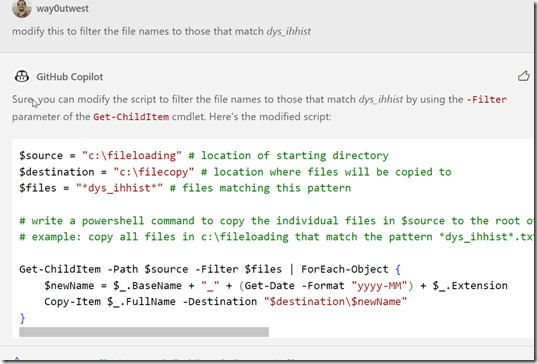
    2023-07-31 15_08_04-● copyfiles.ps1 - sqlsatwebsite - Visual Studio Code

    This worked correctly.

    2023-07-31 15_08_38-fileloading

    This was a simple example, but it produced about the same code as I did, albeit slightly cleaner. Mine was this:

    $source="c:\fileloading" #location of starting directory
    $destination="c:\filecopy"; #location where files will be copied to
    $files="*dys_ihhist*" #files matching this pattern

    # write a powershell command to get a list of files in $source matching the $files pattern
    $a = get-childitem $source -filter $files
    $a | foreach {write-host $($_.basename)-$(get-date -f yyyyMMdd)$($_.extension)}

    # write a powershell command to copy files from source to destination appending the date to the filename
    $a | foreach {copy-item $_.fullname $destination\$($_.basename)-$(get-date -f yyyyMMdd)$($_.extension)}

    I don’t know enough PoSh to know which is really better. And honestly, I don’t feel like testing at scale. Let me know if you have knowledge here.

    However, the chat window for copilot produced this quicker than I did, without me having to try and remember the PoSh parameters and structures of the functions. I had to dig around on SO to remember basename was what I needed and look up the parameter for get-date.

    The code window isn’t great, and partially I think because I don’t know how to get prompts to work in the comments, but I do like the chat window. I’ll keep playing.
  • Flexible Work Policies are Preferred

    The great post-pandemic, post-Great-Resignation, hybrid/remote/in-the-office work debate continues. It seems almost every week I see more stories that report on, hype, attempt to prove, or otherwise stoke emotions about whether the future of work for many people is more likely in any of these three situations. One company mandates everyone back in the office, another goes completely remote, and it seems many can’t decide and have some sort of hybrid approach.

    Your boss might have strong opinions on one of these situations, which may or may not align with your organization. I see CEOs wanting one thing and individual managers sometimes wanting another. As much as I like remote working, and I’ve been based out of my home for over two decades, I also like seeing people and I am regularly traveling to the various Redgate offices (along with Grant and Ryan).

    If you want to try and sway your boss to let you work more flexibly, which is likely remote or hybrid, perhaps this article will help. There’s research from at least one company showing that having a flexible policy has helped a number of companies hire faster in 2023. While this isn’t in any particular geography, industry, or role, it does show that finding employees seems to be faster with flexible policies. That makes sense as the more remote you are, the more people in your pool of potential candidates.

    Of course, this doesn’t say if these people stick around, or if they’re qualified. Certainly many of us in the tech industry see plenty of candidates (or even coworkers) that don’t seem qualified for many, or any, roles. Hiring faster isn’t always good if there aren’t good candidates, but having more choices of who to hire does give you an edge in finding qualified candidates.

    It also gives you more work to do in separating those you’d consider hiring from those you wouldn’t. The flip side as well is that if you are flexible, then perhaps you can convince some already employed, talented workers to come to your organization.

    To be fair, many of us with these options are very lucky. There are lots of jobs where this isn’t a debate and people must show up to work every day. Cooks, taxi drivers, retail workers, and many, many more. This is a luxury issue, but it is still an issue. My view is that lots of knowledge work can be done remotely. However, I also think that teams gain something when they bond and get to know each other in person. Day-to-day work is great remote, but brainstorming and creativity work better sometimes when people are in the same room. Not always, but there are times it is better.

    So let your boss know that they might be able to better fill their open positions if they’re flexible. Maybe you’ll convince them to be more flexible with you as well.

    Steve Jones

    Listen to the podcast at Libsyn, Stitcher, Spotify, or iTunes.

  • A New Word: Idlewild

    idlewild – adj. feeling grateful to be stranded in a place where you can’t do much of anything, which temporarily alleviates the burden of being able to do anything at any time and frees up your brain to do whatever it wants to, even if it’s just flickering your eyes across the passing landscape.

    I get to do this regularly. I’m often stranded in planes, trains, cars, etc. where I can’t do anything. Even in airports. Certainly I could work in some of those situations, but I also recognize the fatigue I feel and the need to relax and try to take care of myself.

    The drive from LHR to Cambridge is a little over 2 hours (sometimes more). When I get a car, and I’m not too tired, I can sit and watch the world go by. Sometimes thinking of things, sometimes letting thoughts just flip through my head.

    From the Dictionary of Obscure Sorrows