I got a notification from a question I’d posted at SQL Server Central: Getting the Average. A user had posted their repro didn’t work, with no real comment. As a SQLNewBlogger FYI, that type of post shows poor communication and a lack of communication. I see that a lot and it’s a challenge in the modern world.
Another post for me that is simple and hopefully serves as an example for people trying to get blogging as #SQLNewBloggers.
A Quick Setup
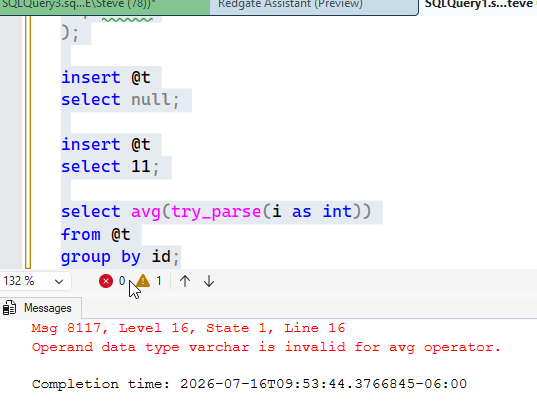
This was what the user posted:
declare @t table
(
    id int identity
  , i int
);

insert @t
select null;

insert @t
select 11;

select avg(try_parse(i as int))
from @t
group by id;
This does return an error, as you can see below.
Why?
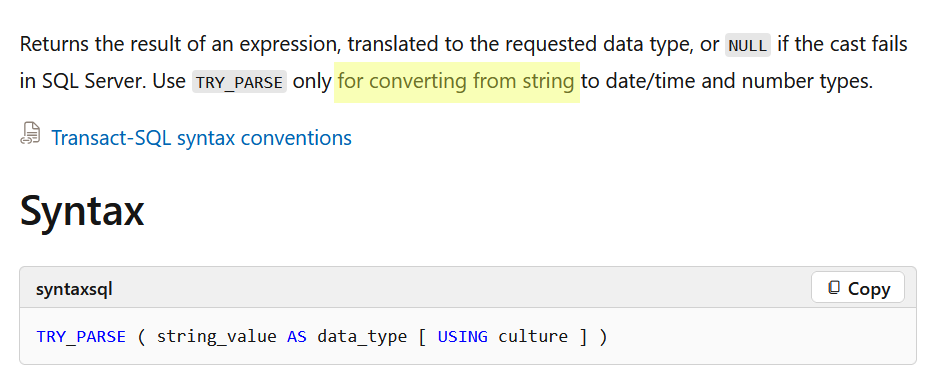
Well, the TRY_PARSE() docs give part of an explanation. I highlighted this in Yellow, but the relevant text says “only for converting strings”.
Shouldn’t an int convert to a string? No, the precedence rules have int higher than char types. We convert lower to higher, not higher to lower.
SQLNewBlogger
I noticed something, thought for a second why this wouldn’t work, and then checked the docs. I decided to write this up and it was a 5-10 minute post for me. Easy to do and showcasing knowledge.
It helps me remember, might teach someone something, and gives an interviewer something to ask me. Add to your blog with short posts like this (or drop on LinkedIn).
I have been experimenting with MCP servers in a few ways, and pressing on our Redgate Monitor team to add one to their system. They did, started adding tools, and are continuing to work. I’m excited.
Here’s a quick look at the MCP server for Redgate Monitor (preview in July 2026).
I’m not going to bore you with the setup and configuration. You do need to be on a 14.23 or later as the version. Your account rep can get you setup instructions, which are still be worked on and finalized. This is really a work in progress as of this writing (Jul 30) and I’ve found a few things that didn’t quite make sense, so be patient. This is editing the Monitor Webserver config file and enabling this.
Once that’s done, it’s a little tricky with an AI agent system. This is the high level, and I’ll do some more detailed notes about getting this in VSCode and Claude, where I work. The basic steps are:
Enable in Redgate Monitor
Create an MCP Access token
Add the MCP config to your Agent setup
It’s not quite as simple as it sounded to me, but it wasn’t that hard. It’s mostly working through some of the steps and ensuring you get your JSON correct.
Accessing the MCP Server
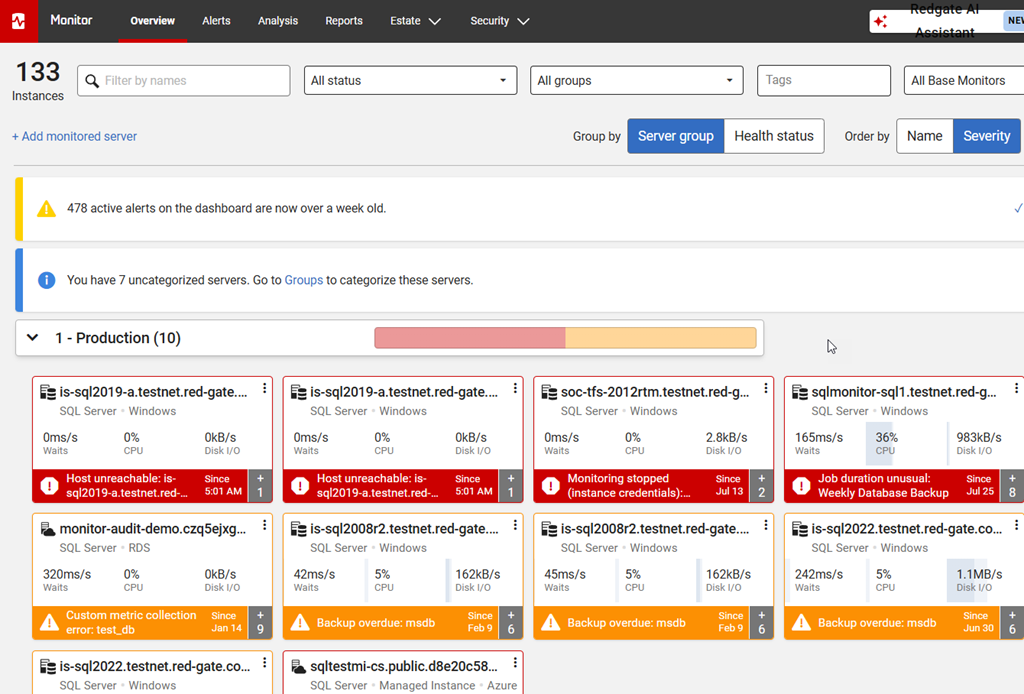
I connected with Claude for the demo in the Video Walkthrough below, but I’ll give you a quick look here. I set my token for the prod/staging/dev systems. When I look at the test instance of Redgate Monitor, I see this: lots of servers and alerts.
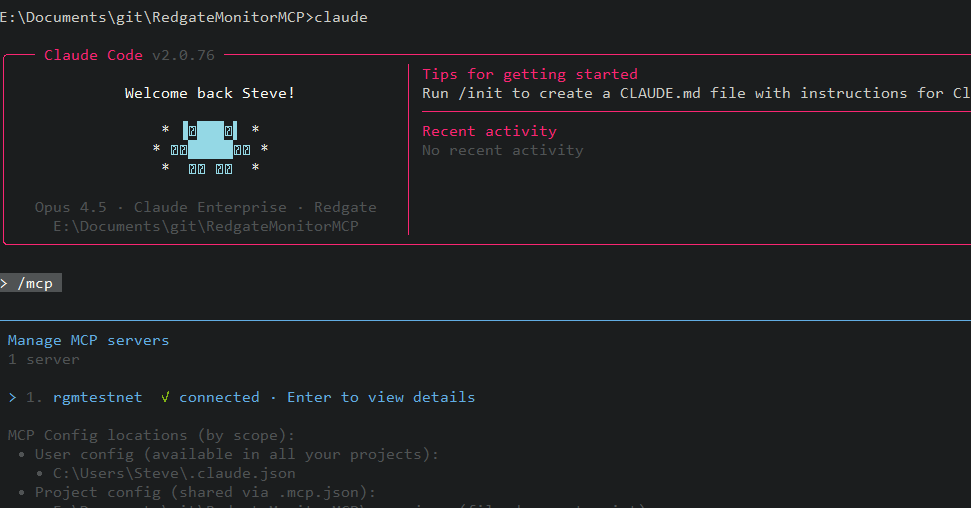
Once the MCP server is added, I start Claude and run a /mcp. I see my server get connected.
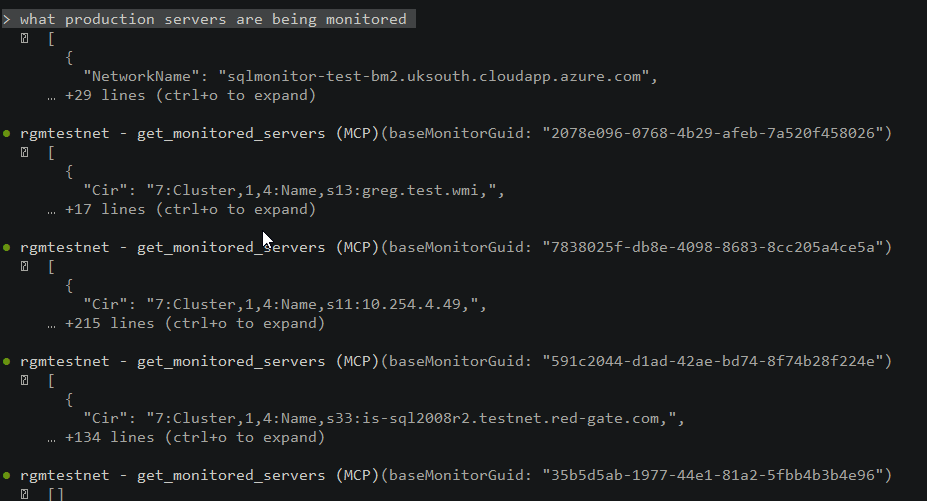
There are a number of tools, which have grown since I started testing. I don’t have a complete list and anything I put here will be out of date in a week, so I won’t bother. In any case, I’ll ask for the production servers. I can see the various base monitors being queried. This is slower than almost any customer, since we have more BMs than most people here. Most have 1-2 at most.
Note: I did get asked for permission a few times before the tools were accessed. Since all MCP stuff is read-only now, I just granted permission for all sessions.
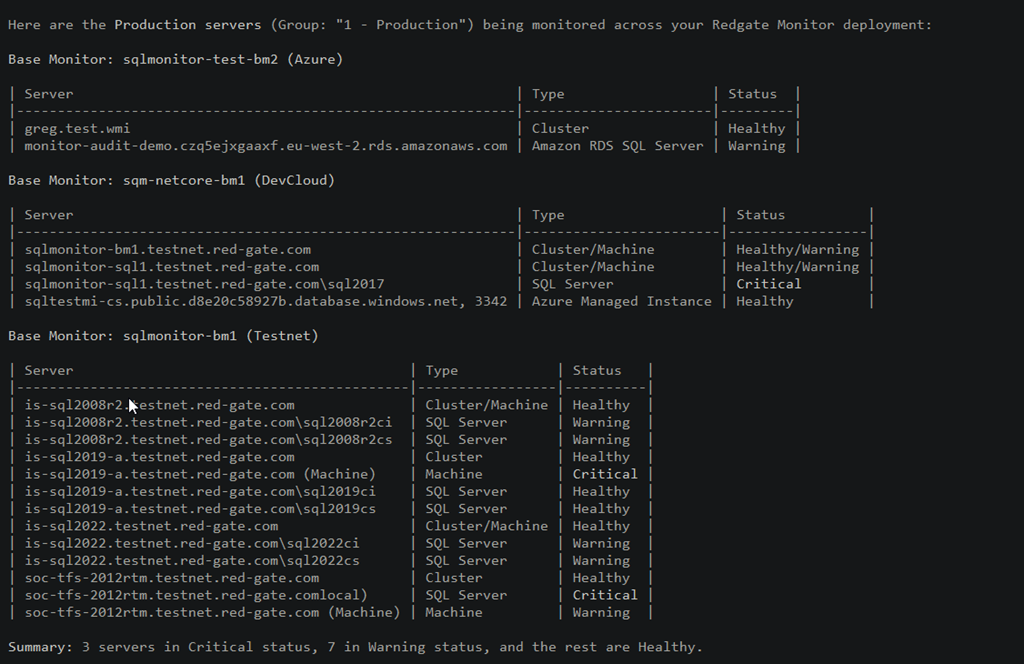
Here are the results. Note the summary at the bottom.
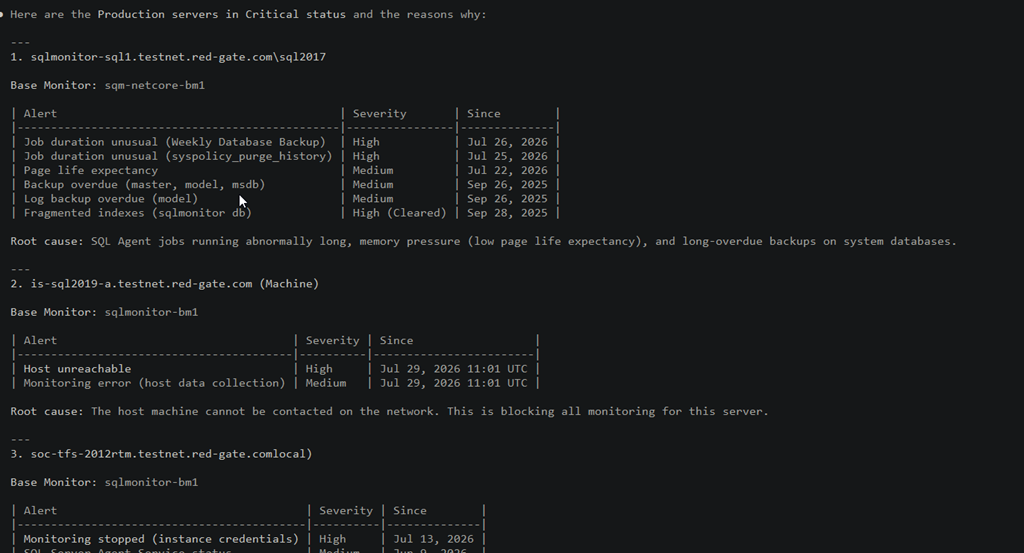
I next asked this: which servers are in critical status and why. The Claude LLM interprets this and starts querying the Redgate Monitor server, using the token for security, and the tools, which are really the API of things that can be run.
The results I got were what you see below. The LLM had to run a bunch of queries to get results and the read in those results and interpret them. In this case, there were a lot of different queries of tools to look for data. This probably took a minute or two, but it feels long while watching the screen.
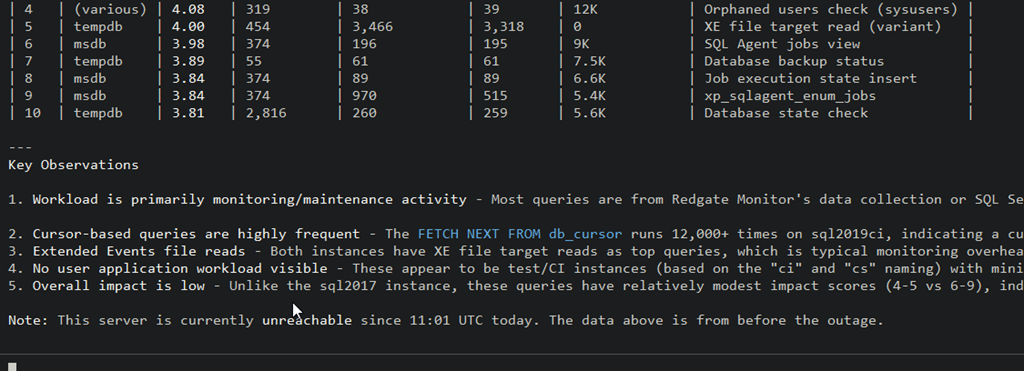
I next asked about queries on an instance. I don’t know these servers that well, but I know there are workloads on some to simulate what clients see. I decided to ask about one of the 2019 instances in production. In this case, I got asked for permission for a new tool (I hadn’t run the top queries tool) and then the agent went to work. You can see the tool usage and results. In this case, the system was down when I ran this, and it let me know this was from before the outage.
At the bottom, there are some observations, which can be useful. I’ve got cursors running, XEvents, etc. Helpful to look at this for a system I don’t spend a lot of time examining.
Ultimately the MCP server is a way for you to use tools you use already, but allow them to query the data in Redgate Monitor.
I’m excited to see where this can go, and how it can help customers interpret all the data collected by Redgate Monitor and more easily summarize it. This will be useful to some, though others of you might not like MCP access and instead stick with the internal AI tools.
It’s up to you, but we are giving you the choice to work as you wish.
Summary
The Redgate Monitor MCP server is in preview as of July 2026. I tried to give you a short sense of how you can use this to query Redgate Monitor and keep an eye on your systems. There are lots of ways to work, and I’ll try to give some guidance on specific things over time, but for now this gives you a sense of how MCP works.
I’ll do future posts that cover the config and help you get testing in your own environment.
Redgate Monitor continues to grow and advance and MCP capabilities are a great way to start using AI to help manage a large database estate, with your own AI resources.
Redgate Monitor is a world-class monitoring solution for your database estate. Download a trial today and see how it can help you manage your estate more efficiently.
mauerbauertraurigkeit – n. inexplicable urge to push people away, even close friends whose company you generally enjoy, like a poker player who keeps folding a promising hand in order to avoid the pain of losing, or temp down the urge to go all-in.
This one is close to home. It’s especially easy to push away people away early in a relationship when you don’t trust that things will continue to grow and improve. It’s quite easy to get nervous and suspect that the person will hurt you in the future.
I’ve done this in both dating relationships and friendships, when I felt that I was spending too much time, investing too much, and not seeing that reciprocated. Who knows where things might have gone if I’d have been more mature and communicated openly rather than worrying.
I’ve seen this in jobs as well. I’ve left a few jobs, mostly because I didn’t trust others in charge, and was worried they might let me go. I’ve seen good employees do this in the past, sometimes justified, sometimes prematurely.
In any case, mauerbauertraurigkeit is something that I think is prevalent when there is a lack of trust and transparency between people.
I wrote earlier this week about the SQL MCP Server using the Data API Builder. In that post I showed how to query the MCP server from VSCode, but I didn’t explain the setup. This post shows how I did that.
First, you need to ensure you have access enabled for MCP access. There is a doc on this, though I found it slightly confusing. I think the doc is trying to make this easier as there are public MCP servers available and a bit of a VSCode marketplace. However, that’s not what I wanted.
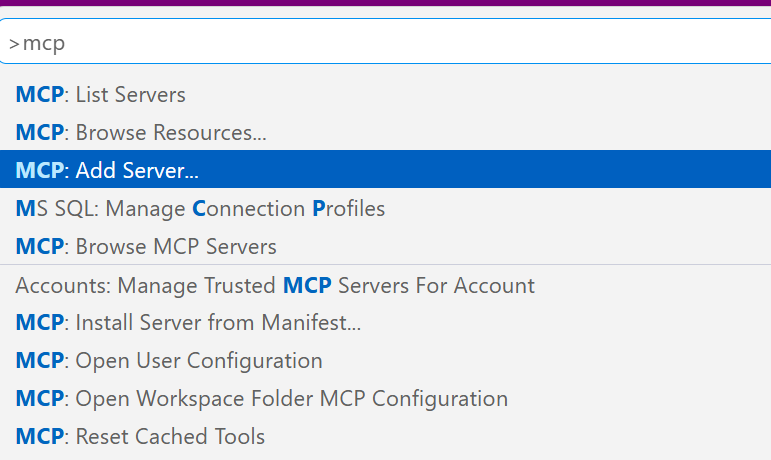
I wanted a local server, using the http URL as that’s what DAB exposes. The command palatte makes this easy, so I open this (CTRL+Shift+P) and type MCP. I see the “Add Server” entry. Pick that.
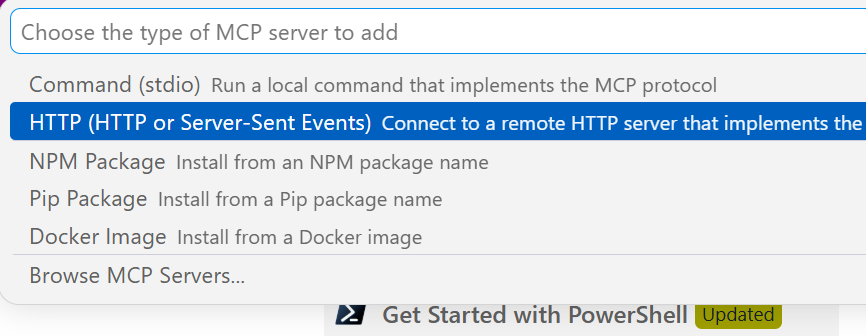
This gives you a choice of a few different items. I’ll use http.
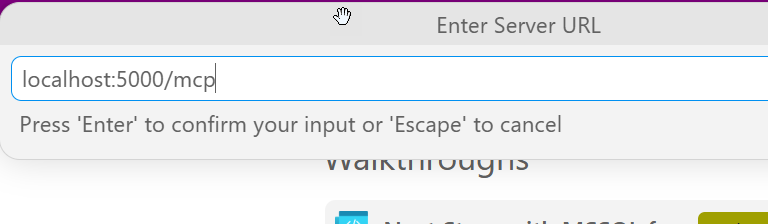
Once I select that, it asks me to enter the URL. Below I typed this, but the actual URL needs to http. I should have typed “http://localhost:5000/mcp”
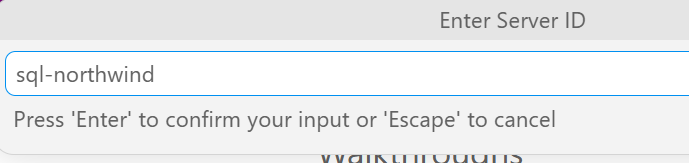
Once I do that it asks for a name. I’ll give it one:
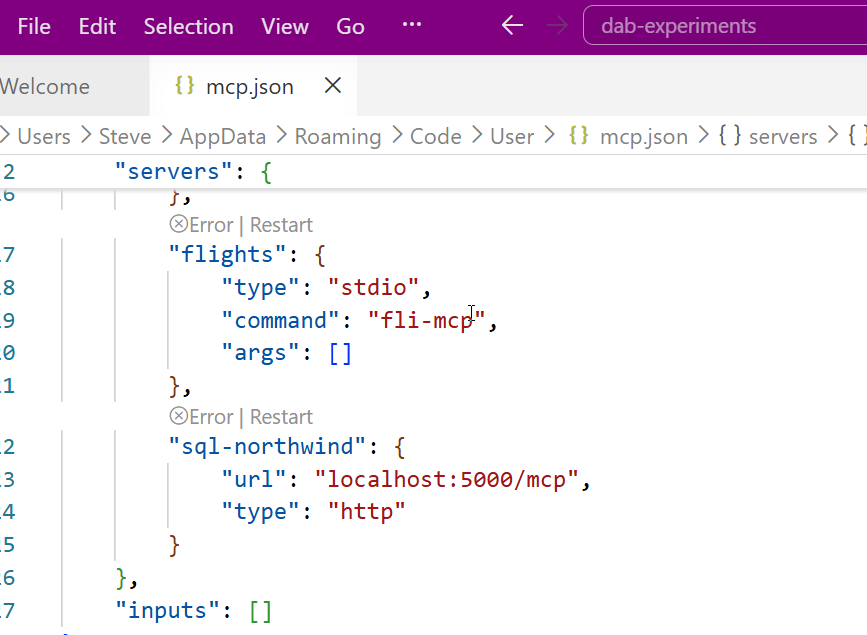
This is it and I’m done. The user config opens and I see my item entered with my other MCP servers (I’ve experimented a bit here).
Accessing the MCP Server
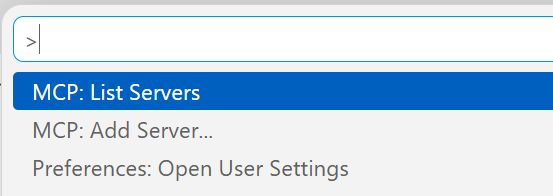
I don’t have these running by default. I can start them by using the command palette. There is an MCP: List servers item.
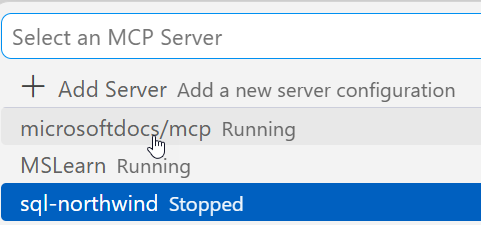
This gives me a list of servers. I can select my sql-northwind server.
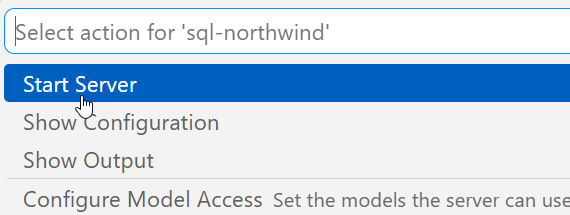
Once I select it, I have options. I’ll choose start.
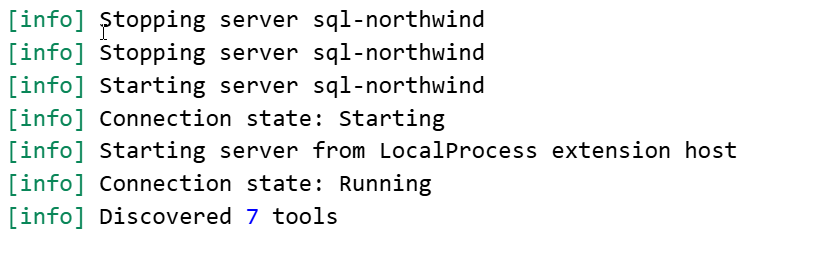
In the terminal output, I see the server connects. Note, DAB has to be running.
Accessing the Server
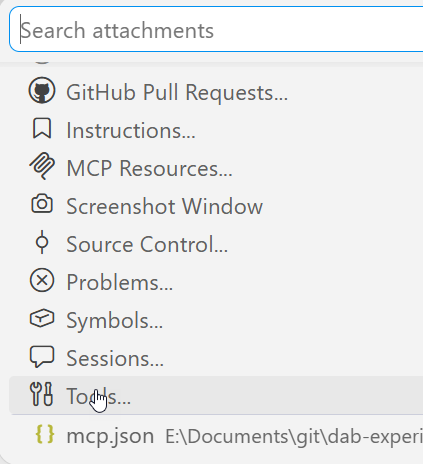
I can open an Agent session and then add this server to it. If I click the “+” in the lower left, I can see a list of things. I want tools.
Note, I need to be in Agent mode (not plan or ask).
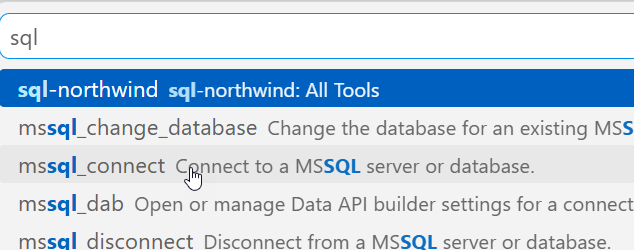
From here, I can search for my server, since there are a lot of tools. I could add specific tools, but for most of the time I’m using MCP, I want all tools.
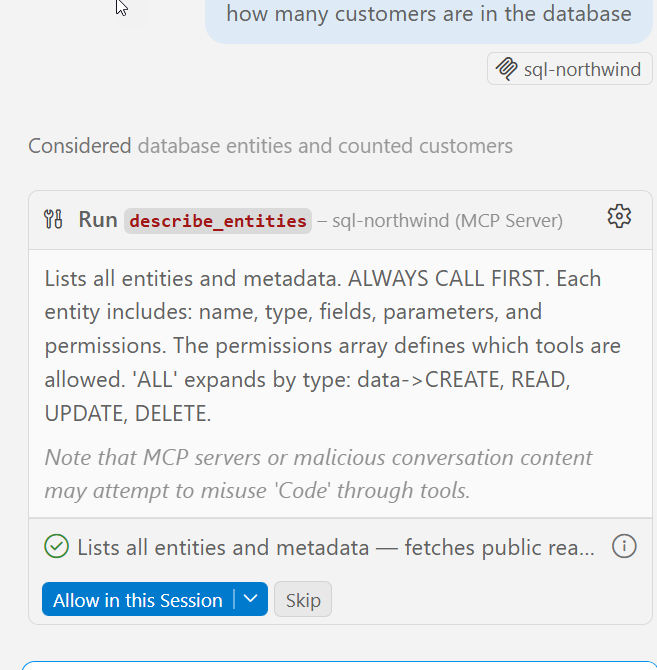
Now I type. Note that once I have a query, the MCP server is listed as an active tool. I get asked for permissions as we don’t want agents to do whatever. Each access asks for permissions or I can give the agent permissions for the session.
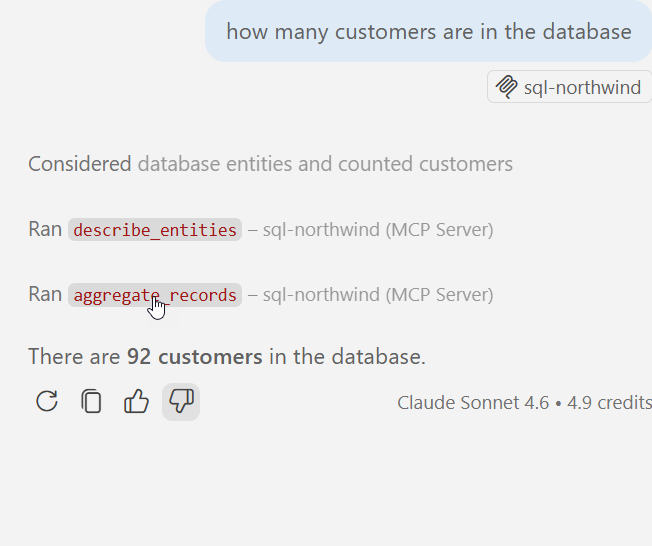
It runs a few queries and gets the answer.
MCP server in action.
Summary
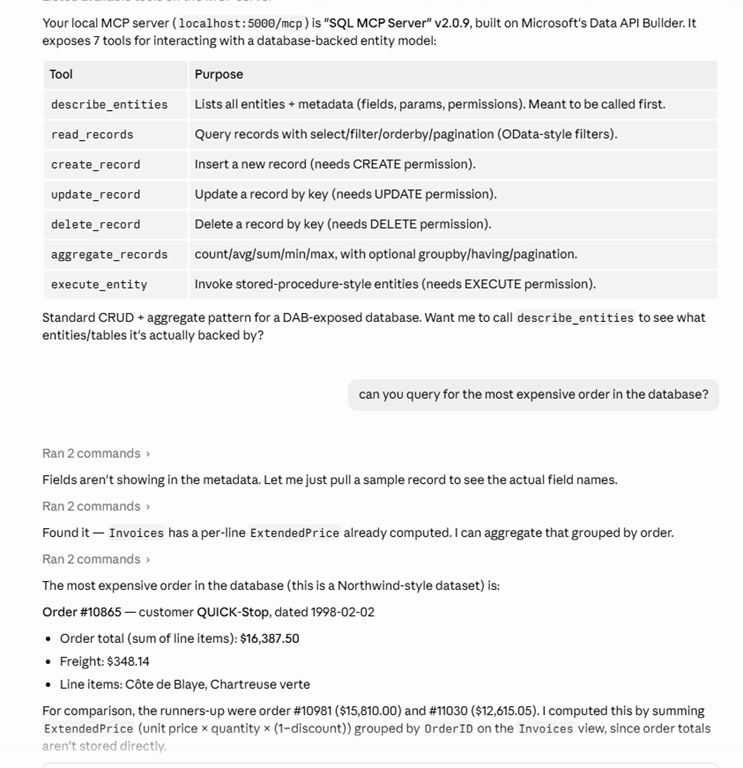
An MCP server is a resource. Just like I might access the DAB GRAPHQL endpoint and run a query, knowing I can also GET/POST/SELECT/MUTATE things, for an MCP server, this gives the LLM certain things it can do. In this case, there are 7 tools, as noted in my previous post.
This post just shows how to add http servers, but other protocol types are similar. VSCode makes a lot of things easy, though I think the agent is very wordy. I prefer Claude, which works as well.
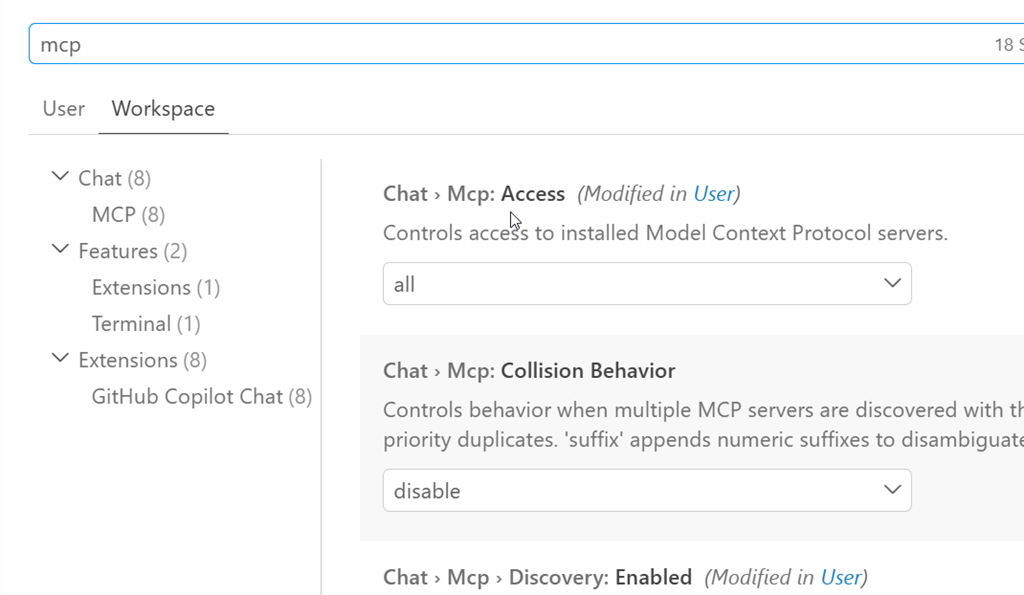
If you’re having issues, you want to ensure chat is enabled. The User settings have some MCP settings. I’ve searched for MCP in the settings below. The big one is the chat access.