Category: Blog

  • Traveling to SQL Saturday Jacksonville 2023

    I’m heading to SQL Saturday Jacksonville 2023 today, speaking tomorrow. After not making any of their events, I went in 2022 and am back for their 15th event this year. I’m excited to go, though this will be quick trip. Some personal commitments have me going this afternoon and coming back Monday. This was supposed to be a Thur-Tues vacation + work, but it isn’t. Sad smile

    I’m delivering a session on Zero Downtime Deployments, but there’s a bunch of great content scheduled. If you’re nearby, I urge you to register and attend.

  • A New Word: Chysalism

    Chysalism – n. the amniotic tranquility of being indoors during a thunderstorm?

    While I love the sun, I did enjoy thunderstorms when I lived in Virginia. Something neat about being inside, cozy, enjoying live while the weather outside has thunder, lightning, and rain creating chaos. It rarely happens in Denver, but I do usually appreciate when it does.

    From the Dictionary of Obscure Sorrows

  • Experiments with GitHub CoPilot

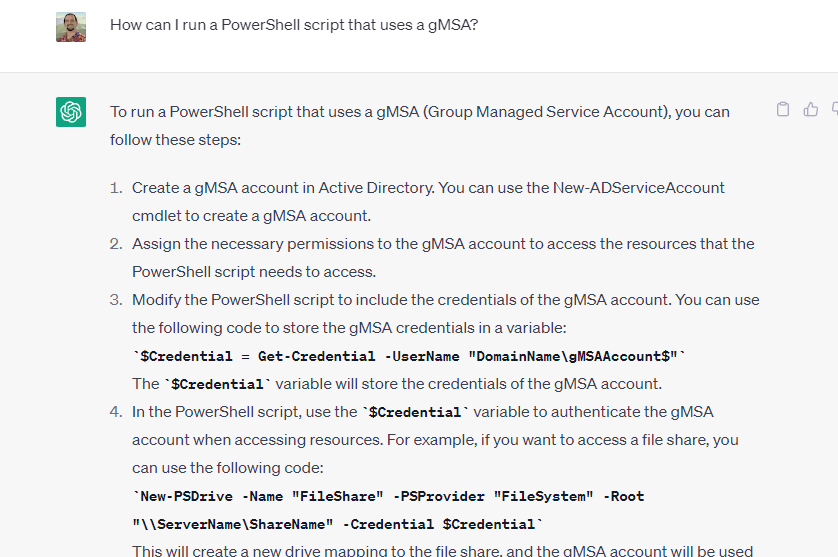
    There has been a lot of attention given to ChatGPT and AI over the last month or two. I’ve tried a few things with the public interface at Open.ai. Some worked well, like this one:

    2023-04-29 09_06_27-

    Others not so well:

    2023-04-24 10_26_10-Window

    This post looks at a few things I tried with VS Code and GitHub Copilot.

    Getting Access

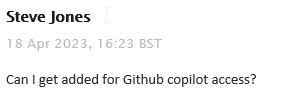
    I saw a note in our internal Redgate Slack that all developers were given access to Github Copilot. This is something you can subscribe to for about US$10/month, or if you are a student, you can get it for free. In my case, I filed a ticket:

    2023-04-29 09_08_52-Inbox - steve.jones@red-gate.com - Outlook

    It took a week or so as someone was out on holiday and this was a low priority ticket. In any case, I got a note from our ticket system, as well as GitHub, that I had access:

    2023-04-29 09_10_04-Inbox - steve.jones@red-gate.com - Outlook

    So I added the extension to VSCode.

    2023-04-29 08_58_23-Extension_ GitHub Copilot - sqlsatwebsite - Visual Studio Code

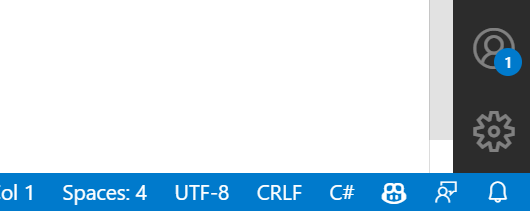
    Once installed, I got a note to sign in to GitHub, and when I had completed that, I saw the Copilot icon in the lower right corner of my IDE.

    2023-04-29 09_11_04-Window

    Getting Started

    My first experiment was to open my ZeroDowntime client code and see what happened. This is a VS 2019 project, but I opened it in VSCode, specifically the form1.cs code. I highlighted some code and …

    Nothing.

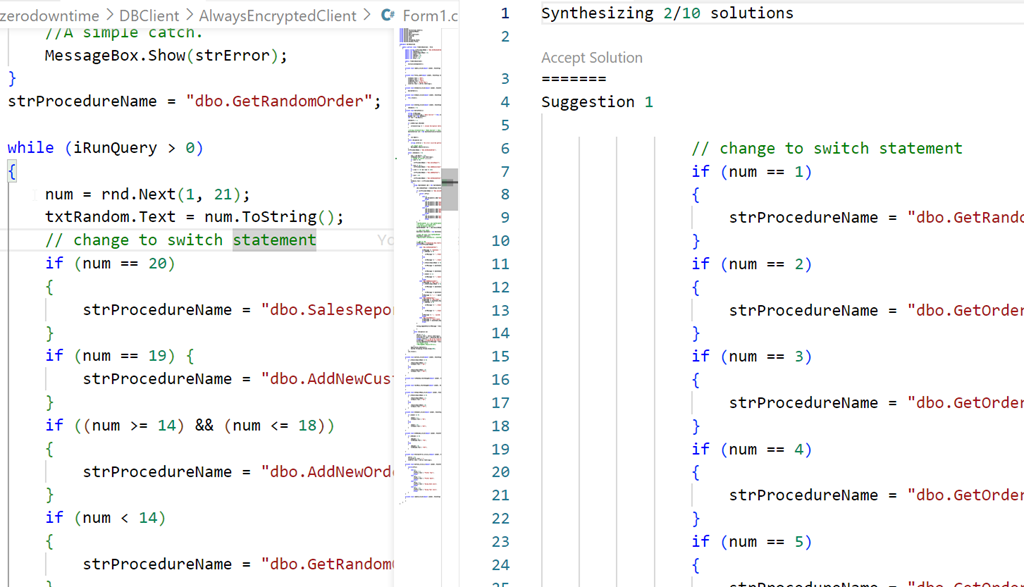
    Then I tried something I’d seen. I added a comment above some code. Still nothing, but when I opened the Github Copilot completions panel, I saw this:

    2023-04-29 09_02_27-● Form1.cs - sqlsatwebsite - Visual Studio Code

    Not helpful, nor what I asked for. Both solutions were similar.

    Starting from Scratch

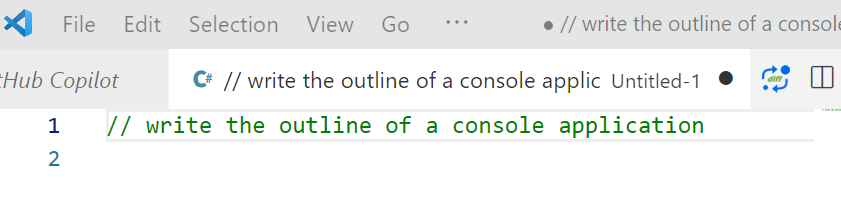
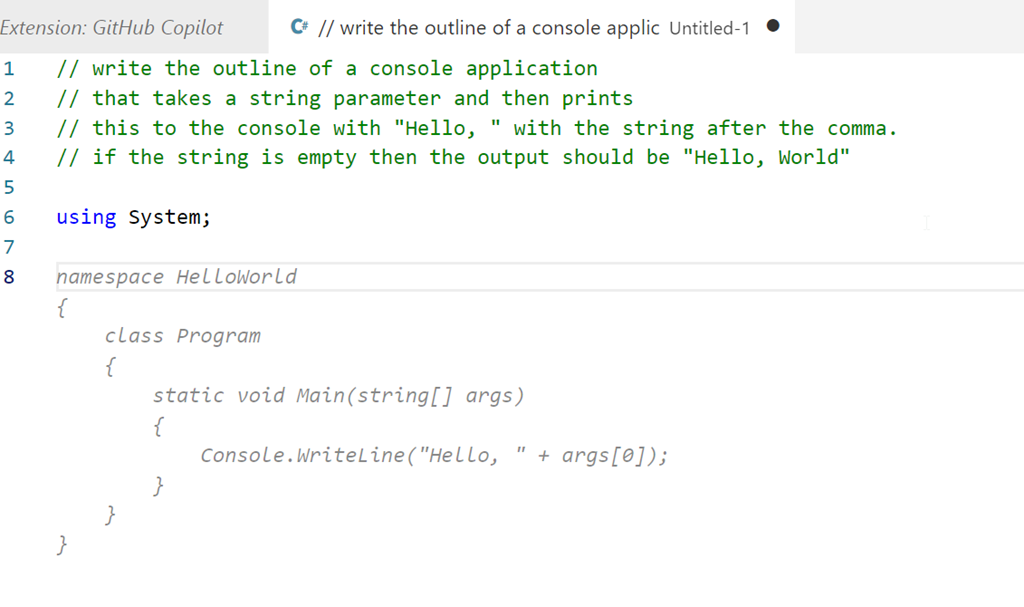
    I decided to then start from scratch. I created a new file, set this to C# and wrote this:

    2023-04-29 09_14_18-● __ write the outline of a console applic • Untitled-1 - sqlsatwebsite - Visual

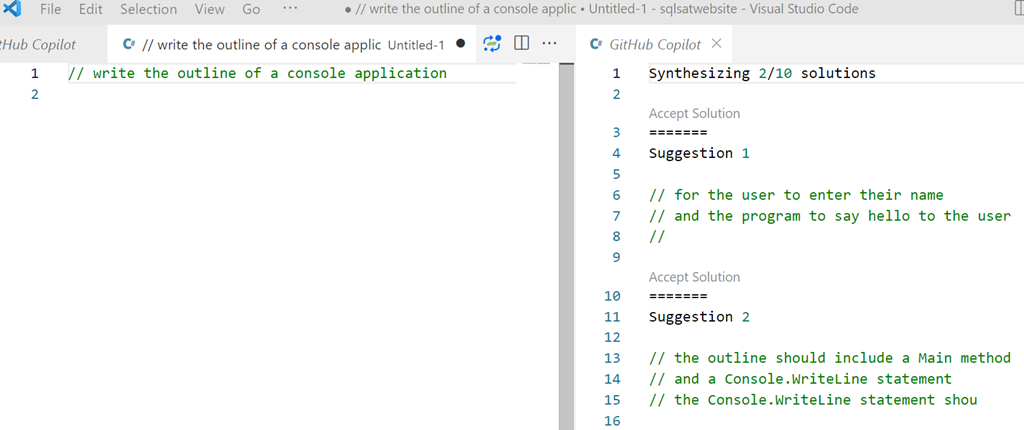
    Initially I got nothing, but when I opened the Copilot panel I saw this:

    2023-04-29 09_14_46-● __ write the outline of a console applic • Untitled-1 - sqlsatwebsite - Visual

    That is more interesting. Clearly poor specifications on my part.

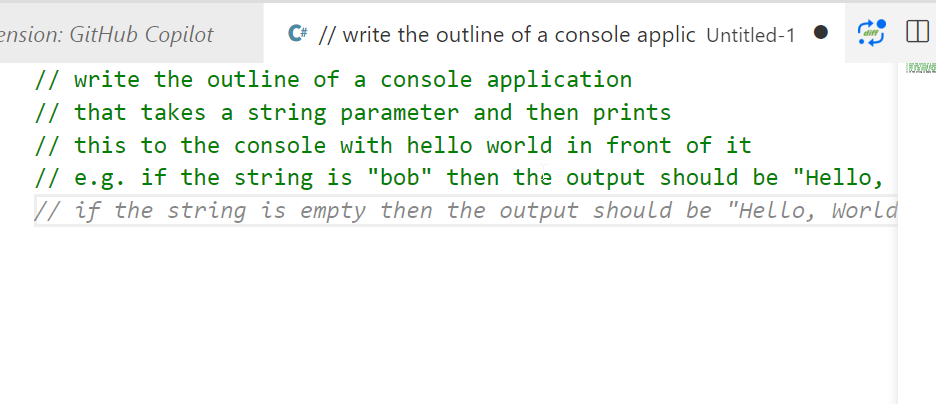
    Let’s try something else. I added more detail, and as I did, Copilot even added a few things after to help me specify what I needed.

    2023-04-29 09_16_06-● __ write the outline of a console applic • Untitled-1 - sqlsatwebsite - Visual

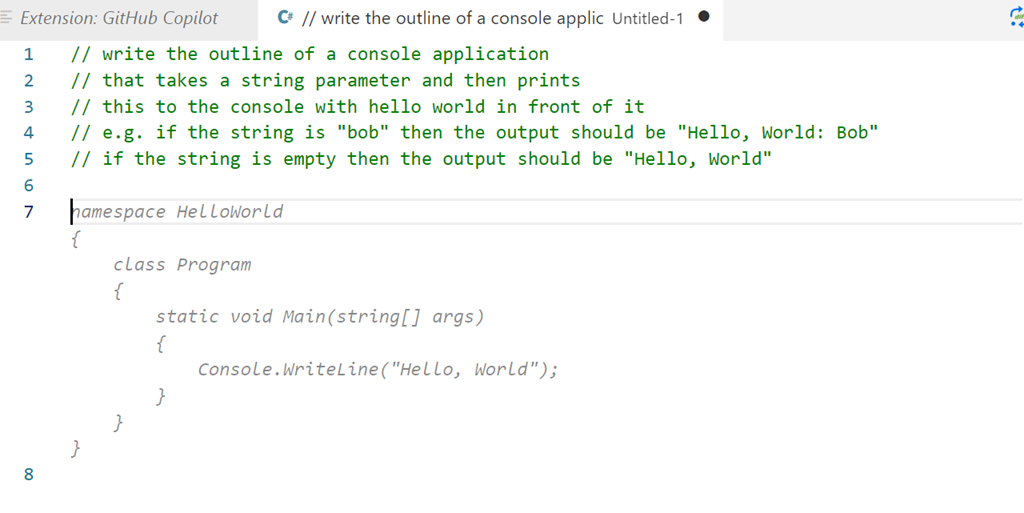
    I finished these lines and hit enter and I got something, though not what I wanted.

    2023-04-29 09_18_07-● __ write the outline of a console applic • Untitled-1 - sqlsatwebsite - Visual

    Let’s try something else:

    2023-04-29 09_19_22-● __ write the outline of a console applic • Untitled-1 - sqlsatwebsite - Visual

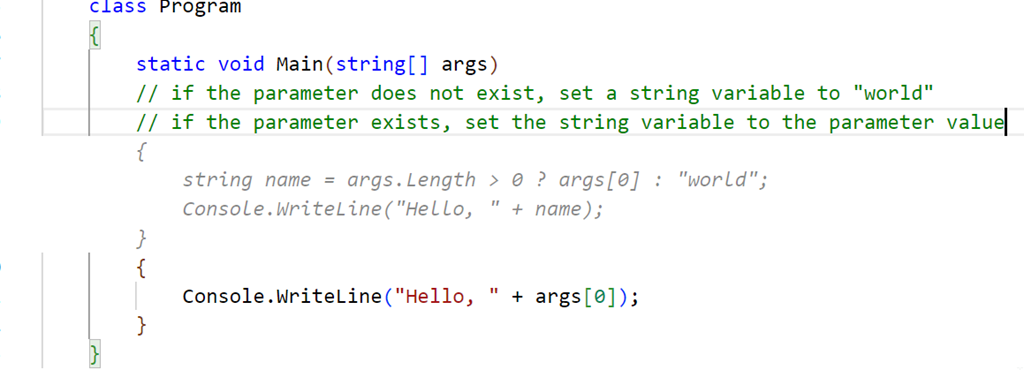
    That’s better. Not great, but better. This doesn’t quite match what I asked for. I copied this to a template project and then added another comment. I want to check for the existence of the parameter, and I got this code, which is better than something I’d write.

    2023-04-29 09_30_22-● Program.cs - sqlsatwebsite - Visual Studio Code

    Not quite right, and I have some lines to delete, but this gives me something, and as a middling C# dev, this is helpful. Once cleaned, I compiled and ran the code, and it seemed to work, at least for a very basic console app.

    2023-04-29 09_37_18-cmd

    Let’s try SQL

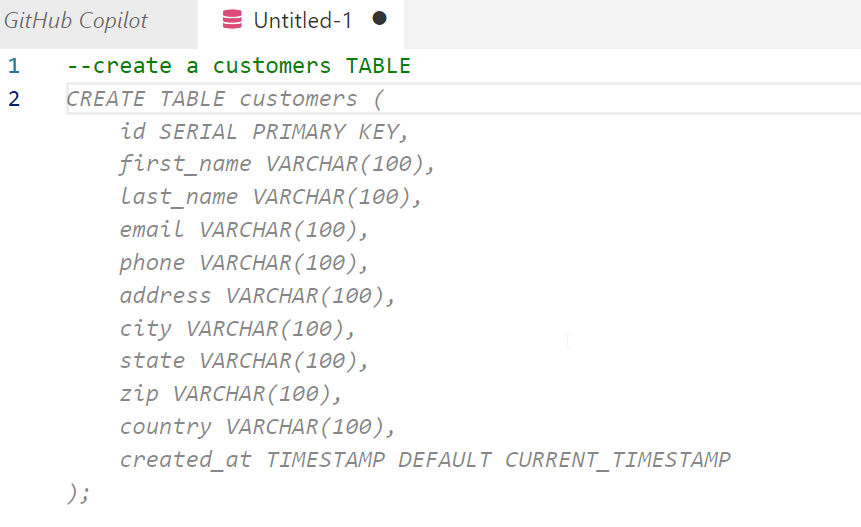
    I opened a new file, set the type to SQL and wrote a comment, using the appropriate comment style.

    2023-04-29 09_38_33-● Untitled-1 - sqlsatwebsite - Visual Studio Code

    I guess that’s OK. Not great, but I didn’t provide much detail. Interesting that it chose to use a created_at column with a timestamp. I never use timestamp, which is deprecated. Not sure how the AI learned about this type, perhaps because of a large corpus of training data using old code with this? Who knows.

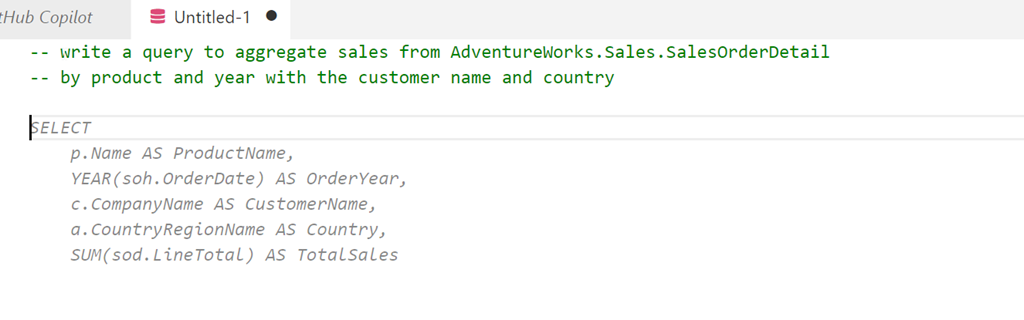
    Let’s try something else. I’ll ask for a query using a known schema.

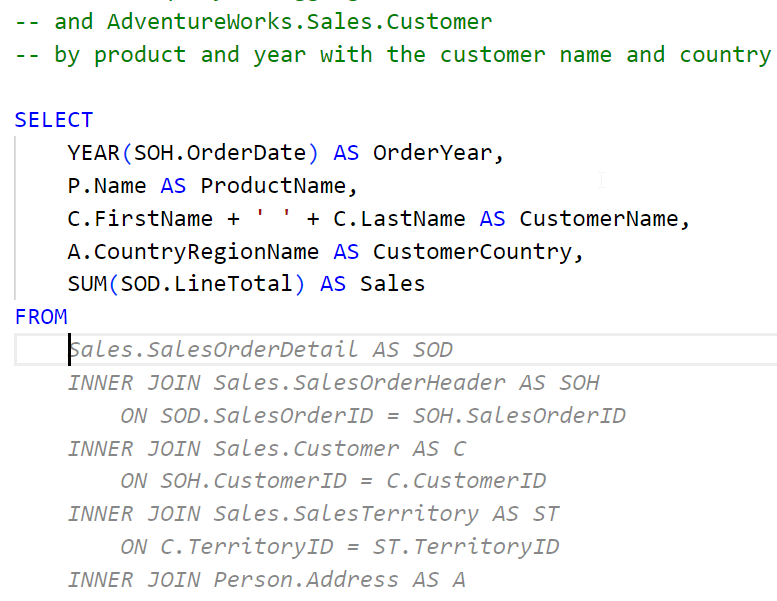
    2023-04-29 09_40_29-● Untitled-1 - sqlsatwebsite - Visual Studio Code

    A start, but not quite right. I do have to keep hitting enter to get the query written. A couple more Enters and Tabs to accept code get me this:

    2023-04-29 09_48_03-● Untitled-1 - sqlsatwebsite - Visual Studio Code

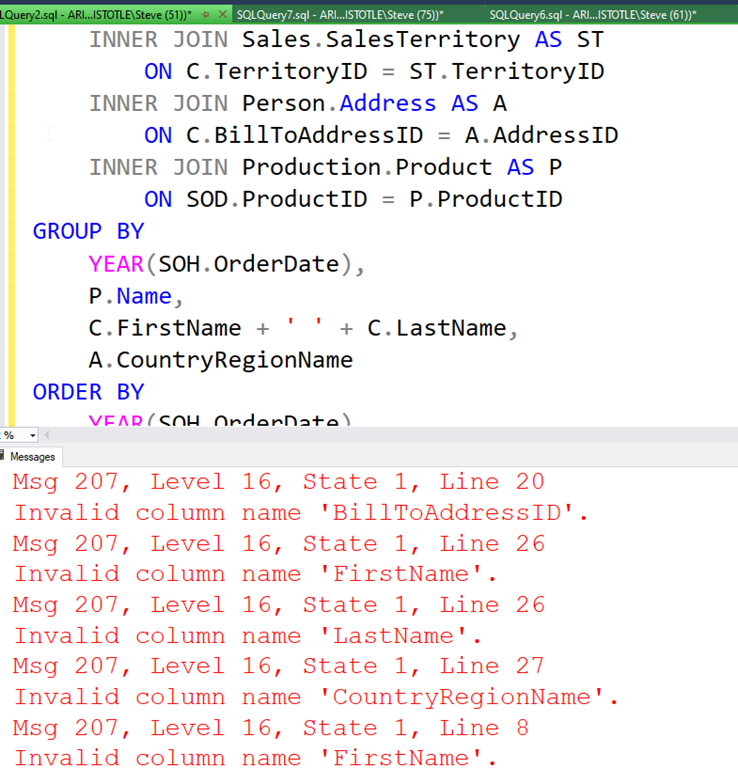
    If I keep going, I get a long query, but it doens’t work. At least not on my version of AdventureWorks.

    2023-04-29 09_50_45-SQLQuery2.sql - ARISTOTLE.AdventureWorks (ARISTOTLE_Steve (51))_ - Microsoft SQL

    Not great.

    What if I add a comment? I’ll ask for window functions.

    2023-04-29 09_51_45-● Untitled-1 - sqlsatwebsite - Visual Studio Code

    I get something else, but again, the final query doesn’t work. This time there are less errors, but the join listed seems to think the Customer table has a first name and last name, which it doesn’t.

    Initial Thoughts

    I’m not sure how useful this is. I think this is going to be one of those tools that I’ll have to practice with and understand how it works. My basic tests are mostly because I’m not sure what to do with it, or how it can be helpful.

    I have lightly seen some demos, but I realize that I need to watch a few more and also experiment with the features. I was hoping it would clean up some of my C# code, which is fairly basic, but it didn’t, at least not with my prompts.

    We’ll see how this goes, and I’ll see if I can use it in ADS and if it can actually recognize and use my database schemas to write queries or tests.

  • Learning and Building Skills

    This is completely off topic and feel free to stop reading if you don’t care about how to tap a bolt, but it was something that I had to a) learn, b) spend time practicing, and c) get done to save money.

    tl;dr it’s not hard, but it was interesting.

    Bear with me as I’ll explain the situation, what happened, and what/how I learned.

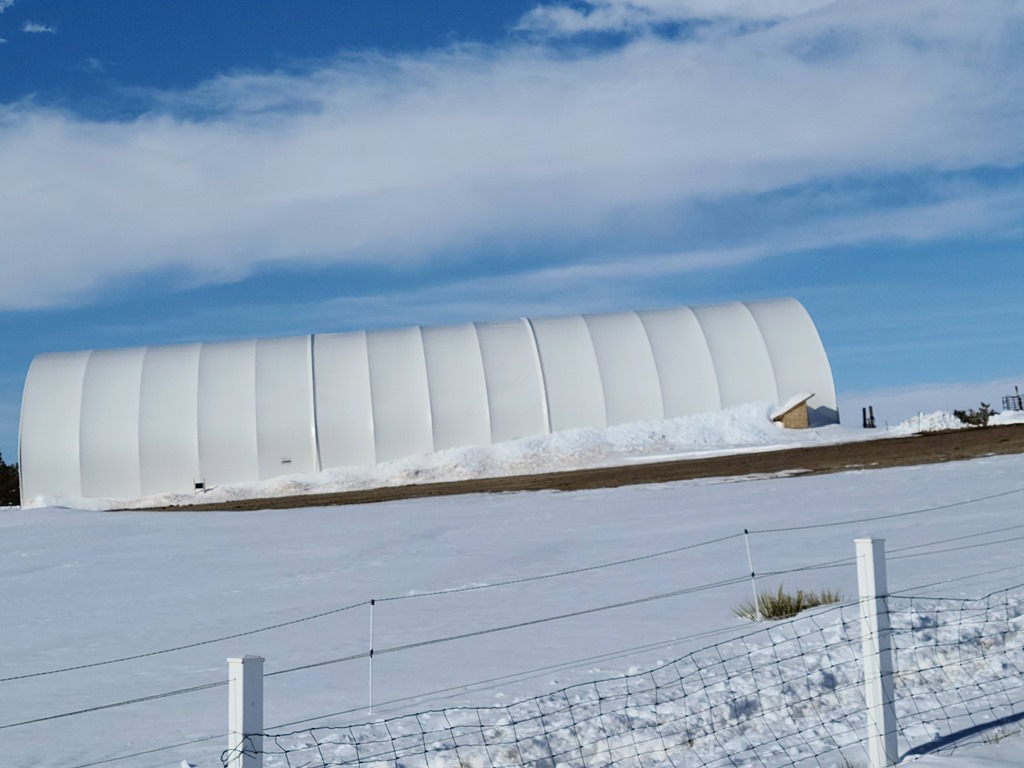
    We have this building on the ranch.

    IMG_2882

    That’s not a great show, but it is cool at night. Here’s a better shot.
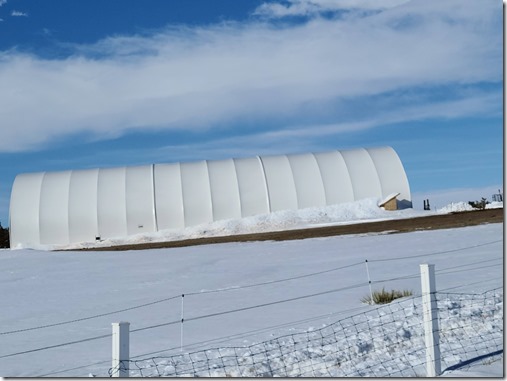
    20210315_161916

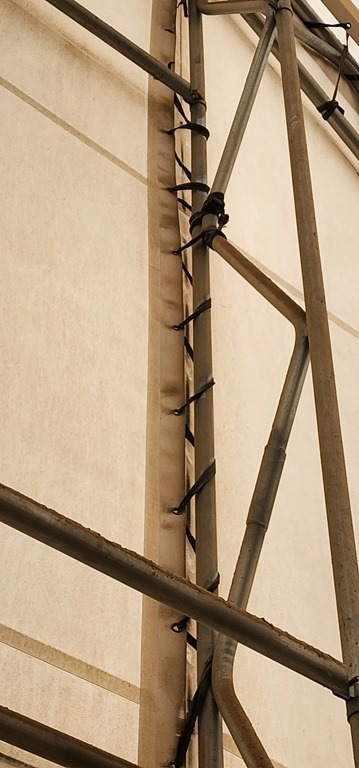
    This is a fabric building, made of a steel frame that’s anchored to the ground and fabric pulled around it. The fabric is actually secured by weaving straps through the frame. Here’s a good shot of how this works, albeit with a broken strap. We actually had to climb up here and tie a new strap to the existing one to secure things. Another skill, but a simple one. Mostly climbing and tying strings.

    messages_0 (1)

    At the bottom of the the fabric, there is a pocket. It’s actually a loop that runs horizontally along the material. Similar to how a hoodie has a pocket around the hood in which a string is threaded. In this case, there’s a steel pole in there. You can see this below, as the white material at the bottom is doubled over and a different color. There is a small pocket cut out towards the middle left where you can see the steel pole.

    20230225_161501

    This steel pole is secured to the bottom frame with a threaded rod. You can see a couple of these in the image, with a washer and nut on it. These go through the pole and screw into the frame that’s on the ground. The nut is tightened and holds the walls down in the wind. There is some space in some places where the wind and go in and out, which allows pressure to equalize inside and outside the building, and also helps the frame resist strong winds by having it flow through.

    I didn’t think much of this when the building was built, but at some point my wife told me a rod had broken and the building was flapping. In this case, part of the wall was moving, which wears the fabric down and can tear it.

    Not an easy thing to fix and potentially something that will cost a lot.

    Repairs

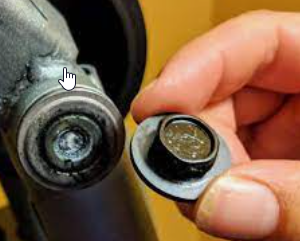
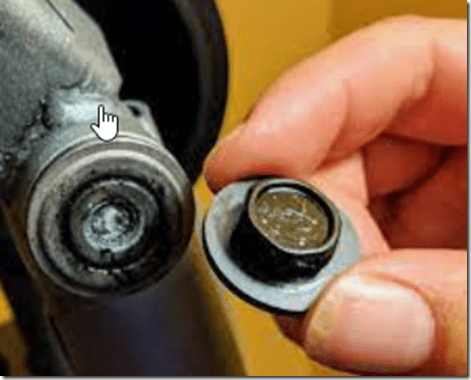
    When I examined the rod, I saw it had broken off in the base frame. I don’t have a great picture, but this is roughly what I saw, albeit in a round steel frame. This picture shows a bolt head broken, but for me, it was a longer rod.
    2023-04-26 13_45_07-bolt broken off in hole - Google Search

    I did what I often do. I triaged the scope and scale of this problem. I saw articles like this one from Bob Vila. That didn’t look took hard, so I decided to see if I could remove the old bolt with a left handed bit and easily fix things.

    I bought a left handed bit and tried and failed. The old bolt is exposed to dirt and the weather and I think it slightly rusted in the nut, or perhaps it was too clogged from dirt, but I couldn’t get it out.

    My thought was to call a service person, but I also know this is a small job. Likely someone can do this in minutes, which means it’s not much $$ and hard to get someone to come.

    A little more research led me to videos like this one, which shows how to make a mark and drill out the screw. In checking with the costs of the tools, I found some that weren’t expensive, and certainly less costly than getting a handyman out.

    So I tried this. I took the broken rod to the store, found it was 1/2”, bought a slightly smaller drill bit (29/64) and a tap/die set.

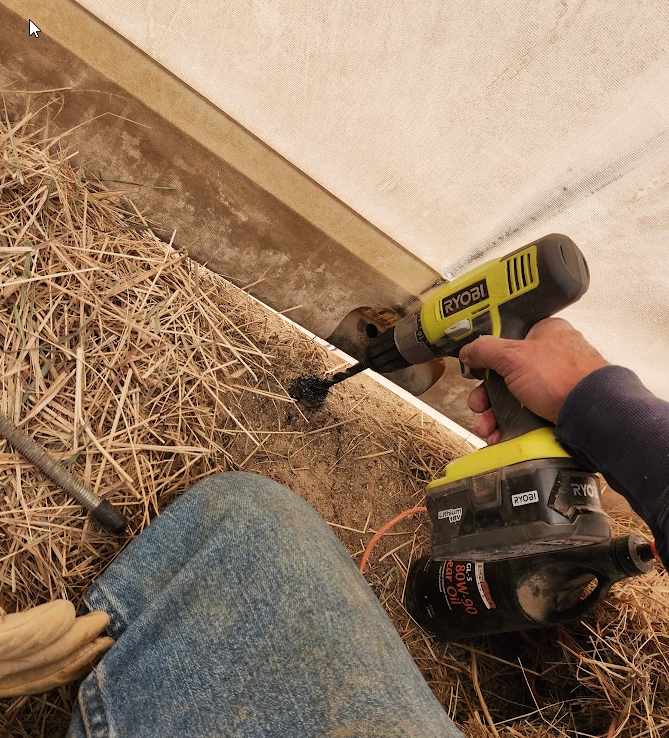
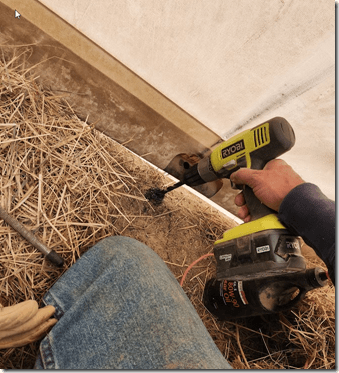
    I got a hammer and a metal drill bit and drilled down into the hole. I used a little gear oil to keep things cool and worked my way down.
    2023-04-26 13_53_10-Photo - Google Photos

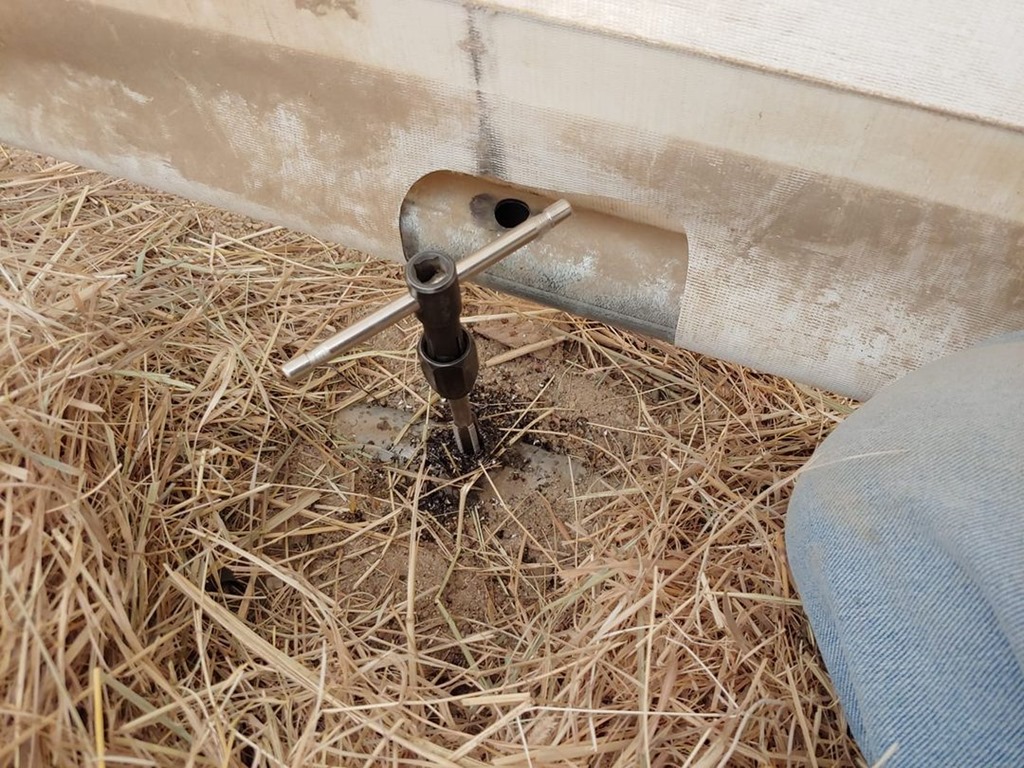
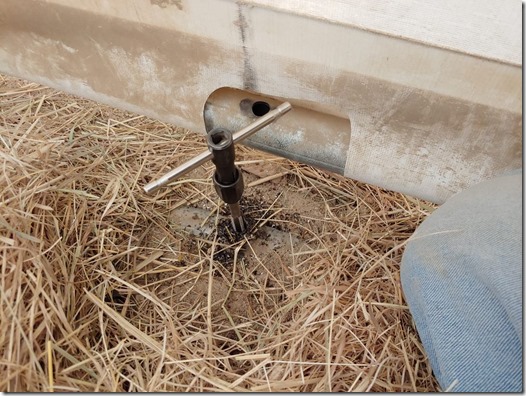
    Once I had a hole, I read instructions, watched a video, and then tapped new threads into the space. This is really keeping this tool aligned and screwing it down into the hole. It’s hard, and definitely tiring on the hands.
    82580967_10220563234979744_3451612706077933568_n

    Once I have this through the metal, I usually can easily go up and down a bit, threading it into and out of the hole. This is really only about 1/2-3/4” of metal as the horizontal tube below is hollow.

    The last part is threading in a new rod and tightening down the not on the bolt to hold the base.

    Reusing New Skills

    Once I did one, I felt confident in doing others. In fact, the first time my wife pointed out the problem, there were 2 to fix. Since then, I find that I need to fix 2-3 every year, in different places. Some from weather, some perhaps from horses or people kicking the base.

    I found that after the second time, I didn’t even need to go look up the process, as I internalized what needed to be done.

    There are quite a few skills like this I’ve learned in my lifetime, and plenty here at the ranch, that save money, and more importantly, time. They also give me a sense of satisfaction.

    On the list this year is to teach my daughter this skill as she’s hoping to come work on the ranch after college and this is something she can do.