Category: Blog

  • Create a SQL Azure Database–Old Portal

    Another post for me that is simple and hopefully serves as an example for people trying to get blogging as #SQLNewBloggers.

    I worry about beta software, so when I wanted to create a new Azure database, I stuck with the old portal. Call me nervous, but the new portal worries me at times. It works, but since the default is the old one, I often use that one.

    You can use either, but here I’ll show you how to create a database with the old (which will be gone someday) portal.  It’s simple and easy, and this only takes a few minutes.

    Creating a Database

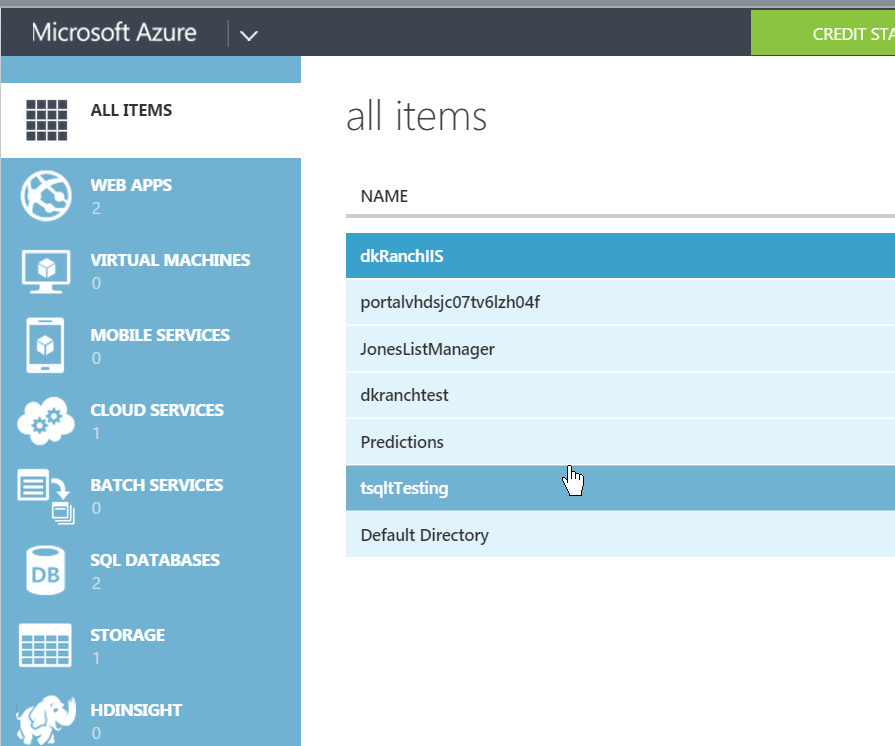
    Here’s the “old” portal. I wish it had a major version number, because that’s what it needs.
    2015-08-14 13_36_27-Movies & TV

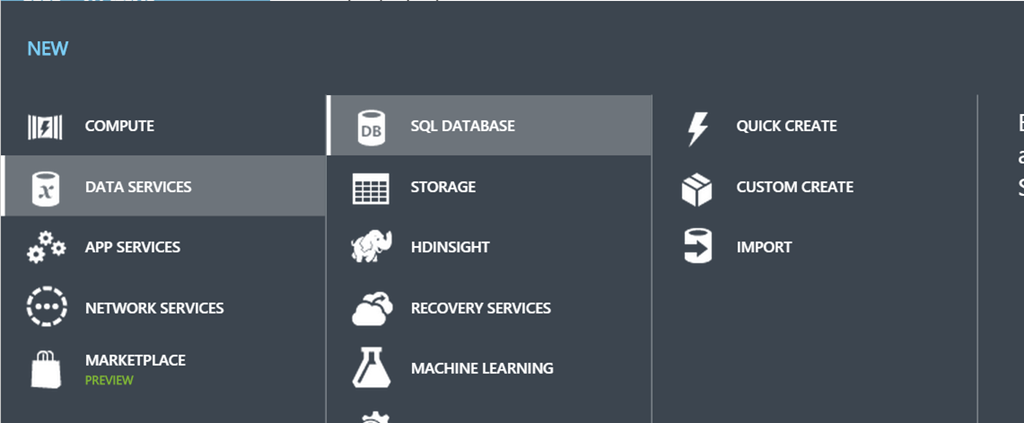
    I’ve got a few things running here. In the lower left corner is a “New” button, which I can pick. When I do, I choose Data Services and get this.
    2015-08-14 13_36_42-SQL Databases - Microsoft Azure

    I select SQL Database and then click “Custom.” You could click quick create, but I wanted to show more options. There aren’t a lot, but you can put in a few.

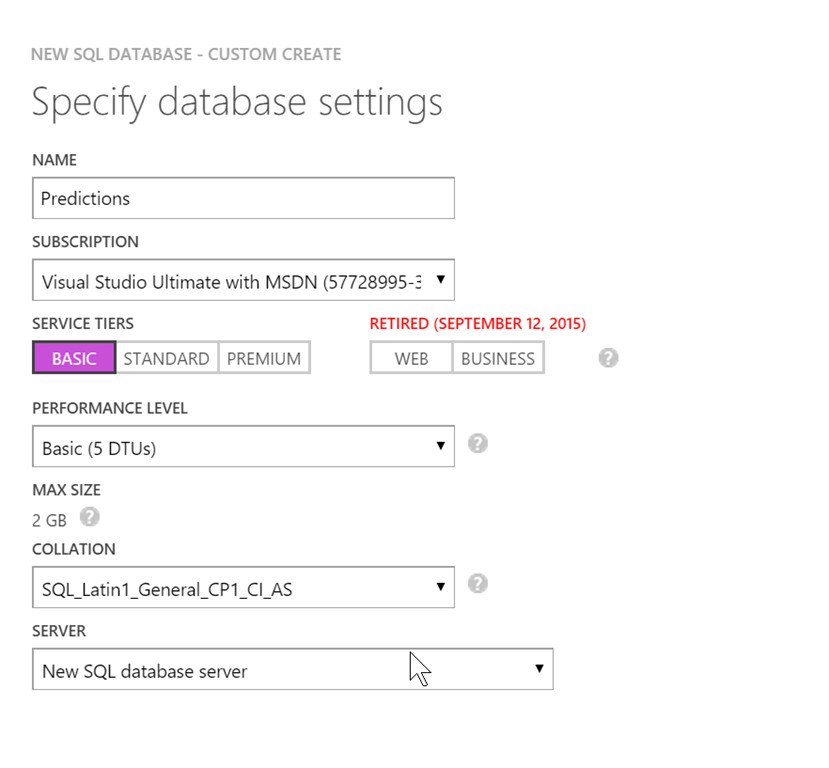
    You get the settings page. The first thing you need is a database name. You can pick your subscription as well as the size of the system. Be aware of charges when you pick sizes. S0 is not cheap.
    2015-08-14 12_21_27-SQL Databases - Microsoft Azure

    I had an existing server, so I used that, but the system will create one for you if you need it. This is really the name you connect to, so if you care, create one first and then use it here.

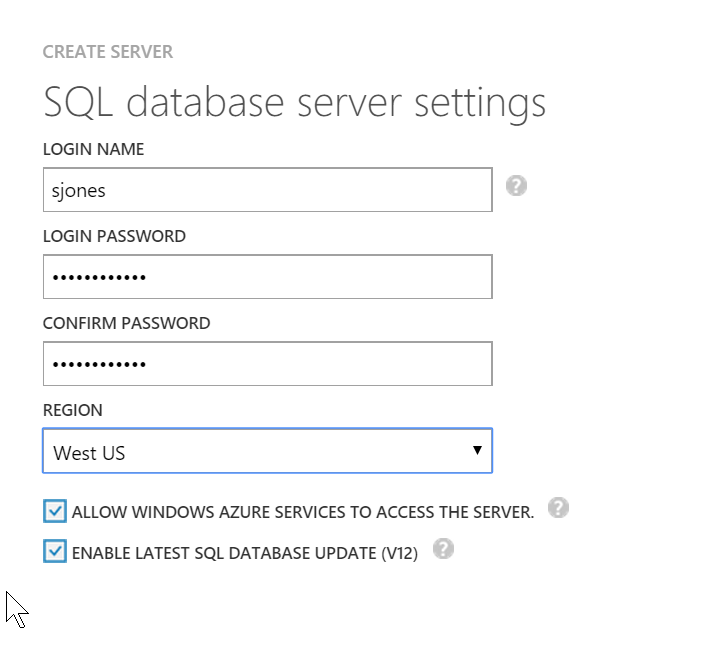
    The next screen is really for the main admin account. Enter a decent password and save it. You can reset this form the portal once it’s up, so don’t be too concerned, but build good habits. Don’t use the same password everywhere and use a password manager so you pick strong ones.
    2015-08-14 12_22_28-Store

    Once that’s done, create the database. It will take a little time, but you’ll see a moving “Creating” item in the status. There’s no percentage, but I think it was about 3-4 minutes for me one afternoon.
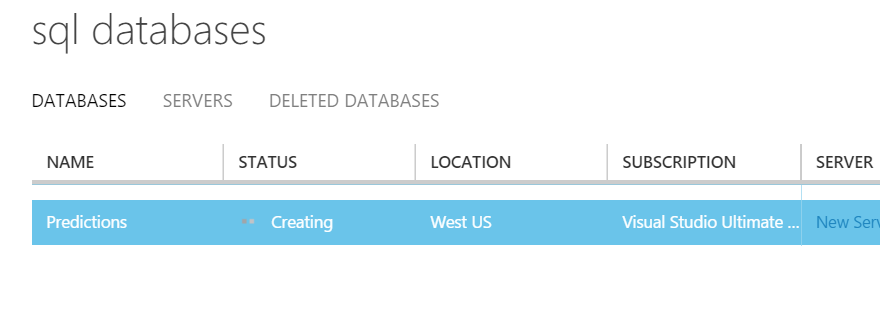
    2015-08-14 12_22_39-SQL Databases - Microsoft Azure

    Once it’s done, the database list will show you the database as online.
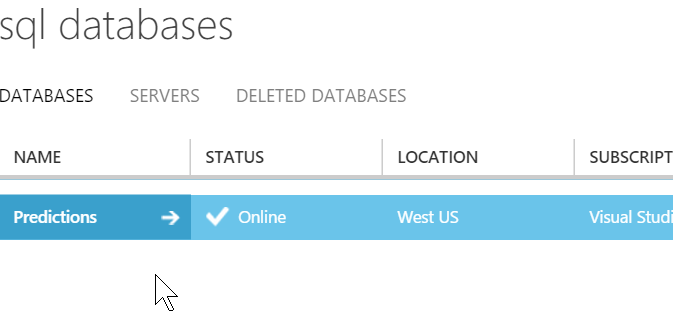
    2015-08-14 12_28_16-Store

    If you go to the dashboard, you’ll see  a number of items listed.
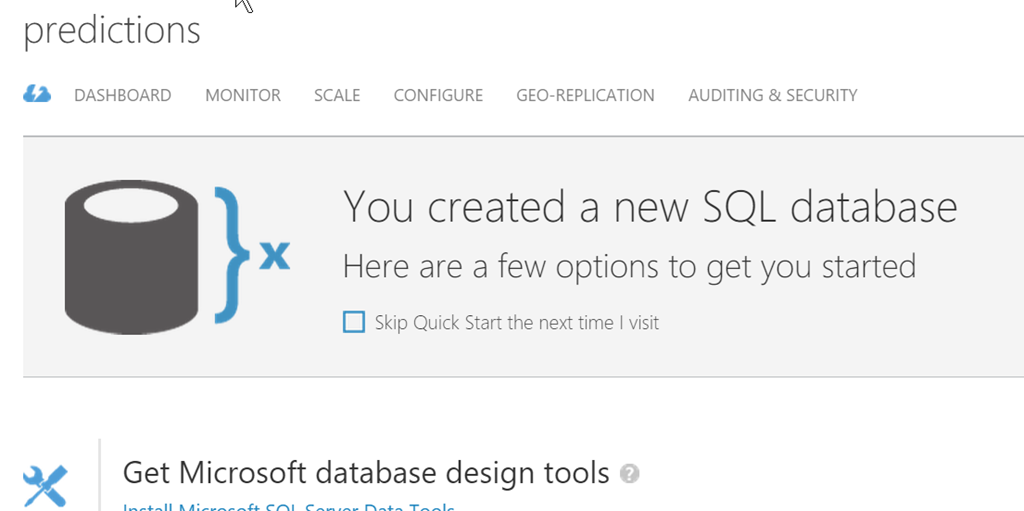
    2015-08-14 12_28_47-Greenshot capture form

    Scrolling down, you might see the important item that you care about. How to connect. The server is listed, and if you’re using an app with ADO, PHP, OLEDB, etc, you can click the link and get the strings you will use.

    2015-08-14 12_29_01-SQL Databases - Microsoft Azure

    That’s it. Simple, easy, and ready for you to use.

    SQLNewBlogger

    I was actually working on something in the new portal and wanted to go back to the old portal to see how things worked. As I waited for the main screen to refresh, I though, hey, write a post.

    So I captured screen shots. It took maybe 10-15 minutes to type this up.

    References

    None used.

  • SQL Saturday #403–Louisville

    This weekend I’ll be attending SQL Saturday #403 in Louisville, KY. If you’re in the area, think about taking a few hours out of your Saturday and coming to learn some SQL Server stuff. There’s a great schedule, with 6 tracks and 6 sessions per track.

    That’s 36 opportunities to improve your skills and career!

    I’ll be delivering two sessions during the event. I have my Branding Yourself for a Dream Job first thing in the morning at 8am. I know it’s early, but I like to give you some ideas for networking and planning your career for the rest of the day.

    My second session is Continuous Integration for Databases at 10:30. I’ll give you a taste of how to improve your software development process by using version control and a build server to verify and test your database code.

    There are some great afternoon sessions, but I likely won’t be there as I have family in town and want to spent a few hours with them. However come grab me in the morning and say “hi”. I really enjoy meeting the SQL Server community and look forward to another great SQL Saturday in Louisville.

  • Catch up with T-SQL Tuesday

    T-SQL Tuesday is a monthly blog party where we get an invitation the first week of the month to write on a specific topic for the second Tuesday of that month. Adam Machanic came up with the idea and he chooses the hosts.

    If you’re interested in hosting, contact him.

    While there’s a sense of community and participation here, and certainly the chance to showcase some of your knowledge for others, it’s also got another benefit.

    It’s the chance for you to learn something.

    Not by reading other’s posts, but by writing your own. This is your opportunity to bolster your own skills, and teach yourself something new.

    Don’t Worry About Timing

    I know many of you are worried about the pressure of producing something good. I know many of you will find that the first weekend of the month is really busy and you can’t write.

    That’s fine.

    I’ve got a list of all previous invitations and topics. Go back and pick one of them and write your own post today. Start working on it, teach yourself something, and put some thoughts down. Research what others have done by looking through the roundups. Get a friend to review the work and see if it’s readable and makes sense.

    Do that ten times. It might take you ten months, but I’m sure you can write something down about SQL Server once a month.

    When you get ten, start a blog and publish them. Use the T-SQL Tuesday tag, but I’d also encourage you to use the #SQLNewBlogger tag as well. Start showing your boss that you’re improving your skills. Be ready to impress you potential next new boss with a series of posts on SQL topics.

    Your career will be better off, and the world will start to see better software being written.

    Start improving your skills this weekend, or start documenting the learning you already do. Either way, start building a better brand for your career.

  • Window Functions at IT/DevConnections

    I’m honored to have been chosen to present again at the IT/DevConnections conference this September in Las Vegas. It’s being held once again at Aria, which so far has been the only conference center I’ve seen that handled the bandwidth needs of a tech conference.

    I’ve got a few sessions, but one is on windowing queries in SQL Server. It’s an intermediate T-SQL session, looking to get you started in using Window functions in your code. It’s good if you’ve never used them, and I expect I’ll get some developers at this session, perhaps more than DBAs.

    If you’re looking for advanced usage, this is the wrong place. I’m not covering complex scenarios. I’m just trying to get you started.

    If you can get your boss to invest in your career, this is a good conference to attend, especially if you wear multiple hats or are responsible for multiple roles. You can get the chance to see an amazing set of sessions from some of the best people working in technology. You can learn about SQL Server, Visual Studio, SharePoint, ASP.NET, C#, Powershell, Azure, Windows Server, and more.

    The event is in Las Vegas, which is always fun for me. I don’t gamble, but I can take a night and see a show, which is always fun. If you want to come out for a few days, Hoover Dam is nearby, some great hiking outside of town, and of course, lots of music at various venues.

    It will be a good time, and I hope to see some of you there.