Category: Blog

  • Returning Results from an Insert – OUTPUT clause

    I needed to return an identity value recently from an insert for use in another piece of code. For a client front end, you can easily encapsulate your insert in a stored procedure and then SELECT scope_identity() to get the last identity. However there’s an easier way: the output clause.

    The OUTPUT clause is a clause that goes in your INSERT statement and allows you access to the INSERTED table, just like a trigger (also the DELETED table.

    A short example below, where data is being added by the server in the state of an identity and a default. I am returning them with the OUTPUT clause.

    CREATE TABLE mytesttable
    ( MyID INT IDENTITY , mychar VARCHAR(20) , mydate DATE DEFAULT GETDATE() ) GO DECLARE @mytable TABLE ( i INT, d DATE); INSERT dbo.mytesttable (mychar) OUTPUT INSERTED.myid, INSERTED.mydate INTO @mytable
    VALUES ( 'First Row') SELECT i, d FROM @mytable

    There are any number of ways to use this data, especially in terms of logging or inserts into another table. It should be cleaner code, but it doesn’t mean that you should be running inserts from the client without stored procedures, or at least without explicit parameters. Make sure you still use those.

  • A Quick Export with SQL Packager

    Disclosure: I work for Red Gate Software

    Someone asked me the other day if I’d ever used SQL Packager to export a table to send to another person. I hadn’t, and in fact hadn’t even ever run the tool, but this individual said it worked great.

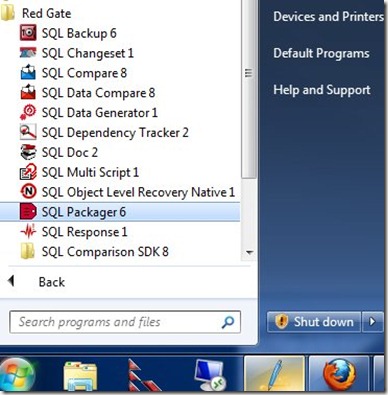
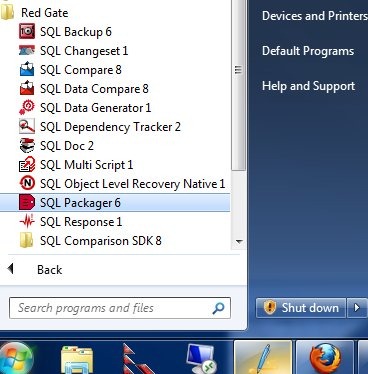
    Since Red Gate tools are designed to be simple and intuitive, I thought I should give it a try and see what happens. I went through the Start Menu and found SQL Packager in my toolbelt installation:
    packager0

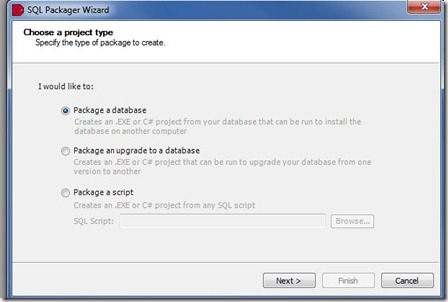
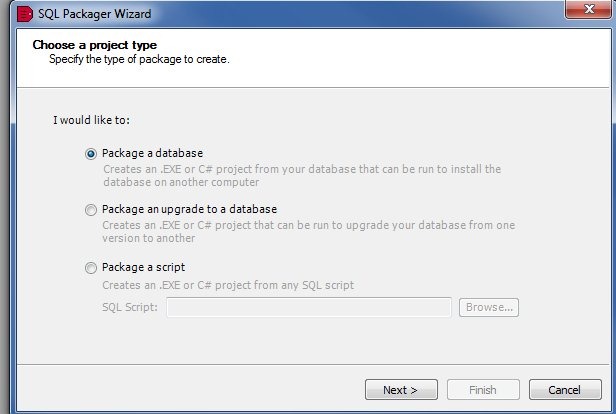
    I documented this as I went, shooting this images as I went through the process for the first time. As soon as Packager started, it began the packing wizard.
    packager1

    SQL Packager is designed to help you bundle up a database, or part of a database, as a part of an installation in your application. It can produce an .exe, a C# project, or a set of scripts that you can include as a distributable item in your application installation (or upgrade). The information can be compressed, so you reduce the requirements for your customers.

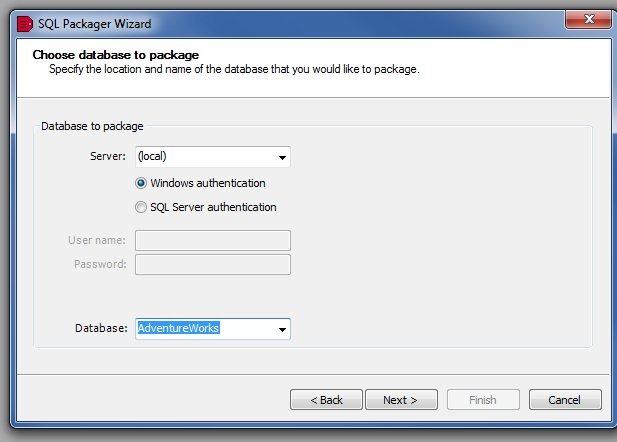
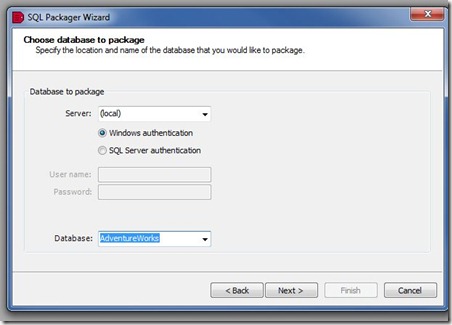
    In my case, I decided to just package up a table. I first signed into my local instance, and chose the AdventureWorks database.
    packager2

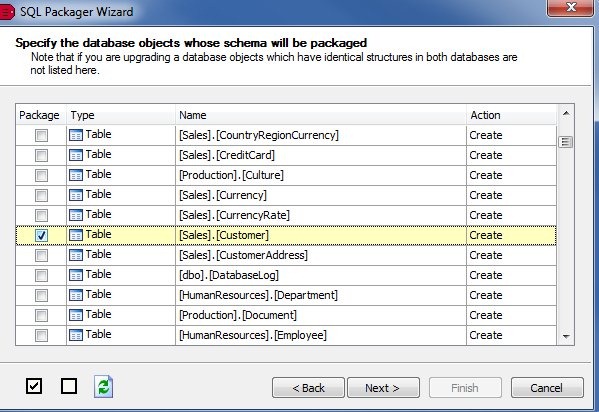
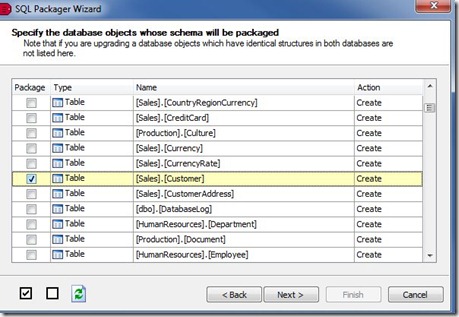
    Next, I chose just one table, the Customers table. The Red Gate tools tend to follow a similar, intuitive design, and try to do the most common things for most customers. In this case, the entire database was selected (this is a database packaging tool), so I deselected all, and then chose the Customer table.
    packager3

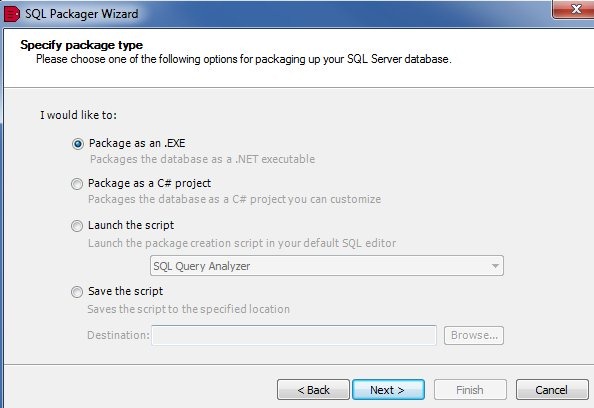
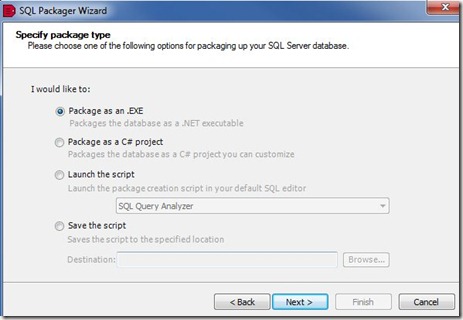
    Once I choose the table and click next, and confirm the selection, the packaging begins. I get some options as to how I might choose to build my package.
    packager6

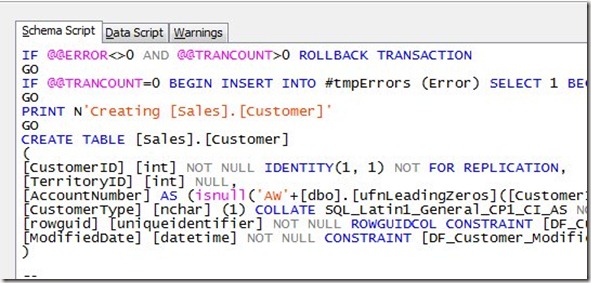
    The options are shown, and in this case I choose to save the script. Once I clicked next, I had a change to see the final script. First there was the schema tab:
    packager4

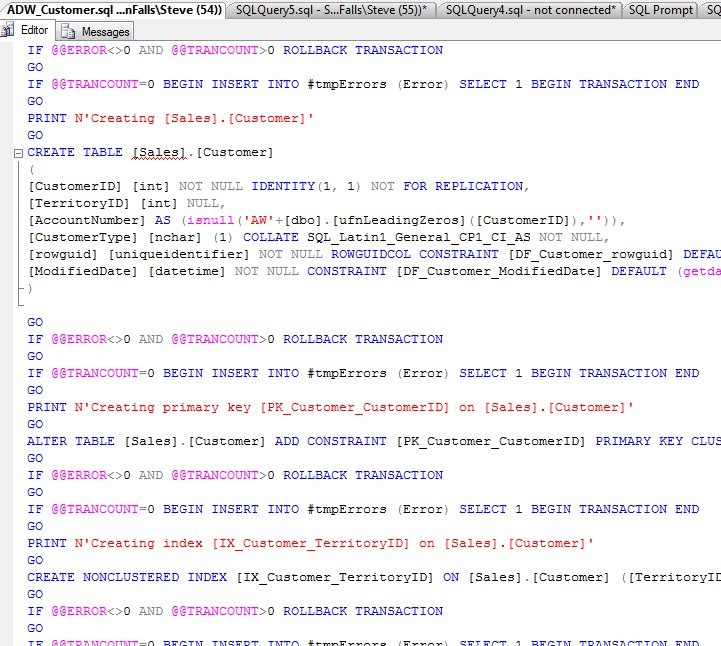
    On this tab, all the DDL for my table is there, including a couple dependent tables, and some functions needed for defaults or computer columns. Keys and indexes were included.

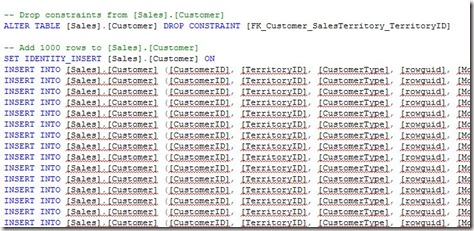
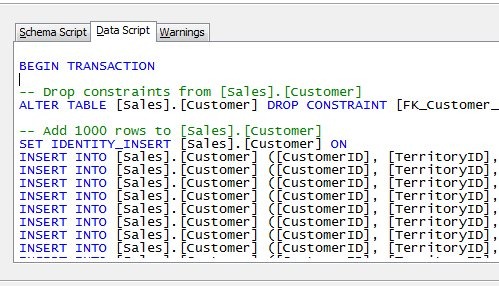
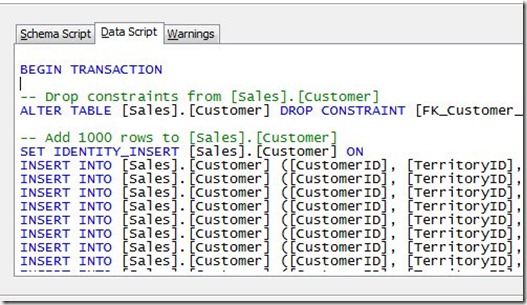
    On the data tab, I had the DML for the actual data.
    packager5

    The comment says “Add 1000 rows”, which seems like a default. However I went back and checked in SSMS, and sure enough, my table had 1000 rows.

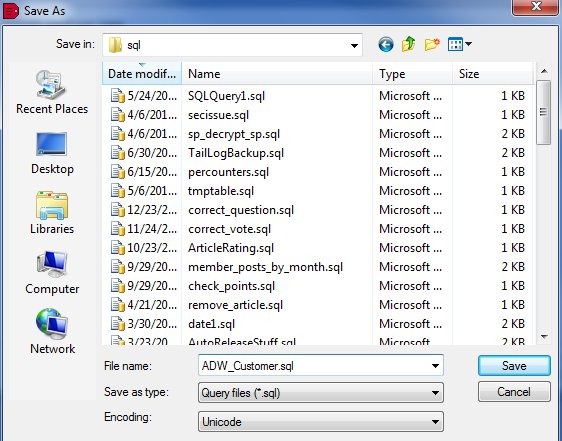
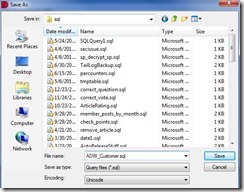
    I clicked next, and had the chance to specify a save location.
    packager7

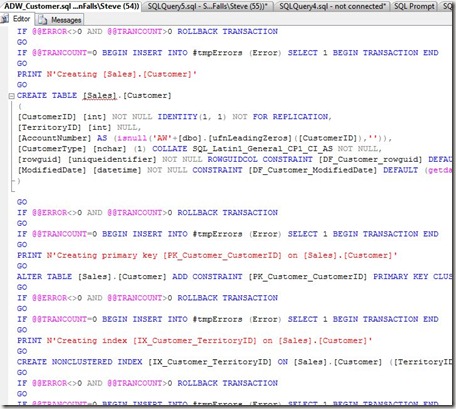
    After saving, I opened the script in SSMS, just to check. Sure enough, the DDL was at the top:
    packager8

    and the data at the bottom:

    packager9

    Simple, and easy.

    If you are looking for a way to move certain sections of your database for a deployment, like all the lookup tables, give SQL Packager a try.

    If you need to send some stuff to a client or friend, it might be a simple way as well to export the DDL and DML into one package.
  • Enabling Compression? Update your baseline

    I wrote recently about capacity planning, with an item near the end about disk usage. Someone pointed out to me that compression can dramatically affect your baseline, and as you implement it, or de-implement it, you need to update your baseline.

    That’s an important point, and if you make changes, you want to do one of two things.

    • Recalculate the old numbers to be in line with the new ones
    • Make a note in your documentation somewhere

    Whether you restate the history is up to you, but I wouldn’t. I hate changing the old values, but I can see someone not being aware of changes and perhaps getting confused. If that is a problem, and you are sure you’ll keep compression around, then you can run a quick test of compressed and uncompressed backups, get a rough idea of the ratio, and then alter your old numbers.

    For me, I prefer to make a documentation note, and update everyone to be aware of the change, perhaps even adding filters to my extrapolation routines to not use the older data.

  • The Avon Walk

    It’s more often than not that I wake up, hoping that no new bad news comes my way.

    The short story is that my wife is going to do a 39mi walk this summer to raise money for cancer. If you are so inclined, you can donate here.

    I’m fine, my family is healthy, and lucky, and we don’t have any real problems. We have inconveniences and annoyances, and I’m thankful that’s all we have to worry about. We are very fortunate that the five of us are all living happy, successful lives.

    However that’s not the case with many friends and acquaintances we have. Lately it seems that 1 out of every 10 people we know has been struck by cancer. Some are survivors in remission, some are struggling and some are just starting their treatments.

    Perhaps it’s a sign of getting older, and our friends getting older. Sickness is more likely as you age, and we are coming to terms with this as the news of friends’ struggles reaches us. It’s sad, and it sucks, and I hope that we can find a cure for the various cancers in my lifetime.

    My wife lost her mother to breast cancer, and she has a few friends that are in the middle of their fights. She writes about it on her donation page, and decided to do something more than donate our own money. She committed to the Avon Walk this summer, a marathon one day, and a half the next. She started her training last weekend, dragging me along for a few walks.

    She is looking to raise awareness of the issue, and also raise money to help fight the disease. If you are inclined to help the research, please feel free to donate. If you’d like to sign up for this challenge, we’d love to have you join in as well.