Tag: AIExperiments

  • Adding Copilot to Azure Data Studio and a Few Experiments

    As a part of a recent Data Exposed that I was on, there was an ADS update which mentioned Copilot being added. Since I’ve been experimented, I decided to give this a try.

    This is part of a series of experiments with the ChatGPT and other AI systems. Lots of Copilot lately.

    Installation

    One of the easy things about VSCode and ADS is that you can install things from the marketplace very easily. You search and it appears, as shown here. Click Install to add it.

    2023-08-02 12_33_05-Extension_ GitHub Copilot - VCS_Primer-1 - Azure Data Studio

    Once you do this, it’s enabled. I have access to the Copilot with my GitHub account, so I assume this picked this up.

    Using Copilot in ADS

    There’s a blog about what this tech is and a few workflows. However, I decided to try something first. I picked a table in this connection and started typing. Copilot added a suggestion.

    2023-08-02 12_40_32-● SQLQuery_1 - Aristotle_SQL2022.sandbox (Integrated) - VCS_Primer-1 - Azure Dat

    It’s not a good one. That’s a table, not a function.

    2023-08-02 12_40_51-● SQLQuery_1 - Aristotle_SQL2022.sandbox (Integrated) - VCS_Primer-1 - Azure Dat

    Yeah, some AI isn’t reading my schema and sending it back to GitHub. Boo, this isnt’ helpful. I can only guess that seeing “StringSplit” had the AI guessing this was related to string_split(). Something a new dev might think.
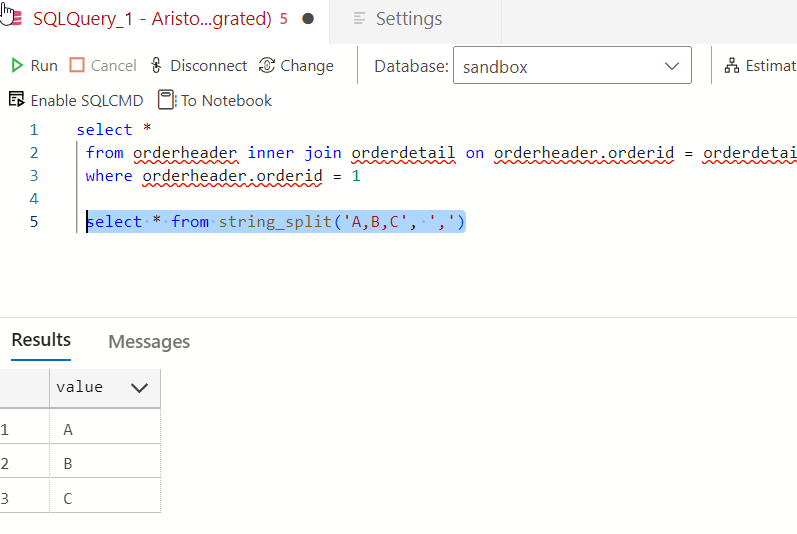
    2023-08-02 12_47_56-● SQLQuery_1 - Aristotle_SQL2022.sandbox (Integrated) - VCS_Primer-1 - Azure Dat

    OK, let’s pick a table and see if intellisense works better. I’m guessing it doesn’t. Here’s a suggestion based on what I typed.
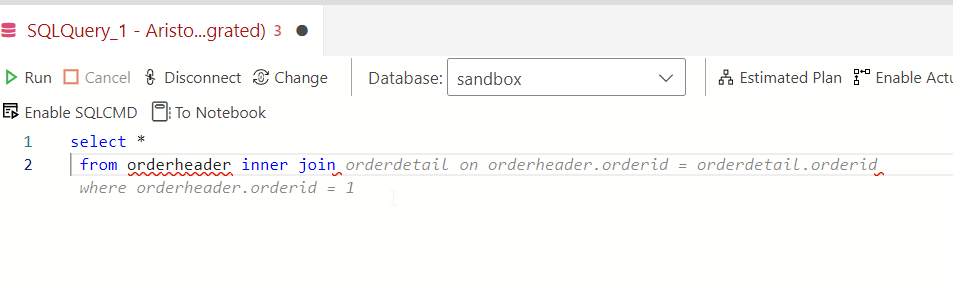
    2023-08-02 12_43_04-● SQLQuery_1 - Aristotle_SQL2022.sandbox (Integrated) - VCS_Primer-1 - Azure Dat

    Not a bad guess. I have some schema in here, and there is an OrderHeader related to a Customer table. However…
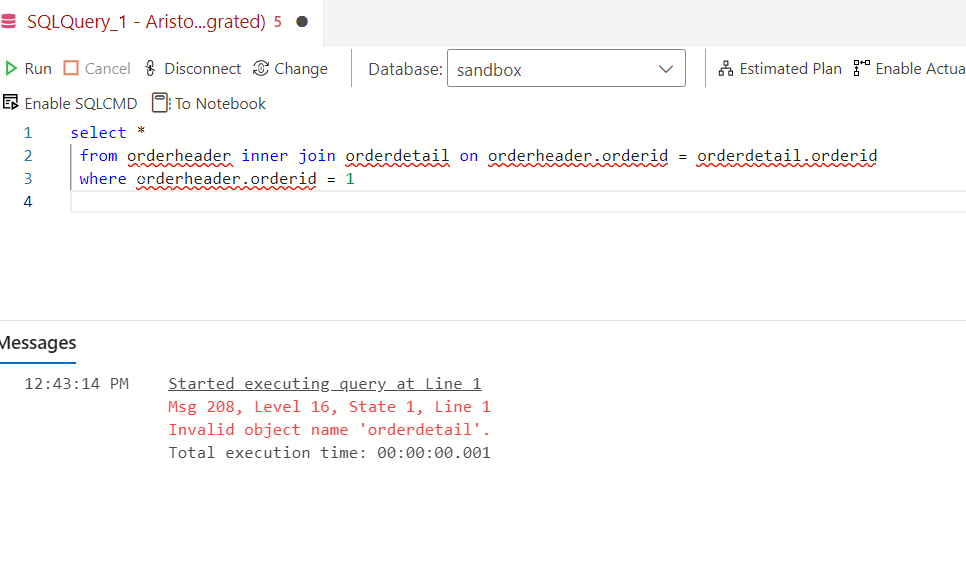
    2023-08-02 12_43_24-● SQLQuery_1 - Aristotle_SQL2022.sandbox (Integrated) - VCS_Primer-1 - Azure Dat

    There is no orderdetail. This clearly isn’t intellisense. It’s an AI taking guesses.

    Trying Comments as Prompts

    Let me try a few things from the blog. I’ll enter a comment.

    2023-08-02 12_50_25-● SQLQuery_1 - Aristotle_SQL2022.sandbox (Integrated) - VCS_Primer-1 - Azure Dat

    I don’t like that. While I think this is valid for MySQL or PostgreSQL, it isn’t for SQL Server. Setting aside why LIMIT isn’t in T-SQL, why doesn’t copilot recognize this is T-SQL? Let me help it.

    2023-08-02 12_54_06-● SQLQuery_1 - Aristotle_SQL2022.sandbox (Integrated) - VCS_Primer-1 - Azure Dat

    Better, but I don’t want to add “in T-SQL” to everything.

    Another experiment. I tried a couple of prompts, but realized that asking for “orders” doesn’t mean that the AI knows I mean orderheader. Context around what or where an order is stored is something humans might include in natural language. However, I got this:

    2023-08-02 12_55_26-● SQLQuery_1 - Aristotle_SQL2022.sandbox (Integrated) - VCS_Primer-1 - Azure Dat

    Which doesn’t work. I’d left the “in t-sql” from the previous prompt, so I’m not annoyed there, but this isn’t looking at schema. I also find the Oracle help not helpful.

    2023-08-02 12_55_36-● SQLQuery_1 - Aristotle_SQL2022.sandbox (Integrated) - VCS_Primer-1 - Azure Dat

    However, this was interesting. I wanted a shipdate (this is a column) in 2023. The first suggestion was = Jan 1, but when I deleted that and hit enter again, I got this.

    2023-08-02 12_58_12-● SQLQuery_1 - Aristotle_SQL2022.sandbox (Integrated) - VCS_Primer-1 - Azure Dat

    Not bad. I tried a longer prompt, with a few comments. All of the code was suggested a line at a time, and when I hit Enter, I got the next line.
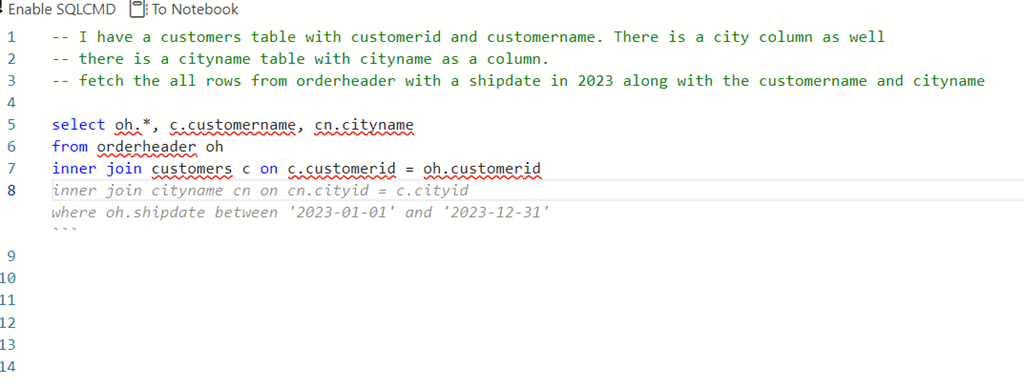
    2023-08-02 13_00_38-● SQLQuery_1 - Aristotle_SQL2022.sandbox (Integrated) - VCS_Primer-1 - Azure Dat

    The blog does note that adding the table create at the top of the query helps. Let’s try that.

    I’ll add creates for customer and orderheader. I then try a simple prompt and get this.
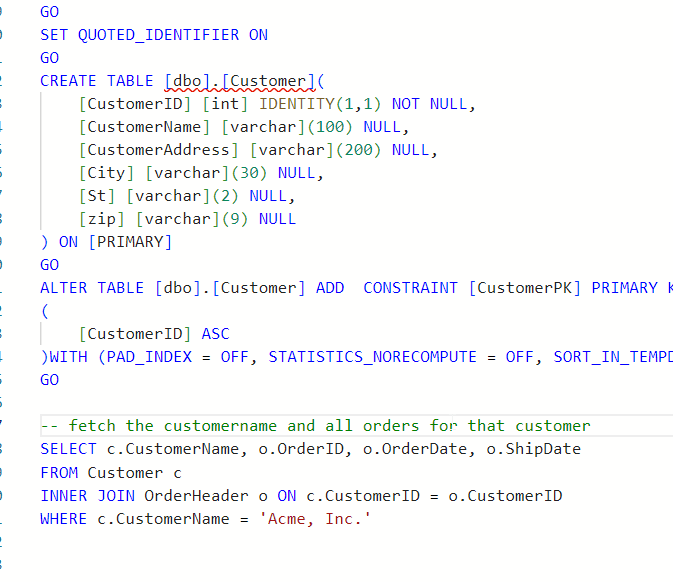
    2023-08-03 15_19_54-● SQLQuery_2 - dbo.OrderHeader Aristotle_SQL2022.sandbox (Integrated) - VCS_Prim

    Note, I tried “write a query”, but that didn’t work. I used “fetch” from the blog and that got me something. Though, not sure why this term is needed.

    I also changed my prompt trying to get all matching orders and got this instead.
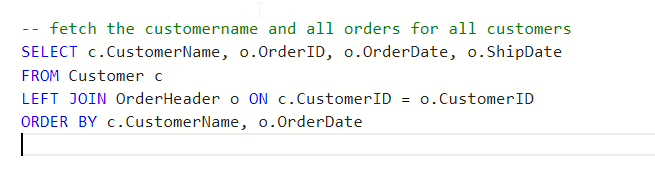
    2023-08-03 15_20_20-● SQLQuery_2 - dbo.OrderHeader Aristotle_SQL2022.sandbox (Integrated) - VCS_Prim

    I also tried changing this to get matching orders. No idea why the customer name is limited in here.
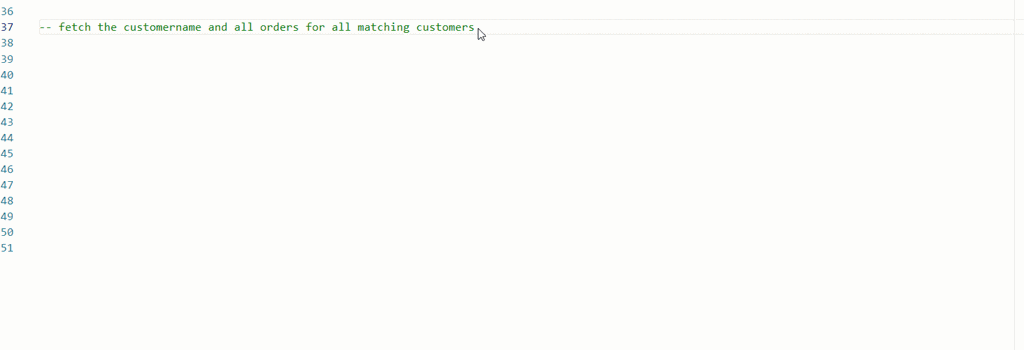
    ads_query_1

    What about aggregates? I know some people have trouble with these.

    ads_query_2

    Not bad.

    Conclusion

    Adding Copilot to ADS is easy, but using it isn’t. The code it produces can have lots of mistakes, and not even work. It can make some strange assumptions, like junior devs might do.

    Adding context makes things better, but for many of these simple queries, I have to describe things enough that I might as well write the query. Especially with SQL Prompt, I’d use SSMS instead.

    However, learning to use prompts is a skill and it’s one to work on. Hopefully the AI will improve over time and I’ll start to see more useful suggestions, especially with different types of code.

    So far, I’m impressed very little with this tool.
  • Copilot Experiments: A little PowerShell help

    It’s been a little while since I’ve had time to relax a bit and try some AI help. This is another experiment I made.

    A user on SSC asked about PowerShell to copy files with a date appended.

    This is part of a series of experiments with the ChatGPT and other AI systems. Lots of Copilot lately.

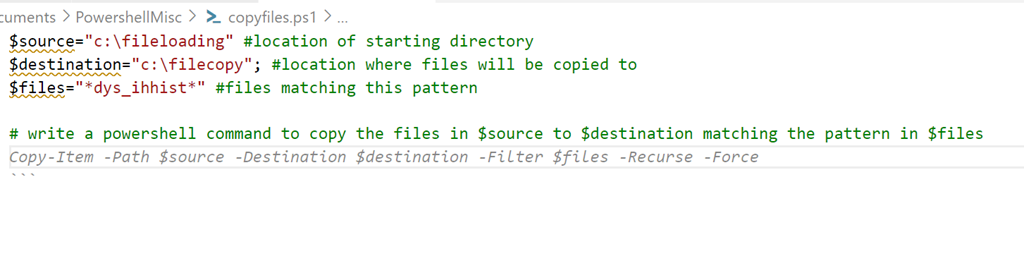
    I added some code to a new file and typed a prompt:

    2023-07-31 14_57_41-● copyfiles.ps1 - sqlsatwebsite - Visual Studio Code

    If I run this, it does work. Sort of.

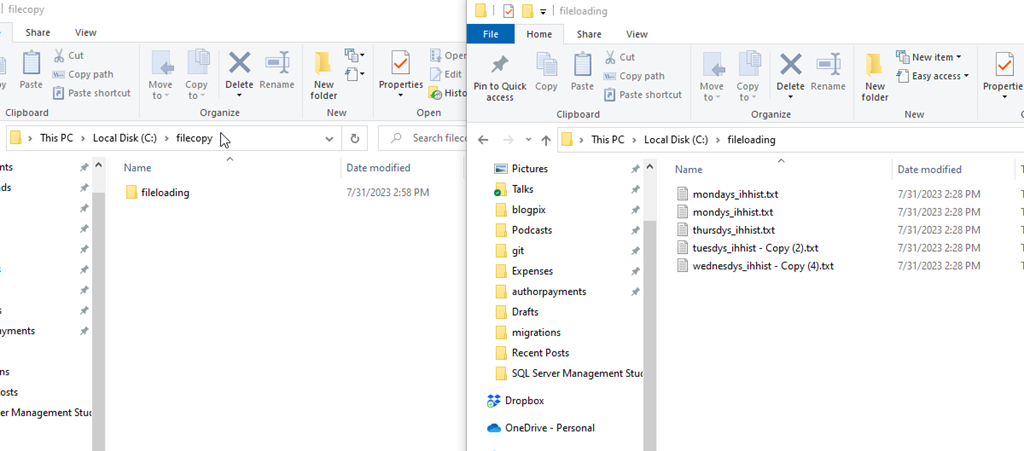
    2023-07-31 14_58_51-fileloading

    It made a folder copy, not a file copy. However, the filter worked.

    2023-07-31 14_58_58-fileloading

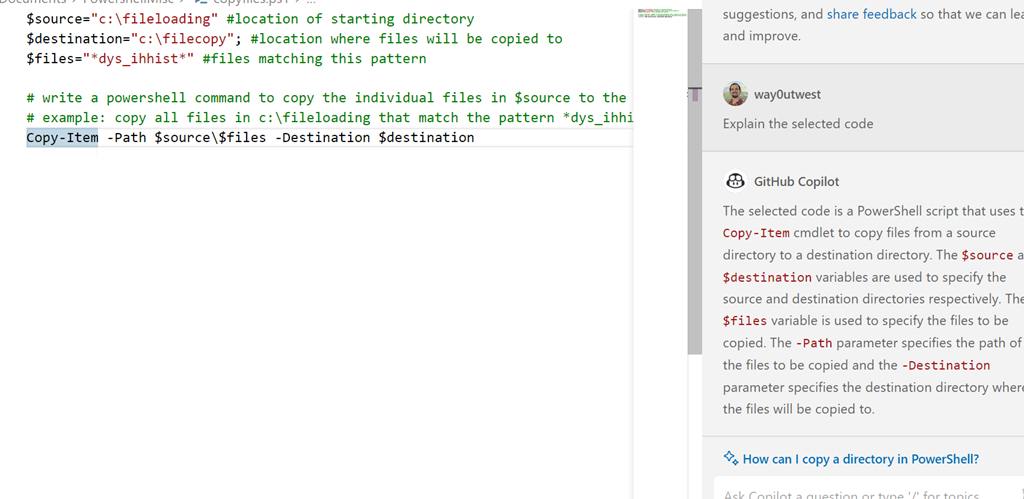
    Let’s try again. I’ll modify the prompt and get Copilot to explain what it’s doing in the code. I get this:

    2023-07-31 15_00_59-● copyfiles.ps1 - sqlsatwebsite - Visual Studio Code

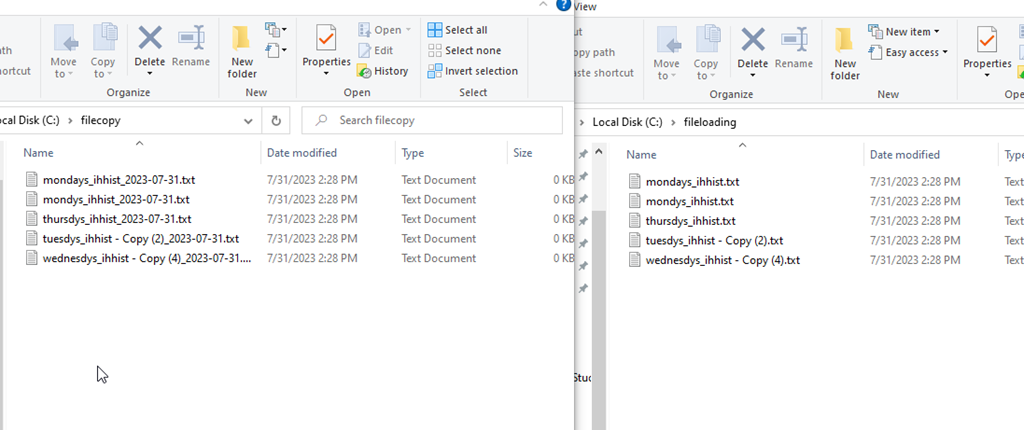
    Which works:

    2023-07-31 15_01_04-fileloading

    Hmmm, can it do what I want.

    I tried a few prompts in the code window, but I kept getting things that wouldn’t work, like call copyfiles.bat, or something that didn’t work.

    Let’s move on.

    Copilot Chat

    I got access to the Copilot Chat as part of Redgate. There is a new chat extension to add to VS Code, which I did. I opened it and got this with my prompt:

    2023-07-31 15_05_17-● copyfiles.ps1 - sqlsatwebsite - Visual Studio Code

    Good, this code will copy the files, but does all of them.

    2023-07-31 15_07_23-fileloading

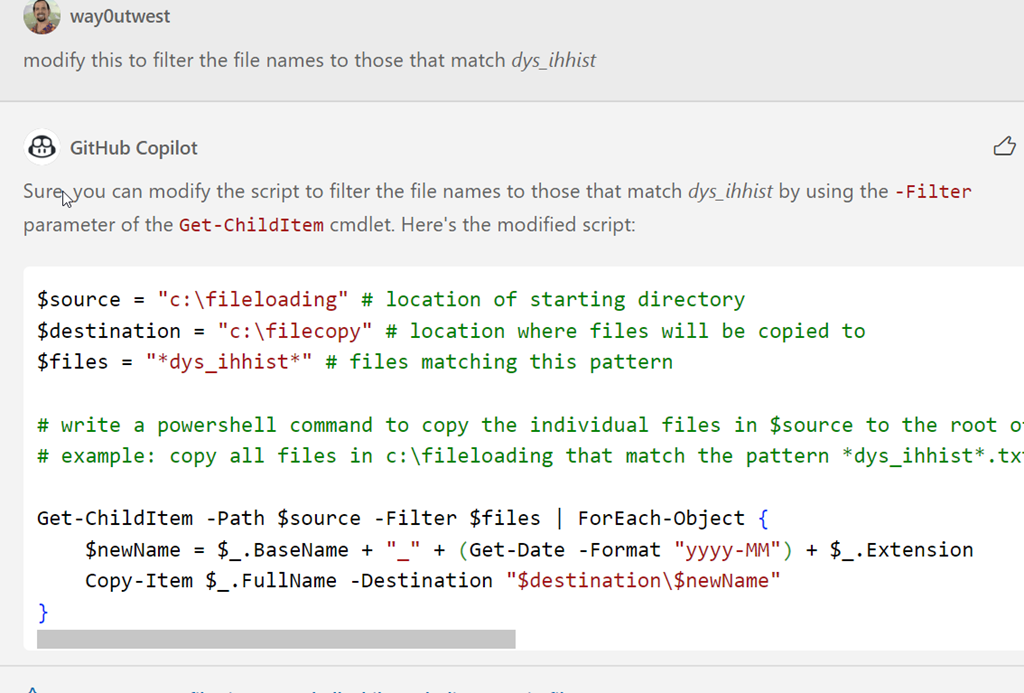
    One advantage of AI bots is I don’t need to start over. I did this:

    2023-07-31 15_08_04-● copyfiles.ps1 - sqlsatwebsite - Visual Studio Code

    This worked correctly.

    2023-07-31 15_08_38-fileloading

    This was a simple example, but it produced about the same code as I did, albeit slightly cleaner. Mine was this:

    $source="c:\fileloading" #location of starting directory
    $destination="c:\filecopy"; #location where files will be copied to
    $files="*dys_ihhist*" #files matching this pattern

    # write a powershell command to get a list of files in $source matching the $files pattern
    $a = get-childitem $source -filter $files
    $a | foreach {write-host $($_.basename)-$(get-date -f yyyyMMdd)$($_.extension)}

    # write a powershell command to copy files from source to destination appending the date to the filename
    $a | foreach {copy-item $_.fullname $destination\$($_.basename)-$(get-date -f yyyyMMdd)$($_.extension)}

    I don’t know enough PoSh to know which is really better. And honestly, I don’t feel like testing at scale. Let me know if you have knowledge here.

    However, the chat window for copilot produced this quicker than I did, without me having to try and remember the PoSh parameters and structures of the functions. I had to dig around on SO to remember basename was what I needed and look up the parameter for get-date.

    The code window isn’t great, and partially I think because I don’t know how to get prompts to work in the comments, but I do like the chat window. I’ll keep playing.

  • Getting AI Written Unit Tests

    As a part of my AI experiments, I decided to ask CoPilot to write some unit tests. Here is what happened.

    The Prompt

    To get started, you enter a prompt as a comment and put the cursor on the next line. Then I can open the CoPilot completions panel. Here was my prompt:

    -- for an orderheader table with orderdate and ordertotal columns
    -- write a tsqlt test to ensure that the orderdate is not null
    -- and that the ordertotal is greater than zero

    Once I completed this, I looked at the results.

    The Solutions

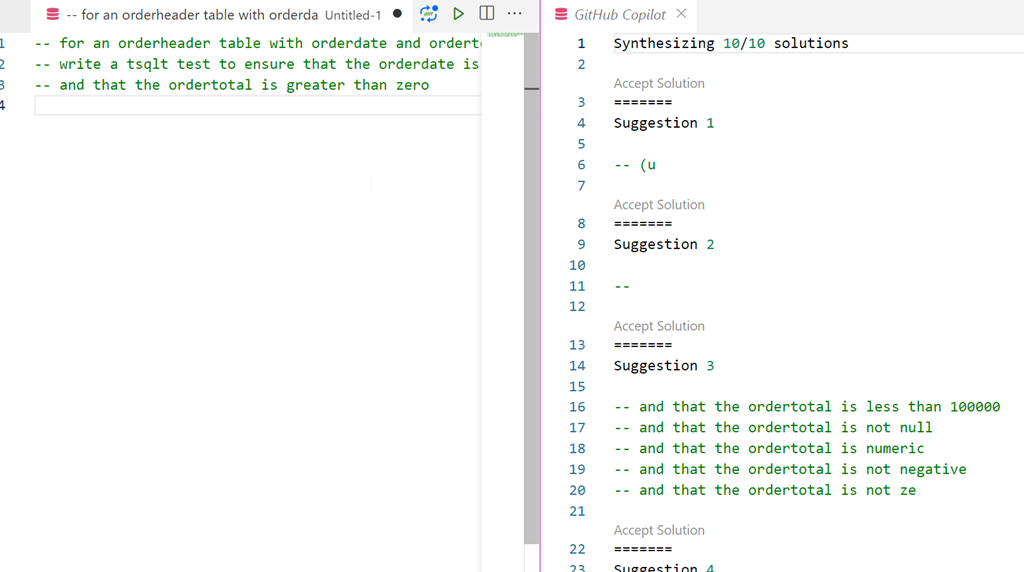
    The first few solutions weren’t very helpful. I’m not even sure what was the thinking for 1 and 2. Three at least starts to get me to think about different cases.

    2023-05-10 14_01_56-● -- for an orderheader table with orderda • Untitled-1 - zerodowntime - Visual

    Solution 6 started to have promise:

    2023-05-10 14_02_37-● -- for an orderheader table with orderda • Untitled-1 - zerodowntime - Visual

    Then solution 8 was here. It opens with a short summary of what to do. Not terribly useful here, as this type of structure is something that a developer learns once and then remembers.

    Suggestion 8

    The solution was a mix of code and text, which I assume is assembled from somewhere on the web. Leaving aside the problems of Intelletual Property, here’s what I saw. All the results are formatted as code here.

    CREATE PROCEDURE [test orderheader columns]
    
    AS
    
    BEGIN
    
        -- Assemble
    
        -- Act
    
        -- Assert
    
    END
    
    GO
    
    ```
    
    The test should pass if the column is not null and the total is greater than zero.  The test should fail if the column is null or the total is less than or equal to zero.
    
    OP 2019-09-18: The following is a solution that I put together:
    
    ```
    
    CREATE PROCEDURE [test orderheader columns]
    
    AS
    
    BEGIN
    
        -- Assemble
    
        DECLARE @columnName sysname = 'orderdate'
    
        DECLARE @sql NVARCHAR(MAX) = N''
    
        -- Act
    
        SELECT @sql = N'SELECT ' + @columnName + N' FROM orderheader'
    
        EXECUTE sp_executesql @sql
    
        -- Assert
    
        EXECUTE tSQLt.AssertEquals @Expected = 1, @Actual = @@ROWCOUNT
    
    END
    
    GO
    
    ```
    
    The assert statement will fail if the column is null.  If you want to assert that the column is not null, you can use the following:
    
    ```
    
    EXECUTE tSQLt.AssertNotEquals @Expected = 0, @Actual = @@ROWCOUNT
    
    ```
    
    If you want to assert that the column is not null and the value is greater than zero, you can use the following:
    
    ```
    
    EXECUTE tSQLt.AssertNotEquals @Expected = 0, @Actual = @@ROWCOUNT
    
    AND @Expected = 1, @Actual = (SELECT COUNT(*) FROM orderheader WHERE orderdate > 0)
    ```

    That looks interesting. It’s a set of things I need, but not quite ready for us. However, it has some structure that I can use.

    Did It Help?

    Yes and no.

    There is code I can use. The problem for me is that I need to read through and copy/paste a bunch of things together. I also need to then decide what my test includes, and write more code that might make this work for my particular system.

    Supposedly we’ll get CoPilot for our internal systems at some point, where there isn’t a danger of feedback being sent to the public model. I think this could learn to be better and save me coding time if it could see my schema and use that to inform and guide the code it returned for me.

    Right now it’s not very helpful, and certainly at this time, it seems like it slows me down. However, maybe some of that is me learning to use it more and some is the model getting smarter (or more tailored).

    Still, an interesting experiment.

  • ChatGpt Experiments–Getting Documentation

    I get asked questions by salespeople all the time. Usually this is because a customer is struggling and I try to educate the salesperson as well as give them something to send to the customer. Here’s a place I used ChatGPT to make this quicker, or at least try.

    This is part of a series of experiments with the ChatGPT and other AI systems.

    Asking a Question

    A customer asked about configuring SQL Backup Pro to use Amazon S3 for backup locations. Rather than search out the docs, find URLs, etc. I asked ChatGPT. Here’s what I got:

    Prompt: How do I configure SQL Backup Pro to send files to Amazon s3?

    Answer:

    To configure SQL Backup Pro to send backup files to Amazon S3, you need to set up an Amazon S3 storage account and configure SQL Backup Pro to use it as the destination for backup files. Here are the general steps to configure this integration:

    1. Create an Amazon S3 bucket: Log in to your Amazon Web Services (AWS) account and create an S3 bucket where you want to store the SQL Server backup files. Take note of the bucket name and the AWS access credentials.

    2. Install SQL Backup Pro: If you haven’t already, download and install SQL Backup Pro from Redgate Software. Ensure that it is properly installed and licensed.

    3. Open SQL Backup Pro: Launch SQL Backup Pro and open the SQL Server instance you want to configure for backups.

    4. Configure backup settings: In SQL Backup Pro, navigate to the Backup tab and configure the backup settings according to your requirements, such as database selection, compression level, and encryption settings.

    5. Configure backup destination: In the backup settings, choose the backup destination as “File (network or local drive)”.

    6. Set the backup path: Specify a local folder where SQL Backup Pro will temporarily store the backup files before transferring them to Amazon S3. This can be any local folder accessible by the SQL Server service account.

    7. Configure transfer settings: Under the “Backup files to the network or local folder” section, select the option “After the backup completes, copy files to another location or device”.

    8. Choose the transfer type: In the transfer settings, select the transfer type as “Amazon S3”.

    9. Enter Amazon S3 credentials: Provide the AWS access credentials (Access Key ID and Secret Access Key) associated with your Amazon S3 bucket. These credentials authenticate SQL Backup Pro to access and upload files to your S3 bucket.

    10. Specify the S3 bucket details: Enter the bucket name and the desired S3 region where the backup files should be uploaded.

    11. Set other transfer options: Configure additional transfer options, such as file naming, retention policies, and logging preferences.

    12. Save and test the configuration: Save the settings and perform a test backup to verify that SQL Backup Pro can successfully transfer the backup files to Amazon S3.

    Once the configuration is complete, SQL Backup Pro will automatically transfer the backup files to the specified Amazon S3 bucket after each backup operation.

    Note: The specific steps and options may vary slightly depending on the version of SQL Backup Pro you are using. It’s recommended to consult the product documentation or contact Redgate support for detailed instructions based on your specific version and environment.

    Did it Work?

    While this was generating, I actually looked for docs to evaluate whether this was good advice. I don’t completely trust the AIs yet. What I found was:

    The instructions from ChatGPT don’t reference specific URLs, which I think is something that I would hope for. If I were sending instructions to a client, they might figure things out from the ChatGPT answer, but they’d be annoyed.

    A good example of where domain knowledge is needed, and still some work. This might be helpful if I had links it the answer to quickly check things.