Tag: administration

  • The Top SQL Server Engine Errors

    For many of us, SQL Server just works. We might get some syntax errors if we mistype things, but for the most part, SQL Server runs smoothly in many environments. However, there are some common situations that do occur regularly, and I wonder if you can guess which errors often occur?

    I saw a blog this week from the SQL Server Support group where they covered the top 25 errors that come in support calls. Their goal was to see if they could document and help people better solve problems themselves and reduce the support load.

    Can you guess what the first error was? I’m assuming these are in descending order, but that’s not clear. In any case, the top error was #18456, which I didn’t recognize at first. Reading the documentation page shows this is the “login failed for xxx” error, which is probably my most common error. Often because I can’t type a password correctly, but also because of an inability to select the right instance or user name. There are other causes, and it’s nice to see a long list of things people can check.

    The next error was 19407, which is a cluster communication error. If that’s the second most common error, then maybe clusters and AGs need a bit more resiliency or better setup guidance. Third is an OS error with NTFS, which I’ve never run into.

    If you flip through the list, I wonder how many of these errors are common for you. Do they come up often? I know I’ve seen people post on 912, which is an upgrade error and very annoying. I think some of the upgrade scripts for CUs aren’t that well written and should have better error handling inside them. That would seem like an easy one to fix and reduce call volume.

    There are plenty of network errors, including the “error occurred while establishing a connection” one. That one is usually is a typo from me or a misconfiguration of an instance after installation. Lots of other errors seem network or backup related, which may not be common, but those are errors that likely cause people to call Microsoft Support.

    Maybe the most interesting one is 9002, log out of space. While I know lots of people might not know how to manage space, I also see lots of accidental DBAs get caught here because they set up full backups and not log backups. Their databases are small, storage is cheap, and they encounter this a year or so after they’ve set things up. To me, this is really low-hanging fruit by making it really easy to have an automatic backup process added for each database. Just add tooling to help make this easier, or create a job when a new database is created. If this isn’t needed, let it be disabled, but for those that are installing SQL Server for some COTS application, make this a easy.

    A lot of these errors are ones I’d never call support for, but I can imagine others not feeling that way. Plenty of these are errors I’ve never seen, but I’m glad the documentation is more than just a description of what happens. These updated pages give some possible causes and things that the user can do. That’s something all of us would like in documentation when something goes wrong.

    Steve Jones

  • The Complexity of Metrics

    Monitoring your SQL Server instances is important to ensure you can meet your SLAs. Availability, performance, reliability, quality, whatever you care about, it’s important that whoever is responsible is looking at how the database is performing. At Redgate, we have multiple teams working on SQL Monitor to enhance and grow it to meet your needs.

    A short while ago there was an internal conversation recently about page life expectancy. We’ve had some customers ask about this and setting alerts to watch this value. Our developers and sales engineers asked for a few thoughts from Grant and others on how to respond. There are a variety of opinions, some saying monitor it, some saying don’t bother.

    I think both pieces of advice have merit, which is to say that this isn’t a metric that you can look at in isolation. There is no value of PLE that is good or bad, or that says x is wrong or y is right. There is both a subtlety and a complexity to understanding what PLE is telling you about your system. If PLE is growing, you have to look deeper. If it’s falling, same thing. If it suddenly drops, there are multiple possible causes, and you need to examine other things. However, in many cases, this isn’t an actionable metric, but one that provides context about what might be happening in the database when combined with other values you monitor.

    This certainly isn’t a metric that you want to set an alert on because it can rise or fall and many times the change isn’t indicative of an acute problem.

    This is just one metric of many that are available in SQL Server, and knowing which ones to monitor is something good administrators learn. They know that very few values they instrument have a good or bad value, and often the rate of change needs to be combined with the actual reading to determine if there is a problem. We also often want to know if a high (or low) reading appears for an extended period of time. Having 100% CPU being used for 3 minutes likely isn’t an issue. If it lasts for 3 hours, I might feel differently.

    Metrics have more complexity than just having a range in which we ignore them and a limit at which we alert people. They are intended to be combined with each other, with observations by clients, and with the experience of looking at past observations over time. Our systems often develop patterns, and we don’t get too concerned about any values when the pattern repeats. It’s when something new happens and someone complains that we dig in to determine if there is a problem or the start of a new pattern.

    We definitely need monitoring of our database metrics, but we also need to understand why values move and the implications of them doing so. That’s something which isn’t as simple as setting alert for each one based on some value we think should never be exceeded.

    Steve Jones

    Listen to the podcast at Libsyn, Stitcher, Spotify, or iTunes.
  • Minimize Typing

    It couldn’t have happened to a worse set of people, and I’m glad it did, but I’ll still take a positive lesson out of this. A hacker sent a typo in a command to a botnet and lost control. That’s kind of funny, and I’m glad it happened. The less botnets, the better, IMHO.

    The coding in this software didn’t have good error handling, which is a lesson in and of itself. Overall it seems many developers do a good job of error handling, but I still encounter more pieces of software that allow problematic input than I’d like. While we don’t have great error handling in T-SQL, you can make some checks, and you should.

    That’s not the big lesson for me. The bigger lesson is that we ought to do less typing in much of our daily work. The last decade has had me work often with companies looking to implement DevOps software pipelines and driving automation wherever possible. We want to limit the chances humans can make mistakes, which means we want to limit their typing. Or clicking, as is the case in much of today’s software.

    Instead, we want to ensure all our code or commands are reviewed by someone, they are submitted to an automated pipeline, and they are validated or practiced on some system ahead of production execution. We ought to do this for no other reason than we want to ensure we have an audit trail, but preventing typos is good as well.

    I don’t know if you can completely get away from typing, but we can reduce the number of human error mistakes if we include some static code analysis (including for commands), some peer review, some sort of unit testing, and pre-production deployment. A lot of mistakes I find are fairly simple ones. Common human error that occurs because we’re busy, we’re stressed, we’re moving too fast, or we just miss something.

    Use the computer for one of its strengths. Tediously checking the simple things that humans do wrong.

    Steve Jones

    Listen to the podcast at Libsyn, Stitcher, Spotify, or iTunes.
  • T-SQL Tuesday #158–Implementing Worst Practices

    tsqltuesdayNot that I’m looking to do this, but that’s the invitation from Raul Gonzalez this month.

    This is the monthly blog party where we write on a topic chosen by the host. All topics are tracked at T-SQL Tuesday, and if you want to host, you need a blog and then ping me.

    Just Do a Little

    I’m going to tackle two sides to this, the administrative/sysadmin side and the development side. I think it’s easy to implement worst practices, especially in busy environments, if you haven’t gained some knowledge and prepared yourself to do better.

    The main thing I’ll point out is that it can be hard to implement best practices, or sometimes even decide what is a best practice. However, you ought to be able to avoid the worst practices.

    Worst DBA Practices – Poor Setup

    One of the things that has often been done in technology, especially in the Microsoft-based world, is accept defaults, get software up and running, and forget to tackle ongoing practices. In particular, there are two things that I consider worst practices: backups and sysadmin.

    First, no backups. Above all, even above security, we need backups for our data. If we have those, at least we can recover. When you set up a new database, you ought to ensure you have backups implemented. Right away. I’m saddened that Microsoft hasn’t made it easy to implement this as a part of setup. While you can use unattended setup or dbatools or something, it takes a little prep.

    At the very least, schedule Ola’s backup solution in each instance that is set up. At least with USER_DATABASES set, this will pick up new dbs as a backup.

    Second, don’t use sa/sysadmin or any privileged account for applications or even DBA scripts. Set up another account that can be disabled, password changed, or some other security measure. Too often people never set up another account and get used to using sa.

    Truly a worst practice.

    Worst Developer Practices – Starting with SELECT * and NOLOCK

    Aaron Bertrand has a number of bad habits posts, which I think are worth reading. If you can’t adopt his best practices, at least avoid the other issues.

    Two worst practices I think create technical debt and later problems are SELECT * and NOLOCK. If you can’t do anything else, at least avoid these.

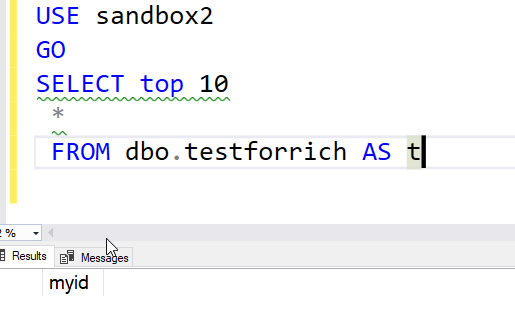
    The first (SELECT *) leads to issues with extra data movement across the wire, extra reads in SQL Server, and in general problems with refactoring items as you never know where an application requires certain columns. I know we won’t get perfect, but don’t use SELECT * in any production code. The only place for this is when you want a SELECT TOP 10 * to get a feel for what data is in the table. Every other query in an application ought to specify what columns it needs.

    Note: Using SQL Prompt and getting all columns is just as bad. Pick the ones you need.

    Secondly, NOLOCK should not be a default item. There are data integrity issues, which can cause you problems down the road. Putting this in often means everyone is terrified of removing it. Don’t start here.