Tag: administration

  • Keeping the Single User Connection

    A reader was having issues with a script. They ran their code from PoSh (Invoke-Sqlcmd), setting single user and then trying to rename a database and its files. However, occasionally, they’d lose the single user connection to another user. Frustrating, but it wasn’t a PoSh issue.

    The ALTER DATABASE commands don’t really specify how SINGLE_USER works. What happens is that if you set single user, the first user gets the connection, whether that’s sysadmin, dbo, or a regular user. This means that when you set a database to single user mode, you need to be one of the users in the database.

    The change to single used is blocked, until all other connections disconnect. One way to ensure this happens quickly is to add the WITH ROLLBACK IMMEDIATE clause, which disconnects users.

    The original poster’s issue was that while they used the clause, their connection was in the master database. This meant that another user could potentially connect to the database, grab a shared lock, and prevent renaming files.

    If your connection is in the user database, then when you issue the ALTER DATABASE WITH ROLLBACK IMMEDIATE and disconnect users, then you have the only connection. This should prevent any issues.

    Quick Demo

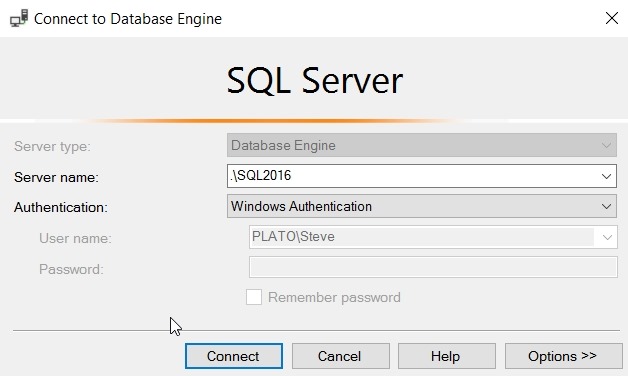
    Let’s see this in a simple way. I’ve got a demo database that I use, and I’ll open three connections. The first will be as a sysadmin here:

    2017-10-24 09_54_17-Connect to Database Engine

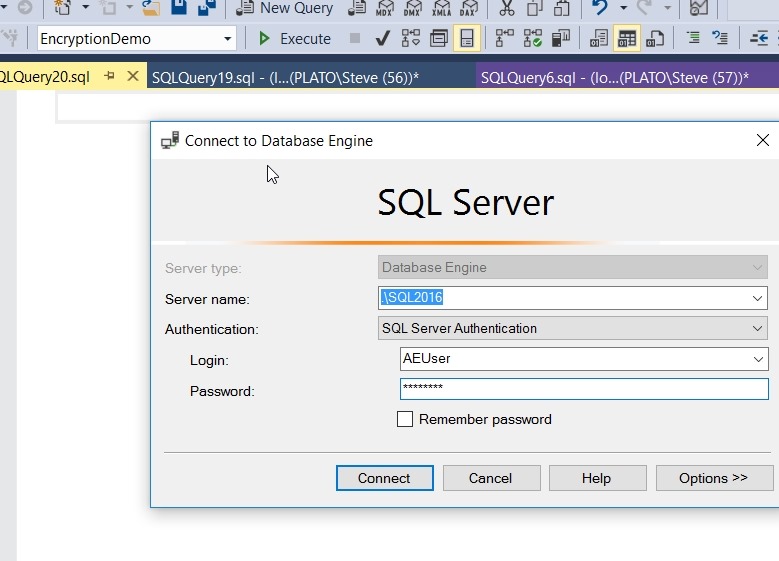
    and then the other windows I’ll switch the connection to a non-privileged user.

    2017-10-24 09_55_17-SQLQuery20.sql - Microsoft SQL Server Management Studio

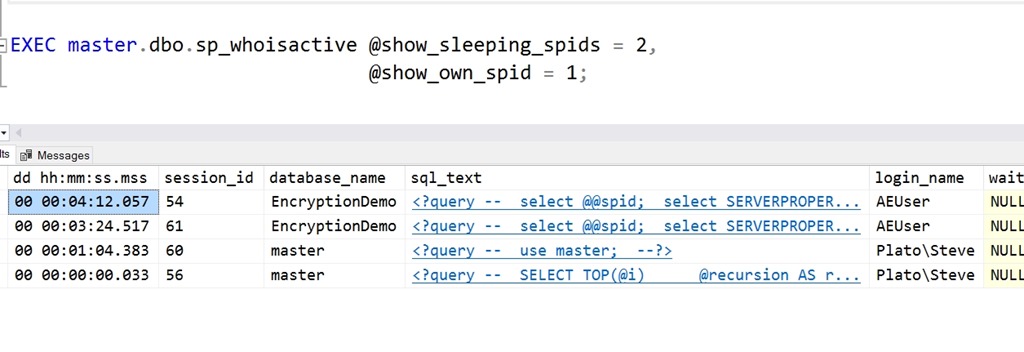
    At this point, I have a few connections to my database.

    2017-10-24 10_00_48-SQLQuery19.sql - (local)_SQL2016.EncryptionDemo (PLATO_Steve (56))_ - Microsoft

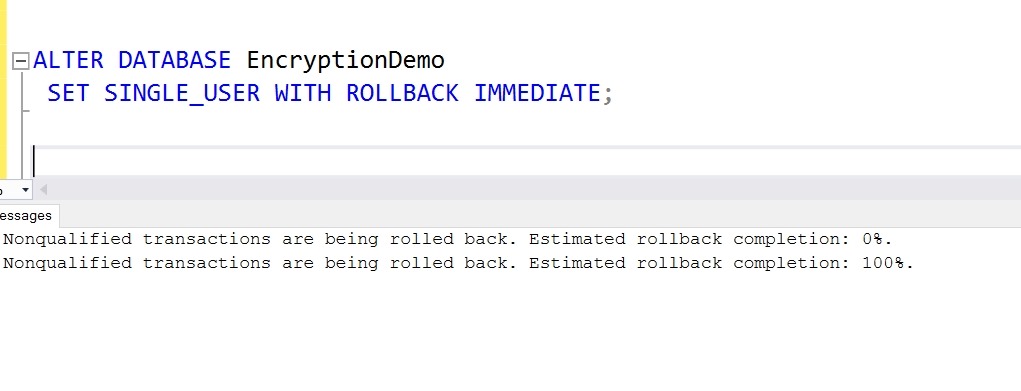
    Let me now reset the database option.

    2017-10-24 10_01_30-SQLQuery19.sql - (local)_SQL2016.EncryptionDemo (PLATO_Steve (56))_ - Microsoft

    Everything works here, let’s check the next session. If I switch to another tab, I’ll run a query. After a second or two, I get this:

    2017-10-24 10_02_29-SQLQuery21.sql - (local)_SQL2016.EncryptionDemo (AEUser (61)) Executing..._ - Mi

    SQL Server has disconnected my session. If I try to reconnect (this login has EncryptionDemo as the default), I get this:

    2017-10-24 10_17_04-SQLQuery22.sql - Microsoft SQL Server Management Studio

    If you need to perform maintenance, and want to ensure you have the connection, change context to the database before setting single user mode.

  • Using xp_delete_file

    First, this is an undocumented proc, and there’s nothing in BOL on this. Second, it’s a holdover from previous versions, so you’d be better served by using Powershell or some other type of scripting mechanism. This procedure is not supposed to be supported in the future, so I’d remove this from your code. In fact, if you want to just remove these, use Remove-DbaBackup from dbatools.

    If you use this, or want to know what to refactor, Patrick Keisler has a nice post on the proc as does Andy Leonard, and there’s a parameter list on StackOverflow. I dug in recently as a customer was having issues, and I needed to refresh my memory.

    Essentially, there are a few parameters that you use with this procedure, but bear in mind this only deletes SQL Server backup files or report files. You choose this with the first parameter, a 0 for backup files, and a 1 for report files.  The rest of the items are fairly self-explanatory, but keep a few things in mind.

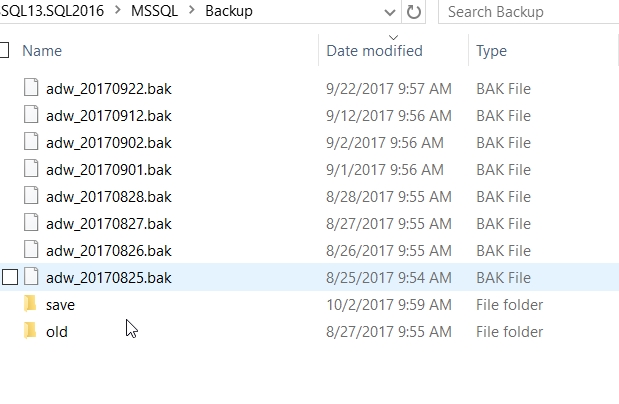
    First, the date is a datetime value. Meaning if you just include a date, this is the beginning of the day (midnight). You can see this here. I’ve got some backup files.

    I then run this code:

    EXEC xp_delete_file 
       0
       , N'D:\SQLServerBackup\MSSQL13.SQL2016\MSSQL\Backup'
       , N'bak'
       , '20170901'

    Now, I see this:

    The file from Sept 1 still exists because it’s at 9:56am, and the parameter is midnight (2017-09-01 00:00:00). Keep that in mind, and use the appropriate values. If I’d run this:

    EXEC xp_delete_file 
       0
       , N'D:\SQLServerBackup\MSSQL13.SQL2016\MSSQL\Backup'
       , N'bak'
       , '20170901 10:00:00am'

    The file from Sept 1 is removed.

    Next, you need to use the extension to decide which files to remove. That means you might need to have separate calls for .bak and .trn (and .dff), or just remove all old files. The choice depends on what your requirements may be.

    Lastly, make sure that if you use separate folders for each database, you set the last parameter.

    Again, I wouldn’t use this command, especially not in a modern system, but if you do use this, make sure it’s working.

  • Enabling Database Containment for an Instance – #SQLNewBlogger

    Another post for me that is simple and hopefully serves as an example for people trying to get blogging as #SQLNewBloggers. This is also a part of a basic series on git and how to use it.

    I wanted to test a contained database feature the other day and ran this:

    ALTER DATABASE [sandbox2] SET CONTAINMENT = PARTIAL WITH NO_WAIT
    GO

    However, this didn’t work. I ended up with an error:

    Msg 12824, Level 16, State 1, Line 3

    The sp_configure value 'contained database authentication' must be set to 1 in order to alter a contained database.  You may need to use RECONFIGURE to set the value_in_use.

    The issue is that the server instance needs to have contained authentication enabled in order to pass any authentication requests to the database

    EXEC sys.sp_configure N'contained database authentication', N'1'
    GO
    RECONFIGURE WITH OVERRIDE
    GO

    Now I can run the code again to alter the database for containment.

    SQLNewBlogger

    The issue was obvious to me since I’d dealt with it in the past, but this is something you could solve and write up in 10-15 minutes.

  • Remove an Active Lease on a Blob in Azure

    I was creating and dropping VMs in Azure, and found myself charged money for disks that I thought I’d deleted. I found later that deleting a VM doesn’t necessarily remove the disk blob. Here was one way that I removed some of those blobs.

    First, go to the classic portal. For some reason, the new Portal doesn’t have the capability.

    2017-06-21 21_11_07-Virtual machines - Microsoft Azure

    Click Disks

    2017-06-21 21_11_19-Virtual machines - Microsoft Azure

    At the bottom, click Delete

    2017-06-21 21_11_31-

    That removed one lease, but not others. To get rid of those, I had to do more research and searching. That process is for another post.