Tag: AdventofCode

  • 2018 Advent of Code–Day 1

    I enjoy when the Avent of Code comes around each year. I seem to make this a December (or sometimes New Year’s) resolution to get through them all, but life usually gets in the way. In any case, I decided to at least start this year and see how far I get.

    Day 1 – First Puzzle

    This is a simple one, and one that seems to lend itself to T-SQL. We have an input file that looks like:

    +11

    +9

    -10

    -5

    etc.

    This asks us to walk through the file, summing the values together and getting a new value. So the first row ends with 11. The next ends with 20 (11+9). The next is 10 (20-10), and so on. This feels like a simple calc, so let’s get it.

    I wanted to load this with BULK LOAD, so I started with a table:

    CREATE TABLE Day1(rawdata VARCHAR(20))

    I know I’ll need to change this, but let’s make this easy. I use this command to now load my data.

    BULK INSERT dbo.Day1 FROM 'C:\Users\way0u\Source\Repos\AdventofCode\2018\Day1\input.txt'

    Once this is done, I’ll move on. Since I need to get this into some numeric values (this is a math problem), I’ll make another table.

    CREATE TABLE Day1_a(frequency INT)

    Now I move the data.

    INSERT dbo.Day1_a
    (
         frequency
    )
    SELECT CAST(rawdata AS int)
    FROM dbo.Day1
    GO

    That seems to work fine. How do I get the end result? Well, addition doesn’t matter here, so I can do this:

    SELECT SUM(frequency) FROM dbo.Day1_a
    GO

    I get an answer, plug it in, and viola, I’m right. That feels good.

    Day 1 – Second Puzzle

    This one is a little harder. I’m supposed to find out the first time that the end result repeats it’s value. The test cases show this working as follows:

    Value    New result

    0       0
    1       1
    -1      0

    If I walk through this, the 0 repeats. The other test cases show this, but with the large input set, I need to change a few things.

    1. I need to preserve ordering
    2. I need to process this row by row.

    The second item doesn’t mean that I’m looping necessarily, but I need to calculate out the sums as I go and potentially repeat the list.

    To get started, let me modify my Bulk Insert and table to keep the ordering. I created this table.

    CREATE TABLE Day1b(datakey INT IDENTITY(1,1), rawdata VARCHAR(20))

    I then ran BULK INSERT. I got this error:

    2018-12-03 15_24_00-SQLQuery5.sql - dkrSpectre_SQL2017.sandbox (DKRSPECTRE_way0u (53))_ - Microsoft

    I tried a number of items, but nothing really worked. This was a very, very annoying error, and the main solution I saw on Stack Overflow was to add a column to the input file, which I don’t want to do. I initially thought this was a problem with the encoding, but it’s really the identity.

    The best solution was a lower down answer, which was to create a view without the identity.

    CREATE VIEW vDay1b
    AS
    SELECT rawdata
      FROM dbo.Day1b
    GO

    If I run the BULK INSERT to this view, it works fine.

    OK. We’re moving and I have the data in order. Let’s move it to get the integer results we need.

    CREATE TABLE Day1_2
    ( n INT, frequency INT)
    GO
    INSERT Day1_2
      SELECT datakey,
             CAST(rawdata AS INT)
       FROM dbo.Day1b

    If I run a quick query that does a SUM() OVER(), I get a series of results. I can see there are no duplicates here.
    2018-12-03 15_32_29-SQLQuery5.sql - dkrSpectre_SQL2017.sandbox (DKRSPECTRE_way0u (53))_ - Microsoft

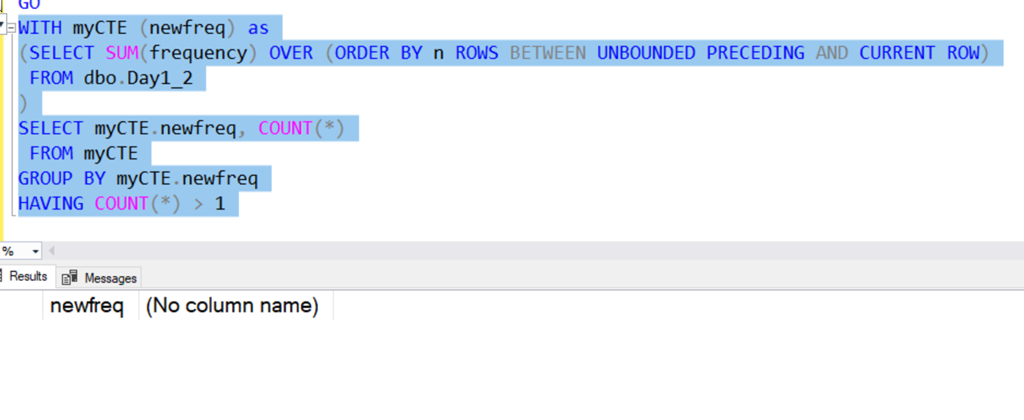
    OK, this means I need to repeat the data. I can re-insert data into the table, but that feels inefficient. I ought to be able to group data together.

    Let’s do this by selecting the data as a group, but adding a value to it. I can do that with a cross join. Here’s a short example that illustrates this. Suppose I have a table with the values “Broncos”, “Chiefs”, “Raiders”, “Chargers”, I get select data like this in groups.

    2018-12-03 15_36_36-SQLQuery5.sql - dkrSpectre_SQL2017.sandbox (DKRSPECTRE_way0u (53))_ - Microsoft

    With that in mind, let’s create a tally table and start to duplicate data. I have no idea how many times, but having done the Advent of Code before, I’m guessing 5 groups isn’t enough. Let’s start with 100 repeats.

    One note, I do need to start with 0, so we’ll use a UNION to add the 0 row. We don’t want the 0 row repeated, so we don’t add that to the table.

  • Advent of Code 2017 Day 5–#SQLNewBlogger

    Another post for me that is simple and hopefully serves as an example for people trying to get blogging as #SQLNewBloggers.

    This is day 5 of the Advent of Code 2017. If you want to read about the puzzles, start with Day 1. This is going to be a crazy looping item, since it will move through the list, relative to the current spot, and incrementing items, I know this won’t be good in SQL.

    Still. Worth solving.

    Let’s load the data. I’ll use a table, but first, I’ll also add an identity. This will help me number instructions and figure out what the next one is.

    CREATE TABLE Day5
    ( InstructionKey INT IDENTITY(1,1)
    , Instruction INT)
    GO

    There are issues with identities, but this is a great trick:

    CREATE VIEW Day5V
    AS
    SELECT d.Instruction FROM dbo.Day5 AS d
    GO
    -- reusable code
    BULK INSERT Day5V FROM 'e:\Documents\GitHub\AdventofCode\2017\Day5\Input.txt' WITH (ROWTERMINATOR='\n')
    GO

    Now I can get to work. Here’s the logic I used.

    I wanted to first set some starting points. I have a counter (0 based, increment first). This determines how many times I jump around. I also need to track the current instruction key and the next key. And, of course, I need the instruction value.

    The identity is the array index, or the instruction key (which place am I in). In this case, I’ll try to follow this logic.

    Get the end (out of bounds, which is the max + 1). I loop until I get an jump outside of the end range. The loop does these items:

    • Get the current instruction jump
    • Set the next location to be the current key + the current jump
    • Update the current jump to increment by 1
    • Set the current instruction key to the next key
    • loop

    This seems to be what I need. On the test set, this worked fine. When I first set this up, I used this code:

    DECLARE @end INT ,
             @CurrentInstructionKey INT = 1 ,
             @Instruction INT ,
             @NextInstructionKey INT ,
             @counter INT = 0;
    SELECT @end = MAX(InstructionKey) + 1
    FROM dbo.Day5 AS d;
    
    -- SELECT [end] = @end;
    
    WHILE @CurrentInstructionKey < @end
    BEGIN
         SET @counter = @counter + 1;
         SELECT @Instruction = Instruction
         FROM Day5
         WHERE InstructionKey = @CurrentInstructionKey;
         SELECT @NextInstructionKey = @CurrentInstructionKey + @Instruction;
         UPDATE dbo.Day5
         SET Instruction = Instruction + 1
         WHERE InstructionKey = @CurrentInstructionKey;
         SET @CurrentInstructionKey = @NextInstructionKey;
    --PRINT @CurrentInstruction
    END;
    
    SELECT Counter = @counter ,
            [current] = @CurrentInstruction;

    When I ran this, it chugged for some time. I bet in Python or C#, which would solve quickly with arrays. With updates, it’s slow. Like minutes slow for 1074 rows.

    However, it worked.

    Part II

    In this part, this instructions are almost the same, but based on the current instruction value, we either increase or decrease the value. Not a big change. Our new update looks like:

    UPDATE dbo.Day5
    SET Instruction = Instruction + CASE
                                         WHEN @Instruction >= 3 THEN
                                             -1
                                         ELSE
                                             1
                                     END
    WHERE InstructionKey = @CurrentInstructionKey;

    This also works, albeit slowly. I left this around 5:30 and went to the gym.

    One of the easier puzzles.

  • tSQLt tests for Day 5 Advent of Code 2017

    This is day 5 of the Advent of Code 2017. If you want to read about the puzzles, start with Day 1.

    As I worked through the puzzles, I decided that I should be testing using their test sets and solving the issues that way. This lets me use the sample data, but also add in my own sets to cover strange situations.

    Here are the tests that I used for each part.

    Part I

    For part 1, only a short test is needed. Since we’re looking for a scalar value, I could easily just added an INT variable for the actual and expected values. I set this to the value given in the problem.

    Then I fake the table and insert the test set. From here, I can call my proc that implements the algorithm and get the result value.

    EXEC tsqlt.NewTestClass @ClassName = N'tDay5';
     GO
     CREATE OR ALTER PROCEDURE tDay5.[test day5 a initial set]
     AS
     BEGIN
    
    -- Assemble
     DECLARE @actual INT = 0, @expected INT = 5;
    
    EXEC tsqlt.FakeTable @TableName = N'Day5' , @Identity = 1
     INSERT Day5
     VALUES
     (0 ), (3), (0), (1), (-3);
    
    -- Act
     EXEC @actual = SolveDay5a;
    
    -- Assert
     EXEC tsqlt.AssertEquals @Expected = @expected, @Actual = @actual, @Message = N'Failed to account'
    
    END

    Part II

    The test is the same, just calling a different procedure that implements the part II algorithm.

    CREATE OR ALTER PROCEDURE tDay5.[test day5 initial set]
     AS
     BEGIN
    
    -- Assemble
     DECLARE @actual INT = 0, @expected INT = 10;
    
    EXEC tsqlt.FakeTable @TableName = N'Day5' , @Identity = 1
     INSERT Day5
     VALUES
     (0 ), (3), (0), (1), (-3);
    
    -- Act
     EXEC @actual = SolveDay5b;
    
    -- Assert
     EXEC tsqlt.AssertEquals @Expected = @expected, @Actual = @actual, @Message = N'Failed to account'
    
    END
  • tSQLt Tests for Advent of Code 2017 Day 4

    This is day 4 of the Advent of Code 2017. If you want to read about the puzzles, start with Day 1. As I worked through the puzzles, I decided that I should be testing using their test sets and solving the issues that way. This lets me use the sample data, but also add in my own sets to cover strange situations.

    Here are the tests that I used for each part of day 4.

    Part I

    This is a fairly simple test. I’m returning a result set since the solution is a single query, but this is really a scalar. In this cas,e I’ll create a one row, one column expected table and then get the results from my solution (inside a proc) and insert into Actual.

    The rest is standard tSQLt testing framework. Fake a table, enter data.

    CREATE OR ALTER PROCEDURE tDay4.[test Day4a sample data]
    AS
    BEGIN
         -- Assemble
         EXEC tsqlt.FakeTable @TableName = N'Day4';
         
         INSERT dbo.Day4
    (
         passphrase
    )
    -- SQL Prompt formatting off
    VALUES
        ('aa bb cc dd ee' )
      , ('aa bb cc dd aa')
      , ('aa bb cc dd aaa')
    
    -- SQL Prompt formatting on
        CREATE TABLE #Expected (valid INT);
        INSERT #Expected
        ( valid)
        VALUES
        (1  );
        SELECT *
         INTO #actual
         FROM #Expected AS e
         WHERE 1 = 0;
    
    
         -- Act
       INSERT #actual
        EXEC dbo.Day4_a;
    
        -- Assert
         EXEC tsqlt.AssertEqualsTable @Expected = N'#Expected' ,
                                      @Actual = N'#Actual' ,
                                      @Message = N'Incorrect number of valid passphrases';
         
         
    END
    GO
    
    EXEC tsqlt.run 'tDay4.[test Day4a sample data]';

    Part II

    This is the same as part I, but I change the inputs and results.

    CREATE OR ALTER PROCEDURE tDay4.[test Day4b sample data]
     AS
     BEGIN
     -- Assemble
     EXEC tsqlt.FakeTable @TableName = N'Day4';
    
    INSERT dbo.Day4
     (
     passphrase
     )
     -- SQL Prompt formatting off
     VALUES
     ('abcde fghij' )
     , ('abcde xyz ecdab')
     , ('a ab abc abd abf abj')
     , ('iiii oiii ooii oooi oooo')
     , ('oiii ioii iioi iiio')
    
    -- SQL Prompt formatting on
     CREATE TABLE #Expected (valid INT);
     INSERT #Expected
     ( valid)
     VALUES
     (3  );
     SELECT *
     INTO #actual
     FROM #Expected AS e
     WHERE 1 = 0;
    
    -- Act
     INSERT #actual
     EXEC dbo.Day4_b;
    
    -- Assert
     EXEC tsqlt.AssertEqualsTable @Expected = N'#Expected' ,
     @Actual = N'#Actual' ,
     @Message = N'Incorrect number of valid passphrases';
    
    END
     GO
    
    EXEC tsqlt.run 'tDay4.[test Day4b sample data]';