Tag: Microsoft

  • SQL Server vNext

    We now know when the next version of SQL Server is coming. At Ignite last week, Microsoft announced SQL Server 2022, which comes nearly 3 years after the last version, SQL Server 2019. Apparently, the pandemic’s effects include delays in product development as it’s been nearly three years since SQL Server 2019. The new version is in preview, with a few new features announced. There’s also a video version from the Ignite site, but if you want a quick summary of things, read on.

    There were a few items that get me a bit excited about the changes. The first is that we get some query improvements with regard to parameter sniffing in stored procedures. This has been a constant problem for many databases and workloads for years. This is because only one plan has been kept in the cache. That changes in SQL Server 2022, as the instance can now keep multiple plans around. It will be interesting to see if this helps many customers.

    The Query Store was an interesting edition to SQL Server and plenty of people have found it valuable. However, its use was optional and you had to enable it. In SQL Server 2022, Query Store is now on by default and there is support for read replicas as well. This change is there to enhance the intelligent query processing (IQP) work that has been growing in each new version. This new version gets MAXDOP and Cardinality Estimator being incorporated into the feedback loop. IQP isn’t perfect, and it might cause you some issues with certain workloads, but many of the changes made in the last few versions do seem to be helping customers.

    There was a quick note in the Ignite video about multi-write replication is now available. Not true peer to peer, but this version should automate the last write wins rule, based on UTC timing. I’ve been skeptical of using peer-to-peer replication in the past, mostly because of the need to code conflict scenarios, but a last-writer wins scenario might work well for some applications. If you can accept this rule, and you have good resources for propagating data, this might be something you can use.

    Blockchain is coming to SQL Server. There is a Ledger feature that provides an immutable ledger of data changes. This ensures that data integrity is maintained with full auditability. Trusted storage is needed to ensure this meets all audit and regulatory requirements, though if the data has been tampered with, you might only know something happened. It’s not perfect, but it does provide the ability to prove there is trust in the data you are watching. I suspect this will be a feature like TDE that auditors want enabled, even if it isn’t perfect. I do wonder what this will do to storage costs and complexity.

    Azure Purview is being integrated into SQL Server 2022. The big takeaway here is that you can scan on-premises data for free. Now I don’t know if this means you can use your data for free in any way, but I do think that this does start to make governance easier. I think that’s a big deal for all of us in the future if companies were to better know what data is risky and work on protecting it. Normalizing the way we look at data governance is a big step forward. This certainly is a long way from most applications using the “sa” account.

    One of the challenges I’ve seen in many companies is dealing with reports. Often companies try to run complex queries on their OLTP system, or they spend a lot of time and effort to build ETL structures. Synapse Link provides automatic change feeds from a SQL Server to a SQL pool in Synapse. This is like an automatic replication of the table(s) into your data warehouse. It’s been available for CosmosDB, but now it comes to SQL Server. Given the cost of development and managing ETL jobs, I could see some organizations upgrading to SQL Server 2022 just for this feature. If it works well and quickly.

    Disaster Recovery (DR) is something I’ve always been concerned about. I’ve had too many issues over time to treat this lightly. In this new version, you can set Azure SQL Managed Instance as a target for a DR recovery, with failover to the cloud through a distributed availability group. That’s has been possible before, though now this seems easier than ever (as it should be). The failover is a good feature, but a lot of us wouldn’t necessarily want to live in the cloud, so the big announcement here is that you can restore the backup from MI back to an on-premises SQL Server 2022 instance. We can restore back from the cloud to our own systems, which has been a hassle for a long time.

    Now, this isn’t failback. I have no idea if logs can be backed up and restored, or if this means a lot of downtime to leave the cloud if you have a big database. From the demo’s, it doesn’t look practical to backup and restore a database of any size to fail back. My guess is this is really a first cut, but the ability to move from MI back on-premises is a huge step forward. If for no other reason than you can backup things for dev work inside your organization. That’s a big win for a lot of customers I know, at least it is if Azure SQL DB and Azure SQL MI are close in functionality from the inside-the-database perspective.

    There are other enhancements as well. The cloud offerings from Microsoft gain some scale, which is good. Most of us don’t have huge systems, but more scale usually trickles down with better pricing for the mid levels. Azure Arc grows, allowing you to run Azure SQL MI and Hyperscale PostgreSQL on your own hardware. You’ll pay something to Microsoft, but having these systems stand up, keeping data local, and having them managed easily is a big deal. I expect that more companies will consider things like Azure SQL DB on their own hardware over time, especially as standing up and managing a Kubernetes cluster becomes easier. This feels like the early days before vSphere when we struggled to manage lots of virtual machines. I suspect we will find better ways to deploy and manage container orchestrators on-premises over time.

    It feels like a long time since we talked about SQL Server. Certainly the last 18 months have felt like the world is frozen and not much has happened. I know I’ve done some things, but it’s been a strange feeling of suspension for much of life. For me, the announcement of a new version of SQL Server brings some excitement. It feels as though the world is moving forward, and I’m looking forward to learning and writing about the future. I’m also hoping to get the chance to deliver some presentations on something new in SQL Server in 2022.

    Steve Jones

    Listen to the podcast at Libsyn, Stitcher, Spotify, or iTunes.
  • More Interactive Notebooks from MS Docs

    I saw a note from Microsoft recently that they are trying to improve some of the support experiences for customers that are going through their docs. The idea is to make it easier for a customer to get a rich code experience for troubleshooting or learning.

    This is a preview feature, but here’s a quick look.

    Full Transaction Logs

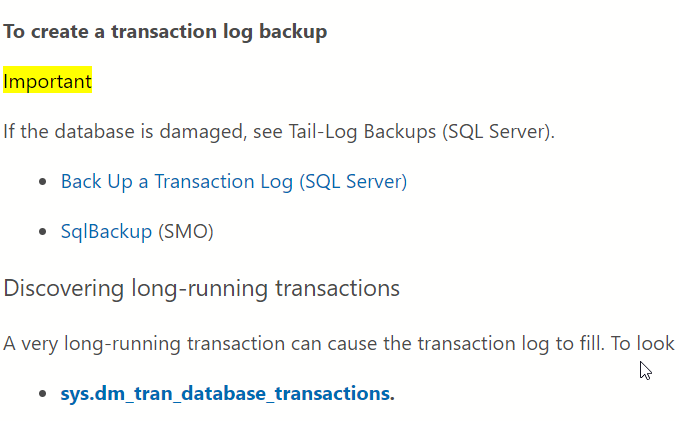
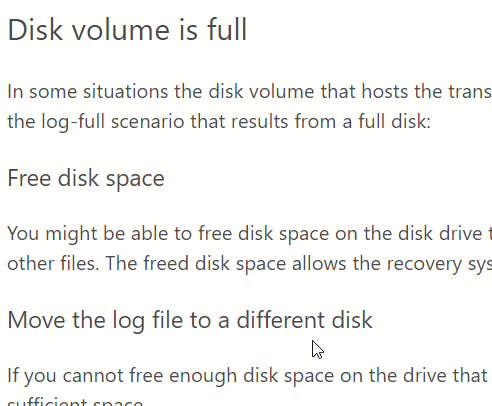
    For some people, the transaction log gets full. Not for me, but it has happened in the past, and I’ve learned how to be proactive here. However, this topic might be the number one topic at SQLServerCentral over the years.

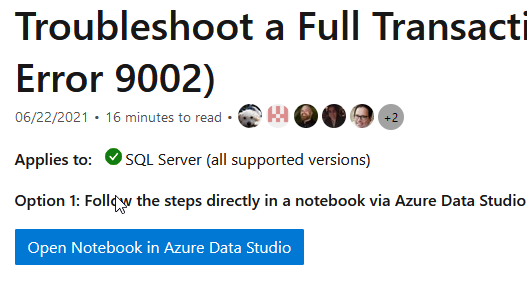
    Microsoft has a docs article on troubleshooting a full transaction log. In the article, at the top, is a new button. You can see here, this will open a notebook in ADS.

    2021-08-10 17_50_23-Troubleshoot full transaction log error 9002 - SQL Server _ Microsoft Docs — Moz

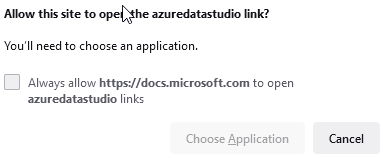
    When I click this, I get a security warning and do I want to open this with an app.

    2021-08-10 17_50_27-Troubleshoot full transaction log error 9002 - SQL Server _ Microsoft Docs — Moz

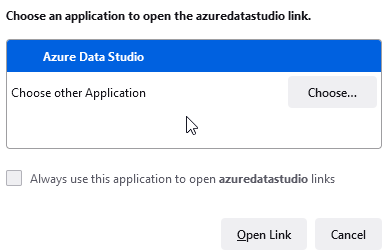
    Then I get the app chooser:

    2021-08-10 17_50_34-Troubleshoot full transaction log error 9002 - SQL Server _ Microsoft Docs — Moz

    Then ADS opens.

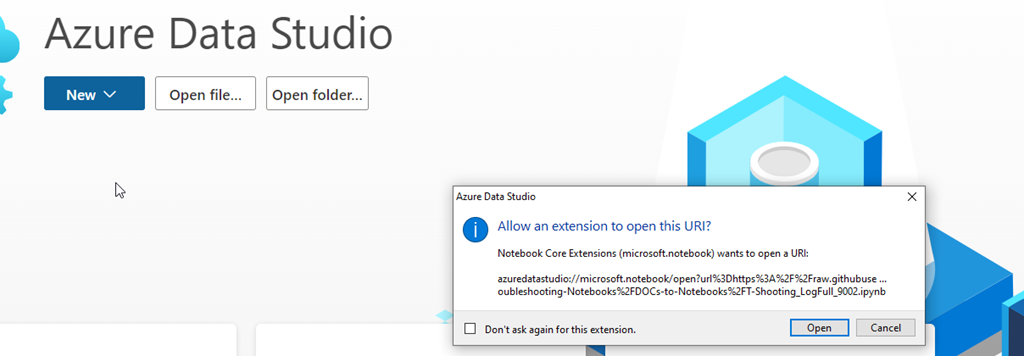
    Well, kind of. I have to approve something else.

    2021-08-10 17_51_54-Welcome - AdventofCode - Azure Data Studio

    And again.

    2021-08-10 17_52_00-Welcome - AdventofCode - Azure Data Studio

    I appreciate secure computing and good practices, but this type of clicking again and again is going to get people to do the “run everything as sa” security mindset and start to always allow things to open.

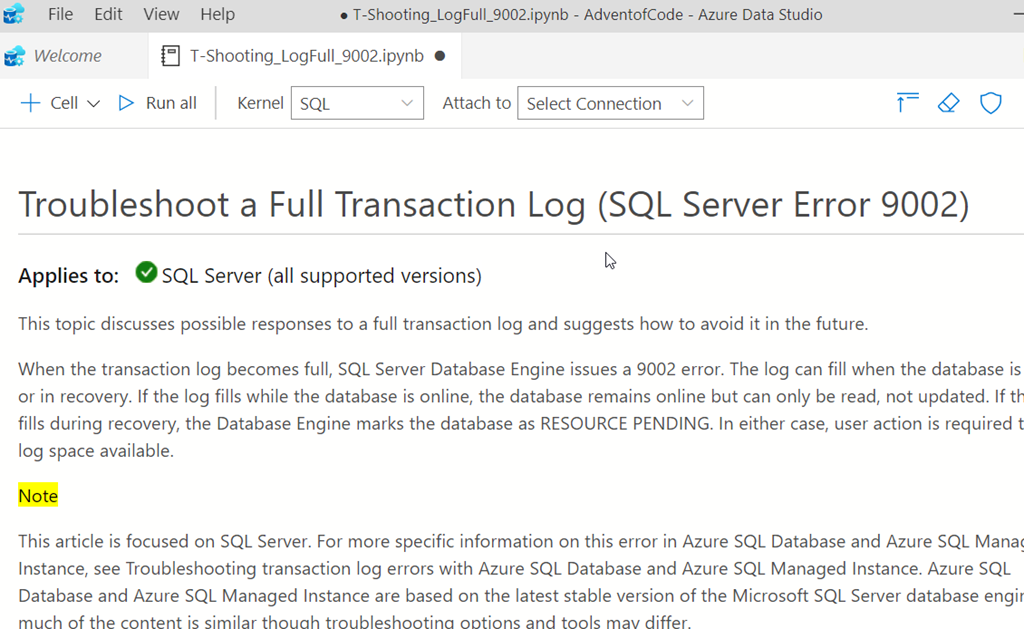
    In any case, I do get a notebook. The text is the text of the KB article, which is comprehensive.

    2021-08-10 17_53_43-● T-Shooting_LogFull_9002.ipynb - AdventofCode - Azure Data Studio

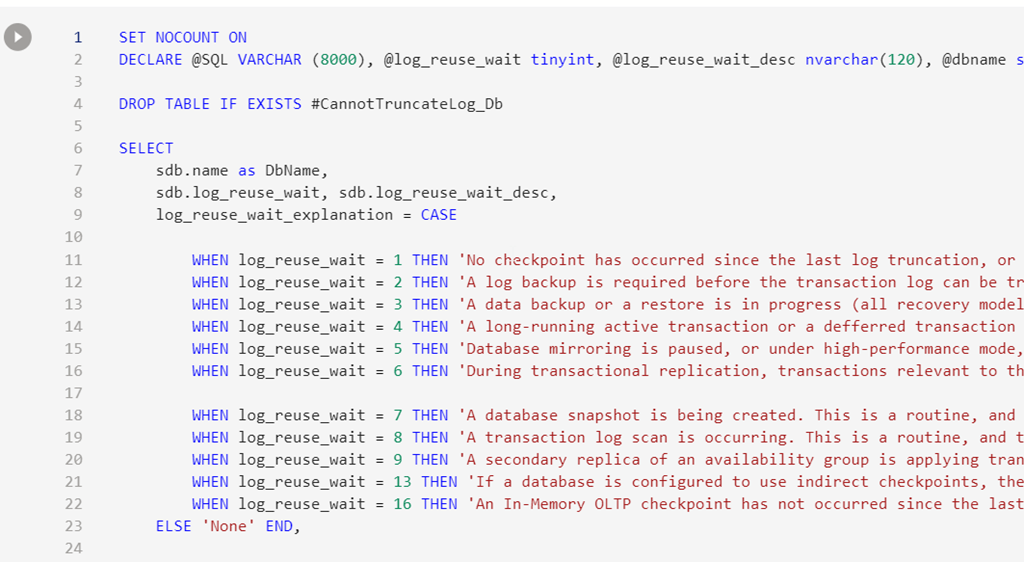
    The code is included, but I can run this case. Not cut/paste, not mess with, just connect to an instance and run it.

    2021-08-10 17_53_53-● T-Shooting_LogFull_9002.ipynb - AdventofCode - Azure Data Studio

    There are instructions for fixing things.

    2021-08-10 17_54_01-● T-Shooting_LogFull_9002.ipynb - AdventofCode - Azure Data Studio

    And there are options for how to solve different issues, some of which also have code.

    2021-08-10 17_54_08-● T-Shooting_LogFull_9002.ipynb - AdventofCode - Azure Data Studio

    To me, this is a great way to help customers quickly solve issues. I look forward to seeing how this goes, and how people use it. For now, I know there are two articles in preview, if you want to give this a try.

  • The Cloudy Future in 2021

    Ignite took place recently, and the keynote from Satya Nadella was interesting, and if you have time, interesting to watch. If not, there’s an excerpt in written form. In any case, I like his passion and excitement about the future. I’m slightly sad that he’s not on stage somewhere, and instead in a studio of some sort, but that’s the world today.

    There were five pillars of the keynote which related to the future of the cloud. One of these was the idea that we are at “peak centralized computing” now, but we need to get more decentralized. The idea here, I think, is that we will have more of the computing services taking place outside of data centers and server rooms, and in more devices. We already see some of this, with mobile devices, cars, sensors, and more handling some computing loads.

    The Edge is something Microsoft continues to push, and I think the adoption of this paradigm will continue, with some pre-processing or filtering occurring in devices or intermediate servers, and then less, or limited, data being loaded into our database platforms. I also expect that we’ll see more data loaded into a database somewhere, and less ETL into another platform and more just in time querying from a client or other data store.

    I was also glad that trust was a pillar, though I think this was an attempt to corral a number of disparate ideas into one topic. However, the idea of data protection, and individual rights such as privacy, are important, and I do think that Microsoft recognizes this. Even if they are just trying to build a product to profit, I appreciate the work they are doing in this area, adding new capabilities to allow companies to better control, limit access, and protect data in flexible ways. Now, if we can just get the companies to respect the individual’s data they hold, I think the world will be better.

    Lots of what Microsoft presents in their keynotes and conferences is aspirational, with limited experience or understanding of whether customers really will adopt these ideas. Every year I see some visions that don’t ever get widely used across the next year and aren’t mentioned the next year. However, some of their ideas are good, and some will evolve in different ways to help improve our world. This year, I loved seeing the remote ways HoloLens 2 is being used.

    I never know what will catch on, but I do like seeing the visions that others have for our world.

    Steve Jones

  • Viva

    I want holographic screens and meetings. Heck, I’d like Teams/Slack/Zoom/etc. to recognize multiple screens and let me separate out different cameras to different screens. I’d like to be able to see more than a tiny thumbnail of a presenter, or of other people that are in a meeting. That might be one of the things I miss most when I’m in these virtual meetings. I can often barely see others.

    Microsoft Viva is a new platform for remote work and collaboration. I’m not completely sure what it is, though there is a video with the cool, enticing holographic screens. It’s not an app, but appears to be some way to connect various information in an organization into Teams. It’s like an intranet from the 90s, but designed to help someone navigate their organization and work environment.

    I’m all for bringing together more data, and especially making it easier for people to do so. I love all the single-sign on we have at Redgate, but everyone produces so much data through tickets, feedback from customers, notes in chat apps, emails, announcements made everywhere, internally and externally, video updates, and more. I find it extremely hard to keep up, or to even know if I’m keeping up enough, too little, or too much.

    What I really need is some prioritization and triage for me. For me personally my role. That sounds like I want a personal digital assistant, which I don’t know I’d have confidence in. I suppose I wouldn’t have confidence in a human assistant until I’d trained them, so maybe this is a similar task I’d need to complete, whether it’s a computer or human. I’d have to build trust, and expectations about how to deal with different situations.

    With software, however, I’d worry about data privacy. I know this is still an issue with humans, but there is less scale for humans. They can’t learn and remember as much, and there is less secret access to about what my human assistant might know. After all, they know, or should know, if they tell someone something. However, what a digital system stores can be accessed by, well, who knows.

    At least I feel there is a potential problem here. Maybe I’m just worried, but many of the problems I see with computers have to do with the scale of data access. Both in the volumes of data someone can see, but also the variety of people that can see the data. Microsoft has already had some issues with trying to boost productivity for individuals. They’ve gotten complaints over what they store and report on, and more data might make that worse. Perhaps they are going to find a balance with insights and privacy, but I don’t want to be a test subject for this.

    Changing the way we work, helping individuals be more productive and accountable, while protecting their rights privacy is hard. I applaud Microsoft for trying something, mostly because I think remote work will continue to be a part of our lives and it’s not great. I suspect that this is like many of their new ideas, half-baked and incomplete. They want to release something, and it might not be much more than minimally viable. Whether they continue to invest and grow this into a useful tool remains to be seen, but I hope they do. I’d certainly like to have more useful ways to learn, collaborate, and communicate.

    Especially if they build holographic screens.

    Steve Jones

    Listen to the podcast at Libsyn, Stitcher, Spotify, or iTunes.