I’m in Cambridge, UK today, at Redgate Software. This is our annual Global Marketing Week, where the entire marketing department gets together to learn, share, connect (recognize the theme), as well as enjoy some time with colleagues that we rarely see. I think Grant, Ryan, and I see more people more often than most others, and I’m grateful we get to spend a week here.
This is the end of my wild travel time, where I’ve spent 11 full days at home since Apr 12. In fact, I don’t get home until Jun 15, so it’s not over yet, but it’s close. I’m definitely tired and a little worn out, but I’m looking forward to a week in the office and then a week of vacation next week in Europe with my wife.
Not much blogging for the next two weeks, though I may drop some office or fun pix here later this week.
Recently the Flyway Desktop (FWD) team release support for state-based deployments. These are similar to SQL Compare deployments, but with your code source control, which is where you want it. This post looks at how this works.
I’ve been working with Flyway Desktop for work more and more as we transition from older SSMS plugins to the standalone tool. This series looks at some tips I’ve gotten along the way.
State-based Projects
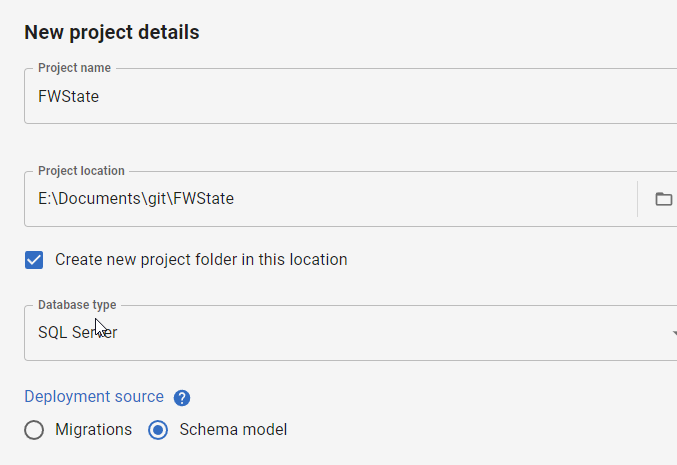
When I create a new project, I now have a choice: migrations or schema model (state-based). You can see the choice below.
I’ll demonstrate this now by creating a new project. I give it a name, folder, type, and then I pick the Schema model deployment source.
Once that is complete, the project is set up and I need to link a development database. I’ll do that first, picking a database with a few objects. In this case, I’ve picked my FWState_1_Dev database.
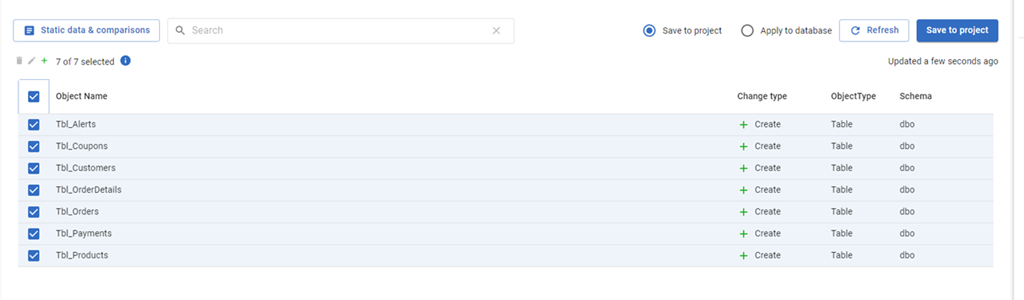
Once this is linked, the FWD tool will read the database, compare to my filesystem and tell me which objects have changed. Since this is a new project, all the objects are new and show up. I’ll select them all and click “Save to project”.
This gets all the code for my objects into the file system (and a VCS). I won’t commit these now in this demo, but normally I would save this code.
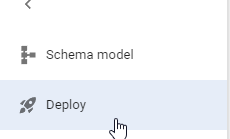
The main change in FWD is the change on the left side menu. Where we have “Generate migration scripts” and “Migration scripts” as options for a migration based project, for a state-based project, we have just a “Deploy” option. I’ll select that.
Once this happens, I have to pick a target. I haven’t configured anything (this is a new project), so I’ll select the “Manage environments” in the upper right section of FWD.
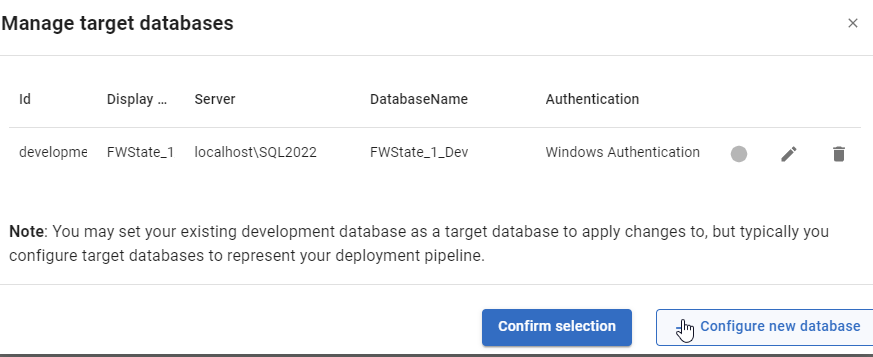
When I do this, I see the environments I’ve configured. So far, I’ve only configured a development environment, but I can click “Configure new database” to add a downstream target.
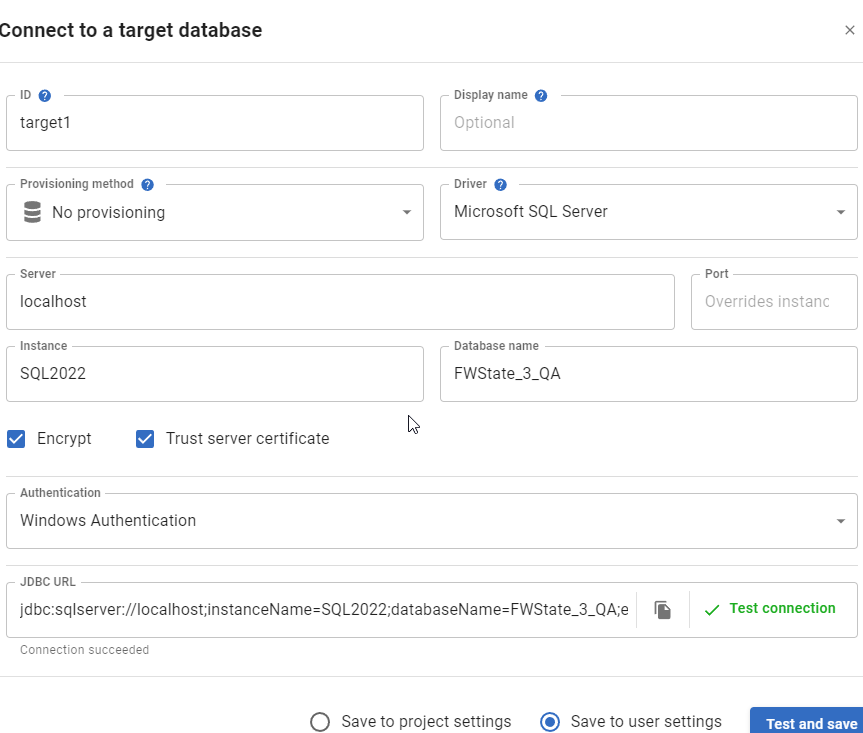
I get the standard FWD connection dialog, and I’ll enter details for my QA database. I usually also click “Test” to ensure I haven’t typo’d something. You can see I didn’t make a mistake below.
Once this is added, it is selected by default. However, I can always click the radio button in the Manage environments dialog and click “Confirm”.
This brings me back to the FWD screen where I see the changes that exist in the project, but haven’t been deployed to the target. In this case, it’s everything (QA is empty). I’ll just click the tbl_Customers table.
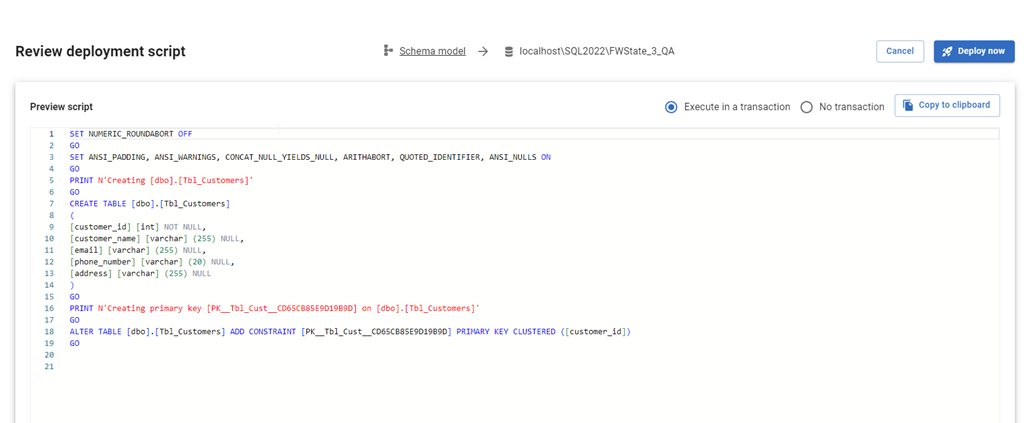
When I click Deploy, the script is generated just as it would be in SQL Compare to update the target with the code from the source. I can review the script, as well as change options. I can add an explicit transaction around all changes, or let them run with the default implicit transaction for each statement. I can also copy the script to the clipboard if I want.
If I check QA, I see no tables.
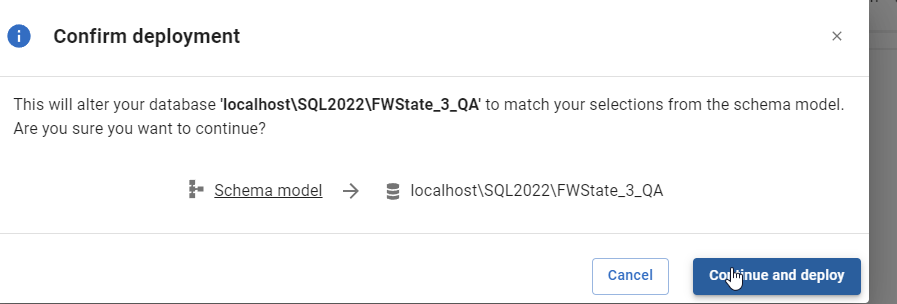
I’ll click “Deploy now” in FWD and the deployment starts. I confirm this is what I want to do.
Once this is done, FWD returns to the screen of objects. Note that tbl_Customers is no longer listed. The project and the target are in sync for this object.
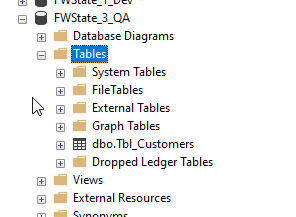
If I go back and refresh QA in SSMS, I see the table exists.
Summary
This short post shows how FWD and the Flyway system can be used to perform state based deployments, similar to SQL Compare or SQL Source Control. If you are used to working in SQL Source Control, this is an easy transition for you to a more modern tech, which will also support Oracle, PostgreSQL, and MySQL.
Try Flyway Enterprise out today. If you haven’t worked with Flyway Desktop, download it today. There is a free version that organizes migrations and paid versions with many more features.
If you use Flyway Community, download Flyway Desktop and get a GUI for your migration scripts.
There is a nice article at Harness.io on their use of feature flags and how they deployed their next generation experience. It’s worth a read if you want to improve your database deployment experience, especially if you want to control how and when you release to customers.
A nice bonus is that they mention Flyway as a tool to help them manage database code changes. Hint from me is that you can use Flyway to not only help manage DDL changes but also DML changes as well.
I talk about this in my Architecting Zero Downtime Database Deployments talk. Most of the time when you have changes that might disrupt users, take a lot of time, or require coordination with different apps/systems, using feature flags and backwards compatible deployments is what makes zero downtime, or minimal downtime, possible. If your changes can’t be backwards compatible, you break the database changes into multiple steps that are backwards compatible.
Flyway makes it easy to ensure scripts run once, they are deployed as a group or individual transactions, and they run in order, so you can test your scripts in multiple environments.
I know I sound a little sales-y there, but Flyway is a fantastic tool and I was pro-purchase when Redgate bought the tool. I was also pushing to replace some other internally-developer deployment tech with Flyway in all our products, which we’ve done.
The big way Flyway supports feature flags is by ensuring you can break up your changes into separate scripts and limit when they run. This is best managed with branches in your VCS and PRs, but this also will be handled by the new Deployment Rules, which are in preview.
We’ll also have one of Redgate’s amazing Solution Engineers, Huxley Kendall. He’ll be there to answer in-depth questions on the products and solutions that Redgate offers.
This is a great chance to get exposure to the solutions Redgate offers for building and managing your database code, as well as ask questions about the challenges you face and how we might tackle them.
Register today and join us for a great day in one of these cities.