Tag: Redis

  • Experimenting with RedisGraph on Docker and Windows

    I have been experimenting a bit with graph databases, trying to learn more about them. One of the platforms I wanted to experiment with was RedisGraph. This post looks at getting this set up and running on a Windows machine.

    Things You Need

    A list of things:

    These are what I used.

    Getting Setup

    I won’t go into getting Docker running, but you should ensure you have Docker running and set to Linux containers on Windows. Once you’ve done that, then you can start up a container.

    You also need to run the Redis install to get the CLI to connect. I installed this and then set Redis to start manually and not start. You don’t need this running, nor do you want lots of extra services going. Plus, you’ll get a port conflict with instructions below.

    2023-03-23 22_30_20-Redis Properties (Local Computer)

    To start the container, run this code from a command prompt:

    docker run -p 6379:6379 -it --rm redislabs/redisgraph

    This does run the container with output to the command line, and you should see this when you run this:

    2023-03-23 22_32_21-cmd - docker  run -p 6379_6379 -it --rm redislabs_redisgraph

    To stop it, CTRL+C will stop the container.

    Connecting

    To connect, we will run the Redis-cli.exe program. We can connect from programs, but for testing, let’s work at the command prompt. In a second command window, you will run this. My exe was in c:\program files\Redis, as you see below. Yours might be different, but once you find it, change to that directory.
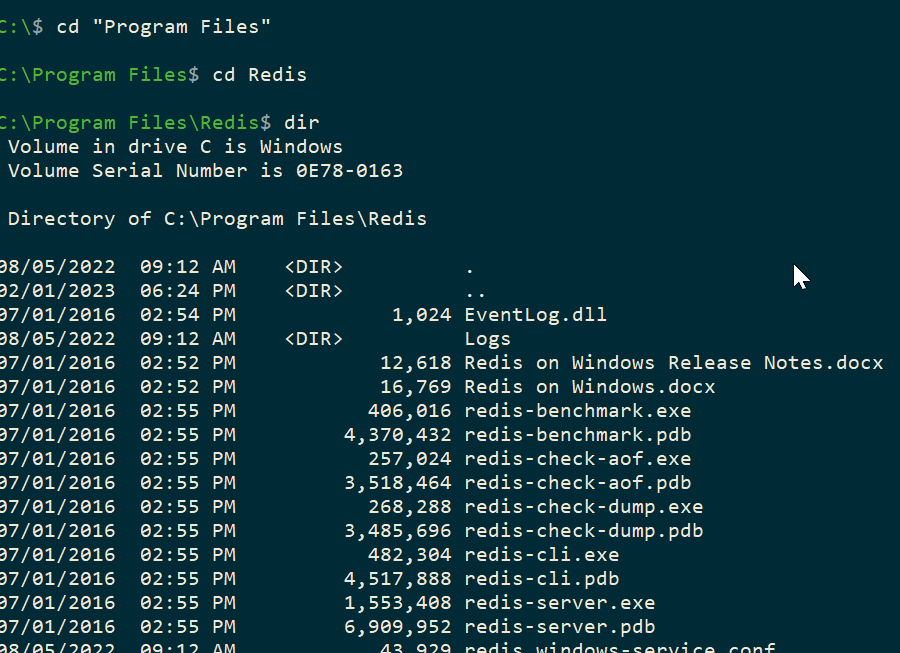
    2023-03-23 22_34_01-cmd

    If you run the redis-cli, you see this, a connection to the local host, with the port:

    2023-03-23 22_34_55-cmd - redis-cli

    In another post, I’ll create a graph, but to test this, if you type “ping”<enter>, you’ll get PONG back. That means your install is working fine.
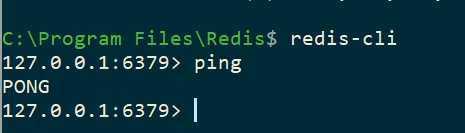
    2023-03-23 22_36_49-cmd - redis-cli

  • Redis University

    As if I don’t have enough to do, I started a data structures class at Redis University. Someone recommended this to me as another way a company has structured learning, so I decided to give it a try. There were some things they liked that we might use as Redgate University.

    I decided to start with the 101 course, since I have a rough idea of what Redis is, but now how it works. The class has a number of videos, with transcripts alongside that teach various concepts. One thing I like is that if I get lost, I can glance at the transcript, click it, and the video jumps back to that point. That’s handy, as life sometimes distracts me.

    The quizzes every video or two are nice, but I wish there was a bit more chance to practice things in the middle. I could certainly grab a Redis VM or container, but I have no real idea of how to access it, and I’d have another project. I would actually suggest some “launch lab” points after each set of videos with some practice tutorials or exercises.

    The class has two weeks, with a few chapters, each of which is about 6-7 videos. I don’t know about you, but that’s a lot in a week. If I could abandon some other things for an hour a night, maybe, but that can be tough to do consecutively. I’d really rather this was a 4 week class, with each of the items listed as a set of learning and practice for one week.

    Overall I learned some interesting things about how Redis works. With the power and speed of this memory based key-value system, I can see why some of our customers are using it. If you are thinking about it, or your app uses it and you want to know more, maybe check out their university.