Tag: software development

  • The App Compatibility Promise

    I was listening to one of the Ignite keynotes, and I heard an executive say something about “if your app doesn’t work, we’ll help you fix it at no additional cost, or fix Windows.” I had stop and rewind and check, and then go look around. Sure enough, there is an App Assure promise for Windows 10 and apps.

    This isn’t just for commercial software, but it lists custom line-of-business apps, third party apps, and more. Now, this doesn’t appear to be for everyone. The eligibility for at last the FastTrack portion of this is 150 or more licenses of Windows, Office, etc. However, it is a guarantee that they will help you.

    There’s also a note that there isn’t a requirement for ISVs building Windows 10 apps. To me, that means there’s no good reason why more companies don’t take advantage of it. I do think, however, that there’s a missing component here.

    Big parts of the Ignite keynotes, and in Microsoft’s marketing and messaging, is about data. That should mean that SQL Server and CosmosDB ought to be included in this promise. If there are regressions or bad plans, I’d hope that Microsoft would help them fix things. Or maybe promise that the compatibility mode would insulate apps.

    I know that execution plans regress, sometimes on the same version, and guaranteeing performance or a plan across versions isn’t likely possible. However, I do think that Microsoft could provide more guarantees, perhaps with some caveats that if they need you to change code you will.

    We all know that we need to test, test, test to ensure we aren’t introducing regressions or other issues. This isn’t a panacea, but it also isn’t a project. It’s an ongoing part of building any software, including database software. Many of us do this, but it becomes harder and more complex for ISVs that often deal with many versions. However, we pay lots of money, and I’d expect that they at least are supporting patches to existing software. I think that’s part of an informal contract that they ought to believe in.

    Listen to the podcast at Libsyn, Stitcher or iTunes.
  • Getting Started with Spawn

    I’m excited that the Redgate Foundry is working on some cool projects. The Future of DevOps is one and part of that work is with Spawn. I’ve played with this a little, and I wanted to write about a few adventures I’ve had.

    First, you need an account as Spawn is hosted and there is a login. The idea here is that the service (hosted now, but could be on premise) handles all of the complexity of databases in containers, spinning them up and managing them, with you just connecting to an endpoint to use the database. We can spin up SQL Server, PostgreSQL, MongoDB, MySQL, and Redis in this fashion. It’s truly a Database-as-a-Service (DBaaS).

    Spawn on Windows

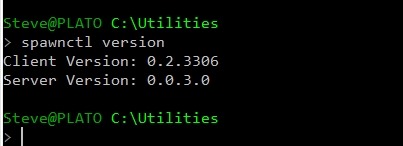
    For once, this is easier, or I think it is. I downloaded the spawnctl.exe CLI and then put it in a folder in my path. For me, I have a “utilities” folder where I drop stuff and that’s where this lives. I can check this working with a version parameter.

    2019-06-21 14_30_24-cmd

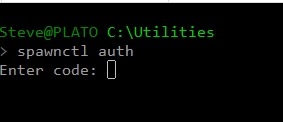
    So far, so good. Now we need to log in. I like integrated authentication schemes, and this one works well. I start with a “spawnctl auth” call from the command line.

    2019-06-21 14_32_40-cmd - spawnctl  auth

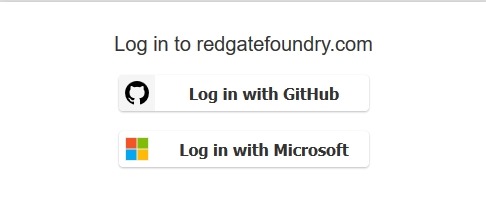
    This pauses and opens a web browser window. It’s here I need to log in. We support Github and Microsoft, but have mostly been using Github for our demo work.

    2019-06-21 14_32_46-redgatefoundry.com

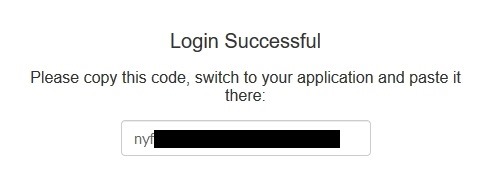
    Once I click that, since I have a Github session elsewhere, I’m logged in and I get a code back.

    2019-06-21 14_33_08-redgatefoundry.com

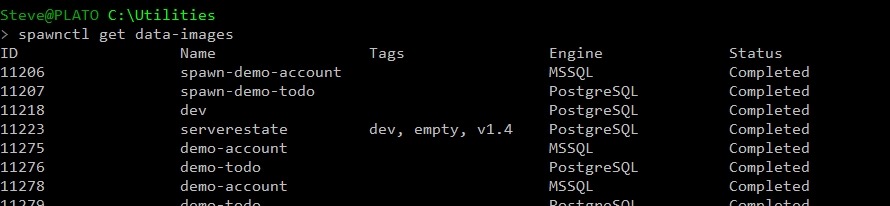
    I paste that back in the cmdline and I am authenticated. From here, I can then see what images I have. As you can see, there are both MSSQL and PostgreSQL images for me.

    2019-06-21 14_33_55-cmd

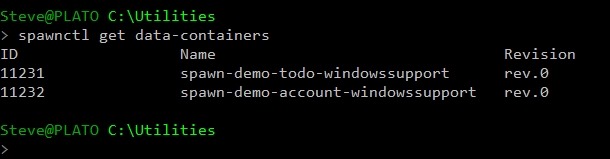
    I also have a few containers from my demo work.

    2019-06-21 14_35_10-cmd

    Let’s make a new container and connect to it. I’ll use Azure Data Studio, since I can connect to both SQL Server and PostgreSQL.

    Logging In

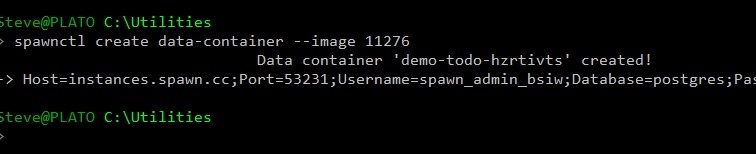
    To get a database, I’ll use a CREATE verb and the DATA-CONTAINER noun, along with an image. When this runs, I get a note this container is being created, then I get a response with login information.

    2019-06-21 14_42_51-cmd

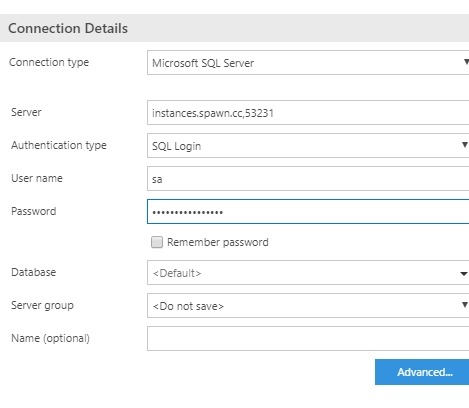
    Let’s put that in ADS. I can copy/paste my credentials into a connection dialog and then hit Connect.

    2019-06-21 14_43_52-SQLQuery_1 - disconnected - CoolADSNotebooks - Azure Data Studio

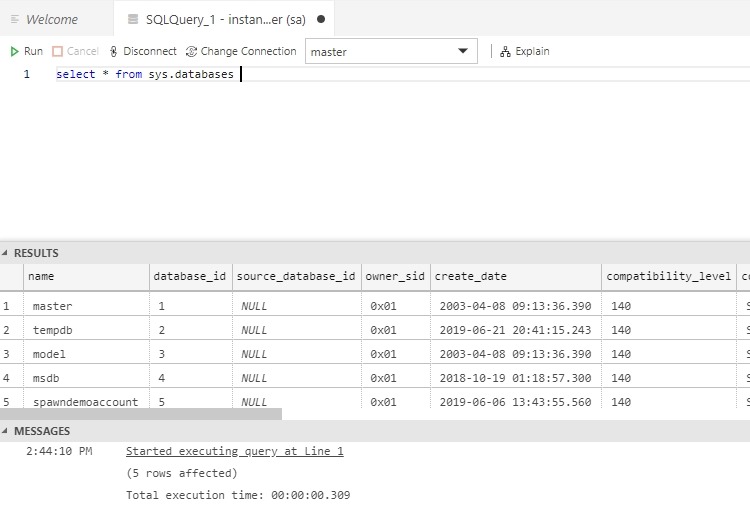
    As you can see, I’m connected.

    2019-06-21 14_44_21-● SQLQuery_1 - instances.spawn.cc,53231.master (sa) - CoolADSNotebooks - Azure D

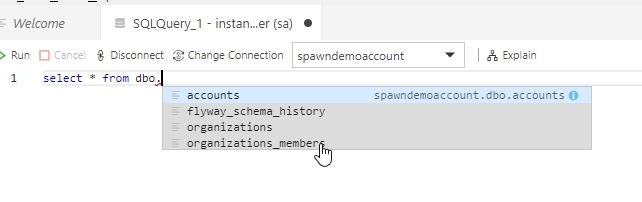
    I see the demo database we’ve been using and the tables in there. How this works is worthy of more posts, but for now, this is pretty cool.

    2019-06-21 14_45_04-● SQLQuery_1 - instances.spawn.cc,53231.master (sa) - CoolADSNotebooks - Azure D

    I can do the same thing with PostgreSQL. Create a container.

    2019-06-21 14_48_00-cmd

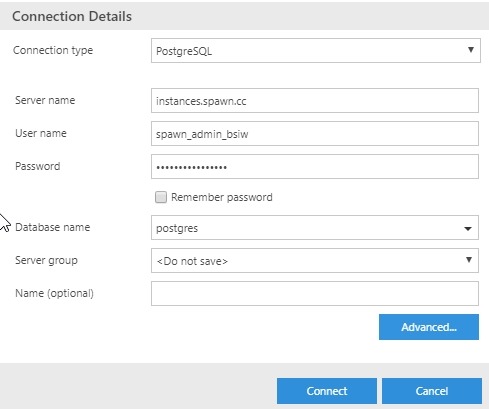
    Then connect (need to specify the port in Advanced)

    2019-06-21 14_51_57-Window

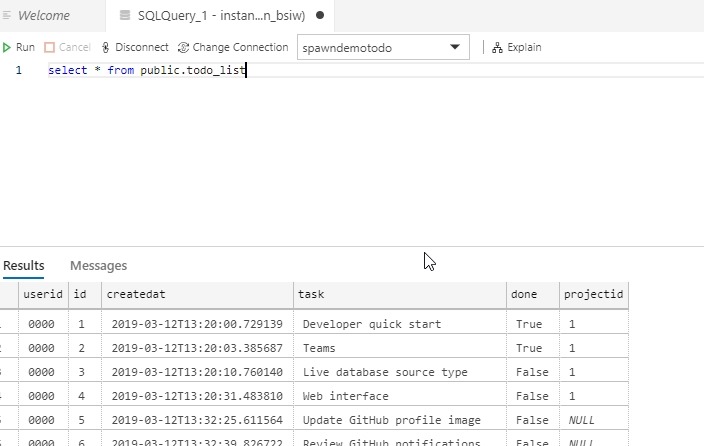
    And query:

    2019-06-21 14_52_59-● SQLQuery_1 - instances.spawn.cc.postgres (spawn_admin_bsiw) - CoolADSNotebooks

    Pretty cool. Simple, easy, and I think about as fast and easy as any other cloud database. Here, though, I am spinning up a container from an image template. That’s valuable for dev work, and I’ll talk about that in the future.

  • SQLServerCentral Design–QotD

    This is part of a series of posts that look at the changes to the SQLServerCentral design, bringing us to v3 of the site. You can see the other posts with the SQLServerCentral tag.

    We’re a few weeks in and the site is stabilizing a bit, but a lot of work still to go. This week, I wanted to write about the changes to our Question of the Day section, which are likely more backend than front end, but still an important part of the site.

    When we started the question of the day, it was a whim from Brian Knight, one that annoyed me because I ended up being responsible for most questions. Over time we allowed users to submit questions and enhanced the way the testing worked, but it took a bit of a step backward in v2 of the site. We had more restrictive forms for loading the questions, not supporting images in the explanation or even any HTML at first. We enhanced this over time, but the marking of multiple choice questions, scoring, awarding back points, and more were somewhat broken for a long time.

    I got quite familiar with running direct “fix-em-up” queries against the database to correct issues.

    When we talked with the developers about the new system, I wanted a more flexible way to get questions written, scheduled, scored, and even fix when we corrected issues. There are a number of plugins for WordPress that allow quizzes, but none that really fit our paradigm.

    A custom plugin was written which allows a more flexible editing system for the question and explanation, similar to what most users are familiar with for writing posts in WordPress. This is more visually appealing, and easier to author a question.

    On the front end, things are very similar, though we have reformatted a few things in the last couple weeks to show more information:

    • We let you know if you were right or wrong
    • We give you the correct answer, or if you were wrong, we tell you what you picked
    • We give you the percentage and count of people answering each choice.

    Many of these changes were simple, and some added back functionality that was lost when we launched the new site, but the changes were quicker and easier than in the past.

    That’s a good sign because in the process of building this out, there are a few things missing. We still need to award back points for poor questions. Right now I’d be reduced to making a database query, but I need a “award everyone points regardless of answer” button built.

    We also want to start collecting items into a test that might quiz a user in some particular area. In other words, rather than a question a day, we want to put questions more into a group like a certification test. Since the items are all linked in a more normalized fashion, and this would in some sense mirror what we’ve done with the Stairway series, I’m hopeful we can add this.

  • SQLServerCentral Design Decisions–Forum Threads

    It’s been a long couple of weeks. Almost two weeks ago we cut over from our older, v2 version of the site to the new (and current) v3. Lots of bugs, lots of disruption, and lots of unexpected items.

    As a bit of trying to help me understand as well as a catharsis, I wanted to jot a few thoughts on things that I’ve had to make decisions on or work within our framework. This post looks at one small item, the display of forum posts.

    The New Look

    Here’s the top of a thread in the current site.

    2019-04-08 11_38_35-Window

    A post and two responses, and I think it’s easy to see who’s posted, their avatar, the text and content, I can follow a user or send a message, I can reply or quote a post. My signature is small and a different font from the text.

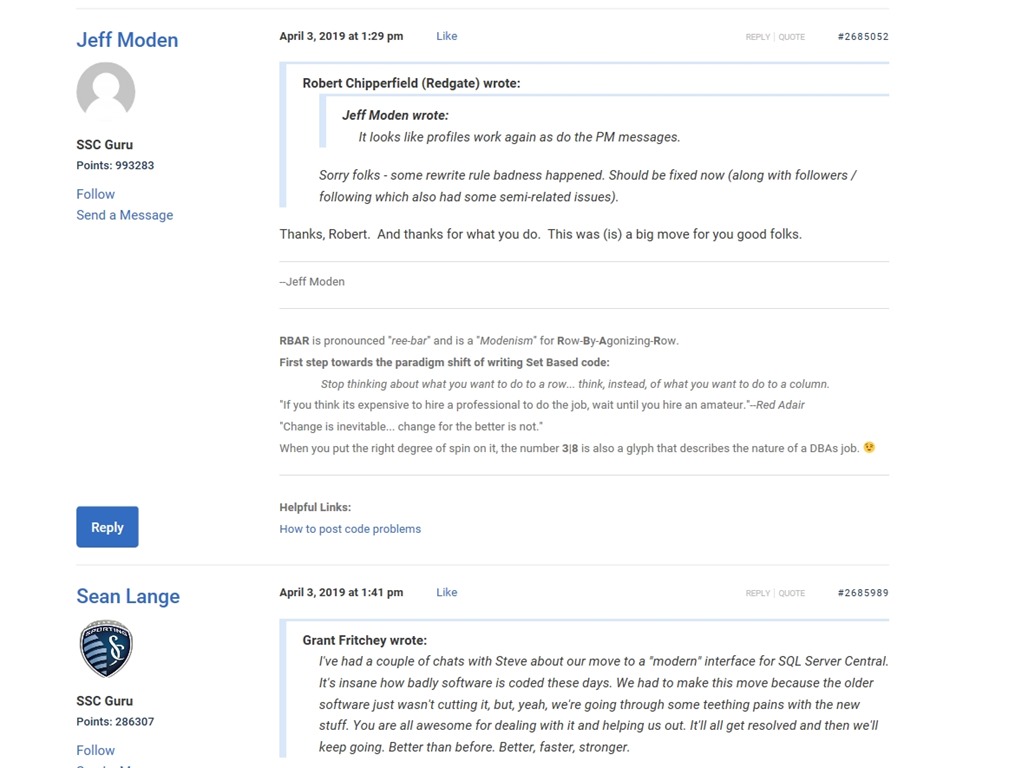
    Here’s another couple posts, which I think are harder to read:

    2019-04-08 11_45_19-Window

    These are older signatures, which don’t format as well, and some of the quoting is a little broken and causing issues.

    I don’t think the new format is necessarily more visually appealing to me, but it is less elements and a cleaner look in a more modern style. For everyone that liked the old format, we have people that didn’t.

    And vice versa.

    In this new format, we took the default bbPress items and tried to aim for less extraneous information. We styled this to have less color and contrast that is distracting while presenting the information that users need to see. We limited the options, of which we had too many and confused people in the older forums.

    This also gives us a good codebase on which we can make future changes. While many of those aren’t visible here, the pace and breadth of changes we’ve made in the last two weeks to tweak things is way above anything we went through the last time we touched the forums. I’m amazed at how well we’ve adapted to new areas and requirements as we go along.

    That being said, I know there are lots more changes to make and look for more to be coming in the next few months. We’ll change the styles slightly and perhaps redo some of the layout to make things easier.

    One thing this project has taught me is that what I think is a simple decision for software isn’t so simple for my users. We have thousands, really hundreds of thousands of users and some days it feels like none of them are pleased. I couldn’t imagine how hard it is when your software or site has 10x or 100x that size.