Tag: software development

  • Setting up a Local http Server with Node

    Setting up a local web server was something that I haven’t done in a long time and this was really easy. This post shows how to do this with a command line node web server.

    A Need

    Most software that needs a web server sets one up for you. This is pretty easy, and if I have a web app in Visual Studio, it will start up its own server when you run the app. If you had to set your own up, IIS was in many versions of Windows, but it wasn’t a simple thing to configure and manage.

    I like simple.

    I needed to just serve a file over http to test something. I could have done this by uploading a file to this blog or somewhere else, but I was hoping to keep this small and portable.

    Looking Around

    As always, I started with Google. I found a bunch of articles on Apache, python (should have tried this) and others. Then I saw this short article on a test web server on Windows. I looked, and this seemed to be something simple. I had node installed, so really I ran this:

    npm install -g http-server

    This installed somewhere. I had created a new folder in d:\http, but the web server was installed elsewhere. When I typed “http-server” in the command line, it seemed to be running. I saw this:

    2023-05-04 09_19_04-http-server

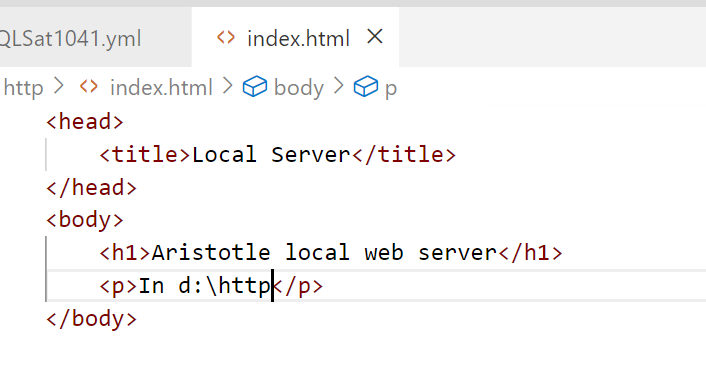
    I created a quick html file, index.html, with this content:

    2023-05-04 09_19_40-index.html - sqlsatwebsite - Visual Studio Code

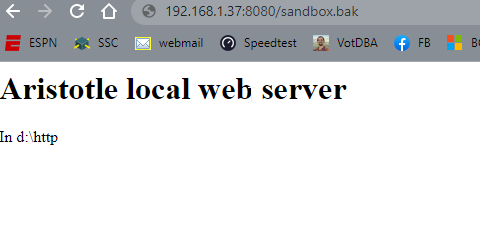
    and voila, I had a web server.

    2023-05-04 09_19_47-Local Server

    It’s basic, but any file I drop into d:\http can be served over http by entering the file name in the path. You can see in the image above, I was testing moving SQL Server backups. That URL actually downloaded that file from my browser.

    Summary

    This showed how you can set up a server with node. It’s quick and easy, and flexible. I can set this up as needed for tests without any big config. If you need this, here’s one way to test your own web stuff.

  • Experiments with GitHub CoPilot

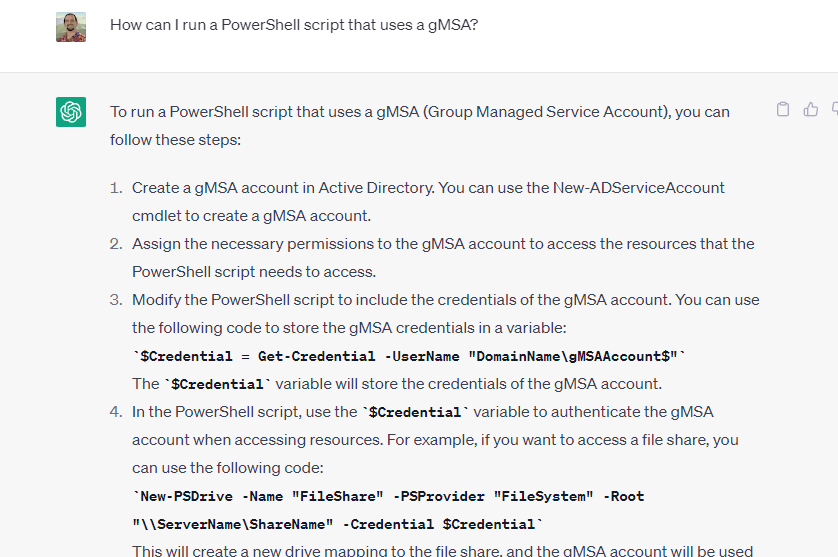
    There has been a lot of attention given to ChatGPT and AI over the last month or two. I’ve tried a few things with the public interface at Open.ai. Some worked well, like this one:

    2023-04-29 09_06_27-

    Others not so well:

    2023-04-24 10_26_10-Window

    This post looks at a few things I tried with VS Code and GitHub Copilot.

    Getting Access

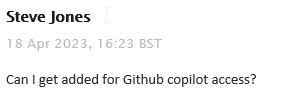
    I saw a note in our internal Redgate Slack that all developers were given access to Github Copilot. This is something you can subscribe to for about US$10/month, or if you are a student, you can get it for free. In my case, I filed a ticket:

    2023-04-29 09_08_52-Inbox - steve.jones@red-gate.com - Outlook

    It took a week or so as someone was out on holiday and this was a low priority ticket. In any case, I got a note from our ticket system, as well as GitHub, that I had access:

    2023-04-29 09_10_04-Inbox - steve.jones@red-gate.com - Outlook

    So I added the extension to VSCode.

    2023-04-29 08_58_23-Extension_ GitHub Copilot - sqlsatwebsite - Visual Studio Code

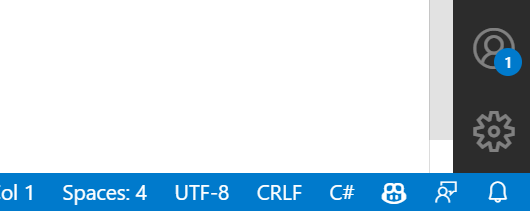
    Once installed, I got a note to sign in to GitHub, and when I had completed that, I saw the Copilot icon in the lower right corner of my IDE.

    2023-04-29 09_11_04-Window

    Getting Started

    My first experiment was to open my ZeroDowntime client code and see what happened. This is a VS 2019 project, but I opened it in VSCode, specifically the form1.cs code. I highlighted some code and …

    Nothing.

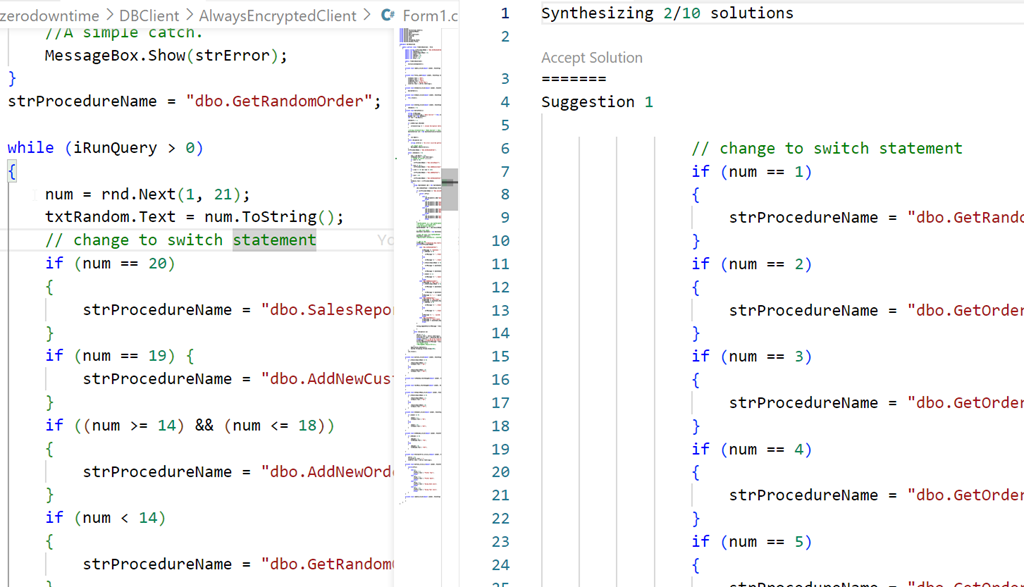
    Then I tried something I’d seen. I added a comment above some code. Still nothing, but when I opened the Github Copilot completions panel, I saw this:

    2023-04-29 09_02_27-● Form1.cs - sqlsatwebsite - Visual Studio Code

    Not helpful, nor what I asked for. Both solutions were similar.

    Starting from Scratch

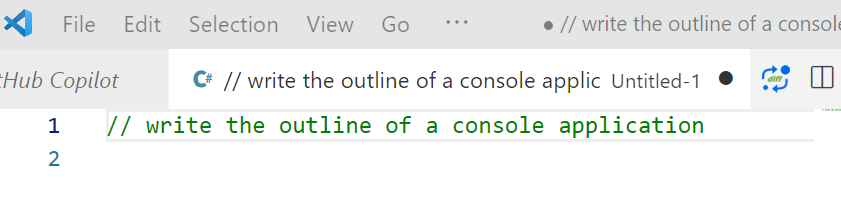
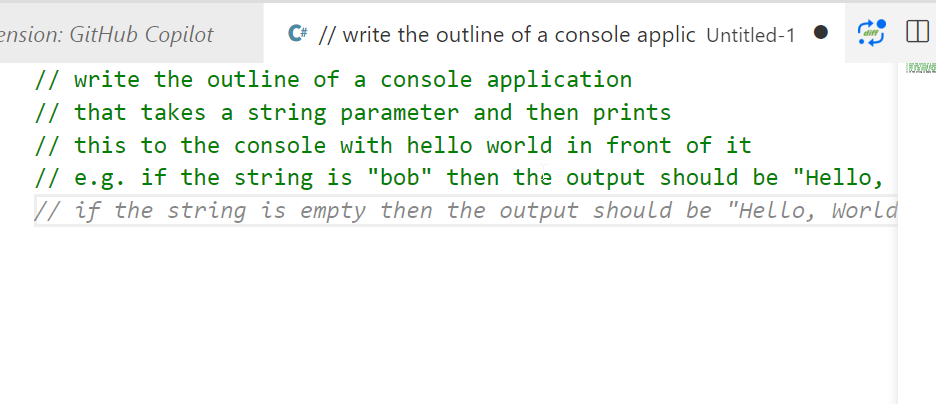
    I decided to then start from scratch. I created a new file, set this to C# and wrote this:

    2023-04-29 09_14_18-● __ write the outline of a console applic • Untitled-1 - sqlsatwebsite - Visual

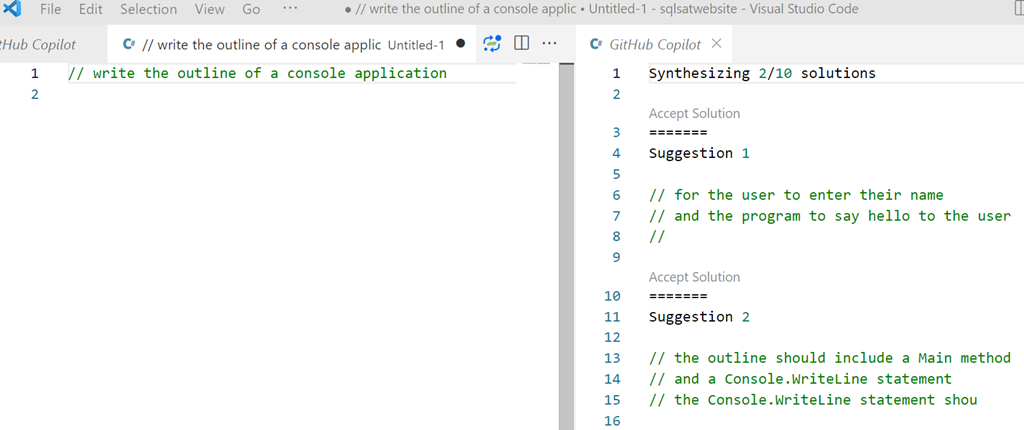
    Initially I got nothing, but when I opened the Copilot panel I saw this:

    2023-04-29 09_14_46-● __ write the outline of a console applic • Untitled-1 - sqlsatwebsite - Visual

    That is more interesting. Clearly poor specifications on my part.

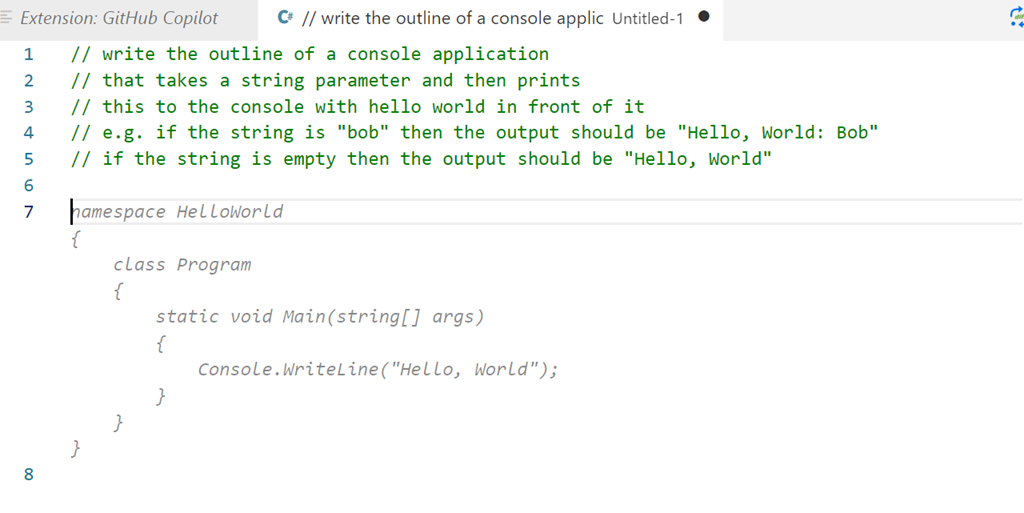
    Let’s try something else. I added more detail, and as I did, Copilot even added a few things after to help me specify what I needed.

    2023-04-29 09_16_06-● __ write the outline of a console applic • Untitled-1 - sqlsatwebsite - Visual

    I finished these lines and hit enter and I got something, though not what I wanted.

    2023-04-29 09_18_07-● __ write the outline of a console applic • Untitled-1 - sqlsatwebsite - Visual

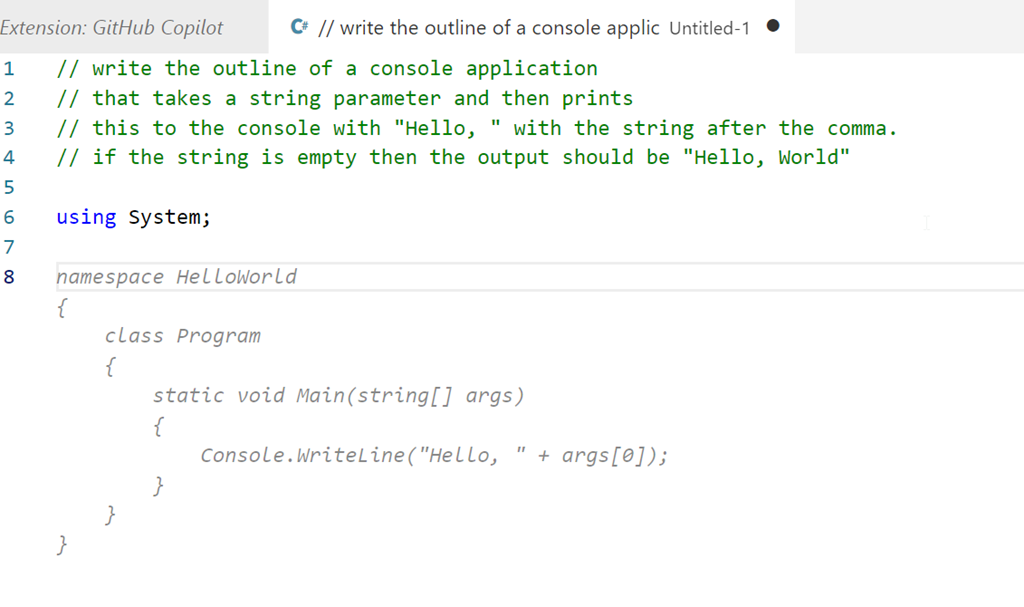
    Let’s try something else:

    2023-04-29 09_19_22-● __ write the outline of a console applic • Untitled-1 - sqlsatwebsite - Visual

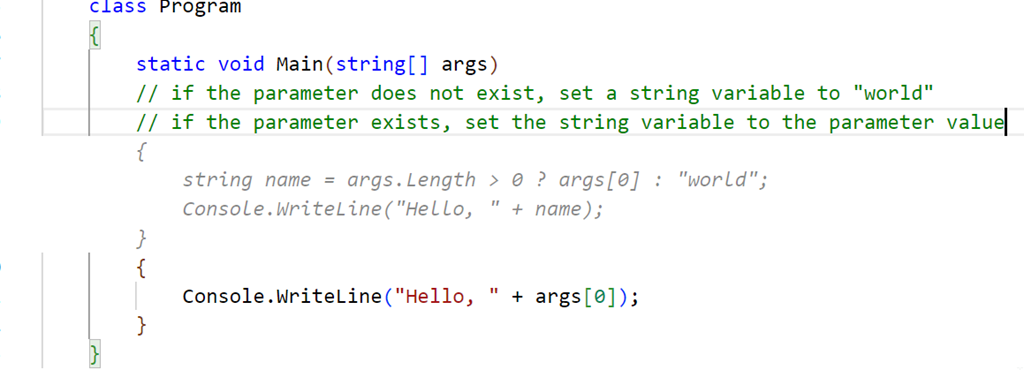
    That’s better. Not great, but better. This doesn’t quite match what I asked for. I copied this to a template project and then added another comment. I want to check for the existence of the parameter, and I got this code, which is better than something I’d write.

    2023-04-29 09_30_22-● Program.cs - sqlsatwebsite - Visual Studio Code

    Not quite right, and I have some lines to delete, but this gives me something, and as a middling C# dev, this is helpful. Once cleaned, I compiled and ran the code, and it seemed to work, at least for a very basic console app.

    2023-04-29 09_37_18-cmd

    Let’s try SQL

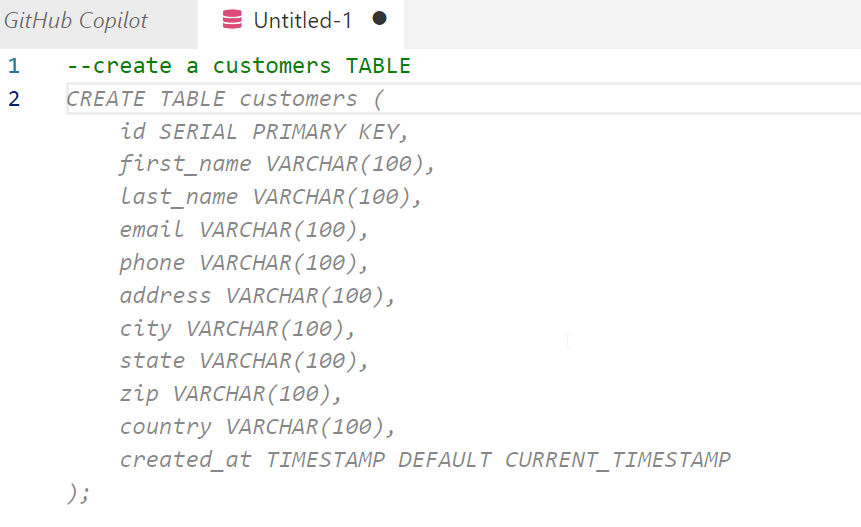
    I opened a new file, set the type to SQL and wrote a comment, using the appropriate comment style.

    2023-04-29 09_38_33-● Untitled-1 - sqlsatwebsite - Visual Studio Code

    I guess that’s OK. Not great, but I didn’t provide much detail. Interesting that it chose to use a created_at column with a timestamp. I never use timestamp, which is deprecated. Not sure how the AI learned about this type, perhaps because of a large corpus of training data using old code with this? Who knows.

    Let’s try something else. I’ll ask for a query using a known schema.

    2023-04-29 09_40_29-● Untitled-1 - sqlsatwebsite - Visual Studio Code

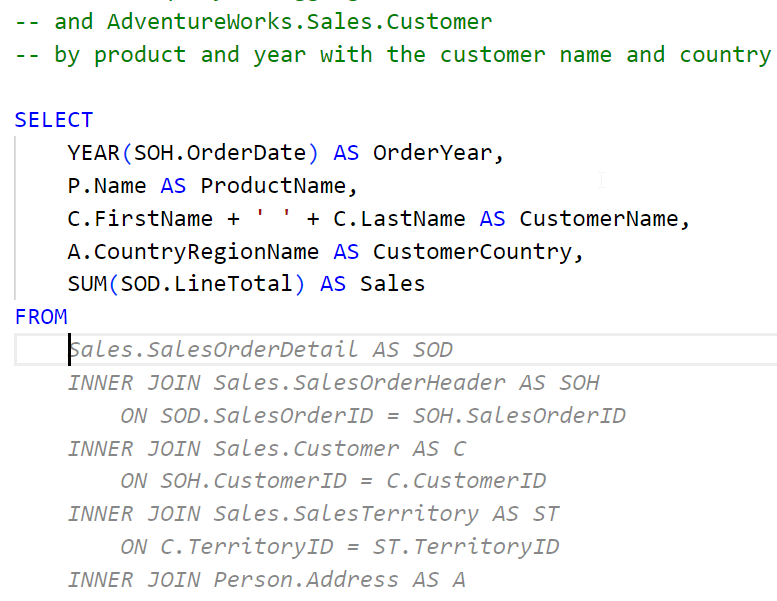
    A start, but not quite right. I do have to keep hitting enter to get the query written. A couple more Enters and Tabs to accept code get me this:

    2023-04-29 09_48_03-● Untitled-1 - sqlsatwebsite - Visual Studio Code

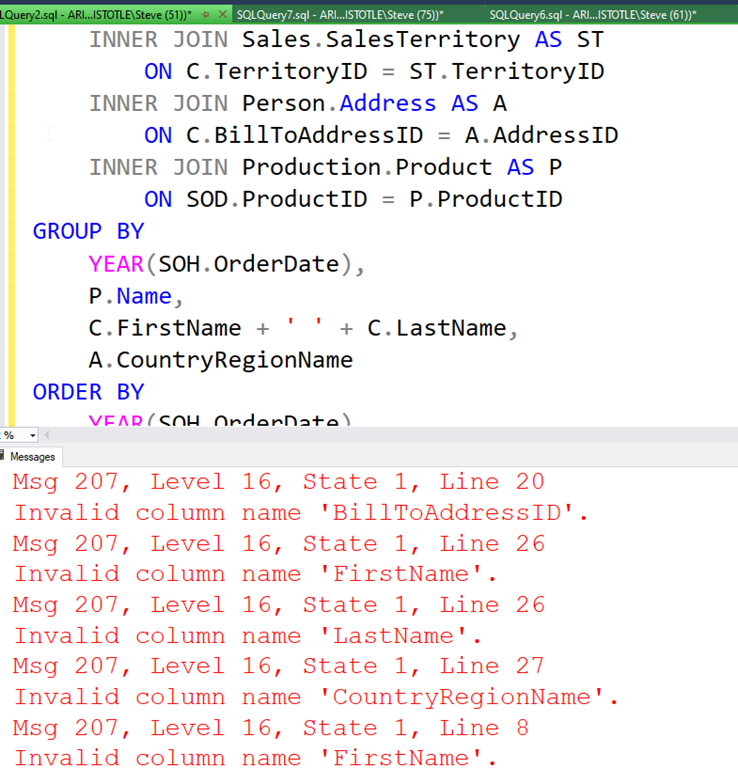
    If I keep going, I get a long query, but it doens’t work. At least not on my version of AdventureWorks.

    2023-04-29 09_50_45-SQLQuery2.sql - ARISTOTLE.AdventureWorks (ARISTOTLE_Steve (51))_ - Microsoft SQL

    Not great.

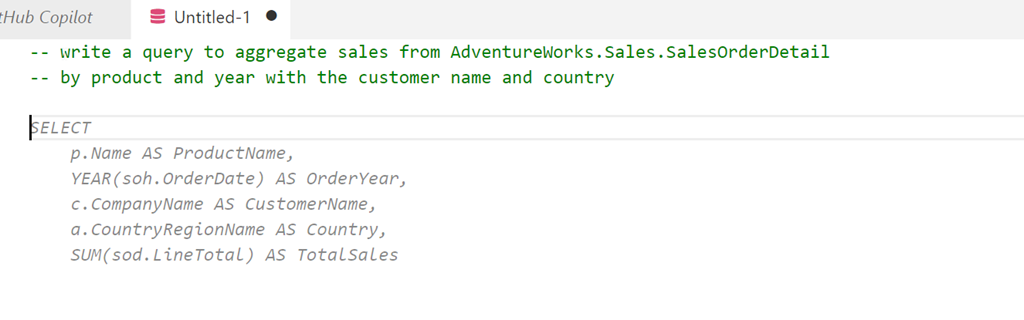
    What if I add a comment? I’ll ask for window functions.

    2023-04-29 09_51_45-● Untitled-1 - sqlsatwebsite - Visual Studio Code

    I get something else, but again, the final query doesn’t work. This time there are less errors, but the join listed seems to think the Customer table has a first name and last name, which it doesn’t.

    Initial Thoughts

    I’m not sure how useful this is. I think this is going to be one of those tools that I’ll have to practice with and understand how it works. My basic tests are mostly because I’m not sure what to do with it, or how it can be helpful.

    I have lightly seen some demos, but I realize that I need to watch a few more and also experiment with the features. I was hoping it would clean up some of my C# code, which is fairly basic, but it didn’t, at least not with my prompts.

    We’ll see how this goes, and I’ll see if I can use it in ADS and if it can actually recognize and use my database schemas to write queries or tests.

  • Creating Documentation

    Who should create documentation for software? In many companies, it’s the developers. In fact, in Redgate, often our developers are tasked with updating articles for products on our documentation site. We do have a streamlined process that has developers can submitting changes in some format (markdown? ) and an automation process that automatically updates the site as part of a release.

    However, we also have marketing people who are in charge of external articles and communications. They ensure that our product learning and university content is updated. They work with technical people to produce, edit, and publish content. These could be developers, advocates such as Grant or Ryan, or even partners. Our Friends of Redgate also help with content.

    Who should write and update documentation? Developers might best know how software changes, especially for new features. I know that developers also hate this chore, and I think they often don’t have the best perspective because the documentation should explain how I use things, not how I built them or just how I expect them to work. Developers sometimes just want to document how they expect the software to work.

    At the same time, marketing or some other area might not be aware of changes, necessitating more handoffs from the development teams. That can be a bottleneck in a DevOps flow. Of course, some of this process could be automated, like sending release notes to marketing. However, there is also the need for someone technical to review changes, which can require more resources. It could also mean marketing people ask developers to review changes, taking up their time anyway. If developers are like me, then they might just want to handle it themselves than communicate changes and still have to review someone else’s writeup.

    There probably isn’t a hard and fast rule. Not everyone communicate the same, or even that well. Writing is a skill, and while I might ensure all developers work on this skill, I might also try to lean more on those people that communicate well to ensure docs are updated for our clients.

    If you are building internal software, perhaps you forgo documentation entirely. I could see developers having a meeting with either QA staff or perhaps a business person to teach them what is changing. Then this person gets tasked with training others on the software rather than ensuring any formal documentation exists. Tribal knowledge might be the best solution here.

    If you’re a developer, would you want to control documentation or avoid it like the plague? Let me know today in the comments.

    Steve Jones

    Listen to the podcast at Libsyn, Stitcher, Spotify, or iTunes.
  • Living With Broken Software

    I travel quite a bit every year. Over 20 trips in 2022 and five trips in the first quarter of 2023. To make life easier, I have a few routines that I use to ensure that travel goes smoothly and I don’t forget things. One of those routines is using a parking service near the airport.

    This company used to have a fairly manual process, though it improved over the years. The pandemic forced them to move to more contactless service, which I appreciated. I could make a reservation online, get a QR code, and use that to both enter and exit the facility without interacting with anyone or handling money. A bit safer, but the big win for me was that this process was quicker for me move into and out of the lot.

    This service worked great in 2021, but sometime in the spring of 2022, I was making a reservation on the mobile app on the way to the airport. After completing the form, I clicked submit and got an error. I wasn’t sure what to do, so I double-checked everything I’d typed and resubmitted.

    Again, an error.

    I tried a third time, feeling a bit frustrated. I’d stopped for coffee and needed to start moving to the airport. For some reason, I decided to check my email. To my surprise, I found a confirmation of the reservation. Actually, I found three, which necessitated me asking for refunds for the two I didn’t need, while then trying to ensure I actually used the correct QR code to get in and out.

    Since then, I’ve used this mobile app multiple times to make reservations, and it always errors but sends a confirmation. I’ve sent a note to the company, but nothing has changed. The web app doesn’t seem to want to work correctly either but has different problems. I’ve tried a couple of other services, but I like this one. I just need to remember to make one reservation, ignore the error, and check my email.

    The tech is broken somewhere. Yet it works. It’s mildly annoying for me, perhaps much more annoying to others. This might dissuade new customers from using the service, though the parking lot seems fairly full most of the time. It’s the kind of thing that I, as a software developer, would want to fix.

    It’s also the kind of thing I could see management not caring about, and instead asking me to focus on new features or other bugs that are preventing customers from using the service.

    There is often more work queued up for software than there are time or resources to tackle them. When anyone is building software, they are constantly making choices about priorities and focus. What do I work on? What should be done first? What bugs need fixing and what bugs can we live with? Working for a software company has helped me keep perspective on the larger picture for a business.

    At the same time, I feel the frustration of a customer when things don’t work as I’d want them to work. Especially when an error is involved. This seems like it should be an easy fix, either catch the error and do something, or at least swallow it from the customer perspective. However, I have no idea how widespread this error is, or if I’m the only one for whom it doesn’t work. A good DevOps process would have instrumentation and monitoring to learn the scope, scale, and criticality of this, and other, bugs.

    Either way, it’s been alternately annoying and humorous to me. It works, and I live with it, sometimes amused that it’s still occurring. Perhaps I’ll even miss seeing the message when or if it gets fixed.

    Steve Jones

    Listen to the podcast at Libsyn, Stitcher, Spotify, or iTunes.