Tag: software development

  • A Software Warranty

    pocket knife
    Shouldn’t software developers give a warranty we can potentially void?

    Years ago I worked in a large company on the operations team. We were responsible for all production issues for the 6,000 people and the assorted machines, devices, and applications that come with a large workforce. There was a department that was aligned with our group that focused on engineering and various development groups that built different applications. The engineering group was good at working closely with the production team to ensure smooth deployments, but they weren’t on call and would at times respond slowly to develop solutions when problems occurred. They were, however, better than the development groups who often sent code to be deployed, and accepted bug reports back, but provided little support or assistance for problems with their code.

    I ran across this link from a DevOps person called You Write It, You Support It in the Brent Ozar, PLF newsletter. The piece makes a case for the problems that occur with some deployments, like a lack of, or surplus, of logging, switches to turn features on/off, error handling, and more. It’s a pretty good description of typical problems I’ve often seen, and it calls for developers to support the features that they write, even in production systems.

    I like this idea, though I don’t think that it should be a continuous expectation with developers required to support their code forever. I would like to see developers giving their code a “warranty” of sorts, perhaps a couple months of priority support when code is deployed into live environments with developers taking responsibility and responding to calls, even after hours.

    There are arguments to be made that developers’ time is better spent enhancing applications and applying their creativity to new ideas, but this leads to a human frailty. Too often we view a job finished as a job completed, and that’s not always the case. Doing a job well means more than completion. It implies a level of craftsmanship and pride in the finished product, both from the developer and the client.

    Developers should write code that works. If it doesn’t, then it’s not really finished and should be fixed. With that contract in place, we usually find that the developer spends a bit more time ensuring the product is built in a quality way that reduces the need for much support.

    Steve Jones


    The Voice of the DBA Podcasts

    We publish three versions of the podcast each day for you to enjoy.

  • On Source Control

    A mention today from Jamie Thomson in his blog on source control. I left a comment, but it was long, so I thought I’d repost it here.

    My comment

    Thanks for the note, Jamie, and it’s interesting, but I don’t see any respondents that aren’t using VSC. I’m guessing many people don’t want to admit that.

    I use source control, sort of. I don’t have a lot of production code, mostly demo stuff, which doesn’t change so much as gets scrapped and restarted. However I am using Subversion (Turtle interface) with Red Gate’s SQL Source Control (of course).

    Why? Well, since I have a 1:1 with my boss today, I should mention Red Gate makes a fantastic product that I couldn’t do without. Actually I think I’m bound to use it since I work for Red gate, but even if I didn’t, it makes things easier.

    I built this habit at a startup, with Visual SourceSafe, and 6 months of browbeating developers to actually check out code from VSS, do a File | Open in Enterprise Manager (SQL 2k at the time), make changes, save the code, and check it back in. It can be done manually, and should, but there are tools like Red Gate’s products that make it easier.

    I know lots of people just edit code in SSMS/VS without controlling it, and that’s a mistake if you are trying to work in a team environment, and product quality software. I haven’t had to roll back often, but there are times we have needed to, and not having control was an issue.

    As an anecdote, I had a job once, waaaayyy back in the last century, using SQL 6.5. The developers had done a great job of using source control for all ASP, VB6, and SQL code. The problem was that they had checked out the code, saved it locally, copied it to another folder, and then checked it in. Then they might check back in the original script that was checked out. Or they might check the original back in and forget the modified version. Or they might not check anything in.

    We found 3, 4, even 7 copies of some stored procedures on various desktops and shared drives, and they had decided to encrypt all the code on the SQL Server. We were never quite sure what version was deployed where, and deployments of the "latest" versions from VSC broke functionality.

    We ended up decrypting all code, and reloading it into VCS, while removing all copies of local storage. It isn’t enough just to use source control or implement something; you need to understand what you are doing and do it consistently. Tools help here, so please use something.

    A Couple More Thoughts

    Source control is insurance. It’s risk reduction, but something that most people don’t understand or think they need. They may not. If you never have a server crash, or a hack of your data, then you don’t need backups. However most people wouldn’t want to run their systems, especially the ones they care about, without backups.

    It’s the same with source control. Use something to provide yourself with a fallback if you have issues.

    It’s not hard, there are lots of tools out there, and they make it easy to conform to some process. You can use SQL Source Control or SQL Connect from my company, or use something else, but integrate your database code with source control.

  • Pair Programming

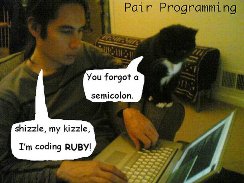
    pair programming with cat
    I could probably handle some pair programming with this little one.

    I’ve never pair programmed, but I’m not sure I’d like it. As much as I like collaborating, I prefer alone time to work on problems, or think things through and experiment a bit on my own. I prefer brainstorming and discussion sessions to be limited in nature, with the chance to then go work on my own pieces along.

    However pair programming has been touted as a way to improve software quality by many people. It’s not as popular as some other methodologies, but it still exists out there. I ran across a programmer’s reflections on nine months of pair programming that made for a thought provoking read. He looks back at the experience and lists some pros and cons. Better code, more productivity, and lots of knowledge transfer were some of the positives, and would lead many managers to try and push developers into working in pairs.

    However there were downsides. As someone that speaks regularly, I think that the strain on my vocal chords would be hard if I had to speak constantly to someone else. The fact that the environment needs to be consistent for both people would also be a problems as I often find strong opinions from  developers in technology as to how they want an environment configured for their tasks. I know that watching someone else control a browser drives me a little crazy. I think I’d definitely need to have a separate machine for many tasks.

    As with anything, pair programming makes sense at times. I know that I’d like to have senior T-SQL coders work with junior ones when developing complex queries and explaining how and why they solve problems with certain techniques. Doing this in real time might slow down the senior person, but I think the evolution of one’s thoughts as they solve a problem is as important to learn as the inner workings of the actual code.


    The Voice of the DBA Podcasts

    We normally publish three versions of the podcast each day for you to enjoy. Today there is no podcast due to Steve being ill. Hope to have the podcasts return tomorrow.

  • Trade-offs

    scale
    There are always trade-offs when building software.

    I’ve always told my managers that building software is a trade off. We can do things cheaply, or we can do them quickly, but we can rarely do both. We can certainly fail in both ways, and many people do, but I usually see the need to trade time for money, or vice versa, when building software.

    I ran across a piece recently that was similar, though in it Allan Hirt says you can do things right, do them fast, or do them cheap. Allan talks about limited resources in working on projects. At some point time, budget, and staff resources are constrainted and you can’t expect stellar performance on extremely large workloads in a 24x7x365 environment. Something has to give, and one of those resources is going to let you down.

    I had always looked at people as a “money” cost, since they are paid for work, but there is another constraint to people that I hadn’t considered. Each individual in your company isn’t just a resource that’s exchangeable for others. Each individual has knowledge and skills that aren’t easily transferred to, or replaced by, other employees. In addition, each person has time constraints; they will only work so much in a given time period.

    Building powerful, efficient, effective systems, whether in software, infrastructure, or even in culture takes effort, time, and money. However if you do it well, it’s something you’re not only proud of, but something that pays for itself over and over.

    Steve Jones


    The Voice of the DBA Podcasts

    We publish three versions of the podcast each day for you to enjoy.