Tag: sql server

  • T-SQL Tuesday #124–Query Store in Action

    tsqltuesdayToday is T-SQL Tuesday #124 and I’m dropping a quick post as I’ve had lots of other stuff to do since returning from my sabbatical. Tracy Boggiano is the host this time and she asks about Query  Store.

    A Quick Review

    I don’t use Query Store (QDS) much. I don’t have to deal with the production operations much, and really, I’m not supposed to worry about the SSC servers. We sometimes have bad plans and bad code, but it doesn’t affect the performance of the servers overall (we’re over provisioned) and we use SQLServerCentral as part of our SQL Monitor demo site, so we want some bad stuff showing up.
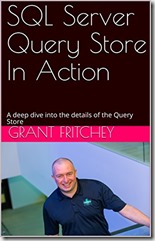
    5129kPl5kCLGrant wrote a book, SQL Server Query Store in Action, that is on the Kindle Unlimited list. Since I subscribe, I grabbed this last year and dug in on a few airplane flights to see if I’d missed anything about how the QDS works.

    It’s a good intro look at what the QDS is, how it works, and how you can get information out of it. Grant does a good job of digging into the DMVs and helping you to understand what happens outside of the SSMS GUI.

    Grant and our host, Tracy, have another Query Store book that goes into more detail ( and it more recent) if you want to learn more.

    Overall, this is a good basic look at QDS. If you want to get started, and subscribe to Kindle Unlimited, give this a look.
  • Containers, Kubernetes, and SQL Server

    Abstract: Containers and Kubernetes have become buzzwords in the application development world, but how do these technologies fit with SQL Server? This session will discuss the basics of containers and Kubernetes and explain how we can use containers with databases in SQL Server. We will also briefly look at the future of SQL Server with Kubernetes support.

    Level: 100

    Slide Deck: ContainersKubernetesSQLServer.pptx

    CodeContainers_Kubernetes_SQLServer.zip

    Speaking Events:

  • Setting Certificate Backup Permissions for an Instance–#SQLNewBlogger

    Another post for me that is simple and hopefully serves as an example for people trying to get blogging as #SQLNewBloggers.

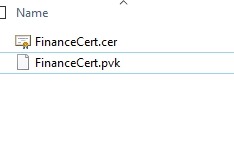
    Recently I was testing some security change, and I made a backup of my certificate from one instance. I did this on a share that I’ll use to move the files to another instance. In this case, I had these files in the folder.

    2019-08-23 14_31_13-SQL

    The problem is that by default, SQL Server locks down permissions, as it should. That means that the other instance couldn’t access the files, as its service account didn’t have permissions.

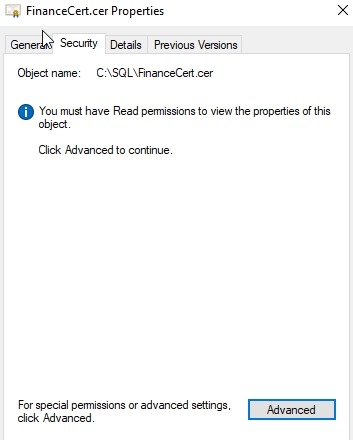
    I fixed this by opening the security tab for the file. I had to do this for each, but I’ll show one here.

    2019-08-23 14_31_22-FinanceCert.cer Properties

    I clicked “Advanced” to get a more detailed view of permissions.

    2019-08-23 14_31_28-Advanced Security Settings for FinanceCert.cer

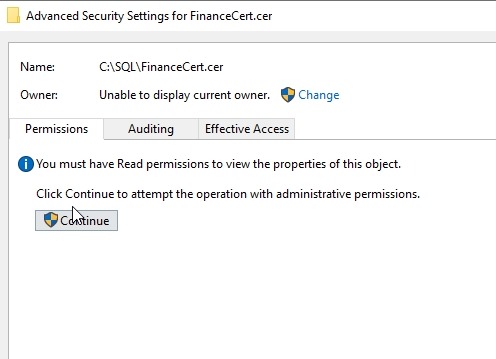
    Again, I really need to approve this view of the security settings. Once I acknowledge the UAC dialog, I can see this:

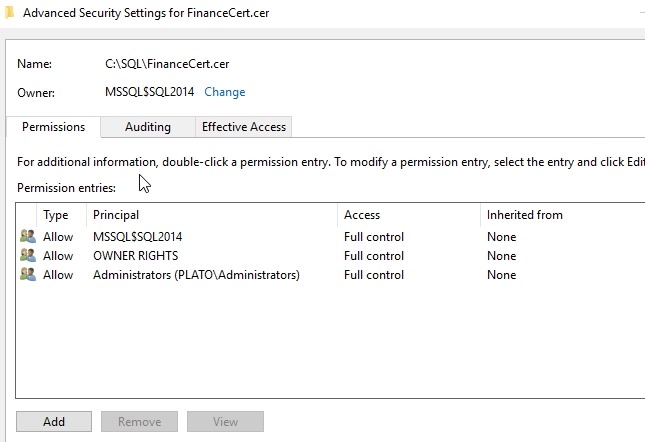
    2019-08-23 14_31_38-Advanced Security Settings for FinanceCert.cer

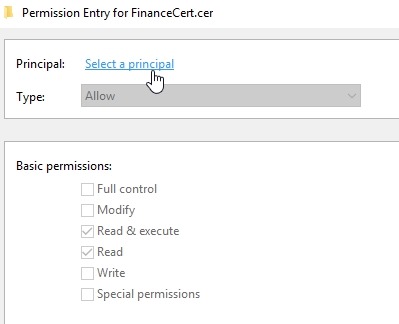
    What I needed to do here was add permissions for another service account. Clicking Add lets me select a principal.

    2019-08-23 14_31_46-Permission Entry for FinanceCert.cer

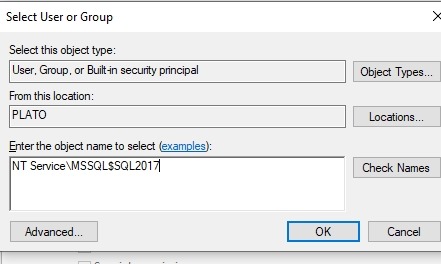
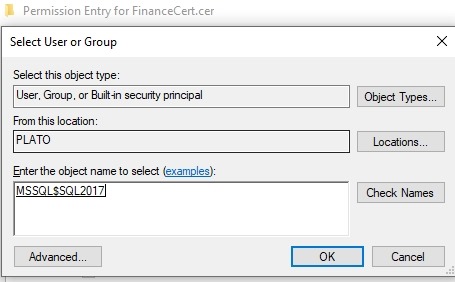
    For a local account, I need to give the “NT Service” prefix to my account, despite this not being shown as part of the service account settings.

    2019-08-23 14_31_57-Permission Entry for FinanceCert.cer

    When you click Check Names, this will shorten. If you enter this short version, it won’t work.

    2019-08-23 14_32_01-Permission Entry for FinanceCert.cer

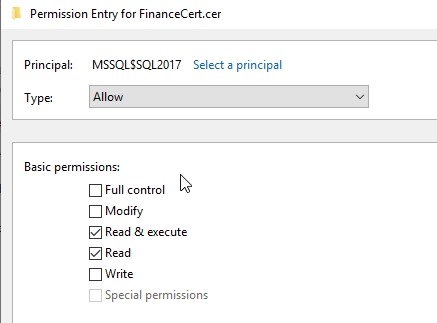
    In my case, this account really just needs Read permissions.

    2019-08-23 14_32_05-Permission Entry for FinanceCert.cer

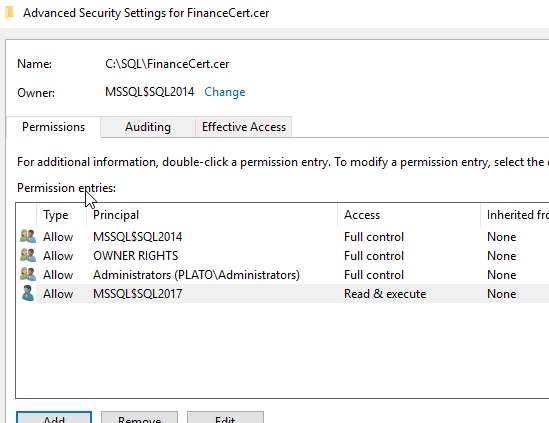
    Click OK, and I see it listed.

    2019-08-23 14_32_10-Advanced Security Settings for FinanceCert.cer

    That’s it. Now my SQL2017 instance can access the backup and create the certificate.

    SQLNewBlogger

    This is something I’d expect most people working with SQL Server on Windows would be easily able to do, but showing some knowledge here gives confidence in your abilities.

    This took longer to get screenshots than to write. You could easily do something similar.

  • New HA Licensing Benefits

    Microsoft announced recently that they were changing the way licensing works for HA and DR situations. I think this is a great change, and the summary is:

    • You can have up to 3 other un-used secondaries for free
    • You can a sync on-prem replica, async on prem replica, and a remote DR replica.
    • You can run DBCC, backups, monitor resource data on the secondaries

    This is a huge change, mostly because most of us expected these would be acceptable uses already, but they weren’t. And many of us had to go ask for more licensing money.

    The Caveat

    There is a caveat here, actually two. You need:

    • Software assurance
    • A supported version of SQL Server

    Those two things mean you need to be under a support contract, but also that this benefit isn’t just SQL Server 2019, but back ported to all supported versions.

    That’s good new.