Tag: syndicated

  • Running Flyway from PowerShell–A Gotcha

    I ran across an interesting gotcha while trying to run a Flyway command from PowerShell. Specifically, the snapshot command and providing a parameter that is the snapshot.filename parameter.

    Someone reported an issue with Snapshot, so I tried it from a command line. It worked fine for me, but a sharp Redgate developer noted that the person was running something like this from PowerShell:

    flyway snapshot -snapshot.filename="deployed1.snapshot" -url="jdbc:sqlserver://localhost;databaseName=FWSimpleTalk_1_Dev;encrypt=true;integratedSecurity=true;trustServerCertificate=true"

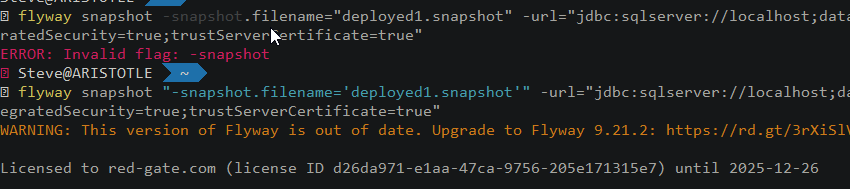
    As you can see below, this caused an error.

    2023-08-28 11_52_27-Window

    I checked my version. Surely “flyway snapshot” was valid, and it was.

    However, there is an issue here with PowerShell and the parameter. In this case, the PoSh will try to interpret this as

    The issue is lightly explained in this SO question, though I can’t quite figure out where this is documented. However, using quotes around the parameter name fixes this. Note, I switched the parameter value to single quotes.

    flyway snapshot "-snapshot.filename='deployed1.snapshot'" -url="jdbc:sqlserver://localhost;databaseName=FWSimpleTalk_1_Dev;encrypt=true;integratedSecurity=true;trustServerCertificate=true"

    As you can see, this works.
    2023-08-28 08_25_29-Window

    PowerShell is closed to command shell, but not the same. Keep that in mind as you build automation. Be wary of how your parameter values might be interpreted and test lots of values.
  • The PASS Data Community Summit On Guy in a Cube

    I’ve known Adam and Patrick for a long time and I’m thrilled with the content they produce on their Guy in a Cube show. It’s a great resource for anything Power BI, and now, starting to cover Microsoft Fabric.

    I’ve been on their show before, but we did a new episode recently, talking about the PASS Data Community Summit 2023. They are teaching a pre-con session on Fabric and I recommend going to this one if you have a need to do data warehousing in Azure.

    Give the show a watch, and I hope to see you in November in Seattle. It’s a great trip for both you and your employer. You’ll get a lot of value from the event and I’m sure you will bring some knowledge back to your team.

  • Friday Flyway Tips: Visualizing Undo Scripts

    One nice thing with Flyway Enterprise is that it will automatically generate the undo scripts for migration scripts. However, it used to be that finding these and seeing the script was hard. It’s easier after Flyway Desktop 6.5.2

    I’ve been working with Flyway Desktop for work more and more as we transition from older SSMS plugins to the standalone tool. This series looks at some tips I’ve gotten along the way.

    Undo Scripts

    If you have Flyway Enterprise, you can have Flyway Desktop automatically generate scripts: both forward (versioned) and undo scripts.

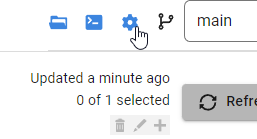
    The config option for this is in project options, which is in the upper right.

    2023-08-10 15_53_53-Flyway Desktop

    Clicking this

    2023-08-10 15_53_57-Flyway Desktop

    Once have this, if you add a new object, when you generate the migration script, Flyway Desktop will generate the undo script. In the older UI (pre 6.5) this was a script below the generated script, which meant you had to scroll down, or up and down to compare the forward and undo scripts.

    The new UI is better. Now there is just a button. Let me show you how to do this.

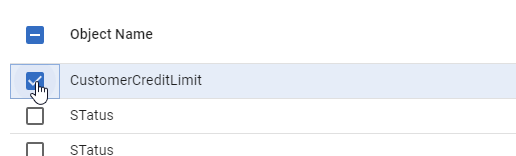
    First, I have a few changes in the schema model. I’ll select one.

    2023-08-21 12_27_19-Flyway Desktop

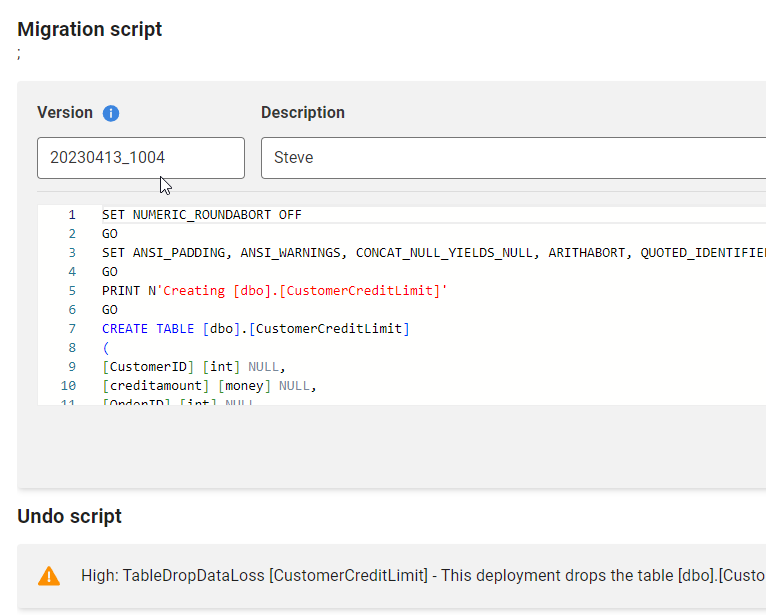
    Now I’ll generate the scripts. When I do that, I see the two scripts. The versioned (forward) script is first, and you can see the “Undo” at the bottom.

    2023-08-21 12_28_05-Flyway Desktop

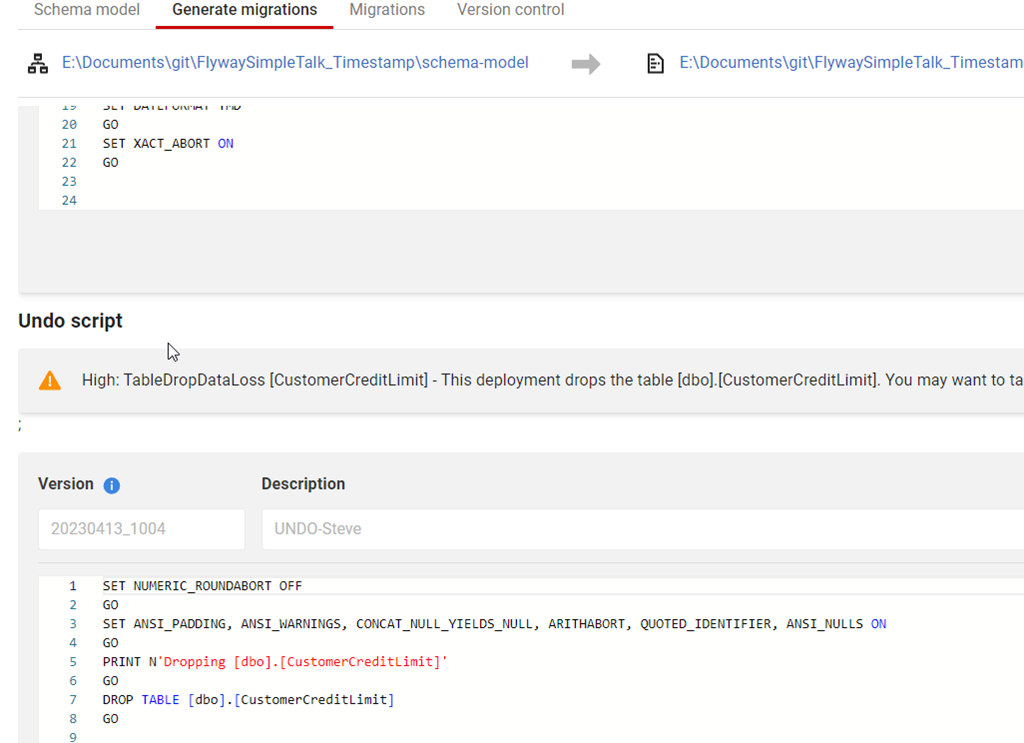
    Below this, the rest of the undo script is visible if I scroll down.

    2023-08-21 12_28_12-Flyway Desktop

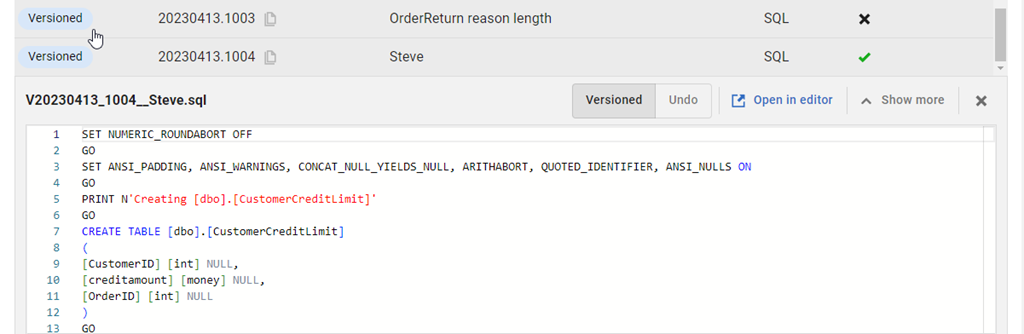
    It’s a bit of a pain to scroll up and down, so there is a small improvement in the migrations tab. If I go there, I can find my script at the bottom of the list and click it.

    2023-08-21 12_30_33-Flyway Desktop

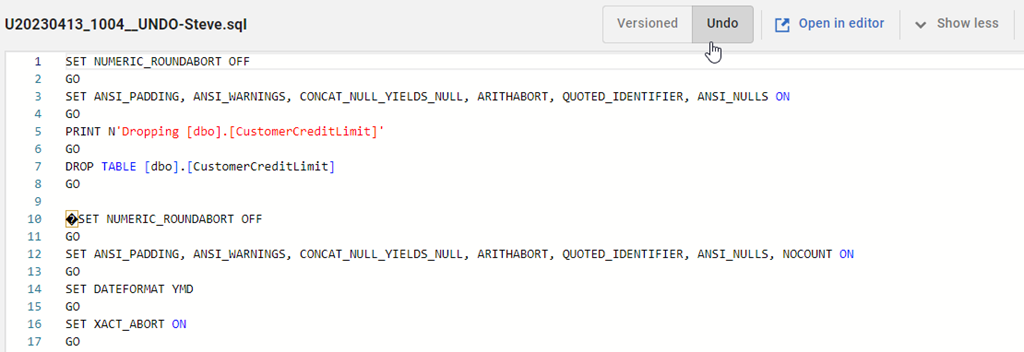
    At the top of the script, in the bar, there is now a set of toggle buttons for version and undo.

    2023-08-21 12_24_35-Flyway Desktop

    I can click back and forth to easily see both scripts. The V script is above, and the undo is below.

    2023-08-21 12_39_44-Flyway Desktop

    Try it out today. If you haven’t worked with Flyway Desktop, download it today. There is a free version that organizes migrations and paid versions with many more features.

    Video Walkthrough

    I made a quick video showing this as well. You can watch it below, or check out all the Flyway videos I’ve added:


  • A New Word: Merrenness

    merrenness – n. the lulling isolation of driving late at night – floating through the void in an otherworldly hum, trailing red jewels in the darkness, your high beams seeming back and forth like a lighthouse.

    This is certainly something I feel often. I don’t go out late a lot, but there are times I’m coming home and I feel merrenness. Not so much the side to side of high beams, but the up and down on the hilly country roads in Colorado. A bit of side to side as I get near the house.

    This is especially something I feel in the Tesla, where there can be a hum and not much else. Watching the world go by, sometimes with music as a background, sometimes silence, reminds me of the wider world around me, both there and muted by the darkness.

    From the Dictionary of Obscure Sorrows