Tag: syndicated

  • The New Redgate Office in Cambridge

    I’m in Cambridge, UK this week for the internal Global Marketing Week and Level Up Conference. This is my first visit to Cambridge in 2023, and we have a new office. The old one is literally next door, but after the pandemic, it was too large a space for us. We renovated a smaller building and moved in a few months ago.

    I wasn’t sure if I walked to the right building, but I saw the smaller logo above the door. We had a large sign on near the roof of the other building that was visible from quite a distance. I had to enter the smaller car park to see this one.

    20230612_090234

    There’s a smaller foyer, and all the doors are automatic. I hadn’t been set up with a key, so I actually waited outside for someone to let me know. The entrance, and inner doors to office spaces are all locked with card or phone access. I was pleasantly surprised how easy it was to activate my phone and get access. True self-service with an app and SSO (Single-sign on). Technology is amazing.

    I downloaded an app, signed in with SSO and clicked a clink. Then walked outside and here is me entering the outer door.

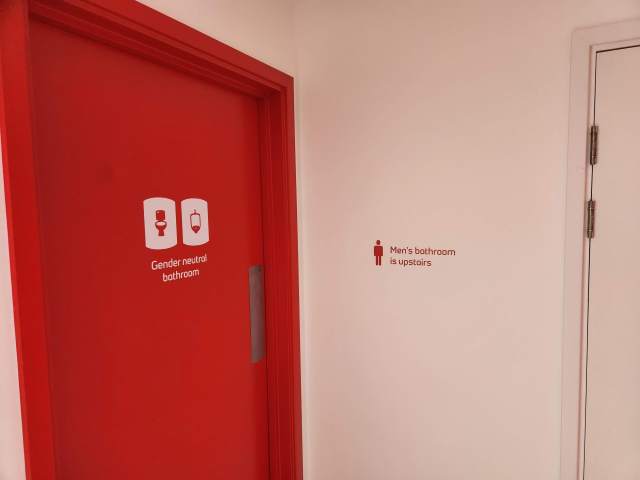
    Here are the inner doors, which protect everything but the bathroom and shower (and guitars).

    Speaking of the guitars, there’s a small foyer below the stairs. It’s not trafficked, and I find it was relaxing place to take 5 or 10 minutes a few times a day to play and chill out. There’s a nice view of the garden outside the office.
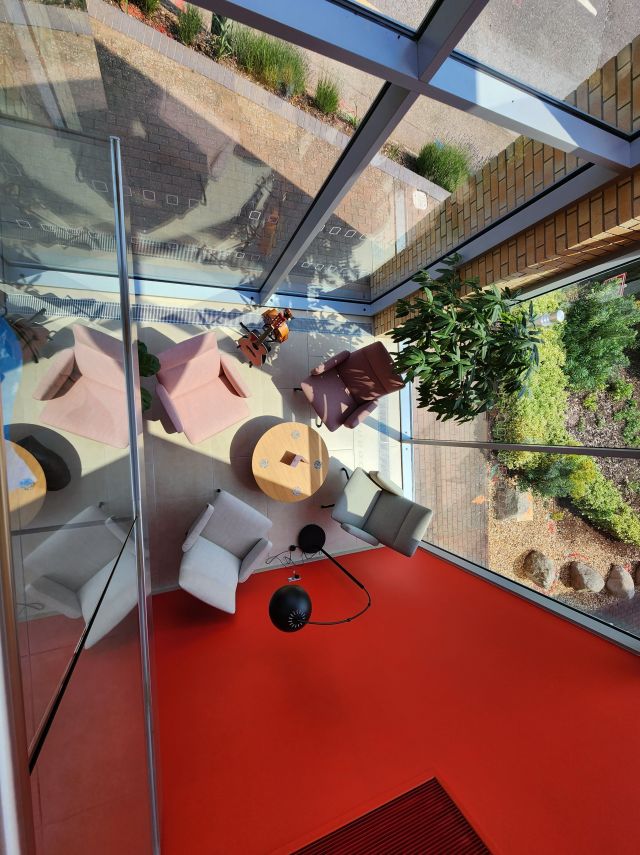
    Redgate office foyer

    Everything is new. It’s neat to see all the decorations around, with imagery and plants. The view is of a business park, but it’s nice to see plants and trees around.

    View from the upper stairs

    The spaces are mostly the same, all rising desks with two monitors. We use an app called Envoy to sign into the office and book a desk. Very few people have reserved desks, since only a few people are in 4-5 days a week. Most people seem to come in 1-2 times a week or less frequently. I think everyone comes in at least twice a month.
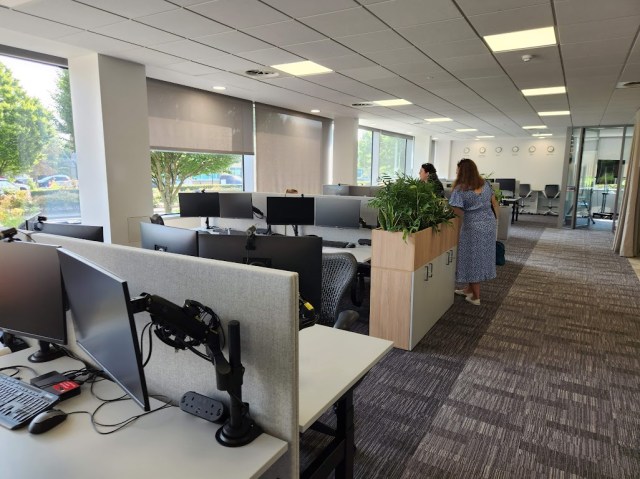
    Office space desks

    The conference rooms are all new and themed. Each has a name outside, with a default image that reflects the name. For example, the outside of Moreton Island looks like this.
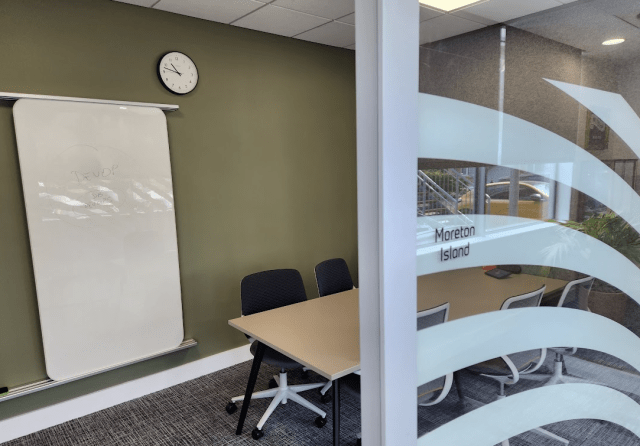
    Outside of Moreton Island Conference Room

    It’s one of our smaller 4-6 person sized rooms. Inside, we see the default images of the island, which I was told were taken by someone at Redgate.
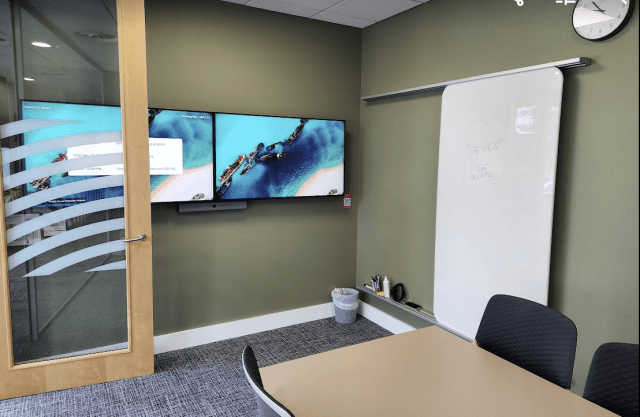
    Moreton Island conference room images

    Grant and I were in the Joshua Tree room for a meeting as well, with some great images.
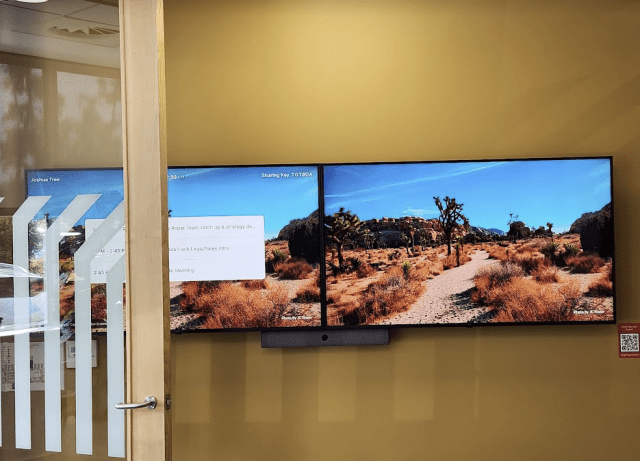
    Joshua Tree conference room

    There’s also a small Zoom device in each room. If you look above, there’s a “sharing key” on each the left monitor. This links to Zoom. There is the room schedule on this device, and you can start a meeting from here, so you don’t need a laptop.

    Zoom device

    What is really cool, however, is that you can just run the Zoom app on your laptop or phone and select “Share” and it will start a meeting and let you share your screen. I was able to show a few pictures and videos from my mobile phone on the monitors. Very handy.

    We have a mix of large closed conference rooms, for privacy, like Titan below.

    Titan conference room

    We also have open ones, which are closed off  by curtains, which means we can combine a few for a very large space if needed. Notice the Zoom device on a podium on the right side.
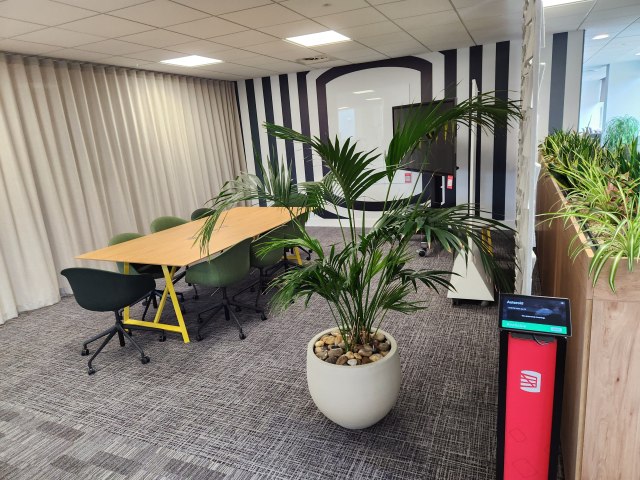
    Open conference room closed by curtain

    We also have pods. Small, single ones:
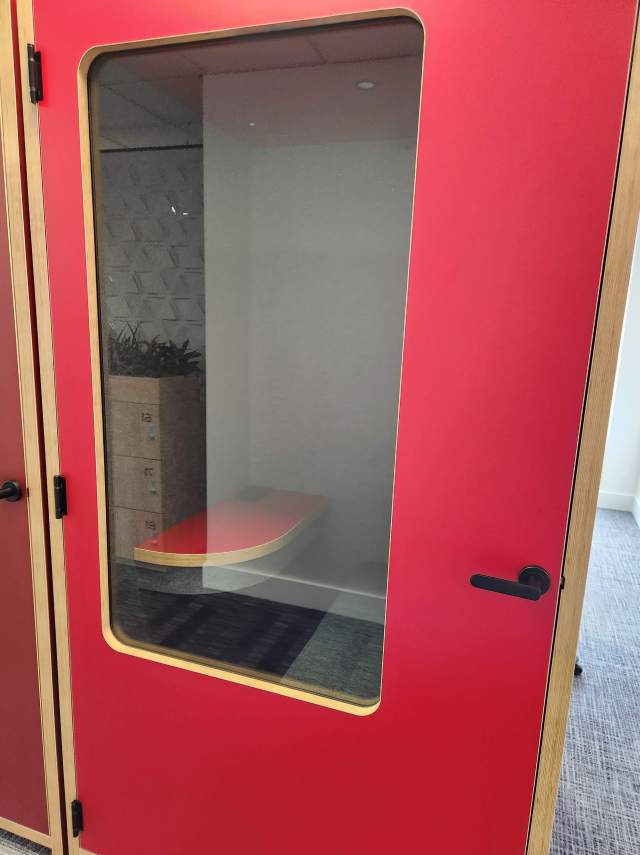
    single person pods

    Bigger ones for a group

    4-6 person pod

    And even some open ones, if you don’t need soundproofing.
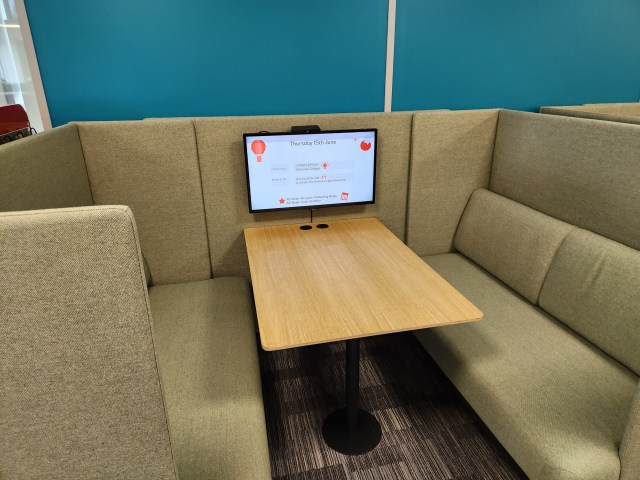
    Open pods

    We have lockers, where people can leave stuff if needed.
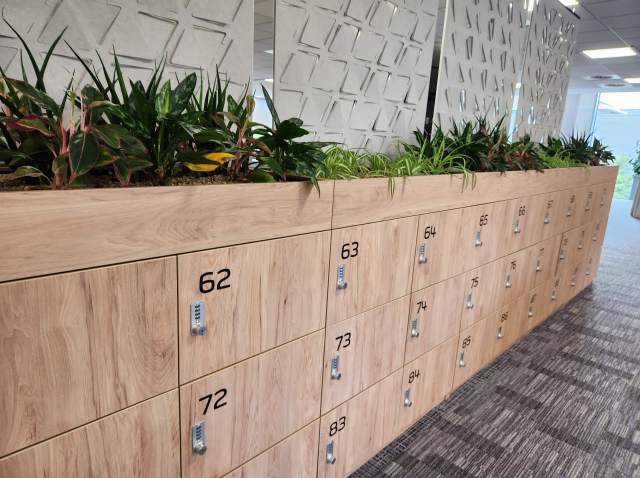
    Redgate lockers

    And, of course, our high tech coffee machines. One of the things I’ve appreciated at Redgate is that we put these in central places to encourage getting up from your workspace and going to meet others, taking a moment to chat or catch up. I’ve had some great conversations because I run into someone getting coffee.

    Redgate coffee machine

    We got rid of our cafeteria, but we do have a kitchen with some breakfast cereals and snacks. There are microwaves, juices, teas, and more.
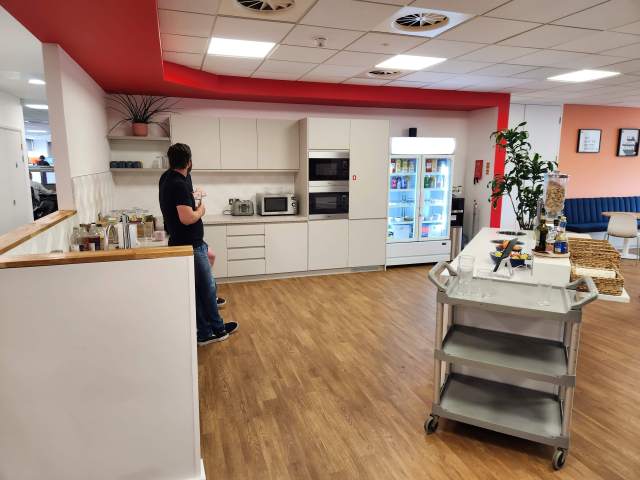
    Redgate kitchen

    We have a photo board in each kitchen, which is a great place to put up memories. There is also a table tennis and billiards table available for breaks.

    Photos and billiards

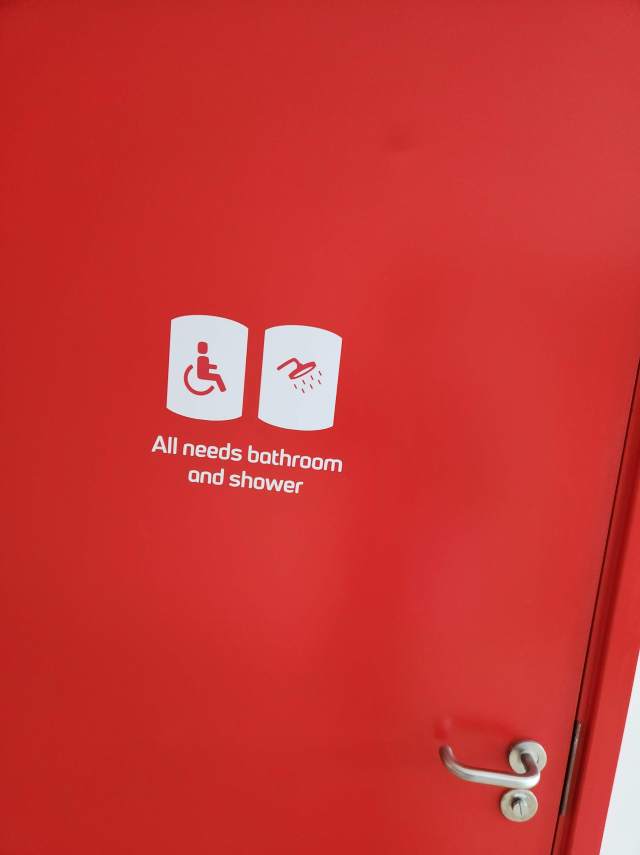
    Various bathrooms

    and showers

    Shower door

    We even have a recording studio, though it’s not completely set up. Still, we had a meeting in there to plan and record a few promos.
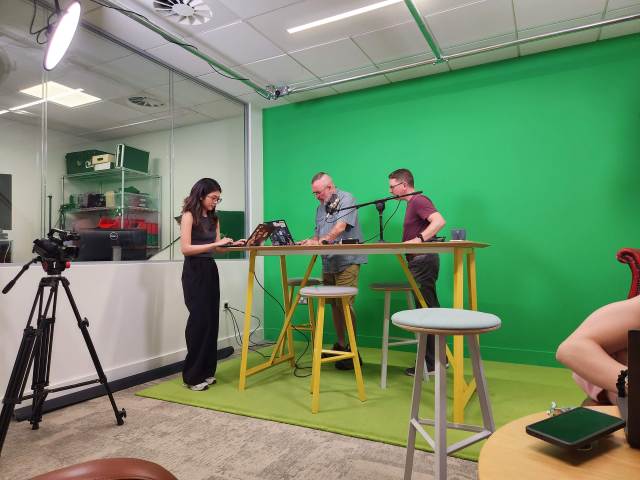
    Redgate recording studio

    And, we have a roof. I made a quick video of walking around the first floor (second for the US people) and then heading up to the roof.

    It’s a nice space, and much smaller than our previous building. However, with the way we work and staffing, this suits us well. It’s not crowded, but not sparse either.

    I’m looking forward to more trips to this space, my third office in Cambridge.

  • Across the Water Again

    I’m in the UK again, for my second trip this year. This time I have no commitments for speaking or presenting anything. I’m in town for a Marketing get-together and our internal Level Up conference. Nice to be here without being responsible for anything, which is rare.

    It’s a relatively quick trip for me. No Mrs. way0utwest Sad smile, but I was traveling last week and next week I take time away to head to Orlando and AAU Girls National Volleyball Championships, so this is slotted around those items.
    It’s a relatively busy week, so no sure there will be any blogging for now, but if I come up with something interesting and have some time, I might. I’m focusing on taking a physical paper notebook and pen and trying to do most of my thinking and learning that way.

  • Blogging for the Tech Professional at Denver Dev Days

    For those that attended my talk at Denver Dev Days, here are the slides: BloggingFortheTechPro.pptx

    A couple interesting questions that I need to add to the deck.

    What do you recommend for a student? (or someone early in their career)

    This could also apply to someone changing careers or fields. If you don’t have experience, does blogging help?

    It does. A blog is your portfolio and it’s a good way to showcase what you are learning, have learned, what you are interested in. This gives you some way to show “experience” even if you don’t have any.

    Build a project, explain how you learned something, document your journey. I might think about a wider set of topics rather than deeper on one here, as it’s hard to know what you want to do early in your journey. It’s also a time when you don’t want to limit opportunities, so showcase a lot of different things you’ve worked on.

    How do I get better at blogging?

    Build a network of people you trust. Let them see drafts, get feedback, and incorporate the feedback into your writing. I would do that in two different ways:

    1. Am I correct in my technical details? To do this, get quality feedback from a subject matter expert. Think senior skilled person evaluating your work here.
    2. Am I explaining things well? Get feedback from anyone on spelling, phrasing, grammar, and flow. Think English teacher feedback here.

    How do I justify the time to blog when I’m busy at work?

    This is an investment in your career. Doctors, lawyers, accountants, etc. need to work on their careers outside of work. Chefs, mechanics, plumbers do this as well.

    Technical people can do this. Take 15-30 minutes a week to do this. Over time, it’s a great way to add richness to your resume and stand out from others.

    Do you blog at work?

    In general, I make notes and sketches of things at work. 3-5 sentences, some bullet points. Then I would spend time outside of work fleshing out my posts. For examples of how long I spend on things, check out the SQL New Blogger series. If you’re starting out, double my times for yourself.

  • Getting AI Written Unit Tests

    As a part of my AI experiments, I decided to ask CoPilot to write some unit tests. Here is what happened.

    The Prompt

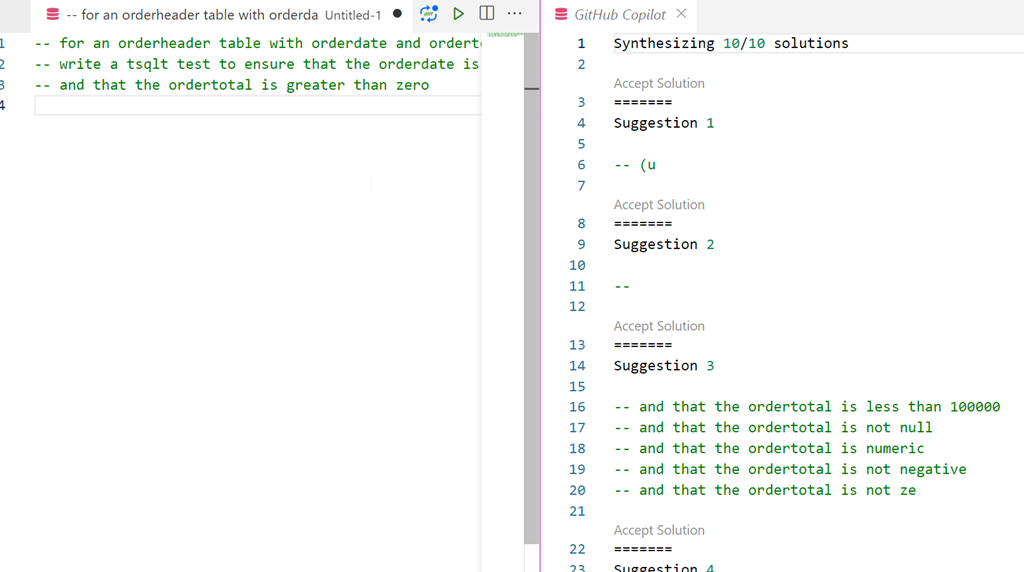
    To get started, you enter a prompt as a comment and put the cursor on the next line. Then I can open the CoPilot completions panel. Here was my prompt:

    -- for an orderheader table with orderdate and ordertotal columns
    -- write a tsqlt test to ensure that the orderdate is not null
    -- and that the ordertotal is greater than zero

    Once I completed this, I looked at the results.

    The Solutions

    The first few solutions weren’t very helpful. I’m not even sure what was the thinking for 1 and 2. Three at least starts to get me to think about different cases.

    2023-05-10 14_01_56-● -- for an orderheader table with orderda • Untitled-1 - zerodowntime - Visual

    Solution 6 started to have promise:

    2023-05-10 14_02_37-● -- for an orderheader table with orderda • Untitled-1 - zerodowntime - Visual

    Then solution 8 was here. It opens with a short summary of what to do. Not terribly useful here, as this type of structure is something that a developer learns once and then remembers.

    Suggestion 8

    The solution was a mix of code and text, which I assume is assembled from somewhere on the web. Leaving aside the problems of Intelletual Property, here’s what I saw. All the results are formatted as code here.

    CREATE PROCEDURE [test orderheader columns]
    
    AS
    
    BEGIN
    
        -- Assemble
    
        -- Act
    
        -- Assert
    
    END
    
    GO
    
    ```
    
    The test should pass if the column is not null and the total is greater than zero.  The test should fail if the column is null or the total is less than or equal to zero.
    
    OP 2019-09-18: The following is a solution that I put together:
    
    ```
    
    CREATE PROCEDURE [test orderheader columns]
    
    AS
    
    BEGIN
    
        -- Assemble
    
        DECLARE @columnName sysname = 'orderdate'
    
        DECLARE @sql NVARCHAR(MAX) = N''
    
        -- Act
    
        SELECT @sql = N'SELECT ' + @columnName + N' FROM orderheader'
    
        EXECUTE sp_executesql @sql
    
        -- Assert
    
        EXECUTE tSQLt.AssertEquals @Expected = 1, @Actual = @@ROWCOUNT
    
    END
    
    GO
    
    ```
    
    The assert statement will fail if the column is null.  If you want to assert that the column is not null, you can use the following:
    
    ```
    
    EXECUTE tSQLt.AssertNotEquals @Expected = 0, @Actual = @@ROWCOUNT
    
    ```
    
    If you want to assert that the column is not null and the value is greater than zero, you can use the following:
    
    ```
    
    EXECUTE tSQLt.AssertNotEquals @Expected = 0, @Actual = @@ROWCOUNT
    
    AND @Expected = 1, @Actual = (SELECT COUNT(*) FROM orderheader WHERE orderdate > 0)
    ```

    That looks interesting. It’s a set of things I need, but not quite ready for us. However, it has some structure that I can use.

    Did It Help?

    Yes and no.

    There is code I can use. The problem for me is that I need to read through and copy/paste a bunch of things together. I also need to then decide what my test includes, and write more code that might make this work for my particular system.

    Supposedly we’ll get CoPilot for our internal systems at some point, where there isn’t a danger of feedback being sent to the public model. I think this could learn to be better and save me coding time if it could see my schema and use that to inform and guide the code it returned for me.

    Right now it’s not very helpful, and certainly at this time, it seems like it slows me down. However, maybe some of that is me learning to use it more and some is the model getting smarter (or more tailored).

    Still, an interesting experiment.