Tag: syndicated

  • Flyway with Multiple Folders

    A customer asked about how they could organize their migration scripts in different ways to manage them and worried about it being complex. I decided to test a few things. This post looks at using multiple folders for scripts.

    Setup

    Flyway is controlled by a number of options. These can be in a configuration file or they can be passed into the command line. I’m lazy, and I like things self-contained, so I tend to drop things into the flyway.conf file and specify this in the command line.

    I’m also lazy about command lines, so I created a fw.cmd file with this in it:

    flyway migrate -configFiles=”./flyway.conf”

    Then I set up a few folders on my system. These were subfolders in a repo called SQL1, SQL2, SQL2. I know, I’m not creative. Here are the folders I set up. SQL1 has 3 scripts, each containing a CREATE TABLE statement. In this case, I am creating Table01, Table03, and Table04.

    2023-05-18 12_28_18-sql1

    I do something similar in SQL2, with table Table02, Table10, and Table11.
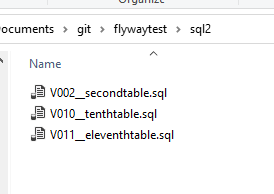
    2023-05-18 12_28_22-sql2

    SQL3 gets the 5th and 6th tables.

    2023-05-18 12_28_25-sql3

    I did this to check order of operations, as well as using multiple folders. For reference, each file looks similar to this, with numbers changed:

    2023-05-18 13_04_21-V010__tenthtable.sql - ARISTOTLE.foldertest (ARISTOTLE_Steve (60))_ - Microsoft

    I then edited my flyway.conf file. You can name this differently, you just need to pass the appropriate file to flyway when you execute it. By default, flyway.conf is looked for. I changed the variable for flyway.locations to be a comma separated list. In my case, I entered this:

    flyway.locations=filesystem:sql1, filesystem:sql2, filesystem:sql3

    Make sure you uncomment the # from the line.

    Once this was done, I created an empty database, called foldertest. I then ran my fw command and saw this:
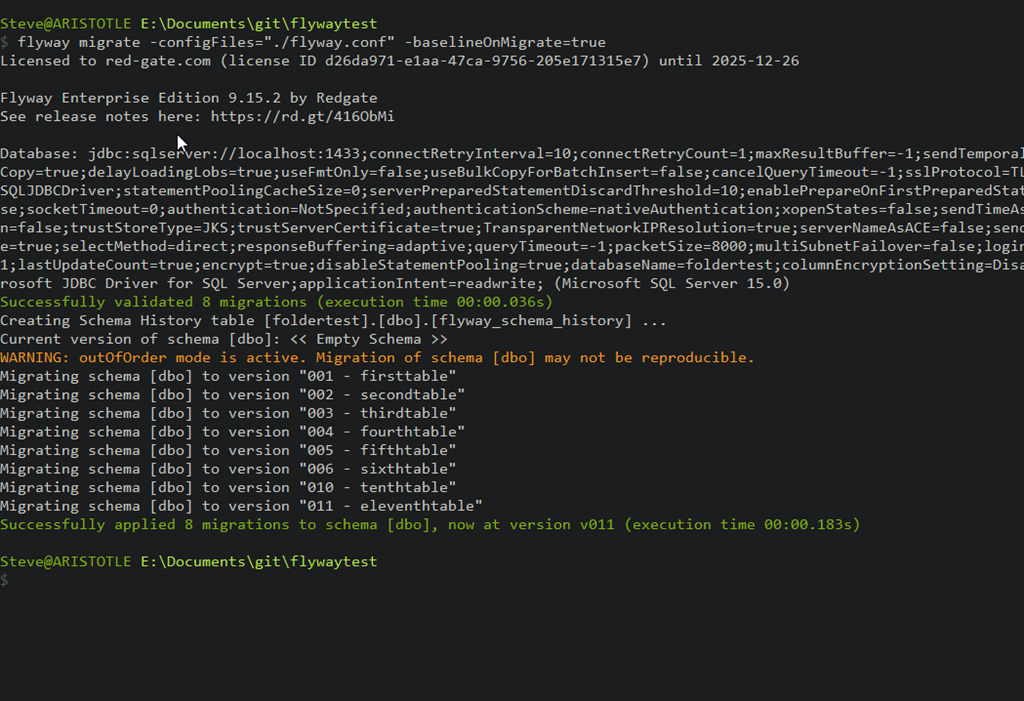
    2023-05-18 12_30_45-cmd

    Success, with all my tables created.

    Flyway is set up to search the locations path and load the files and execute them. You can organize your scripts into different subfolders if you want to, and flyway will sort out the ordering, if you’ve named them correctly.
  • Migrating from EverNote to Joplin

    Recently I got a message that my Evernote subscription was going up. It’s been a $3 a month service, but moving to $4 for me. From USD$35 to USD$50 a year. Not a big change, but a little annoying to me. I have a few reasons, outlined below, but this post is mainly describing the process of moving my data.

    Setting up Joplin is easy. You download the app, install it, and then (optionally) connect it to Dropbox, where it adds itself as an app in the /apps folder.

    Export and Import

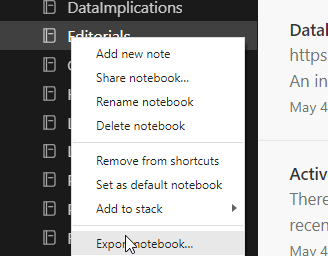
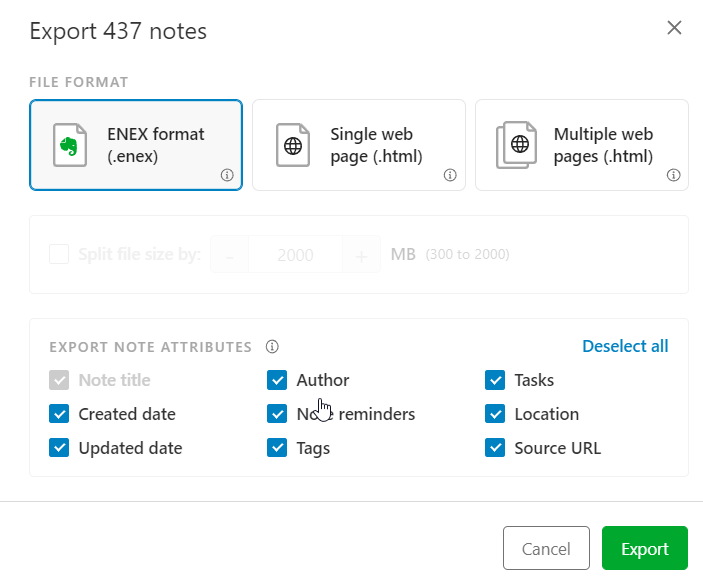
    I can easily export a notebook in Evernote to their ENEX format. I do this by right clicking a notebook and selecting Export notebook.

    2023-05-09 09_14_45-Editorials - Evernote

    This asks me how to store the output. I get a single file, pick a name/location and this creates a file.

    2023-05-09 09_15_09-Editorials - Evernote

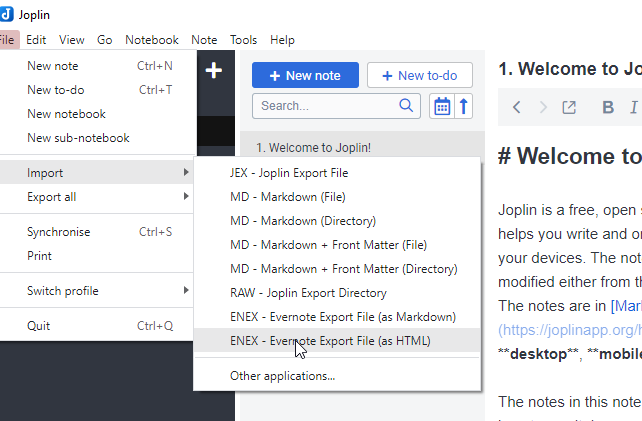
    Once this is done, in the Joplin desktop app, I have a few choices. I pick ENEX and then the type, select the file, and things import.

    2023-05-09 08_49_14-Joplin

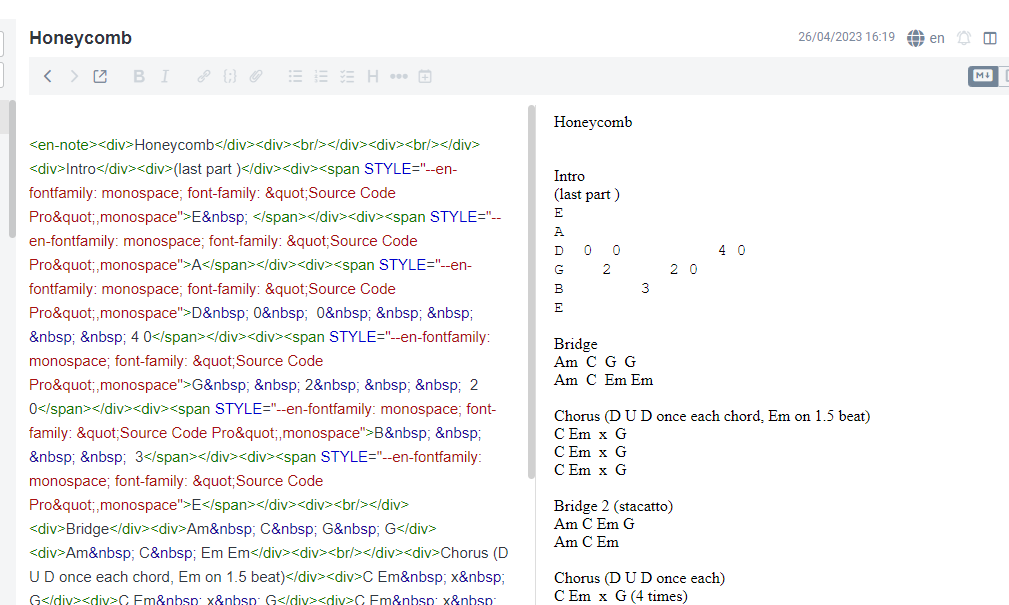
    I tried HTML, but got a mess.

    2023-05-09 08_49_51-Joplin

    If I could edit in the right pane, this would be OK, but I have to edit in the source pane, which is annoying. I know HTML, but don’t want to write in it.

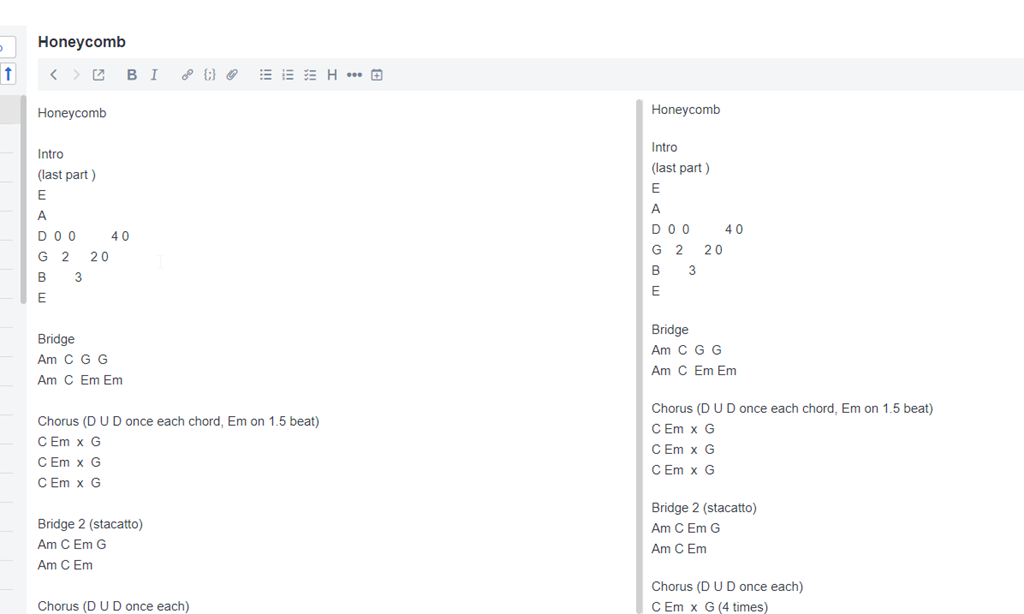
    Instead, I picked markdown, which gives me a better view.

    2023-05-09 08_50_57-Joplin

    I have perhaps a few thousand notes, but really only about 12 notebooks. Since I can export 12 times and import 12 times, this is easy.

    I then have all my notes in a new app, where I can sync them between desktop, mobile, and the iPad in the kitchen.

    Note I’ll spend a couple weeks working in Joplin and see what I think.

    Why Leave Evernote?

    Evernote has continued to expand their capabilities, which I get. As a software service, they want to keep growing and attracting more customers and providing more features.

    However, for me, I want to simply take notes. I almost never include images, web clips, etc. Instead, I like simple text and quick software. I want to make notes and save them, syncing across devices. To me, I need a glorified way of capturing text files and moving them between machines.

    While Evernote has worked well, they’ve done some things that make this less ergonomic for me. Specifically:

    • They add a div tag that notes this item was clipboard’d, which is perpetually annoying. I also copy/paste often as this is my writing tool and they add some markup in HTML, which I then have to remove.
    • New notes mean I have to select if this is a note, a task, or something. One extra, very, very annoying click.
    • Their navigation options are clunky and slow on mobile/tablet.
    • Their UX has me constantly clicking from the top to the bottom to the top of the screen.
    • They’ve become more chatty, and single-threaded with more lags. Something I find annoying.

    They have also deprecated the Plus subscription, which is simple.

    I decided to try Joplin, which I found in this PC Mag article. Joplin is an open source app, and if I keep using it, I’ll donate some money to the developer. I don’t mind paying for software, but I need something simple.

    If this doesn’t work, I have other options. I might just create a private GH repo and use folders to organize text files. That’s about what I need.

    I can also renew Evernote for a year and kick the can and hope they don’t try to force me into the $12/mo subscription.

    I know lots of people love OneNote, but I find it overkill and too annoying.

  • Using Data Masker on Chinese Surnames

    A customer had a question recently on masking Chinese characters. I thought that was interesting, so decided to test this out. This is a short post on using SQL Data Masker to accomplish this task, but I’ll a longer one on the Redgate Product Learning site.

    Setting Up A Table

    The first thing here was to get some test data. I was looking for Chinese names, since that was the request. I found this page on the most popular Chinese surnames. With that in mind, I build a small table and a few insert statements with this code. I only used the names Chén, Yáng, Zhào, Huáng, Zhōu, Wú, and one Western name for the demo

     CREATE TABLE dbo.CustomerFromChina
    ( customerid INT NOT NULL CONSTRAINT CustomerFromChinaPK PRIMARY KEY ,
       customersurname nvarchar(100)
    )
    GO
    INSERT dbo.CustomerFromChina
       (customerid, customersurname)
    VALUES
       (1, N'陈'),
       (2, N'杨'),
       (3, N'赵'),
       (4, N'黄'),
       (5, N'周'),
       (6, N'吴'),
       (7, N'Joe')
    GO

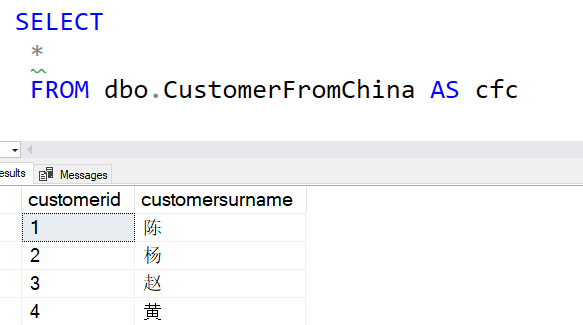
    I ran this and saw the results I needed.

    query results with Chinese surnames

    Creating a New Data Set

    SQL Data Masker ships with a number of masking sets, but you can add your own. There is a process, but essentially you create a text file with the data in it and the udef extension.

    The masking sets are in Program Files below the Redgate folder. This is an administative folder, so you need to have admin rights to make a new file. I did that and opened my file in VSCode, which defaults to UTF-8 format. Since I want to use Chinese characters, I need to use a text file that supports unicode.

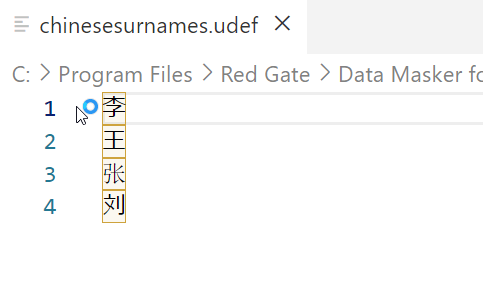
    I entered four names into my test file and saved it. You can see the entries here.

    2023-05-26 12_29_02-chinesesurnames.udef - Visual Studio Code

    I made the file name, chinesesurnames.udef. Make sure that this doesn’t have the .txt extension at the end.

    Setting The Masking Set

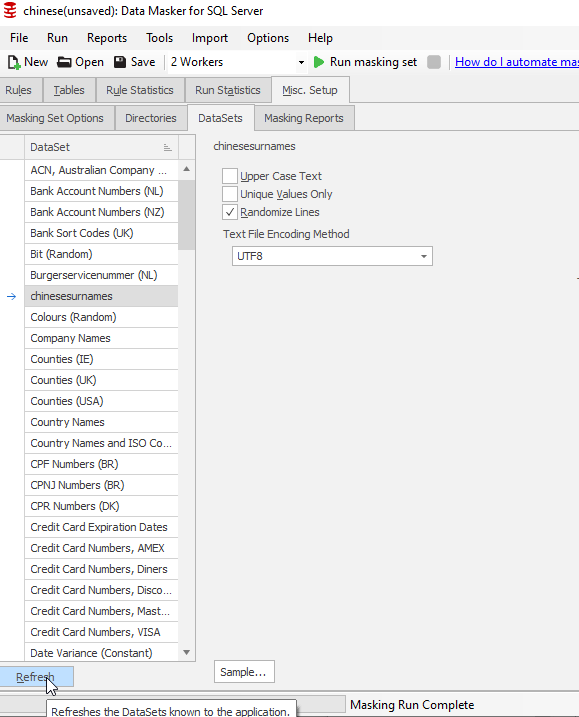
    I opened SQL Data Masker and created a new masking set. I connected this to my database and then went to the Misc. Setup tab. I didn’t see my set (I had this open), so I clicked “Refresh” at the lower left. This brought the data set into the list view. As you can see, I should have capitalized the file name.

    2023-05-26 12_30_25-chinese(unsaved)_ Data Masker for SQL Server.

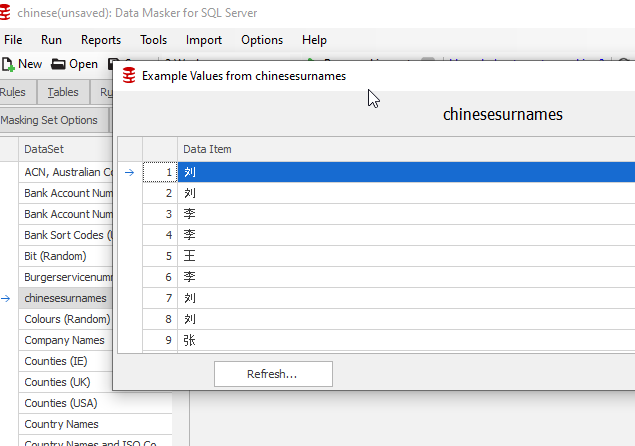
    If I clicked “Sample” at the bottom, I see my data:

    2023-05-26 12_31_34-chinese(unsaved)_ Data Masker for SQL Server

    Note that the sample window shows a bunch of rows, but they are repeating the same four values.

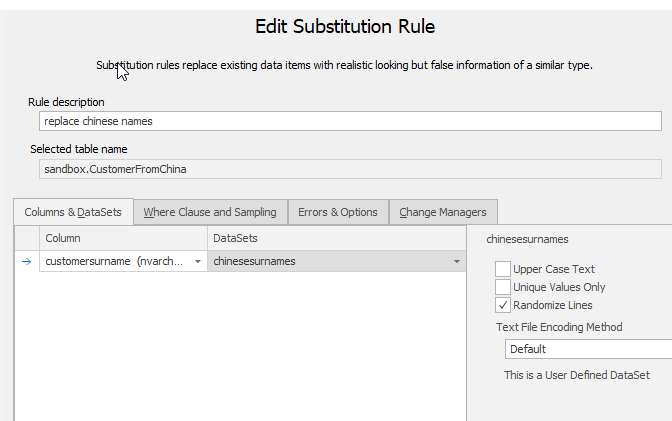
    Next, I added a new Substitution rule. I picked the CustomerFromChina table and the ChineseSurname column. I also selected my custom data set. This is noted on the right of the image below.

    2023-05-26 12_32_22-Edit Substitution Rule

    I saved this masking set and I was ready to test.

    Testing

    I first connected to the database and ran the query above in one window. Then I opened a vertical tab set, which moved this window to the right.

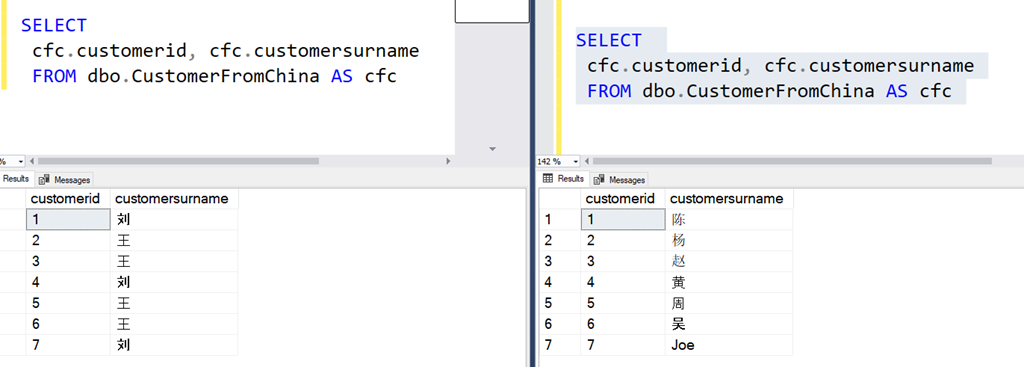
    Next, I ran the masking set, which was quick on 7 rows of data. I then opened a new query window on the left side of SSMS and ran the same query  I’d run on the right. You can see the results below:

    2023-05-26 12_36_26-SQLQuery1.sql - ARISTOTLE.sandbox (ARISTOTLE_Steve (57))_ - Microsoft SQL Server

    In the image, the right has the original data. CustomerID 1 is Chén on the right, but on the left, this is now Liú. The others are also changed, with Joe also being masked to Liú.

    This worked.

    You can do the same thing with custom masking sets, in any Unicode format or language.

    SQL Data Masker is a great product for managing a set of update scripts that will remote PII data from a database. It is clunky, but it works well for building and updating a project across time and with a team. Way better than T-SQL scripts.

    Give it a try today.

  • A New Word: Looseleft

    looseleft – the feeling of loss upon finishing a good book, sensing the weight of the back cover locking away the lives of characters you’ve gotten to know so well.

    I feel this often. I think this is one reason I read series. Even when they end, this feeling is lessened because there are others to read, or re-read, as I do regularly.

    However, Stephen King and Harlen Coben as favorite authors who often write novels about one set of characters that I love and get to know and then forever are stuck remembering the small part of their lives I shared.

    From the Dictionary of Obscure Sorrows