Tag: syndicated

  • Daily Coping 29 Jun 2022

    I started to add a daily coping tip to the SQLServerCentral newsletter and to the Community Circle, which is helping me deal with the issues in the world. I’m adding my responses for each day here. All my coping tips are under this tag.

    Today’s tip is to show your appreciation to people who are helping others.

    I want to show my appreciation two people that are trying to make the world better. Ben Weissman and William Durkin are a part of the SQL Community and they are working hard to help other people in many ways.

    They have the New Stars of Data coming this fall, along with DataMinutes. They’ve run DataiVerse as well, and host the annual DataGrillen, where I was lucky enough to attend this year.

    They also built a speaker improvement library, trying to ensure we can train a new generation of speakers at a high level.

    These two gentlemen have made an incredible impact on our community, always willing to help and support others, and come up with new ideas that make our community better.

    I would urge you to send a note to them today, letting them know you appreciate their efforts.

  • Daily Coping 28 Jun 2022

    I started to add a daily coping tip to the SQLServerCentral newsletter and to the Community Circle, which is helping me deal with the issues in the world. I’m adding my responses for each day here. All my coping tips are under this tag.

    Today’s tip is to bring to mind a favorite memory you feel grateful for.

    I have been very lucky in life and there are many, many memories I cherish. I love seeing Facebook or Google Photos bring back memories from the past and tell me what I was doing a year ago or two or ten.

    I saw this photo recently. It struck me as I was talking with someone about one of my favorite trips with the family.

    20190603_165521_HDR-PANO

    We met in Christchurch, the family coming from the US and me coming from Australia. We drove down the Eastern coast of the South Island in New Zealand and stopped at a park for a break. Everyone enjoyed some of the equipment in the park before we went down to Dunedin for the night.

    My family has been lucky to travel a lot together and enjoy the world, but going to New Zealand was a real treat and I am grateful for the opportunity. This might have been one of the best trips ever.

  • Alert Filtering in SQL Monitor

    SQL Monitor has improved a lot over the last couple of years. We have multiple teams building features and addressing issues, and each month when we have a readout of changes, I’m impressed. Since we update the produce every week or two, customers are seeing these enhancements regularly.

    Recently I saw a demonstration of the alert filtering improvements and I wanted to share a few thoughts.

    Lots of Alerts

    If I go to monitor.red-gate.com, there are a lot of alerts raised across our test systems. While each individual card shows the current alerts, there are more behind the scenes. I’ll write about the cards another time, but in this post, let’s just look at the Alerts tab.

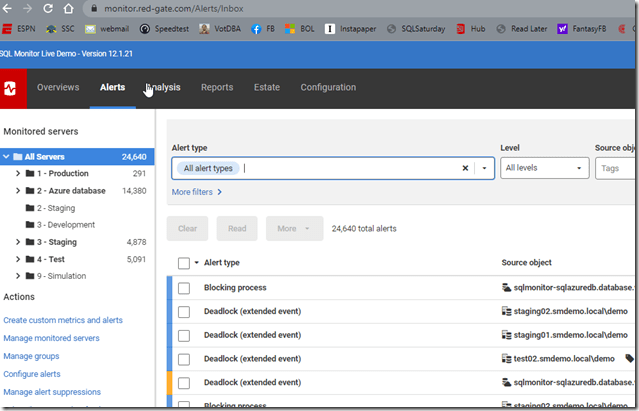
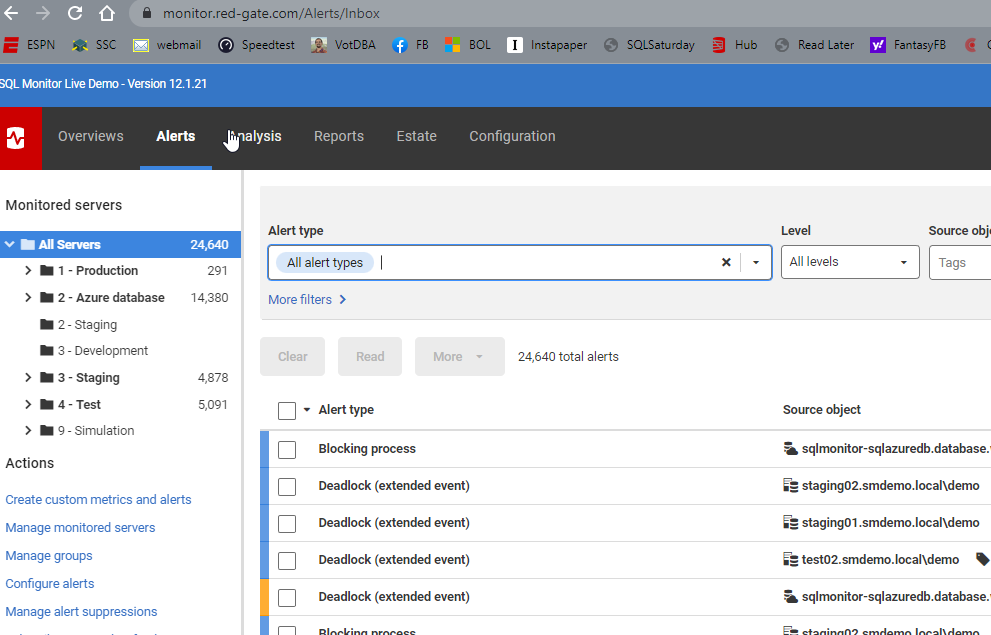
    You can see in the image there are 24k+ alerts, and they are distributed across a variety of systems. The left side shows the groupings for databases and a count of alerts.  The main section of the screen shows lots of alert types listed, the source database, etc.
    2022-06-21 11_23_21-Alert Inbox

    One thing I like is the use of color and visual cues. Above, most of these alerts are low level, and bordered on the left in blue. A mid level alert is shown here in yellow. This helps me to triage and decide what to do.

    Filtering

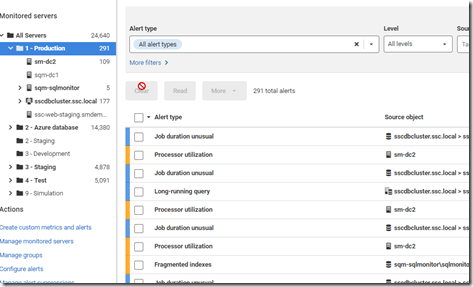
    While I can click on the server groups on the left and limit the views to a group (or a server), there are still a lot of alerts. The Production group shows 291 below.
    2022-06-21 11_26_49-Alert Inbox

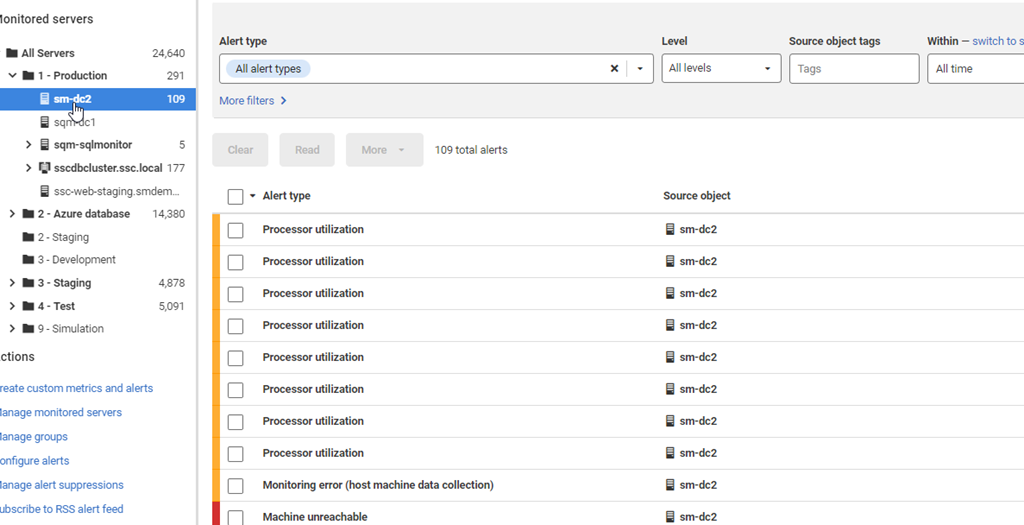
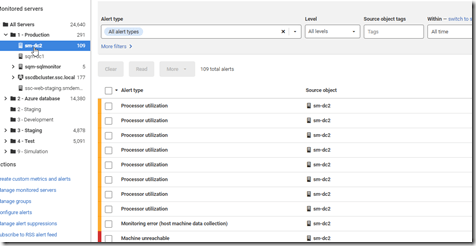
    The sm-dc2 shows 109 itself when selected.
    2022-06-21 11_26_56-Alert Inbox

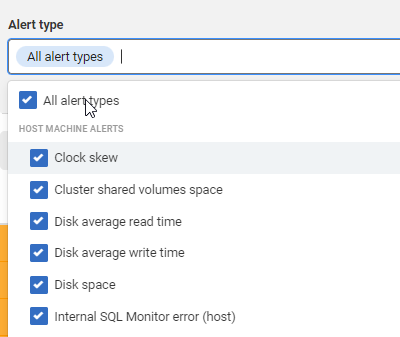
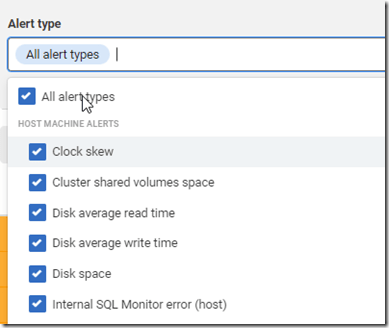
    One of the newer filtering options is that I can click the dropdown at the top of the screen for Alert Type and then limit what I see. The default is all alert types.
    2022-06-21 11_28_20-Alert Inbox

    However, I can uncheck that and pick just one type, like Machine Unreachable.
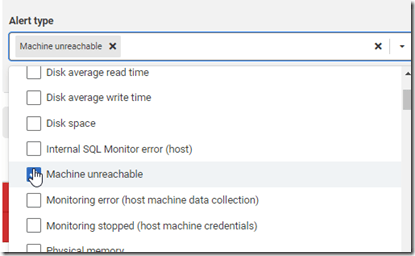
    2022-06-21 11_28_58-Alert Inbox

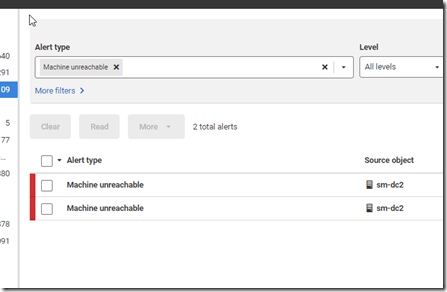
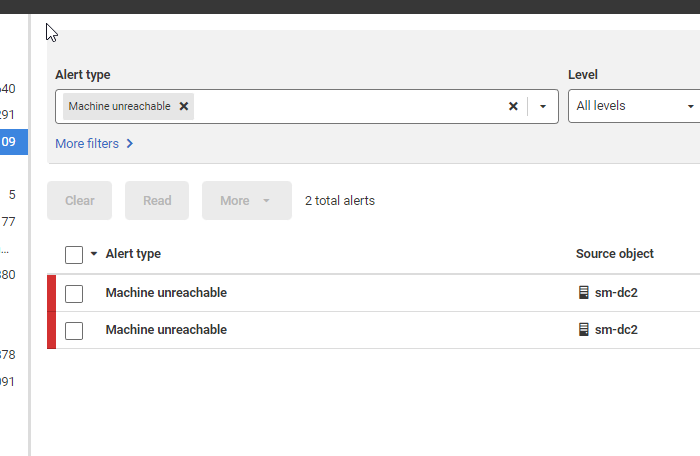
    Now I only see a couple of alerts.

    2022-06-21 11_29_44-Alert Inbox

    I can also filter by the alert level, tags, a timeframe, alert property, or alert status.  All of this let me focus in on specific aspects of what might be wrong with a database. Using Filters is a good way to more quickly determine what might be happening on a database and how frequently I have these issues. From there, I can use my own skills and understanding of the database to determine what might be causing alerts to fire.

    If you give SQL Monitor a try, I’m sure you’ll find it valuable for managing and monitoring your estate, helping you to quickly detect and respond to issues. Download an eval today and give it a try.

  • Daily Coping 27 Jun 2022

    I started to add a daily coping tip to the SQLServerCentral newsletter and to the Community Circle, which is helping me deal with the issues in the world. I’m adding my responses for each day here. All my coping tips are under this tag.

    Today’s tip is to create a playlist of uplifting songs.

    I listen to a wide variety of music, primarily on Spotify. I have lots of playlists, but for this tip, I decided to make a new one. I went through a number of existing playlists and grabbed some of the songs I love listening to that put me in a good mood and make me smile.

    Enjoy.

    Uplifting Songs