Tag: syndicated

  • Deleting a User that Owns a Schema

    This was an interesting question I saw posted recently. Through SQL Server 2000, trying to delete a user that owned objects was a pain. We had to actually rebuild all the objects, which was problematic. With SQL Server 2005 and later, we got schemas actually added as separate entities, so that solves some of the issue.

    To allow a user to be removed from a database when they own a schema, we need to move the ownership, or authorization of the schema to a new user.

    Here’s a short repro of what to do.

    Let’s say that I have a user in my database called SallyDev. This user is a DDL_admin and can create objects. I’ll add Sally to my database with this script:

    CREATE LOGIN SallyDev WITH PASSWORD ='SomethingStrong'
    GO
    CREATE USER SallyDev FOR LOGIN SallyDev
    GO
    ALTER ROLE db_ddladmin ADD MEMBER SallyDev
    GO

    As such. SallyDev has run this script:

    CREATE SCHEMA SallyDev
    GO
    CREATE TABLE SallyDev.Class
    ( ClassKey INT IDENTITY(1,1)
    , ClassName VARCHAR(100)
    , Active BIT
    )

    Now, SallyDev has left the team and we need to remove her user and login. When we try to remove the user, we get this error:
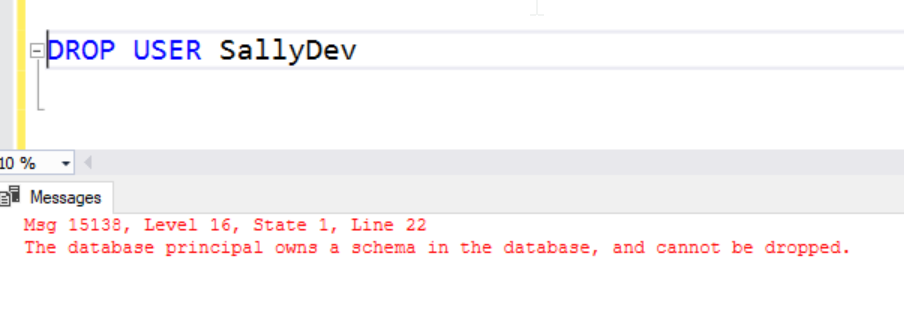
    2018-09-15 01_02_05-SQLQuery1.sql - dkrSpectre_sql2017.sandbox (DKRSPECTRE_way0u (68))_ - Microsoft

    In SQL 2000, Sally would have owned the table and we would have gotten a different message. Now, Sally owns the schema, but the schema now owns the table.

    To fix this, we need a new owner for the schema. We can use any user with the ALTER AUTHRORIZATION command like this:

    ALTER AUTHORIZATION ON SCHEMA::SallyDev TO JoeDev

    I don’t recommend another user as we are just deferring the same problem. Instead, I’d move the schema to dbo.

    ALTER AUTHORIZATION ON SCHEMA::SallyDev TO dbo

    Once this is complete, we can drop the SallyDev user.

    We can also verify the schema has moved to a new user.
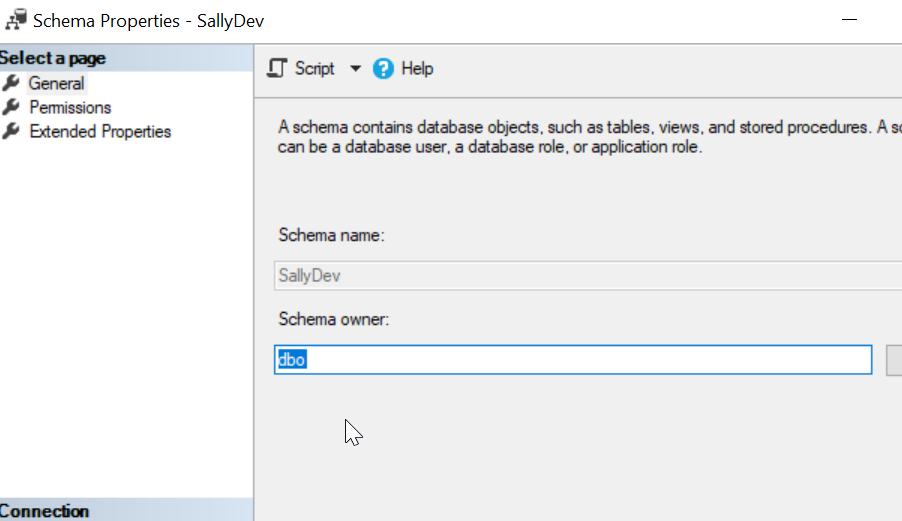
    2018-09-15 01_06_37-Schema Properties - SallyDev

  • Learn about SQL Source Control in Redgate University

    I love the SQL Source Control product from Redgate. It’s not perfect, and it can be slow to run at times, but the simplicity of what it does, of getting my code quickly and easily to a VCS is fantastic. I really appreciate it.

    This is one of the tools I enjoy demoing and showing off how to ensure you get all the code from you system stored away. I wish I had been able to purchase this product years ago when I was building database software as my day job.

    We now have a course to help you learn how to use SQL Source Control at Redgate University. This is a series of 10 sections (as of now) that cover a variety of ways in which you can capture development code with SQL Source Control and even deploy those changes to another database.

    Give the course a try, and see what you might learn about this product. We’ve got other courses as at Redgate University, with more coming all the time.

    If you’ve got ideas or suggestions for the courses, send us a note at https://www.red-gate.com/hub/university.

  • Importing Flat Files in SSMS 17.x Works

    One of the more annoying things I’ve found in SSIS/SSMS is trying to import CSV files for some quick analysis. For some reason I constantly seem to get files that the import wizard keeps having issues. On top of that, the defaults are annoying. When I need to get a CSV in, I select a Flat File source, but the filter for files always defaults to text files. Then there are more drivers and choices that make this complex.

    Recently I was looking to load a file and noticed a new option: Import from Flat File. I decided to try it and was pleasantly surprised.

    2018-08-27 09_52_03-

    Updating a Database

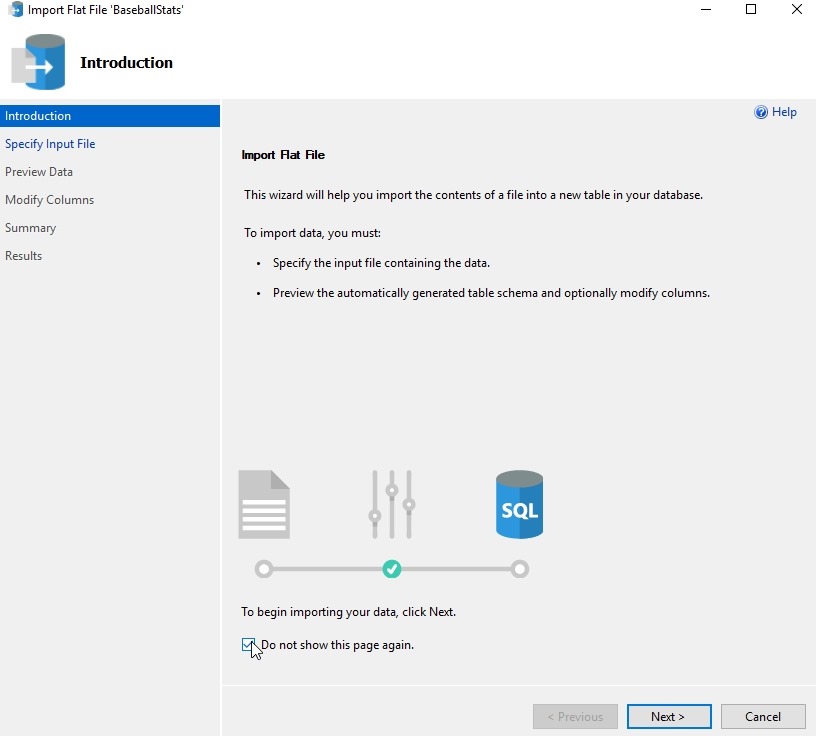
    I have a database of some baseball statistics, but wanted a few updates. I started using this wizard to quickly update about 10 tables. Here’s how this works. When you select the option, a wizard starts with this screen.

    2018-08-27 09_54_42-Microsoft Edge

    There’s no reason to look at this more than once, so check the “Do not show” box, as I did. Click Next.

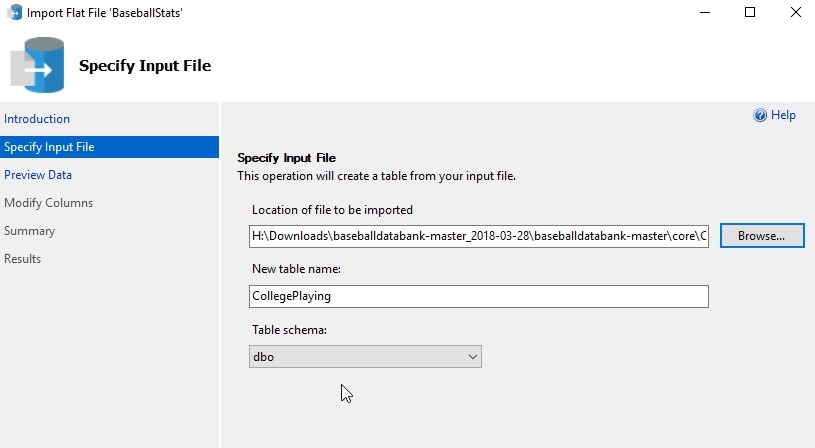
    Once you do that, you need to pick the source of your data. There’s a Browse button, and when you pick the file, you get a filter for Data files, which are .csv and .txt files. The file you pick will be used for the table name in the dbo schema, but those can be changed in the text boxes.

    2018-08-27 09_55_39-Microsoft Edge

    Note that this wizard only works with new tables, so if your plan is to update another table, you need to stage this data in its own space first.

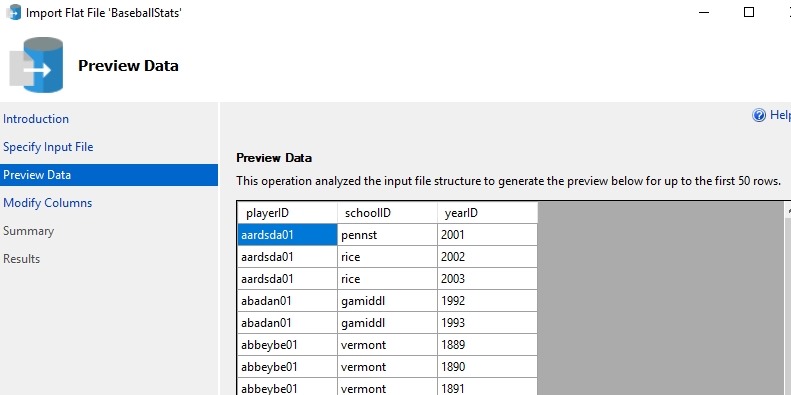
    The next step in the wizard is a preview of the data. This is handy, and for me I glance to get an idea of what the data is. This is useful and you can use the “Previous” button at the bottom to get back here from the next screen.

    2018-08-27 09_56_46-Microsoft Edge

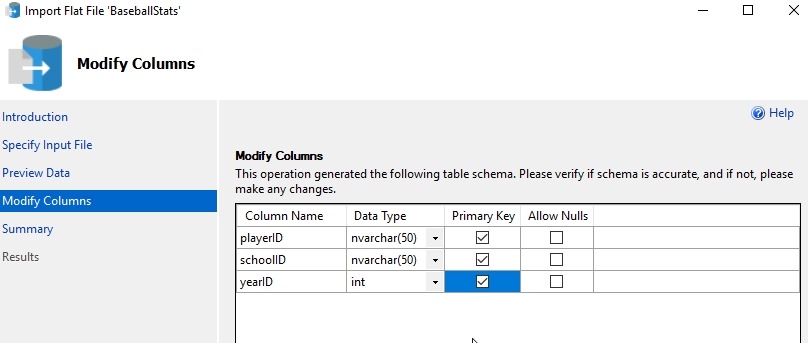
    This next screen is the reason I love this wizard. I can get the data types and the PK for the table. This designer makes it easy to import the data. I can fix the table, which is nice. In a few of these files, I want to change from nvarchar to smallint for data, and allow nulls for some fields. Plus, being able to set the PK here is great.

    2018-08-27 09_58_14-Microsoft Edge

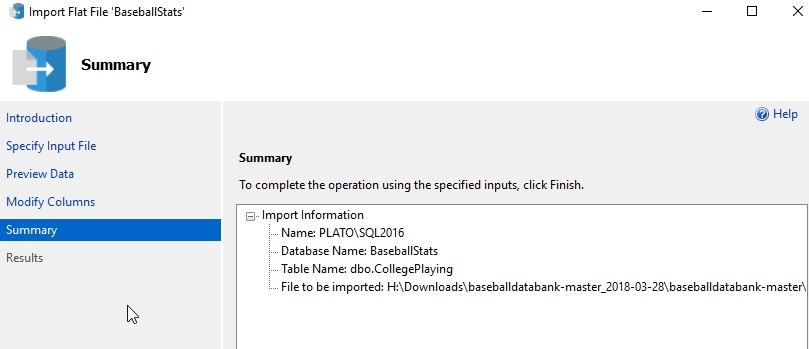
    The next step is a summary. I usually quickly click the Next button to import data.

    2018-08-27 09_58_21-Microsoft Edge

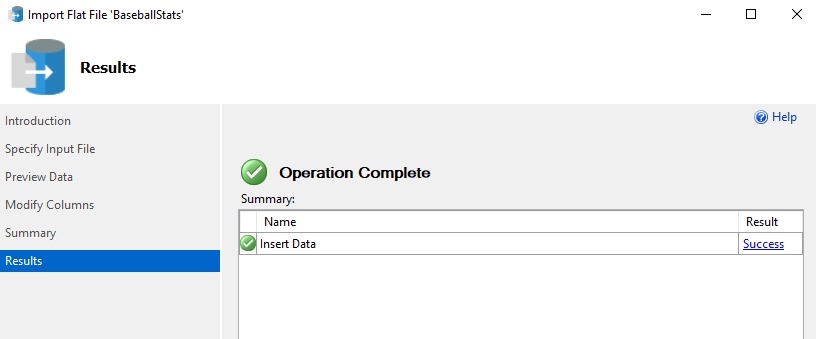
    If things work well, you get a green checkmark here. If not, you can go back and change settings, like adjust the PK or allow nulls. I even go back twice to preview data sometimes.

    2018-08-27 09_58_28-Microsoft Edge

    One note here. If you go back, the table exists, and you’ll need to drop it.

    If you care, you can get the baseball statistics from here: http://www.seanlahman.com/baseball-archive/statistics/

  • SQL in the City Summits–Coming to New York, London, and Chicago

    I love New York. Every time I get to travel to the city, I get excited and look forward to the trip. I was able to spend a night in Brooklyn earlier this year, touring a college with my daughter. Now I’m very lucky to get a second trip this year, with Redgate for a SQL in the City Summit.

    Social all 1200x628

    We have 3 live Summit events coming in October to a few cities: New York, London, and Chicago. These are in person events where we have presentations scheduled for customers and potential customers. These are thought provoking talks and interactive workshops, aimed a C-level and senior staff. If you’re got someone in your organization that might be interested, pass this link along: https://www.red-gate.com/hub/events/redgate-events/sqlinthecity-summit/

    We have Redgate speakers and expert guests, including Bob Ward of Microsoft. If you have the chance to go, contact your account rep today and get a code to register. These are paid events, though a limited number of free tickets are available.

    The schedule is:

    This will be a busy month of travel for me, with the PASS Summit coming the week after Chicago. It should be an inspirational and exciting set of events, and I hope to see some of your at one of these Summits.