Tag: syndicated

  • Automating SQL Clone Creation with PoSh

    I think SQL Clone is one of the game changing products from Redgate. This product really fits into a DevOps mindset, allowing me to quickly and easily build (and rebuild) a dev database.

    While the agent web pages make this easy, they’re slightly cumbersome and the PowerShell cmdlets fit better with a DevOps flow. In setting up a Query Store demo, I found myself changing some data and needing to reset my database rapidly, so I built a quick PoSh function to do this for me.

    Here’s my function:

    function Add-ADWClone {

    param([Parameter(Mandatory=$true)][string] $CloneName)

    $mycredential = Get-Credential

    Connect-SqlClone -ServerUrl ‘http://socrates:14145’ -Credential $mycredential

    # remove the image if it exists

    $SqlServerInstance = Get-SqlCloneSqlServerInstance -MachineName Plato -InstanceName SQL2016

    $Clones = Get-SqlClone -Location $SqlServerInstance

    if ($Clones.Name -contains $CloneName) {

    $CloneToDelete = Get-SqlClone -Location $SqlServerInstance –Name $CloneName

    Remove-SqlClone -Clone $CloneToDelete | Wait-SqlCloneOperation

    }

    # Create the new image

    $image = Get-SqlCloneImage -Name ‘Adw2014Base’

    $sqlServerInstance = Get-SqlCloneSqlServerInstance -MachineName Plato -InstanceName SQL2016

    $image | New-SqlClone -Name $CloneName -Location $sqlServerInstance | Wait-SqlCloneOperation

    }

    In this function, I’m taking the name of a cloned database. I’ll use that to check if the clone exists, and if so, remove it. I do this by using Get-SqlClone. Once that’s done, I get the image, which is static here (this is a function for a specific project) and then I’ll create the new clone.

    This works great. If I run the command, I’ll get a clone being created. You can see my client in the back creating the clone database.

    2017-11-28 14_46_08-SQL Clone

    If I re-run the command, I’ll see the delete.

    2017-11-28 14_48_22-SQL Clone

    And then the clone create again.

    Changing Development

    When I first saw a prototype a few years ago, I could immediately think back to being a full time developer and the hassles of manipulating my development database, making data changes to test code, trying to reset them, writing scripts to undo changes and more. At some point I tried to perform backups and restores of a standard database, but I’d keep forgetting to update things.

    SQL Clone makes this easier, and together with some way to push/pull code from a VCS to your database, it means that I can quickly reset a database back to a known state. One of the things that I’d like to easily do is whack my development database, recreate a new one, and then move on with writing code. If I make a mistake, I repeat the process.

    Moving On

    This is a basic Proof of Concept, something I just whacked together for a project, so I’ve coded in the image name, and I get the credentials from the user. I could clean this up, and have it as a simple up-arrow, enter from the  PoSh command line that I use as I need to reset my system. Or code in a saved, secure credential that lets me double click some batch file to run this for me.

    Automation speeds up development by removing simple tasks from the developer. SQL Clone makes it easy to reset my database to a known state (the image) and create new databases as needed.

    If you haven’t tried SQL Clone, give it a try today by downloading an evaluation.
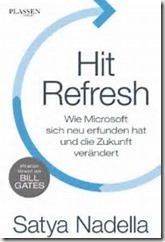
  • Hit Refresh

    thI read Satya Nadella’s Hit Refresh recently, and it was a very enjoyable book. He’s had an interesting journey and I do think he’s dramatically transformed Microsoft. The book is recommended.

    Anyway, the Microsoft MVP Program asked is MVPs would share a refresh moment from their lives, so here’s mine:

    Hitting Refresh, Over and Over

    I think I’ve started to wear the finish off the refresh button, but it’s been a great life and career.

    When I entered university at 17, I expected to study computer science and spend a career writing code for some organization. This was the era before the Internet when terminals were hardwired to mainframes, printers were housed in a separate room (with a page budget each semester), and my 300 baud modem allowed me to watch the screen slowly fill with characters. After two years of learning new languages and solving relatively simple problems, I hit refresh and decided finance and business were the direction for me.

    I completed a degree in economics, but injured myself playing rugby during my final year. I hit refresh again, not wanting to spend most of my life draped in a suit and tie, pouring over financial documents at a bank. I took a year off, working, playing volleyball, and surfing at the beach. Midway through this year, I became bored and hit refresh a third time, returning to school to study computer engineering.

    A year later, after securing an internship writing code and managing a Novell network, I hit refresh again, abandoning my schoolwork and going to work fulltime. I discovered SQL Server and hit refresh yet again. I moved into the data world, spending the next fifteen years working with SQL Server in a variety of industries and positions.

    I hit refresh again after starting SQLServerCentral.com and having that become successful enough to support me in a fulltime role. I left employment for my own venture, which was a completely different type of work from writing code for an employer. I became an educator and journalist, seeking to help others grow their SQL Server skills. I was honored to be recognized as a Data Platform MVP by Microsoft for my work here.

    Finally, I hit refresh one last time when Redgate Software purchased my business, and I became an evangelist for them. Today, I continue to educate and train others in Database DevOps, and hopefully won’t hit refresh again until I retire.

    This post is part of the collection of #HitRefresh moments. Read more at
    www.hitrefreshbook.com

  • SQL in the City 2017

    It’s almost time for SQL in the City 2017, coming Dec 13, live from Cambridge, UK. I’ll be traveling over to England for the event, and you can stream it to your office live. Once again, we’ll be presenting the conference twice, 11am and 6pm (both GMT), and you can pick the times that work best for you.

    We’ve got a variety of sessions scheduled, and you can tune in to ask questions live, which we’ll try to answer. The full schedule is on the site, but here’s a few sessions you may want to fit in:

    • Keynote  – Data Privacy and DevOps
    • Why code standards are important and how code analysis can help
    • From DBA to DevOps hero – rapid database provisioning with SQL Clone
    • What SQL Server performance metrics should you monitor?
    • Extend DevOps to the database by automating your deployments

    We’ve been working hard at Redgate to improve our tools and build new ones that will need the needs that many organizations will have as GDPR takes effect next year. And, as always, we’re trying to save developer time with all our tools.

    Take a training day to learn a bit about privacy, security, DevOps, code analysis and more. We’ll show how Redgate can help solve some of your issues along with  plenty of good general information.

    Hope to see you online, Dec 13.

  • Pluralsight for Another Year

    One of the ways that I try to keep current and learn is through Pluralsight. I’m lucky to get a subscription as a Data Platform MVP, but I’m sure Redgate would pay for one if I didn’t.

    My subscription ran out last week, but the support staff at Pluralsight was kind enough to renew me in minutes. Amazing service and greatly appreciated.

    If you haven’t tried online learning, I’d give it a go. Pluralsight has some great courses, but there are other choices as well. No matter what you choose, making some regular time to learn something fun, or improve those skills you use every day is a great way to keep your career moving forward.