Tag: T-SQL

  • Database Collation Matters for Unicode: #SQLNewBlogger

    While trying to work with Unicode data, I found some issues with collation. This post showcases what I’ve seen, with probably not enough answers. The collation/UTF stuff is still slightly confusing to me.

    Another post for me that is simple and hopefully serves as an example for people trying to get blogging as #SQLNewBloggers.

    Noticing Problems

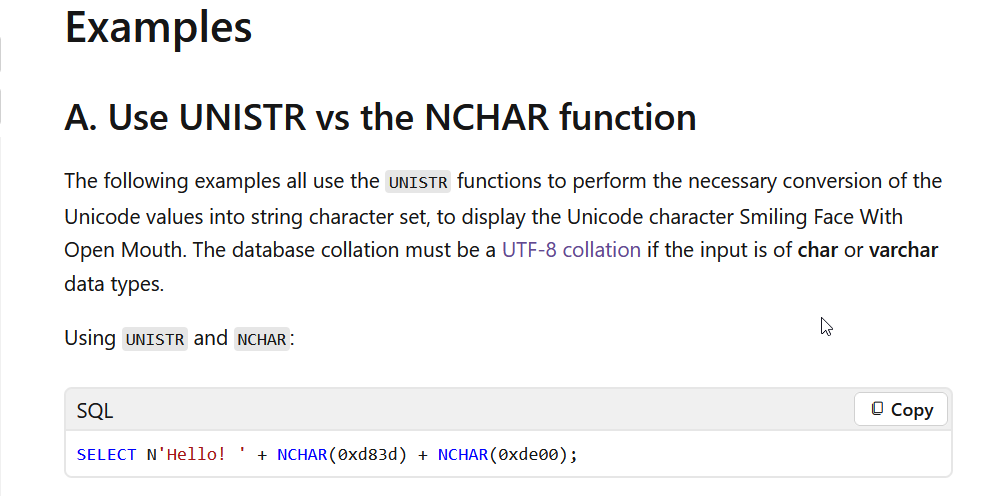
    I was doing some testing with Unicode data and noticed this sentence in the docs for UNISTR() (image below): “The database collation must be a UTF-8 collation if the input is of char or varchar data types.

    2025-12_0088

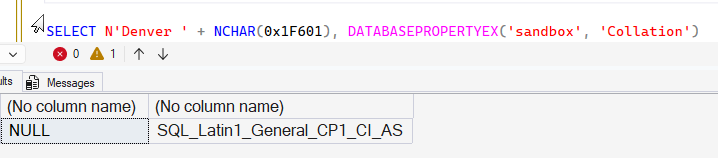
    I started experimenting with SQL 2022 with a default, US database. I ran this code:

    SELECT N'Denver ' + NCHAR(0x1F601), DATABASEPROPERTYEX('sandbox', 'Collation')

    That gave me unexpected results. The inputs aren’t char or varchar. They are NCHAR.

    2025-12_0089

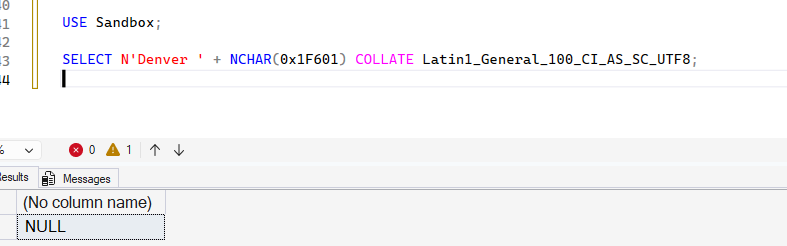
    Strange. I’d have expected this to work. Let’s try the COLLATE clause. That should help.

    It doesn’t.

    2025-12_0091

    One Solution

    I decided to create a new database to test things. First, I ran this code to create a database using a UTF-8 collation:

    CREATE DATABASE UnicodeTest COLLATE Latin1_General_100_CI_AS_SC_UTF8

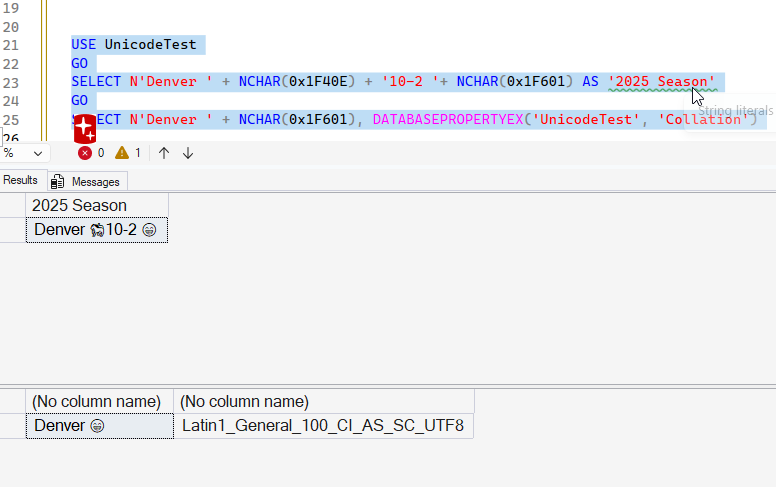
    Next, I tried my test. Same code as above, different database.

    2025-12_0093

    This works. I see my Unicode characters.

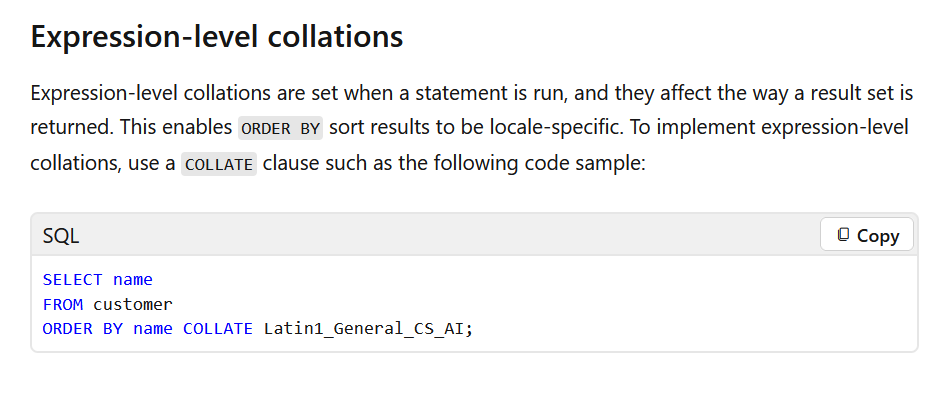
    Why, I’m not sure. I would think that my requesting a collation for a query would work, but I see this in the docs, which notes this is for ORDER BY.

    2025-12_0094

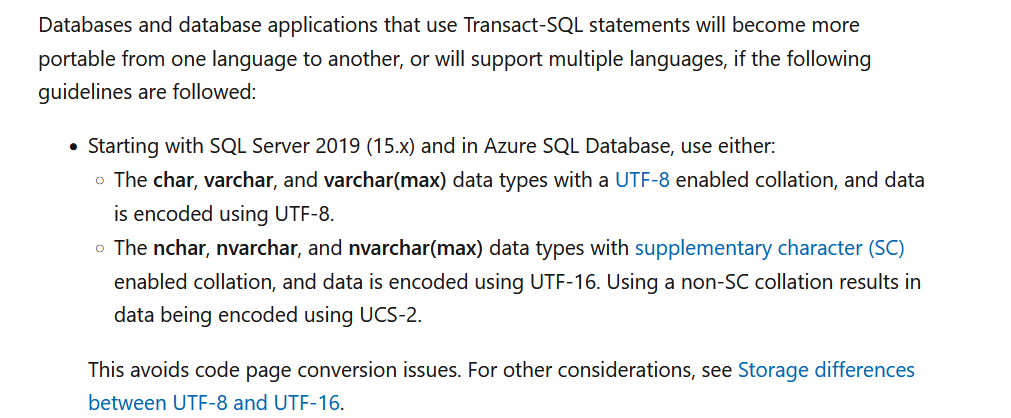
    In the Write International T-SQL Statements doc, there is this:

    2025-12_0095

    I’m not sure what UCS-2 means when I’m querying in memory only, but apparently this matters.

    An Explanation

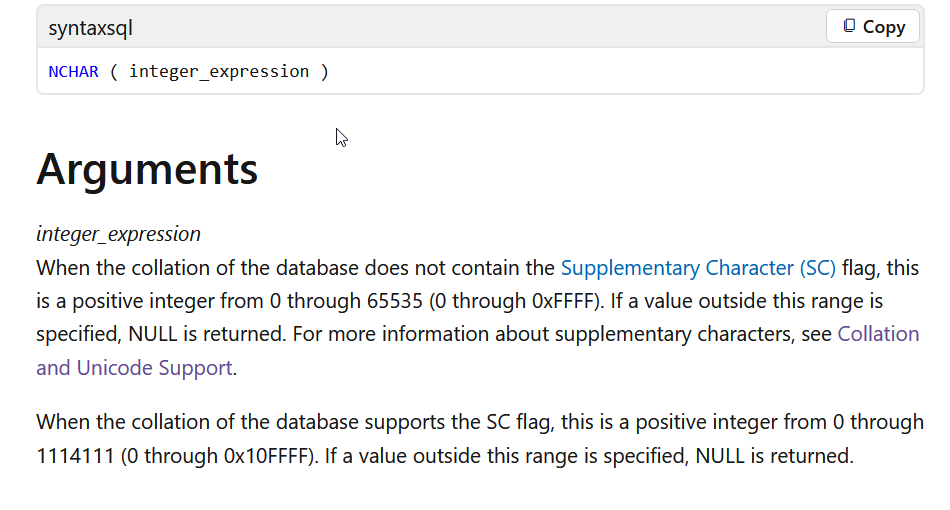
    The real answer is found in the NCHAR() docs. In here, the arguments section notes this:

    2025-12_0096

    The key is the Unicode value. NCHAR() handles up to 0xFFFF (4 Fs). My value is 0x1F40E (5 characters), so it’s out of range for the values that are handled with a non SC collation.

    If I return to my Sandbox, non SC collation database, I can get Unicode characters, as long as they are below the FFFF threshhold.

    2025-12_0097

    A fun little experiment, where I learned something.

    SQL New Blogger

    This is a great example of my finding a problem, digging in, and solving it. Around some other work, this probably took me about 30 minutes to figure out with some reading and experimenting. Then about 15 minutes to write this post.

    This is something you could easily do and showcase your knowledge as someone looking to learn and grow.

  • Finding the Last Last Name in SQL: #SQLNewBlogger

    I wrote a piece on the new SUBSTRING in SQL Server 2025 and got asked a question. How do we get the last last name, such as only getting “Paolino” from “Miguel Angel Paolino”. This post will show how you can easily do this.

    Another post for me that is simple and hopefully serves as an example for people trying to get blogging as #SQLNewBloggers.

    The Scenario

    I have a set of names, like those in the Northwind.dbo.Customers table. I want to find the last names only, perhaps for a mailing, or maybe for a search box. I have names like these:

    2025-11_0155

    Notice line 80 above. There are three names here. In the US, we might consider this as a first, middle, and last names. In Spain, however, this might be a first name and two surnames. If I only wanted the last last name (Paolino), how can I get that?

    One of the cool things about working with strings is that we can look at them a few ways, and we have a great T-SQL function that can help: REVERSE(). The last last name is really the first name in a reversed string.

    Backwards, but we can fix that.

    Let me build up a query. First, I’ll get the ContactName and then the First Name. I’ll use the Charindex to find a space and then assume everything before the space is the first name. That gives me this code:

    SELECT
            ContactName,
            SUBSTRING(ContactName, 1, CHARINDEX(' ', ContactName)) AS ContactFirstName
    FROM dbo.Customers;

    And these results. Notice I have the first names. This isn’t perfect, but it’s often works.

    2025-11_0157

    Now, let’s add the string reversed.

    SELECT
            ContactName,
            SUBSTRING(ContactName, 1, CHARINDEX(' ', ContactName)) AS ContactFirstName,
            REVERSE(ContactName) AS ReversedName
    FROM dbo.Customers;

    The results are interesting. Look at lines 79 and 80. The first name is the first word before a space. For the last name, it’s the first word before a space, but reversed. The first part of 79 is shpesoJ and the first part of 80 is oniloaP.

    So let’s repeat our substring on the reversed string. Here’s new code:

    SELECT
            ContactName,
            SUBSTRING(ContactName, 1, CHARINDEX(' ', ContactName)) AS ContactFirstName,
            SUBSTRING(REVERSE(ContactName), 1, CHARINDEX(' ', REVERSE(ContactName))) AS ReversedLastName
    FROM dbo.Customers;

    And look at the results. now my third column is the last name, just backwards.

    2025-11_0159

    Now we can wrap that last column in another REVERSE() and we get the results we want.

    2025-11_0160

    SQL New Blogger

    This is a common type of task, and one that you might be asked in an interview, or as a part of a spec. This post only took about 10 minutes to write, with code, and if this were on your blog, I bet an interviewer would ask you how to do this.

    Try to influence the interview and write your own post. Do some testing on performance as well, explore how to work with T-SQL to become better at it and showcase this to your next hiring manager.

  • SQL Server 2025 RegEx and AI

    One of the language changes in SQL Server 2025 that I’ve seen a lot of people mention is the addition of RegEx functions to T-SQL. I decided to take a few minutes and try to examine how this feature works, and how I might use it. And more importantly, can AI help?

    This is part of a series of experiments with AI systems.

    Data with a Bit of a Pattern

    One of the common things people use Regex for is validating email addresses.

    I created a basic table in a database that looks like this:

    CREATE TABLE customer
    (
         customerid INT NOT NULL
             CONSTRAINT CustomerPK PRIMARY KEY,
         customeremail VARCHAR(200),
         validated TINYINT
    )
    GO

    I then asked PromptAI to get me some test data like this:

    2025-11_line0142

    I wasn’t connected to a database, but I still got code generated with insert statements. The AI also noted I had a “validated” column, and it populated that appropriately: 1 for good email, 0 for bad ones.

    2025-11_line0143 

    Once I run the inserts, I have data.

    2025-11_line0145

    Now, can I check that the AI did this correctly?

    REGEXP_LIKE

    In SQL Server 2025, there are a number of regular expression functions, and REGEXP_LIKE is one of these. This function is designed to return a boolean if the string_expression matches the pattern_expression, where the latter is the regular expression.

    2025-11_line0146

    Prompt sees this as a valid function for SQL Server 2025, which is great. I want to use the customeremail from the table as my string to check. For the regex, I need to create a regular expression, something I am not good at doing. I learned to do this at a very rudimentary level when writing Perl, but I’ve lost whatever little skill I used to have.

    I saw an expression on StackOverflow for validating email. Let’s check if an AI can help.

    2025-11_line0149

    In a few seconds, even on airport wi-fi (SFO as I write this), I get a response.

    2025-11_line0150

    This looks like the expression from the SO answer, though much shorter. If you read SO, you know that the format isn’t as set and stable as we’d like. In any case, let’s see what this shows.

    This is interesting. I get an error.

    2025-11_line0152

    If I look at the docs, this says it returns a true/false, which I’d assume would convert to a 1/0, but let’s try an explicit case. When I do this, it works.

    2025-11_line0153

    I can also do this in the WHERE clause, where the true/false thing just works. Let me move the function to the WHERE clause. If I do that, I have this code:

    SELECT customerid,
            customeremail,
            validated
    FROM dbo.customer
    WHERE REGEXP_LIKE(customeremail, '^[A-Za-z0-9._%-]+@[A-Za-z0-9.-]+\.[A-Za-z]{2,}$')

    When I run this, I see what I expect:

    2025-11_0136

    Not a bad enhancement to the T-SQL language.

    Summary

    There’s a lot written on RegEx, so this post isn’t intended to delve deeply into what RegEx expressions you choose. Rather, I wanted to show the basics of this REGEXP_LIKE() function, and showcase one of the weird things I found when including this in the column list. I also haven’t looked at performance yet, though that certainly is something to be concerned about with larger datasets

    There are other changes in SQL Server 2025, and I’ll try to examine some in the coming weeks.

  • T-SQL Tuesday #191 Round Up

    I hosted this month, late as it turns out, but we still had a few entries. Here’s a look at the blogs people published.

    First as always, Rob Farley writes about the complexity of string parsing, using TVFs. He also shows some of the performance implications of complex parsing. Thanks to Rob for reminding me to get the invite out.

    Louis Davidson wrote about parsing HTML, which is definitely a challenge in T-SQL given the nature of the language and how embedded different tags can be. I’ve done this a little, and I prefer using Python to do this Winking smile

    Courtney Woolum writes about working with the IMDB database and needing to parse comma separated data with STRING_SPLIT and APPLY.

    Lucas Kartawidjaja brings us a look at a data outside SQL Server using the Log Parser, a free CLI tool from Microsoft that works well with data outside of SQL Server.

    Andy Brownsword tries out the new RegEx functions in SQL Server 2025.

    Hugo Kornelis hates intelligent keys because they store different types of data in the same column. He also shows some PARSENAME and CHARINDEX tricks.