Tag: VSCode

  • Adding an HTTP MCP Server to VSCode

    I wrote earlier this week about the SQL MCP Server using the Data API Builder. In that post I showed how to query the MCP server from VSCode, but I didn’t explain the setup. This post shows how I did that.

    First, you need to ensure you have access enabled for MCP access. There is a doc on this, though  I found it slightly confusing. I think the doc is trying to make this easier as there are public MCP servers available and a bit of a VSCode marketplace. However, that’s not what I wanted.

    I wanted a local server, using the http URL as that’s what DAB exposes. The command palatte makes this easy, so I open this (CTRL+Shift+P) and type MCP. I see the “Add Server” entry. Pick that.
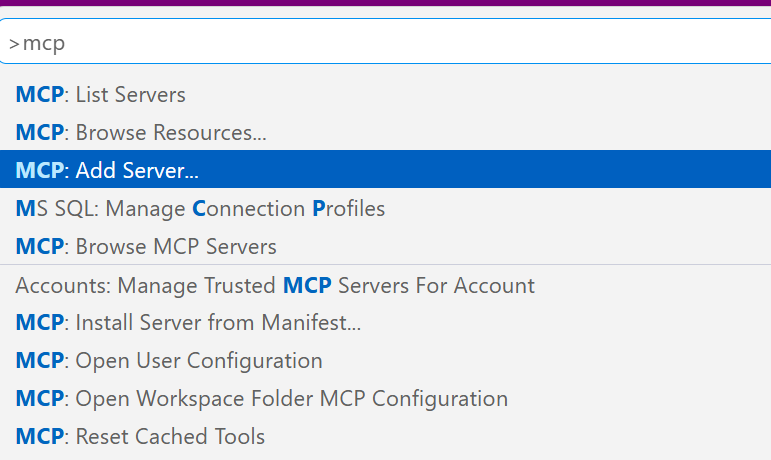
    2026-07_0317

    This gives you a choice of a few different items. I’ll use http.
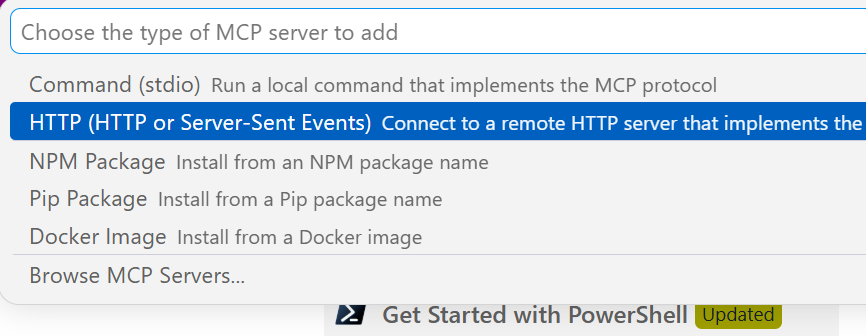
    2026-07_0318

    Once I select that, it asks me to enter the URL. Below I typed this, but the actual URL needs to http. I should have typed “http://localhost:5000/mcp”
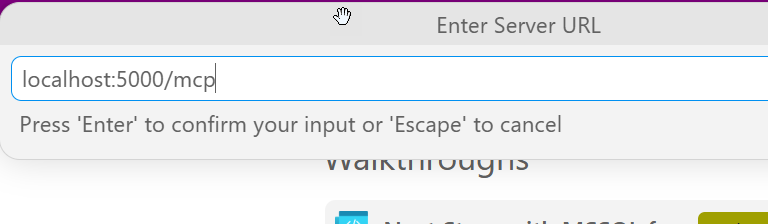
    2026-07_0319

    Once I do that it asks for a name. I’ll give it one:
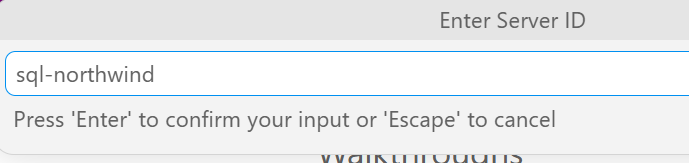
    2026-07_0320

    This is it and I’m done. The user config opens and I see my item entered with my other MCP servers (I’ve experimented a bit here).
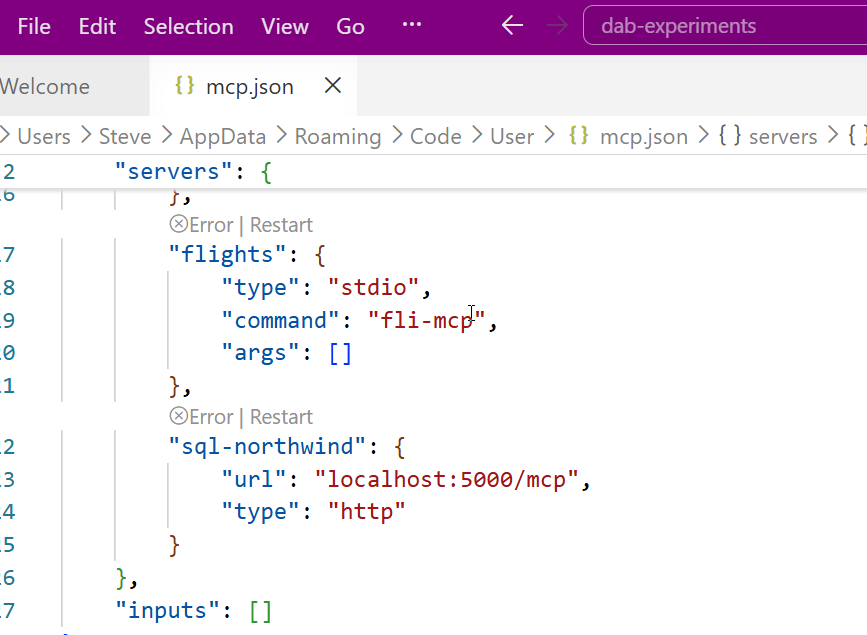
    2026-07_0321

    Accessing the MCP Server

    I don’t have these running by default. I can start them by using the command palette. There is an MCP: List servers item.
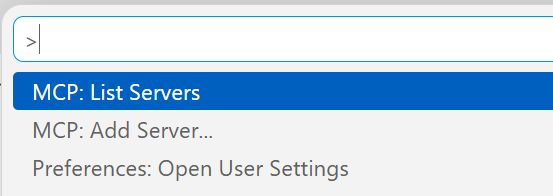
    2026-07_0330

    This gives me a list of servers. I can select my sql-northwind server.
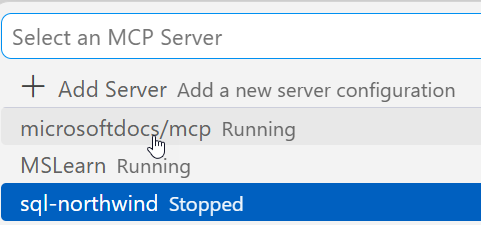
    2026-07_0331

    Once I select it, I have options. I’ll choose start.
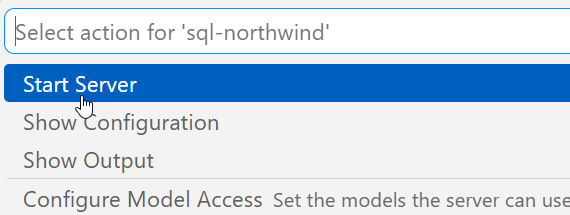
    2026-07_0332

    In the terminal output, I see the server connects. Note, DAB has to be running.
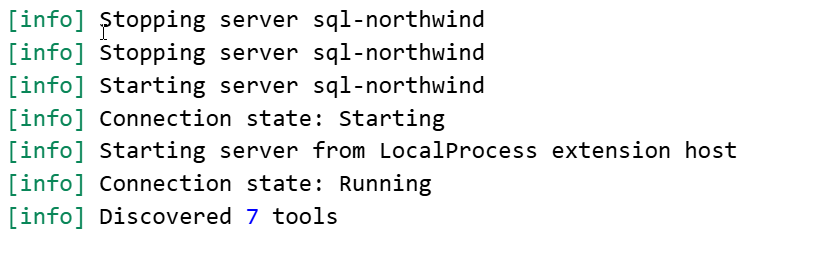
    2026-07_0325

    Accessing the Server

    I can open an Agent session and then add this server to it. If I click the “+” in the lower left, I can see a list of things. I want tools.
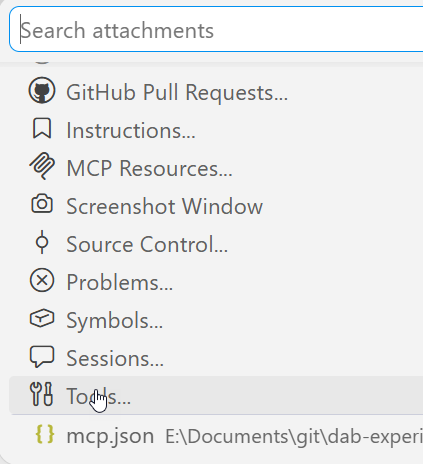
    2026-07_0326

    Note, I need to be in Agent mode (not plan or ask).

    From here, I can search for my server, since there are a lot of tools. I could add specific tools, but for most of the time I’m using MCP, I want all tools.
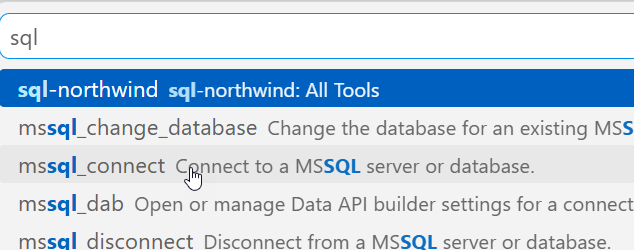
    2026-07_0327

    Now I type. Note that once I have a query, the MCP server is listed as an active tool. I get asked for permissions as we don’t want agents to do whatever. Each access asks for permissions or I can give the agent permissions for the session.
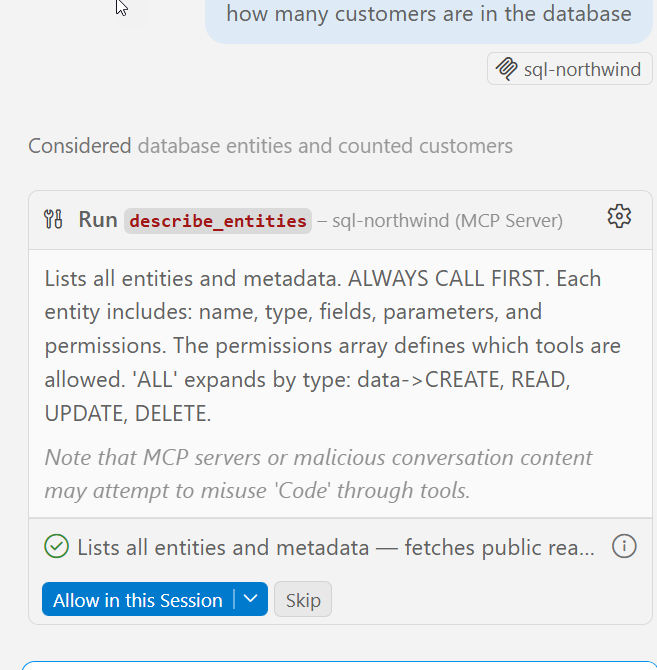
    2026-07_0328

    It runs a few queries and gets the answer.
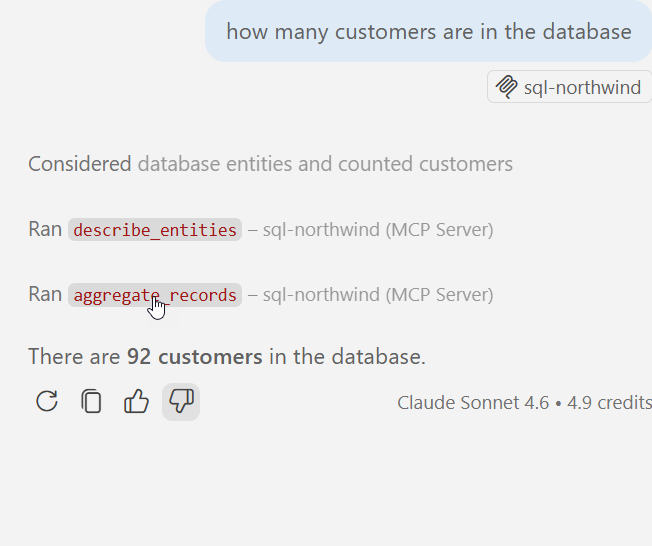
    2026-07_0329

    MCP server in action.

    Summary

    An MCP server is a resource. Just like I might access the DAB GRAPHQL endpoint and run a query, knowing I can also GET/POST/SELECT/MUTATE things, for an MCP server, this gives the LLM certain things it can do. In this case, there are 7 tools, as noted in my previous post.

    This post just shows how to add http servers, but other protocol types are similar. VSCode makes a lot of things easy, though I think the agent is very wordy. I prefer Claude, which works as well.
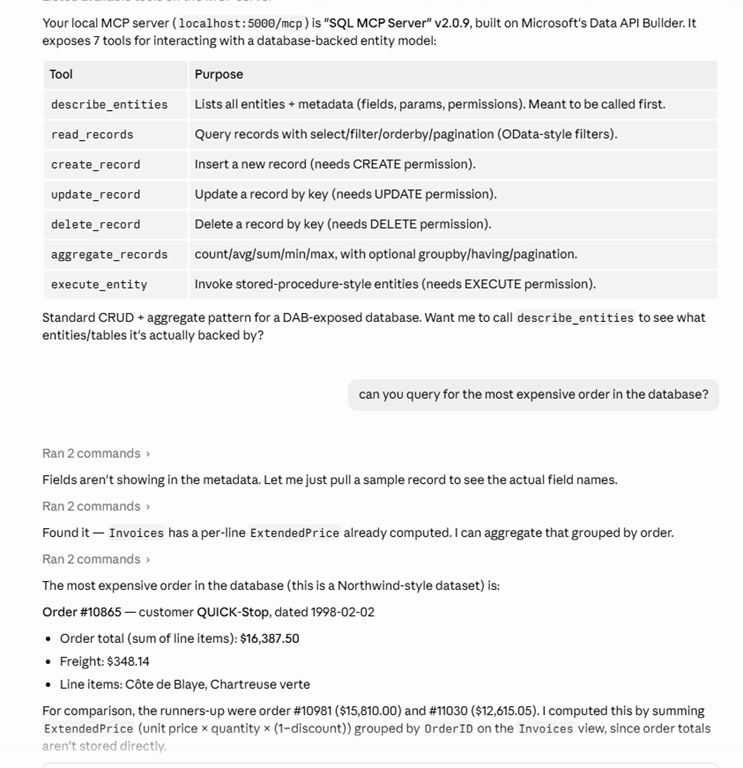
    2026-07_0334

    If you’re having issues, you want to ensure chat is enabled. The User settings have some MCP settings. I’ve searched for MCP in the settings below. The big one is the chat access.
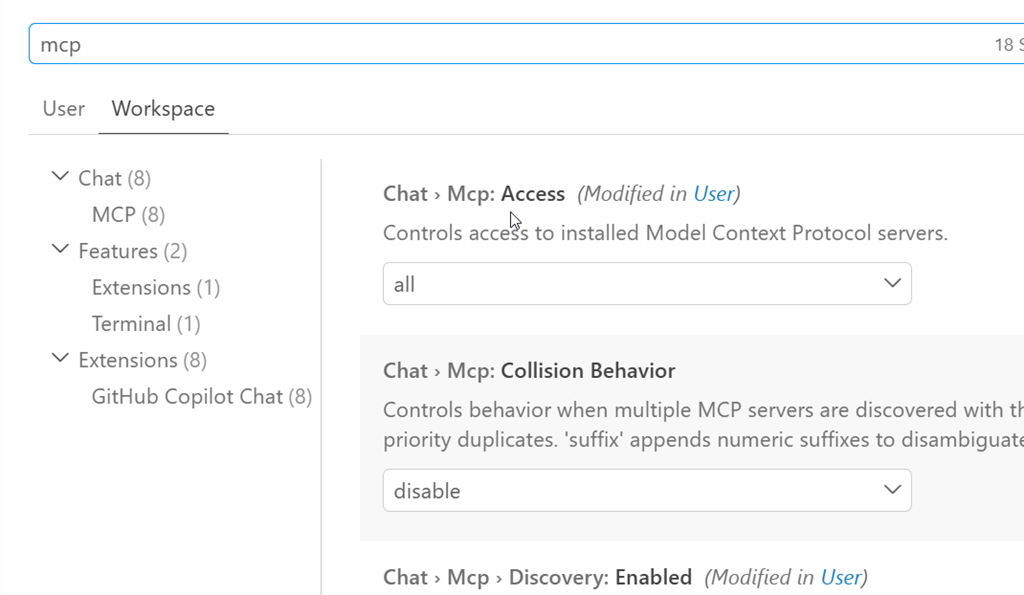
    2026-07_0316

  • The Data API Builder Start and Add Extensions in VS Code

    One of the things that I like about the Data API Builder (DAB) is that there is a lot of CLI work that can be done. However, lots of people don’t like these, so I’m glad there’s a series of extensions in the Visual Studio Code (VSCode) marketplace that you can use.

    This post looks at the start and add extensions. Another post will look at the others.

    Update: All these are now in one extension.

    This is part of a series of posts on DAB that I’ve written. I also have articles at SQL Server Central about DAB.

    Installing the Extensions

    In VSCode, you can search for DAB in the extensions blade. You should see these, but there could be more by the time you read this.

    2024-12_0249

    I clicked install on these and they were added to my VS Code. Now let’s play with them. Each of them adds a right click menu item to the dab-config.json file.

    DAB Start

    The first one I tried was start. Since I had a valid dab-config.json in my file list, I could right click it. I see DAB Start as an option and select it.

    2024-12_0266

    This opens a new terminal. You need to be aware of this, as on the right side of your terminal, there is a new column and each terminal session is listed. The lower one is highlighted, opened by the DAB Start extension. You can see the output on the left, which is running.

    2024-12_0267

    I could then interact with my APIs in the browser. When I wanted to stop this, I could CTRL+C in the left terminal section, as in any, but I’d still have this terminal extension. The next time I clicked DAB Start, another new session would start.

    Instead, I clicked the “Delete” trashcan next to the terminal on the left to stop this session and the DAB service.

    2024-12_0265

    DAB ADD

    The ADD extension lets you add entites as well. If I right click and select DAB Add, I get another menu of types.

    2024-12_0259

    Once I select one, I see a list of objects from the database that I can view. In this case, the connection used in my DAB config file only sees three tables, so I can choose one of these.

    2024-12_0260

    If I hit Enter, I get a message that this was added.

    2024-12_0261

    If I look in the JSON for the config, I see that this is indeed added. This is another entity in my list, with the graphql and REST endpoints enabled.

    2024-12_0262

    Summary

    This post looked at these simple extensions, which leverage VSCode to make working with the DAB easier. If you’re experimenting with DAB, try these extensions. I certainly find them easier ways to work with my config file than editing things directly or trying to copy/paste.


  • Adding Copilot to Azure Data Studio and a Few Experiments

    As a part of a recent Data Exposed that I was on, there was an ADS update which mentioned Copilot being added. Since I’ve been experimented, I decided to give this a try.

    This is part of a series of experiments with the ChatGPT and other AI systems. Lots of Copilot lately.

    Installation

    One of the easy things about VSCode and ADS is that you can install things from the marketplace very easily. You search and it appears, as shown here. Click Install to add it.

    2023-08-02 12_33_05-Extension_ GitHub Copilot - VCS_Primer-1 - Azure Data Studio

    Once you do this, it’s enabled. I have access to the Copilot with my GitHub account, so I assume this picked this up.

    Using Copilot in ADS

    There’s a blog about what this tech is and a few workflows. However, I decided to try something first. I picked a table in this connection and started typing. Copilot added a suggestion.

    2023-08-02 12_40_32-● SQLQuery_1 - Aristotle_SQL2022.sandbox (Integrated) - VCS_Primer-1 - Azure Dat

    It’s not a good one. That’s a table, not a function.

    2023-08-02 12_40_51-● SQLQuery_1 - Aristotle_SQL2022.sandbox (Integrated) - VCS_Primer-1 - Azure Dat

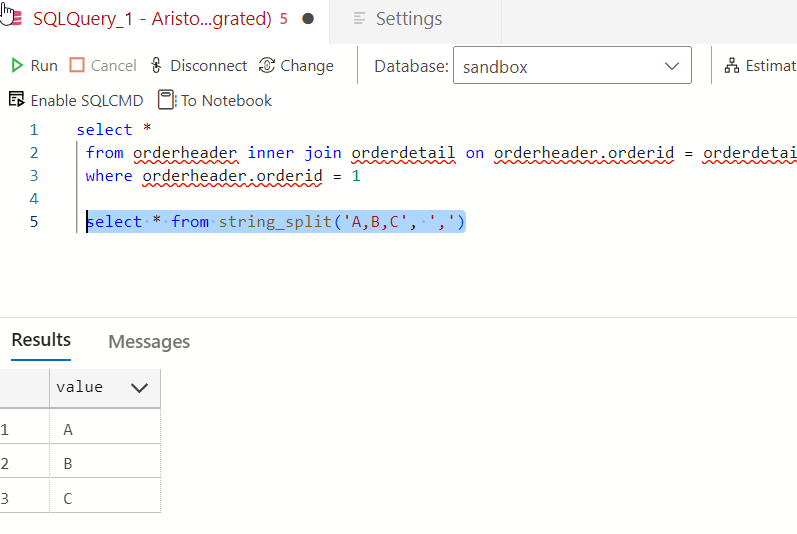
    Yeah, some AI isn’t reading my schema and sending it back to GitHub. Boo, this isnt’ helpful. I can only guess that seeing “StringSplit” had the AI guessing this was related to string_split(). Something a new dev might think.

    2023-08-02 12_47_56-● SQLQuery_1 - Aristotle_SQL2022.sandbox (Integrated) - VCS_Primer-1 - Azure Dat

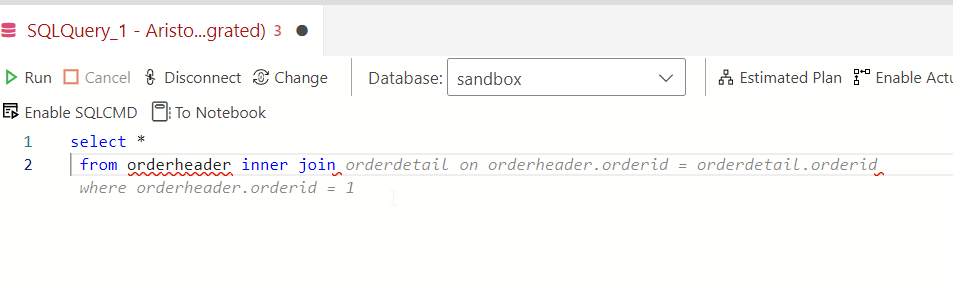
    OK, let’s pick a table and see if intellisense works better. I’m guessing it doesn’t. Here’s a suggestion based on what I typed.

    2023-08-02 12_43_04-● SQLQuery_1 - Aristotle_SQL2022.sandbox (Integrated) - VCS_Primer-1 - Azure Dat

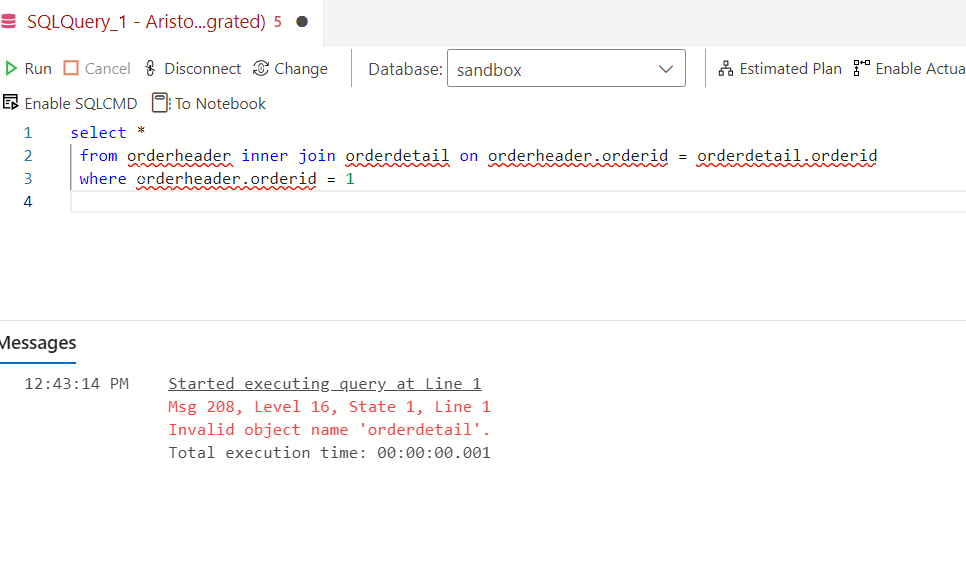
    Not a bad guess. I have some schema in here, and there is an OrderHeader related to a Customer table. However…

    2023-08-02 12_43_24-● SQLQuery_1 - Aristotle_SQL2022.sandbox (Integrated) - VCS_Primer-1 - Azure Dat

    There is no orderdetail. This clearly isn’t intellisense. It’s an AI taking guesses.

    Trying Comments as Prompts

    Let me try a few things from the blog. I’ll enter a comment.

    2023-08-02 12_50_25-● SQLQuery_1 - Aristotle_SQL2022.sandbox (Integrated) - VCS_Primer-1 - Azure Dat

    I don’t like that. While I think this is valid for MySQL or PostgreSQL, it isn’t for SQL Server. Setting aside why LIMIT isn’t in T-SQL, why doesn’t copilot recognize this is T-SQL? Let me help it.

    2023-08-02 12_54_06-● SQLQuery_1 - Aristotle_SQL2022.sandbox (Integrated) - VCS_Primer-1 - Azure Dat

    Better, but I don’t want to add “in T-SQL” to everything.

    Another experiment. I tried a couple of prompts, but realized that asking for “orders” doesn’t mean that the AI knows I mean orderheader. Context around what or where an order is stored is something humans might include in natural language. However, I got this:

    2023-08-02 12_55_26-● SQLQuery_1 - Aristotle_SQL2022.sandbox (Integrated) - VCS_Primer-1 - Azure Dat

    Which doesn’t work. I’d left the “in t-sql” from the previous prompt, so I’m not annoyed there, but this isn’t looking at schema. I also find the Oracle help not helpful.

    2023-08-02 12_55_36-● SQLQuery_1 - Aristotle_SQL2022.sandbox (Integrated) - VCS_Primer-1 - Azure Dat

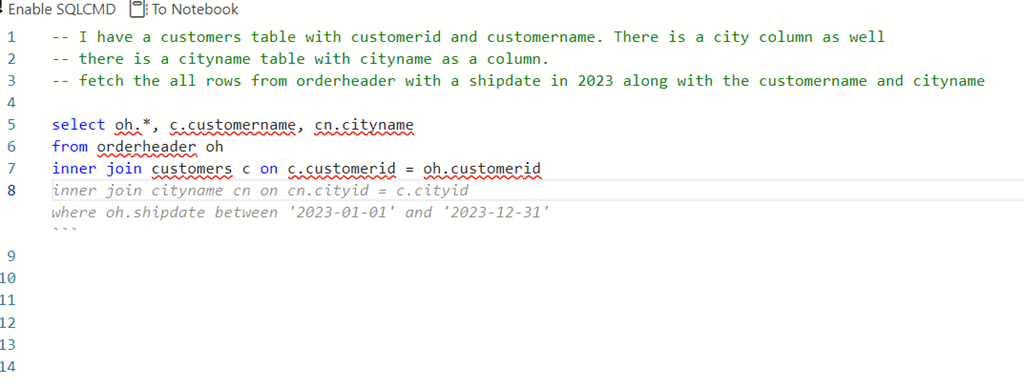
    However, this was interesting. I wanted a shipdate (this is a column) in 2023. The first suggestion was = Jan 1, but when I deleted that and hit enter again, I got this.

    2023-08-02 12_58_12-● SQLQuery_1 - Aristotle_SQL2022.sandbox (Integrated) - VCS_Primer-1 - Azure Dat

    Not bad. I tried a longer prompt, with a few comments. All of the code was suggested a line at a time, and when I hit Enter, I got the next line.

    2023-08-02 13_00_38-● SQLQuery_1 - Aristotle_SQL2022.sandbox (Integrated) - VCS_Primer-1 - Azure Dat

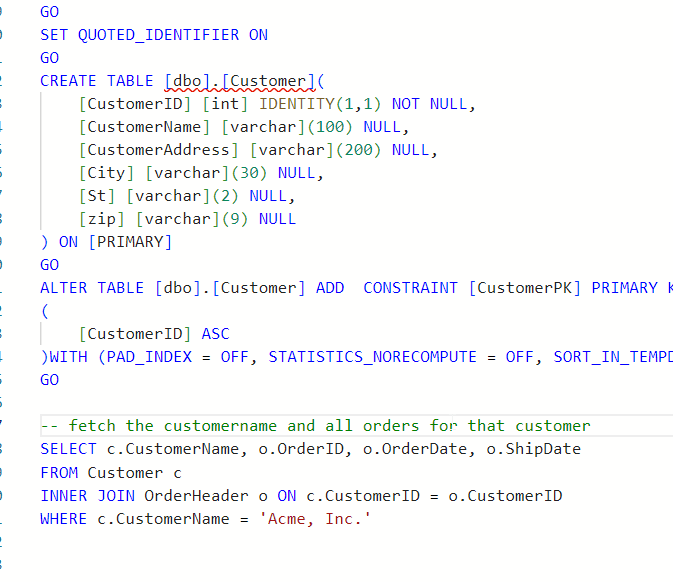
    The blog does note that adding the table create at the top of the query helps. Let’s try that.

    I’ll add creates for customer and orderheader. I then try a simple prompt and get this.

    2023-08-03 15_19_54-● SQLQuery_2 - dbo.OrderHeader Aristotle_SQL2022.sandbox (Integrated) - VCS_Prim

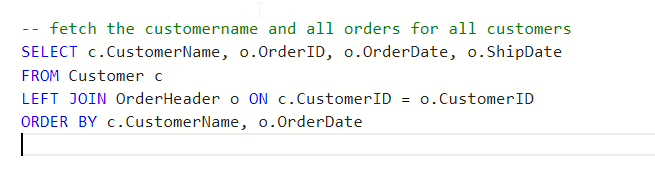
    Note, I tried “write a query”, but that didn’t work. I used “fetch” from the blog and that got me something. Though, not sure why this term is needed.

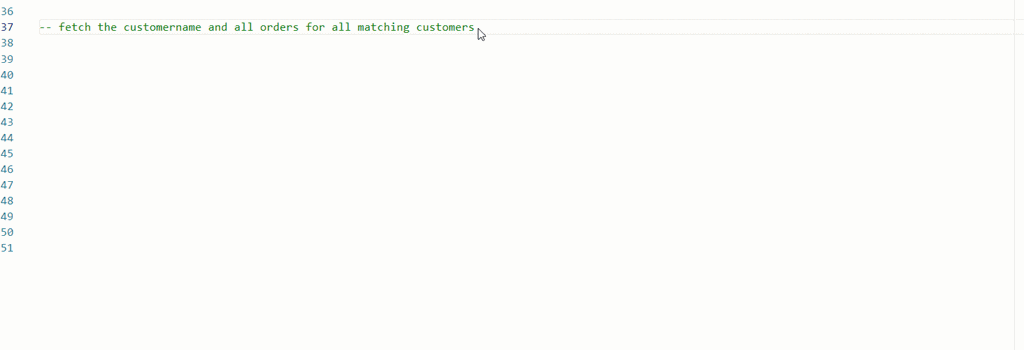
    I also changed my prompt trying to get all matching orders and got this instead.

    2023-08-03 15_20_20-● SQLQuery_2 - dbo.OrderHeader Aristotle_SQL2022.sandbox (Integrated) - VCS_Prim

    I also tried changing this to get matching orders. No idea why the customer name is limited in here.

    ads_query_1

    What about aggregates? I know some people have trouble with these.

    ads_query_2

    Not bad.

    Conclusion

    Adding Copilot to ADS is easy, but using it isn’t. The code it produces can have lots of mistakes, and not even work. It can make some strange assumptions, like junior devs might do.

    Adding context makes things better, but for many of these simple queries, I have to describe things enough that I might as well write the query. Especially with SQL Prompt, I’d use SSMS instead.

    However, learning to use prompts is a skill and it’s one to work on. Hopefully the AI will improve over time and I’ll start to see more useful suggestions, especially with different types of code.

    So far, I’m impressed very little with this tool.

  • Executing PoSh line by line in VS Code

    Another post for me that is simple and hopefully serves as an example for people trying to get blogging as #SQLNewBloggers.

    I’ve had to relearn this trick multiple times, so I decided to write a post. The simple answer is highlight code and press F8.

    I’ve come to enjoy writing PoSh in VS Code, but I often end up writing a bunch of the code in a command window, trying out specific things. Often this is because I’m working in a specific folder. Sometimes I’ll get caught up in typing in the VS Code terminal, forgetting to edit the actual script.

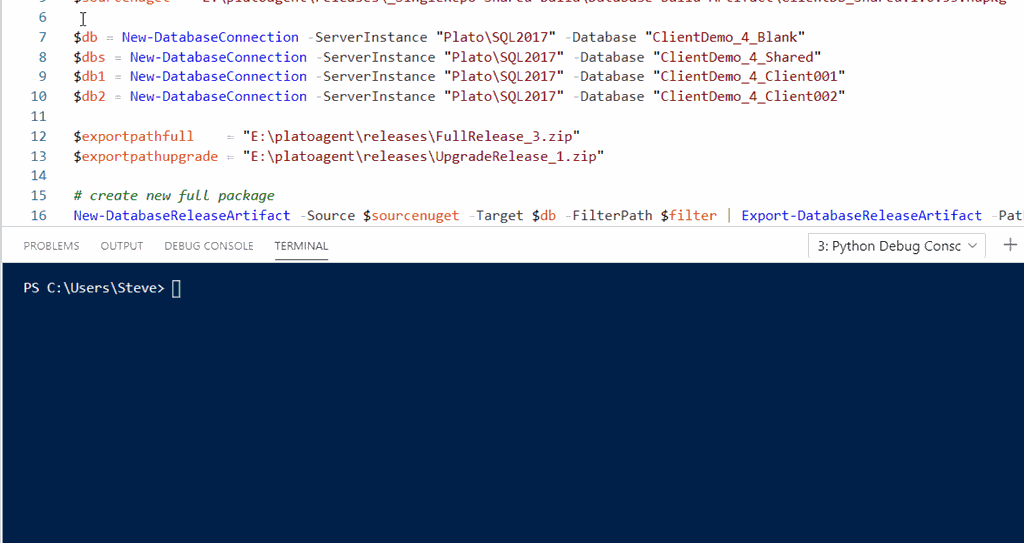
    Lots of sites have posts on this, but the simple thing is to pick a line and then click F8. The code will run in your terminal window, and you can see the results. Here’s an example for me.

    2020-04-21 12_51_44-● $filter = _e__Documents_GitHub_MultiTena • Untitled-2 - Visual Studio Code

    You can actually just put the cursor on a line and click F8. I’ve got a short gif that shows this.

    poshvscode

    The next time you want to work through a PoSh problem line by line, consider using VS Code and F8.

    SQLNewBlogger

    This is one of those things I’ve googled too many times. So I took 4-5 minutes to just type this up, grab a couple screenshots, and put this together.

    It’s focused tightly on one thing, executing PoSh. I don’t need to explain more to show this piece of knowledge, and hopefully remember it in the future.