

If you’ve wanted a SQL Server MCP server for your databases, it’s available. The SQL MCP Server is a part of the Data API Builder (DAB). DAB is a wrapper that allows you to run a service over your databases that exposes REST, GRAPHQL, and now, MCP, in a way that lets you control it.
I’ve written a bit about this here and at SQL Server Central, and this post looks at adding MCP access to your DAB setup.
This is part of a series on the Data API Builder.
Adding the MCP Endpoint
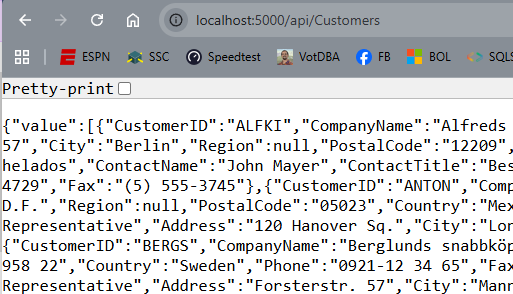
I have a DAB setup already that runs well. I have a REST endpoint (here’s the REST view of Northwind.dbo.Customers).
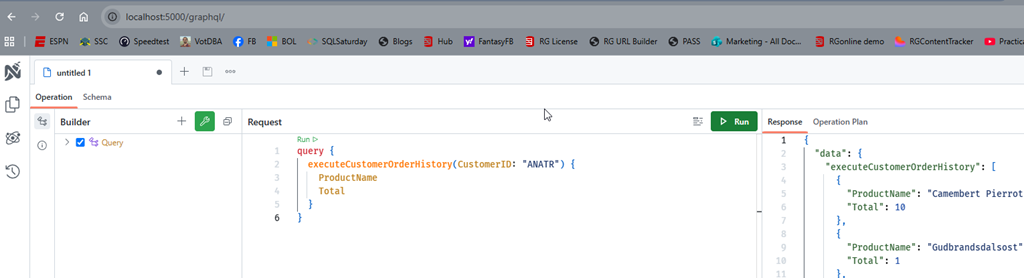
And here is the GRAPHQL endpoint.
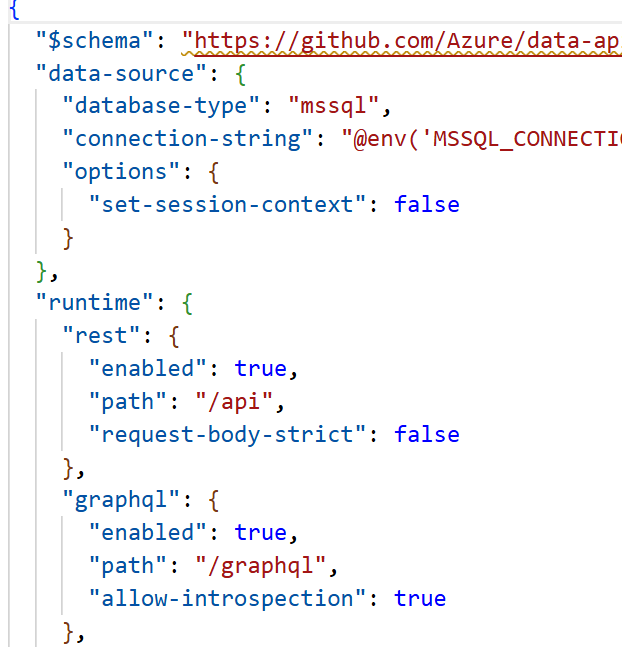
If I look at my configuration file that drives the service, I see this:
What about MCP? It’s easy to add.
The MCP Service
The MCP capability was added in v1.7 of DAB, but the current version if over 2.0 (2.0.9 as of Jun 30, 2026). There have been bug fixes and capabilities, so I’d recommend upgrading.
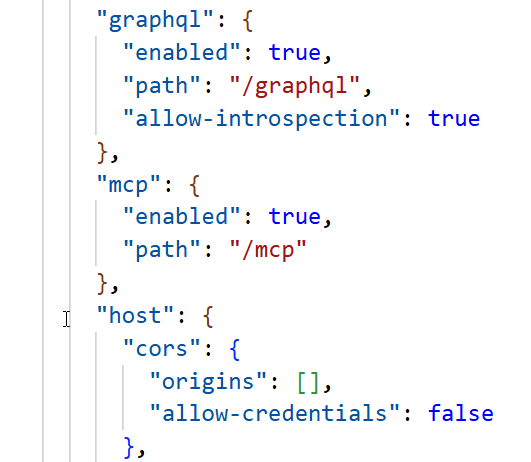
Second, this is enabled by default for new DAB configs, but if you have an existing config, you need to add a JSON key/value in your file. This is the runtime configuration, but by default all the tools are available. Here is my new config file (which I regenerated from my old VCS items). You can see the new MCP section between the graphql and the host keys.
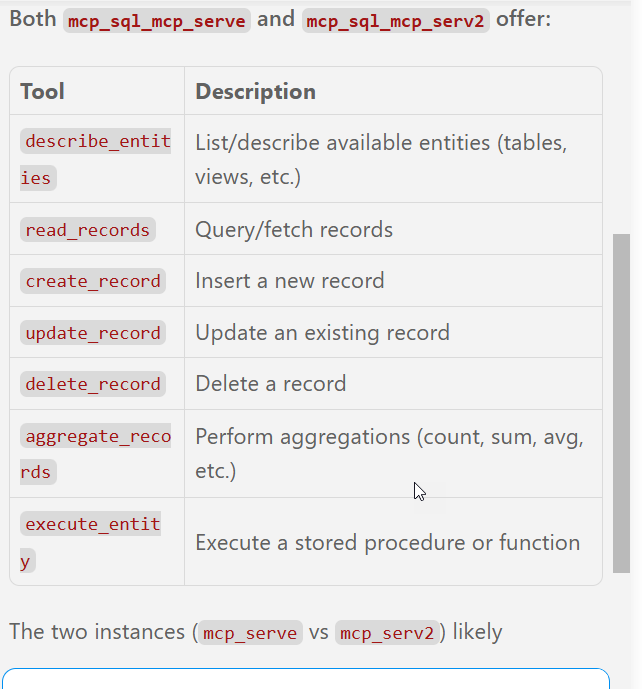
In the docs, you can add a dml-tools key and enable or disable individual tools. The DML tools available are:
describe_entities– Discovers available entities and operationscreate_record– Inserts new rowsread_records– Queries tables and viewsupdate_record– Modifies existing rowsdelete_record– Removes rowsexecute_entity– Runs stored proceduresaggregate_records– Performs aggregation queries (new in v2.0)
Since this entry is in my configuration, I’ll start the DAB server and query it.
Querying the MCP Server
I need an agent to do this. The easiest one for me is the Copilot Agent in VS Code. I configured the MCP server (another post coming on this) and then sent a query. You can see the agent accessing the server and looking for the tools. Seven were found.
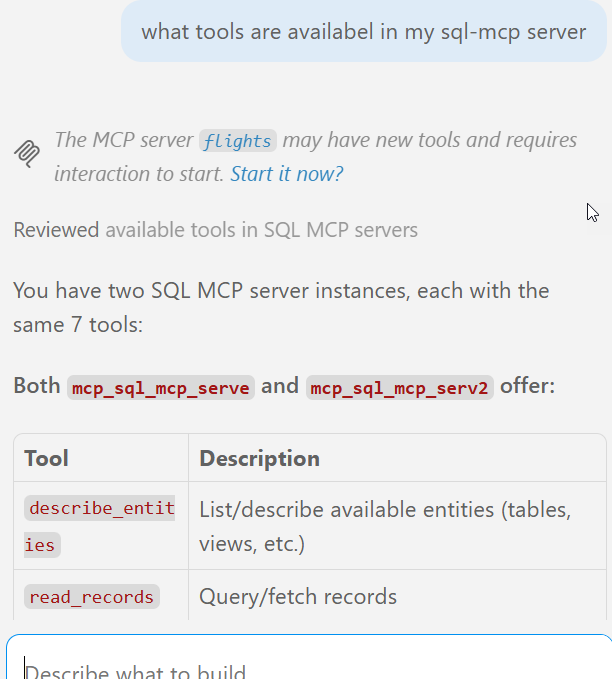
Here is the rest of the entry, with the descriptions of the tools.
The power in the MCP server is I can ask my agent to use the tools to do work. I don’t need to be that specific. In the query below, I’ll just ask for data. In this case, the customers with the most orders:
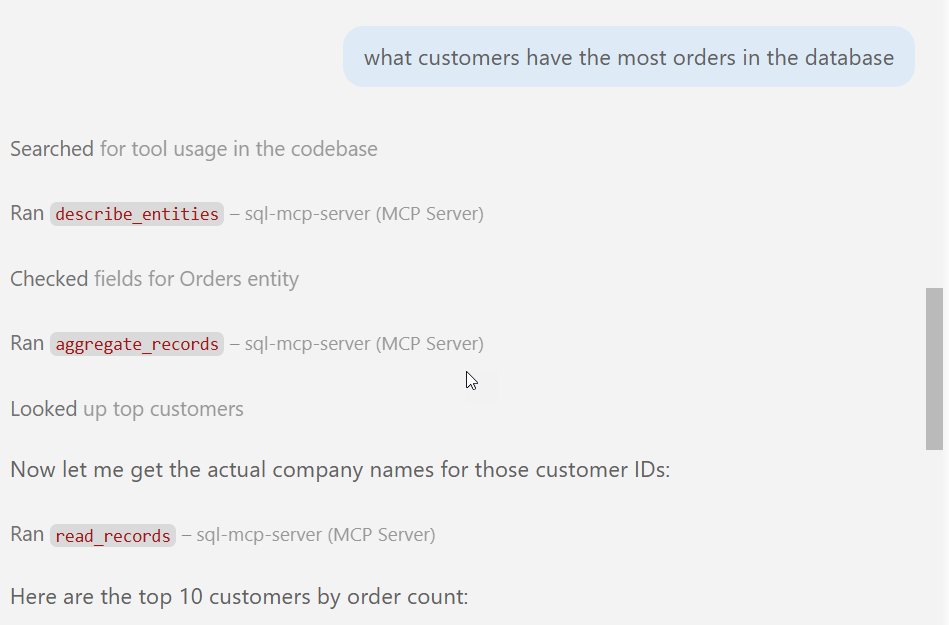
At each of the “ran” stages, the agent asked for permission. I granted it, allowing the agent to run code. It went through metadata in the db and then returned the data. Below the image above, I had the results returned. You can see that here.
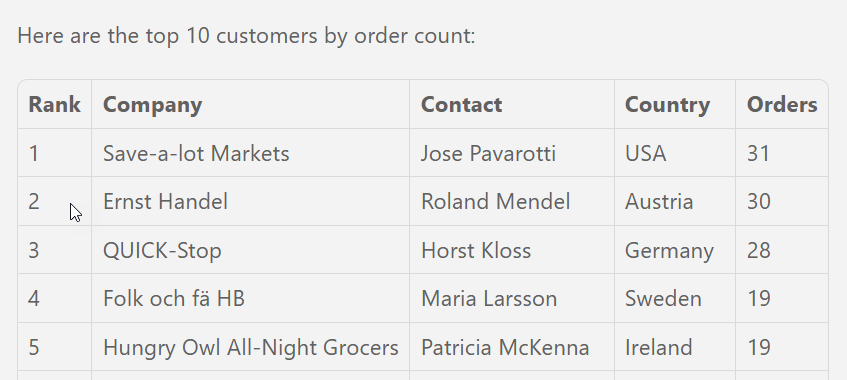
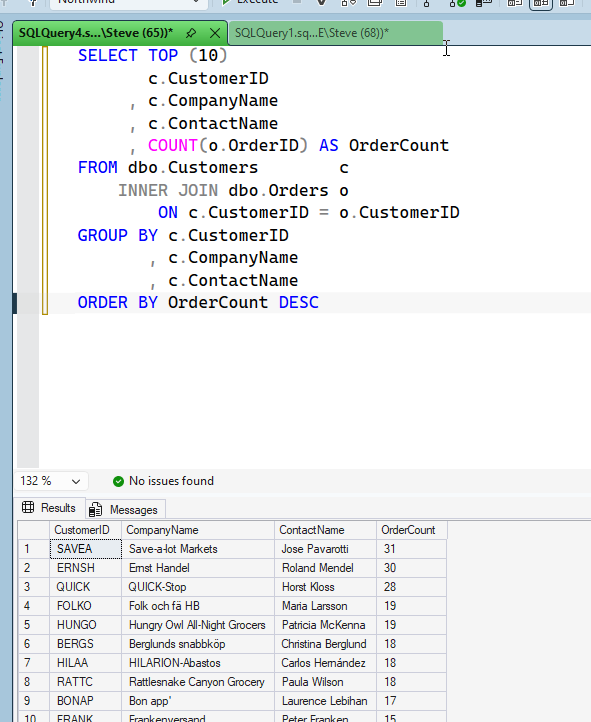
This matches what I get from SQL if I run a query. Below is the query I ran directly.
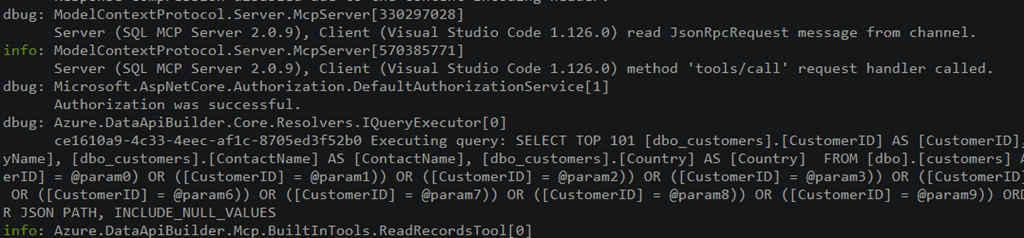
If I look at the DAB log, I see the mcp server being accessed.
This is a very quick look at the MCP server working in SQL Server. It’s another great reason to use DAB. That already makes building CRUD applications easier, and now you get MCP access as well.


Comments
2 responses to “Getting the SQL Server MCP Server Running”
[…] wrote earlier this week about the SQL MCP Server using the Data API Builder. In that post I showed how to query the MCP server from VSCode, but I […]
LikeLike
[…] wrote earlier this week about the SQL MCP Server using the Data API Builder. In that post I showed how to query the MCP server from VSCode, but I […]
LikeLike