Author: way0utwest

  • New Video Cards

    When I want to upgrade hardware, I usually turn to Glenn Berry for advice. He’s the person I know that really watches, examines, and evaluates computer hardware. He gives good advice and upgrades often, so he actually uses the latest hardware.

    One of the upsides of his hobby is that he is regularly replacing hardware. That means he regularly has older hardware. A few times I’ve asked for advice, I’ve actually ended up buying the previous generation from Glenn because he’s already upgraded. That works out well for me, since I don’t look to be on the latest and greatest.

    Recently we had lunch and Glenn offered me his old Radeon R9 video card. It was ranked quite a bit higher than the GeForce GT 740 I bought last year. I didn’t need a replacement, but the price was right, and maybe I’d impress my kid a bit with the upgrade.

    I went to lunch, and got a nice, geeky gift bag.

    Photo Jan 13, 10 35 25 AM

    Inside was not one, but two video cards. Apparently Glenn’s MicroCenter Outlet was having a special.
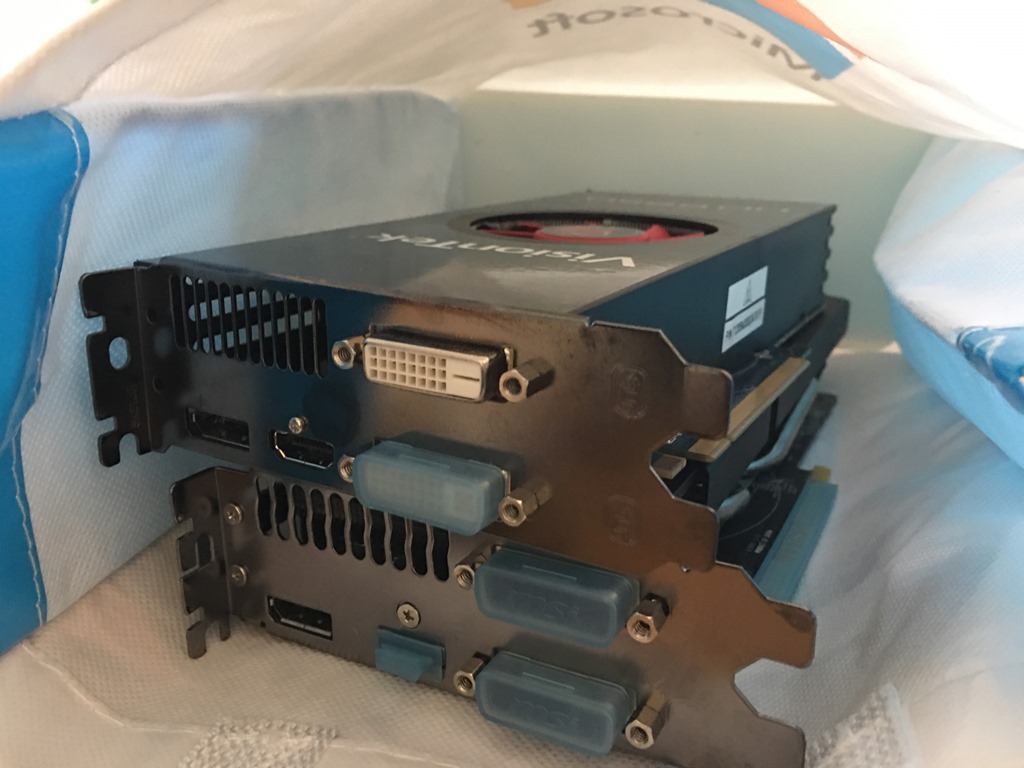
    Photo Jan 13, 10 35 33 AM

    The cards are on my desk as I need to some time to open up my case, replace cards, and then ensure everything comes back up correctly. I’ll need drivers, and no pressure to complete things quickly.

    Hopefully I won’t need a new power supply, though I am tempted to get another monitor with all this horsepower and give Twitter and Spotify their own displays. Winking smile

  • Do I have a Database Master Key in a database? #SQLNewBlogger

    Another post for me that is simple and hopefully serves as an example for people trying to get blogging as #SQLNewBloggers.

    How can I tell if I have a Database Master Key in a database? It’s actually easy. I query the sys.symmetric_keys DMV for data. If I get a result that has a name of ##MS_DatabaseMasterKey##, then I have a database master key.

    You can see this below. I’ve queried this DMV in my Sandbox database.

    2017-01-11 12_21_55-SQLQuery1.sql - (local)_SQL2014.Sandbox (PLATO_Steve (59))_ - Microsoft SQL Serv

    Now, what if I go to another database, say the Finances database. I see nothing.

    2017-01-11 12_22_34-SQLQuery1.sql - (local)_SQL2014.Finances (PLATO_Steve (59))_ - Microsoft SQL Ser

    Let’s add a master key here and then query. Note, I am not disclosing the real password here. Never do this, even in test systems.

    2017-01-11 12_23_14-SQLQuery1.sql - (local)_SQL2014.Finances (PLATO_Steve (59))_ - Microsoft SQL Ser

    This instance has been used with TDE, so if I go to master, I’ll get this:

    2017-01-11 12_24_20-SQLQuery1.sql - (local)_SQL2014.master (PLATO_Steve (59))_ - Microsoft SQL Serve

    You can see that I not only have a DMK, I have a Service Master Key (SMK), which protects the instance.

    When I create my DMK, the only parameter I can provide is a password, after the optional “ENCRYPTION BY PASSWORD” keywords. I don’t name it, so I can count on the naming being fairly consistent. I don’t think that the name would change from version to version, but it could.

    I’d prefer that MS not create magic numbers or names, and instead, add a column to the DMV that denotes this is a DMK.

    References

    sys.symmetric_keys – https://msdn.microsoft.com/en-us/library/ms189446.aspx

    CREATE MASTER KEY – https://msdn.microsoft.com/en-us/library/ms174382.aspx

    Connect Item to add a flag – https://connect.microsoft.com/SQLServer/feedback/details/3118588

  • Securing Your Instances

    I wrote a post about finding the port number of a SQL instance using PowerShell. Almost immediately I was taken to task by someone that noted port scanners can easily find SQL ports, so it’s silly to move off 1433. Just use it because applications expect it. I can see that, and changing ports doesn’t provide much security, but it does provide some obscurity, which may or may not be helpful. Certainly this also creates administrative and support burdens for a system. If you want other opinions, there’s a Q&A on Stack Exchange for this topic as well.

    Tom LaRock wote a post that this can be a way to obfuscate your database, prevent simple default connections, and potentially detect security issues before they become a problem. I tend to learn towards this approach as well, because these small changes can potentially provide a little protection. A port scan is quick, but firewalls are getting better at detecting these. Certainly criminals get smarter, but changing a port number isn’t intended to stop everyone. If it stops a few, then that’s fine.

    Security comes about because of layers, and limitations, and will never be perfect. There will always be ways that someone can get around security, but the more layers, the more obstacles you place in their way, the fewer people that will overcome all of them. I’d also note that plenty of attacks come from vandals. People that are just bored and looking for easy ways to get into a system. Most of these people are using pre-written scripts and programs that try out defaults. These aren’t concerted, directed attacks. They’re attacks from boredom.

    I’m curious today how many of you think a little bit of security from obfuscating ports is a good idea. I wouldn’t recommend the SQL Browser be open, but that legitimate connections know about the port needed, and use that in their connection strings. I think it helps, and if this limits some attacks, especially inside-the-firewall virus attacks from trusted machines, I think it’s worth doing.

    Steve Jones

    The Voice of the DBA Podcast

    Listen to the MP3 Audio ( 3.4MB) podcast or subscribe to the feed at iTunes and Libsyn.

  • Installing the SQL Clone Agent and the VC++ Runtime

    I was trying to get SQL Clone working recently and had an issue with the Agent. If you haven’t looked at SQL Clone, it’s a really cool product from Redgate that’s in beta right now. It will help you build and provision those large dev, test, customer service, etc. environments with full size copies of data without using the space (or time) for the actual files.

    In any case, when I downloaded the agent and ran the installer, I saw this:

    2017-01-12 16_09_57-Redgate SQL Clone Agent

    That struck me as funny because I have all sorts of VC++ runtimes on my machine. In fact, in debugging, I saw all these:

    2017-01-12 16_11_02-Settings

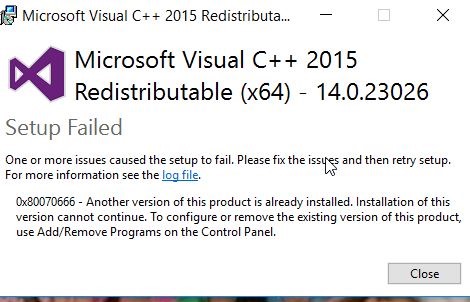
    After the download completed, I got an error.

    2017-01-09 07_57_09-

    This was strange, since I actually had a 14.3 version, but apparently SQL Clone doesn’t realize this is the case. This should be fixed soon, but for now, here’s what to do.

    First, run regedt32.exe. The setup program is checking for an installation in a key. I had the keys in the HKLM\SOFTWARE\Microsoft\VisualStudio\14.0\VC\Runtimes\x64, but not in the Wow6432 node.

    Browse to HKLM\Software\Wow6432\Microsoft\VisualStudio\14.0\VC. Here’s what I had:

    2017-01-12 16_15_00-Registry Editor

    Here’s my x64 folder structure:

    2017-01-12 16_15_54-Registry Editor

    In here I have the sub-keys and the “Installed” value.

    Since I know I have a later VC++ runtime, I did this. First, create the “Runtimes” key under VC, then add a “x64” key below that. Inside of x64, add an Installed value as a Reg_DWord with a value of 1. You should see this:

    2017-01-12 16_37_30-Registry Editor

    Now run the SQL Clone Agent installer:

    2017-01-12 16_37_16-SQL Clone Agent Setup

    Everything works.

    If you’d like to learn more about SQL Clone, check out this short video: