Live blogging this a bit as I try things. This will update a bit, so you’ll have to read through.
Adam Machanic posted this: T-SQL Puzzle-How many rows will this return? SELECT*FROM(VALUES(1),(2))AS x(i)WHERE EXISTS(SELECT MAX(i)FROM(VALUES(1))AS y(i)WHERE y.i=x.i)
I was in a doctor’s office waiting at the time, but I responded that I didn’t think one row was right. I didn’t have the chance to see what happened, so I couldn’t reason through what was happening. Maybe I should have been able to? Not sure.
I got home and ran this (thanks, SQL Prompt):
SELECT
     *
   FROM     ( VALUES ( 1), ( 2) ) AS x ( i )
   WHERE     EXISTS ( SELECT  MAX(y.i)
                    FROM
                    ( VALUES ( 1) ) AS y ( i )
               WHERE
                 y.i = x.i );
I get two rows back, a 1 and a 2. Very strange.
I tried experimenting a bit. I created tables and put data in there. Maybe there’s something I don’t get in the VALUES() clause.
CREATE TABLE mytable99 (id INT);
CREATE TABLE mytable999 (id INT);
GO
INSERT dbo.mytable99
( id )
VALUES
( 1 ), (2);
INSERT dbo.mytable999
( id )
VALUES
( 1 )
;
GO
SELECT
*
FROM
dbo.mytable99 AS x
WHERE
EXISTS ( SELECT MAX(y.id)
        FROM dbo.mytable999 AS y
        WHERE y.id = x.id );
Same result.
Hmmm, Adam added a clue. Why does select max(1) work?
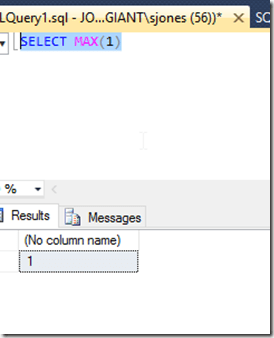
I was guessing that max() operates on the scalar set of [1]. However I’m not sure.
I then did this:
UPDATE dbo.mytable999 SET id = 9;
When I re-ran the query, still two rows. Without a match.
Next I added another row to the first table.
INSERT dbo.mytable99
( id)
VALUES
( 3 );
Now I get three rows.
What I’m guessing (at this point) is that the correlated subquery returns a 1 for every row of the first table, so this means I get the size and shape of that table. The EXISTS() is always satisfied.
I’ll be interested to learn what is happening, or if I’m right.
Update: I’m not.
Or semi-right.
The exists is satisfied, but why?
Adam posted a second hint asking me to remove the max(). I did that and got 1 row. Well that’s interesting. How does the aggregate affect the correlated subquery, and how does this affect the Exists().
I decided to break down the query inside the EXISTS(). I did this with scalar values. Since I’ve been dealing with two rows, I used those two scalar values.
	 SELECT
                y.i --MAX(y.i)
              FROM
                ( VALUES ( 1) ) AS y ( i )
			  WHERE
                y.i = 1 ;

	 SELECT
                y.i --MAX(y.i)
              FROM
                ( VALUES ( 1) ) AS y ( i )
			  WHERE
                y.i = 2;
With these queries, I get one row and zero rows, just an empty set. That makes sense in terms of why removing the MAX() gives me one row in the whole thing.
Next I added the MAX back.
	 SELECT
                MAX(y.i)
              FROM
                ( VALUES ( 1) ) AS y ( i )
			  WHERE
                y.i = 1 ;

	 SELECT
                MAX(y.i)
              FROM
                ( VALUES ( 1) ) AS y ( i )
			  WHERE
                y.i = 2;
Now I get one row for the first, and one row for the second? Huh? However the second set is a row with NULL in it. I checked the EXISTS() documentation, and sure enough, if there are rows, this returns true, even if the row has a null value. This isn’t the value of a row, but rather just its presence.
I then did this to check:
SELECT 'test' = 1
 WHERE EXISTS( SELECT * FROM mytable WHERE 1 = 0);

SELECT 'test' = 1
 WHERE EXISTS( SELECT null);
Sure enough, the first gives me an empty result set, while the second doesn’t.
But why does MAX() return a row? I tried this with a simple query:
 SELECT MAX(i)
  FROM ( VALUES (1)) AS x(i)
  WHERE x.i = 2
Which does return NULL. I did search and saw this explanation on SO, saying that the result of the MAX() for the group (where x.i=2) is undefined, hence the NULL. This is born out as you see here:
CREATE TABLE mytable88(i INT);
GO
SELECT MAX(i) FROM dbo.mytable88 AS m;
Strange. Certainly I wouldn’t have expected that from MAX(). I would have thought it was an empty set, but apparently that’s not the case.