I finally got my standing desk working last weekend and started on Tuesday (after Memorial Day) working at it on a regular basis.
This was the initial setup

I used a box of books, with 4 more under the keyboard and another box for the mouse. I had two monitors working due to a lack of cables, but this would allow me to essentially duplicate what I had upstairs. I added a short barstool (round, no back) and I was ready to go.
I wrote a bit about this the other day, but this is a more detailed post after almost one work week (3+ days) of working.
Tuesday when I came downstairs, I was tired, and it was chilly, and I didn’t really want to go in the basement. I spent an hour with my laptop at my regular desk before deciding to go stand downstairs. It wasn’t bad, but I realized quickly that the keyboard and mouse were too low. The ergonomic position is slightly above the elbow, so I added another box, more books and raised things up. Books make a great experimental platform for raising lowering to different heights to see what works.
I also realized that I needed to get all four monitors going and see if I liked that. So I ordered two new cables, and kept working. I stood for 5-6 hours on Tuesday, taking a few breaks to go upstairs, run, and handle other non-desk tasks.
Wednesday I felt better and I sat at my desk for an hour for our weekly department conference call. I don’t have a webcam on the desktop and with the books, no desk to set the laptop on. However afterwards I went downstairs and worked. My round bar stool was too short, but I did find an older, tall barstool to use. The height is just high enough that I have to raise up an inch or so to sit down. Or sit up.
I didn’t love sitting down, but taking 10-15 minutes on the stool was nice.
Thursday my cables came, and I hooked everything up. I got all four monitors situated in the right position in Windows 7, though I am tempted to raise my bigger monitors up to the top and put the smaller ones below. Right now I feel like I’m looking down when I’m working. It’s not too bad, and it’s similar to how you might work with paper on a desk.

My legs feel a bit more tired, but not much. I notice it most when I’m running. It’s that they’re slightly more tired than normal. I suspect that I’m adapting better than most since I run every day (1370 days and counting), so I’m used to some amount of work from my legs every day.
I do find that I take more breaks now. I can’t sit with an empty coffee cup and get lost in work for 90 minutes. Every hour or so I get up and move upstairs. It’s also changing my eating slightly. I’m eating smaller meals, and planning on going upstairs every hour for a small snack or piece of fruit. I’m not sure of the long term health effects, but I can’t think of a reason why this would be bad.
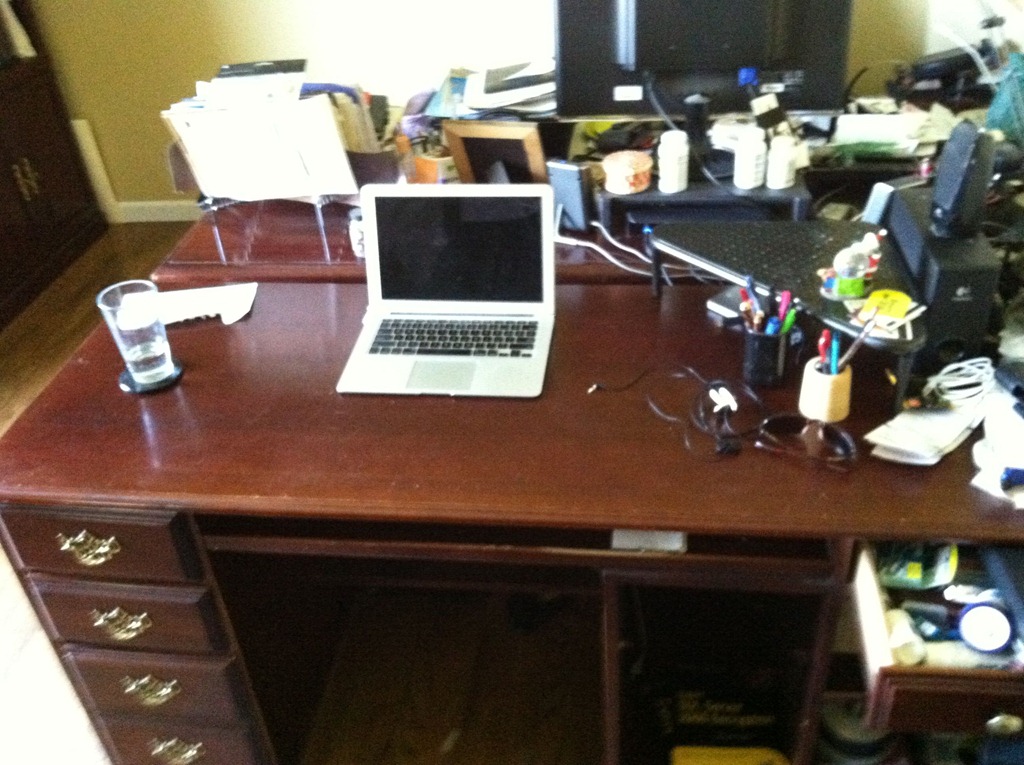
On the extra plus side, my regular desk is fairly clean now

So far I like the experiment, and I do feel like I’m burning more calories overall. I’ll give it a couple more week and then set about re-evaluating my move back upstairs.
A few things I need to consider fixing
- flooring – Buck talked about padding and I think I need something. I have carpet, but otherwise this is cement and I know that will take a toll. Upstairs I have wood, but probably need more padding.
- Monitors – The smaller two of my monitors are older and dimmer. I don’t use them as much, but I don’t love looking down so much at the newer ones. I need to reverse the positions.
- Desk space – I’m used to having space for a bottle of water and a coffee cup, plus my phone, a plate if I eat, etc. I need to consider that as I move to a more permanent setting.
- Monitor mounts – My desk doesn’t have a lip to clamp on. Do I cut a hole in it or move this one upstairs? Decisions, decisions, and permission from my wife.
This is cross posted to both my personal blog and the Voice of the DBA.