So you’re restored a database, restored a few logs, all with NORECOVERY as expected and realize there are no more logs. You see this in Management Studio and wonder what do to:
I’ve run a bunch of code, restoring lots of files, but I’m done.
RESTORE DATABASE db4 FROM DISK = 'db4_base.bak' WITH norecovery
RESTORE LOG db4 FROM DISK = 'db4_log1.trn' WITH norecovery
RESTORE LOG db4 FROM DISK = 'db4_log2.trn' WITH norecovery
RESTORE LOG db4 FROM DISK = 'db4_log3.trn' WITH norecovery
RESTORE LOG db4 FROM DISK = 'db4_log4.trn' WITH norecovery
....
RESTORE LOG db4 FROM DISK = 'db4_log42.trn' WITH norecovery
You don’t need another log to bring things online. This simple command will fix things:
Ethics are important, in our personal lives and in business.
This editorial was originally published on Nov 21, 2005. It is being re-run today as Steve is on holiday.
How much money is it worth to work with someone that kills and tortures people? Twenty five investment groups are working with Reporters Without Borders and looking to partner with, invest in, and help companies pursue a profit, but not at the cost of dealing with some governments.
Cisco, Google, Microsoft, and many non-tech companies have made investments in and done tremendous business with various governments around the world, often ignoring the social policies and issues of those governments. This is nothing new, however. When I was in college, there were many companies that did business with South Africa, regardless of apartheid, simply to turn a bigger profit.
Profit is not the only goal of a corporation. Or at least it should not be. Being a good citizen of the world should also be something that a corporation deals with. Most companies have theses noble and strong vision statements, but when profits are down or the “number” is threatened in a quarter, the leaders ignore the strong moral and ethical message to gather a few more pennies per share.
It’s amazing. Read some of the statements: Microsoft, Cisco, Google, Wal-Mart). They all mention ethical conduct and corporate standards. But they have all done business with suspect governments. Google is especially interesting in their 10 things list: You can make money without doing evil. The description of this seems to be something written at Slashdot by engineers. Not analog citizens in the physical world.
Perhaps the problem is that we don’t know what “ethics” are. Maybe everyone’s ethics are sufficiently different that we don’t agree on what is unethical and when a rule is bent v broken. You can justify almost everything that you do in some way. But that doesn’t make it ethical, moral, or the right thing to do.
Maybe the first step is a global definition of ethics to follow.
One of the things I’m missing today is Wild West Day at Red Gate. It’s not just because I don’t live anywhere near the office (they’re in Cambridge, UK, I’m in Denver, CO), but also because I have a vacation scheduled. Camping up near Fort Collins with family is on the agenda, and today should be a fun day of horseback riding for the girls and some biking for the boys.
That’s what I expect for our trip, but this was the reminder picture that came from Red Gate, for the company outing next week. They are having a day out event for employees, which sounds fun. I worked in a few companies that had outside events for employees, and those were also the days that really helped people bond together and enjoy their jobs a little more.
I miss those, and wish I had the chance to do one once in awhile. I might as my wife’s company has about 10 or 12 telecommuters in the Denver area and is looking to funding a day out somewhere.
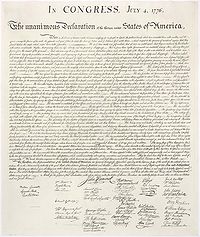
July 4th is Independence Day in the US, a celebration and remembrance of our declaration of independence from Great Britain many years ago. It’s been a holiday for most of my life that was punctuated by quality time with family, outdoor activities, and fireworks. Today I’m camping with my family in Northern Colorado, getting away from life for a few days.
I was lucky enough to be alive for the 200 year anniversary of the signing, a very patriotic time with lots of red, white, and blue celebratory activities at a park in my home of Virginia Beach. That was exciting for me, and I’ve never forgotten it. It was an event that also reminded me that many people sacrificed their lives to secure the freedoms that we enjoy in the United States.
If you live in the US, take a moment to re-read the Declaration of Independence and think about what it means. It’s not a long document, and it might inspire you to be a better citizen.
If you are not a US citizen, hopefully you have a great day today and I have a few holiday bloopers for you to enjoy below.